Minecraft version
Back to mods 
Modrinth · Minecraft mod
No Nether
Removes the ability to enter the nether through the portal
Choose a version Pick your version below, then grab the matching file.
Quick answer
Which No Nether release should I use?
Latest stable file 1.0.0+mod
Game version 1.21.10
Loader Fabric, Forge, NeoForge
No Nether 1.0.0+mod targets 1.21.10 with Fabric, Forge, NeoForge. Installation on the client is optional. Installation on the dedicated server is optional. No extra mods listed for this file.
Where it goes
Is No Nether required on the client, server, or both?
Installation on the client is optional. Installation on the dedicated server is optional.
Client Optional
Dedicated server Optional
Loader for this release Fabric, Forge, NeoForge
Required install it here Optional supported, not mandatory Not supported do not install here Source doesn’t say do not assume
The source marks this as usable on both the client and server.
What else does No Nether 1.0.0+mod need?
1.0.0+mod. Change the file and its required mods may change too.
This file does not list any required mods. Do not add a library just because a different file uses it.
This file does not list any required or optional mods.
Before you install it
Add No Nether without breaking your instance.
Built for No Nether 1.0.0+mod. Pick another file and the loader, install side or required mods may change.
- 01
Stick to this file
Use 1.0.0+mod. It targets 1.21.10 with Fabric, Forge, NeoForge; another release may have different loader, side or dependency requirements.
- 02
Bring the mods it needs
This file does not list any required mods. Do not add a library just because a different file uses it.
- 03
Put it on the correct side
Installation on the client is optional. Installation on the dedicated server is optional.
- 04
Pick the file you checked
Use the “Get this file” button beside 1.0.0+mod. It opens that exact file at the source.
About this project
What does No Nether add?
🚫🔥 Netherless Portals Datapack
Want to keep the Nether out of your survival world — without removing portals entirely? With Netherless Portals, Nether portals still light and function visually, but players cannot enter the Nether through them.
Perfect for hardcore survival, lore-based RPG maps, overworld-only adventures, or servers that want to keep gameplay focused entirely on one dimension.
🛠️ What This Datapack Does
This datapack safely prevents Nether travel while keeping portal mechanics intact:
✔ Players cannot enter the Nether through Nether portals
✔ Portals still light, activate, and look normal
✔ Works in survival — no commands or plugins required
✔ Keeps the Nether dimension intact for commands, admins, and datapack logic
✔ Fully multiplayer compatible
🎮 Why Use It?
- Create Overworld-only or custom-dimension experiences
- Keep early gameplay more grounded and progression-focused
- Perfect for story-driven adventures where the Nether is forbidden
- Prevent players from bypassing late-game challenges
- Keeps the Nether available for admins but blocks survival access
📥 Installation
- Download the datapack
.zip - Place it in your world’s
datapacksfolder - Reload your world with
/reload - Nether portals will still activate — but stepping in will no longer teleport players
Project description from Modrinth.
Pick your setup
No Nether by Minecraft version and loader
Choose the version and loader you play, then open the matching release.
Check the dependencies, then try the file in a copied instance before changing a world you care about.
Recent files
No Nether versions and loaders
1.0.0+mod
no-nether-dp-1.0.0.jar
3 Dec 2025
Client Optional Server Optional Dependencies No extras listed Listed on Release listing
Check the 1.21.10 · Fabric setup 1.21.10FabricForgeNeoForge release
1.0.0
No Nether - Datapack V1.0.0 - 1.21.10.zip
3 Dec 2025
Client Optional Server Optional Dependencies No extras listed Listed on Release listing
Check the 1.21.10 · datapack setup 1.21.10datapack release
Looking for an older file? The official Modrinth project page is in Resources.
 mod
mod CurseForge + Modrinth · Minecraft
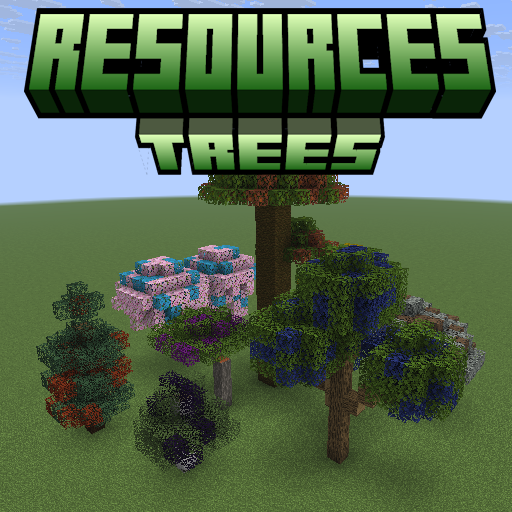
Resources Trees
Resources Trees provide you a new way to generate resources such as iron, gold, and diamond.
 mod
mod CurseForge + Modrinth · Minecraft
Paragliders
BotW style Paraglider
 mod
mod CurseForge + Modrinth · Minecraft
Needle In A Hay Stack
Find the needle in a hay stack!