Fabric API Needed by Zocular 2.5.0+26.3
requiredMatching file found Matched file: 0.166.2+26.3

Modrinth · Minecraft mod
Smooth zoom, a film-style cinematic camera, freecam and keyframed camera paths, all configured from one clean in-game settings screen.
Quick answer
Zocular 2.5.0+26.3 targets 26.3 with Fabric. It must be installed on the client. Do not install it on the dedicated server. All 1 required mods have matching files.
Where it goes
It must be installed on the client. Do not install it on the dedicated server.
This file is marked client-only.
2.5.0+26.3 on 26.3. Every mod below is checked against that same setup.
Install Fabric API first. We found matching files for this game-version and loader setup.
We only count dependency files that match this setup. A file for another loader does not fill the gap.
Before you install it
Built for Zocular 2.5.0+26.3 on 26.3. Pick another file and the loader, install side or required mods may change.
Use 2.5.0+26.3. It targets 26.3 with Fabric; another release may have different loader, side or dependency requirements.
Install Fabric API first. We found matching files for this game-version and loader setup.
It must be installed on the client. Do not install it on the dedicated server.
Use the “Get this file” button beside 2.5.0+26.3. It opens that exact file at the source.
About this project





Smooth zoom, a film-style cinematic camera, freecam and keyframed camera paths. Client-side, and configured from one clean settings screen.
Press I and the camera flies out and directs the scene like a western film, complete with letterbox bars and a soft vignette.
Press F4 to fly the camera anywhere while your character waits where you left it. Blocks stop the camera unless you turn on noclip, and taking damage snaps you straight back. The freecam panel has a Hide button (H) if you want a cleaner screen.
In freecam, left-click to drop keyframes along a route and right-click to play them back as one smooth shot. The camera follows a spline at an even speed with gentle easing, which makes it easy to film build tours and trailers.
Press 0 for a top-down camera like a handheld RPG. North stays at the top of the screen, W A S D walk up, left, down and right, and you turn to face the way you walk. The mouse still aims, so you can mine and build what is in front of you. [ and ] turn the camera, and holding C while you scroll raises or lowers it. Indoors, everything above your head is cut away so you see the room from above.
Adjust the third-person distance, switch to an over-the-shoulder view, and roll the horizon for dutch angles in freecam and cinematic shots.
Zocular comes in English, Spanish, Brazilian Portuguese, Italian, French, German, Polish, Russian, Ukrainian, Turkish, Chinese, Japanese and Korean, and follows your Minecraft language.
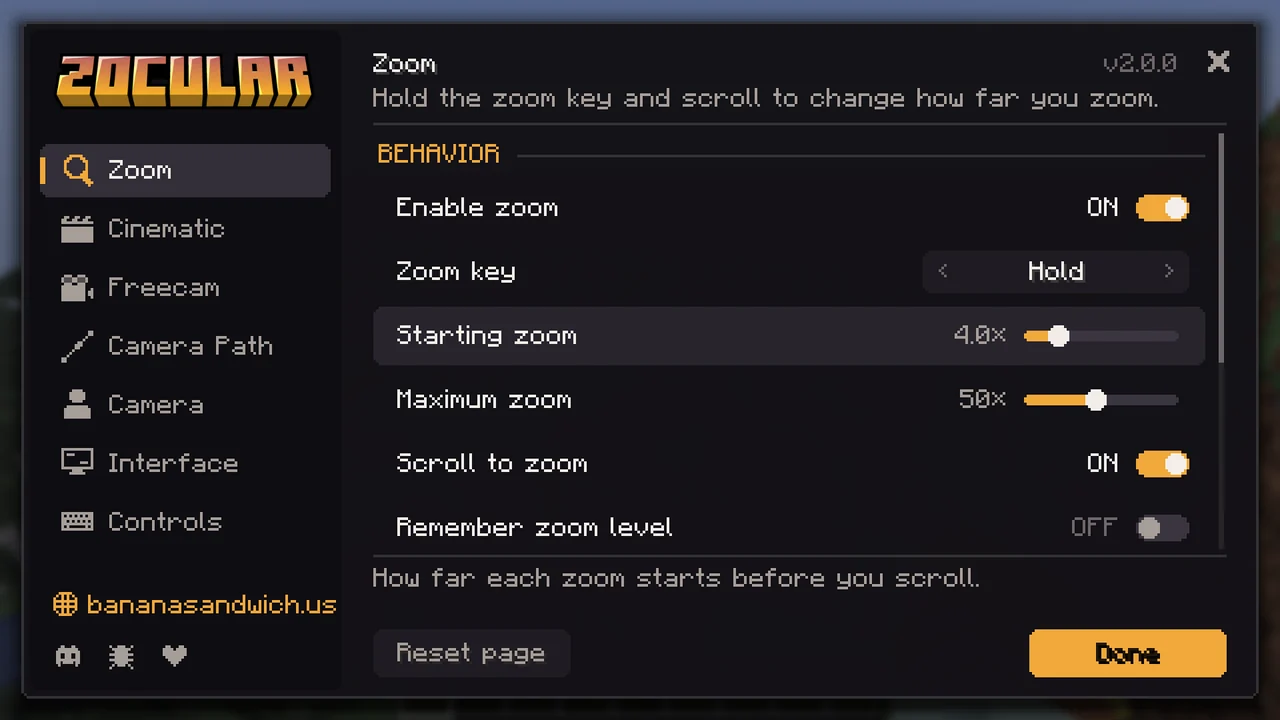
Everything lives in one settings screen: open it from Mod Menu, type /zocular, or bind a key to it. Every option explains what it does, and anything you've changed can be reset with one click. Every Zocular HUD element can be dragged wherever you like with /zocular hud.
| Action | Default key |
|---|---|
| Zoom (hold, scroll to adjust) | C |
| Cinematic camera | I |
| Next shot | R |
| Freecam | F4 |
| Freecam panel full / compact | H |
| RPG view | 0 |
| Roll left / right / level | [ / ] / \ |
| Switch shoulder | not bound |
| Open settings | not bound, or /zocular |
In freecam, Attack adds a keyframe, Use plays or stops the path, Pick Block removes the last keyframe and the scroll wheel sets your flying speed. Every key can be changed in the settings.
Zocular only runs on your client, so it works on any server. Some servers don't allow freecam, so check the rules first.

Zocular is made by Bhored from Banana Sandwich SMP, a mature (18+), Hermitcraft-inspired vanilla server with proximity voice chat, built around genuine collaboration and fun.
Visit bananasandwich.us or join the Discord to hop on.
Found a bug or have an idea? Open an issue on GitHub. If you'd like to support development, you can donate through PayPal.
Project description from Modrinth.
Pick your setup
Choose the version and loader you play, then open the matching release.
Check the dependencies, then try the file in a copied instance before changing a world you care about.
Recent files
zocular-2.5.0+26.3.jar
29 Nov 2026
zocular-2.4.0+26.3.jar
29 Nov 2026
zocular-2.3.0+26.3.jar
13 Nov 2026
zocular-2.2.0+26.3.jar
13 Nov 2026
zocular-2.1.0+26.3.jar
27 Sept 2026
zocular-2.0.0+26.3.jar
27 Sept 2026
Looking for an older file? The official Modrinth project page is in Resources.
 mod
A Minecraft mod that lets you cycle through paintings using the brush!
 mod
A cozy, hand-drawn atlas the fills itself in as you venture. Set waypoints and keep track of the villages, temples and dungeons you discover!
 mod
Displays the player's hearts above their username.