ClickCrystals Needed by Tutla's ClickCrystals Script Editor 0.3.0
requiredMatching file found Matched file: 26.2-1.4.3
Modrinth · Minecraft mod
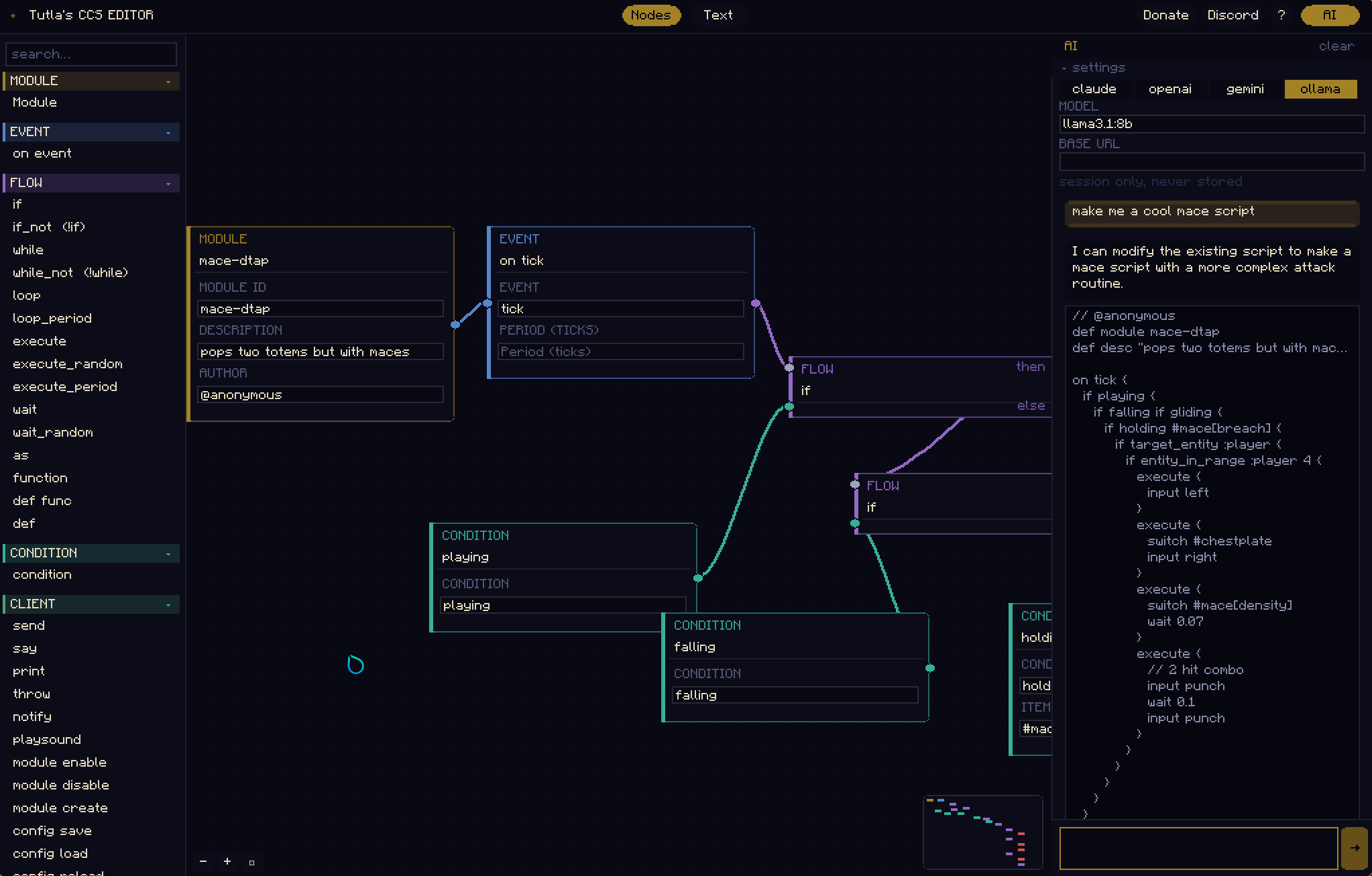
Make, Edit and Create workflows using CCS Node Editor. Comes with an AI if your too lazy to make scripts!
Quick answer
Tutla's ClickCrystals Script Editor 0.3.0 targets 26.2 with Fabric. It must be installed on the client. Do not install it on the dedicated server. All 1 required mods have matching files.
Where it goes
It must be installed on the client. Do not install it on the dedicated server.
This file is marked client-only.
0.3.0. Change the file and its required mods may change too.
Install ClickCrystals first. We found matching files for this game-version and loader setup.
We only count dependency files that match this setup. A file for another loader does not fill the gap.
Before you install it
Built for Tutla's ClickCrystals Script Editor 0.3.0. Pick another file and the loader, install side or required mods may change.
Use 0.3.0. It targets 26.2 with Fabric; another release may have different loader, side or dependency requirements.
Install ClickCrystals first. We found matching files for this game-version and loader setup.
It must be installed on the client. Do not install it on the dedicated server.
Use the “Get this file” button beside 0.3.0. It opens that exact file at the source.
About this project
ClickCrystals Script lets you build powerful in-game modules without having to learn goofy java. Automate anything within this editor.
Requires ClickCrystals >=1.4.0.
mods foldermods folderjYou need to know how to use CCS to understand basic functionality before writing scripts.
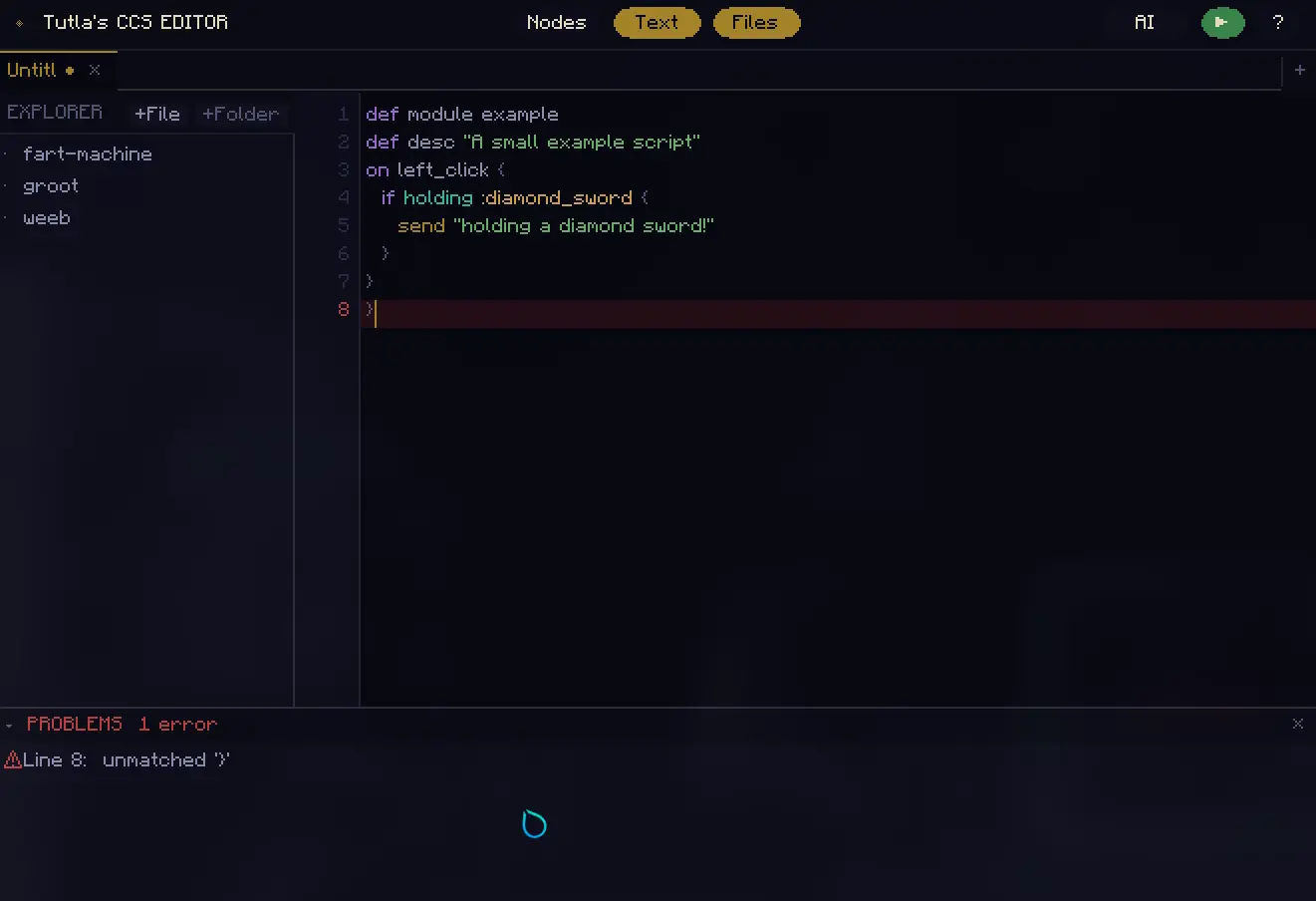
{ inserts {} with the cursor placed inside{ / } pairs are highlighted when the cursor is near oneCtrl+F) — search bar at the top of the editor; Enter / Shift+Enter to step through matches, Escape to dismissCtrl+H) — adds a replace bar; replace one (Enter) or all (Ctrl+Enter) occurrencesCtrl+S) — reformats the script with consistent 3-space indentation before writing to disk, matching the formatter at ccs.tutla.net.clickcrystals/scripts directoryworkflows/door instead of just door)Untitled until first saved with Ctrl+S (triggers Save As)▶) — green button in the header sends ,ccs reload-scripts to chat, reloading your scripts in-game without leaving the editor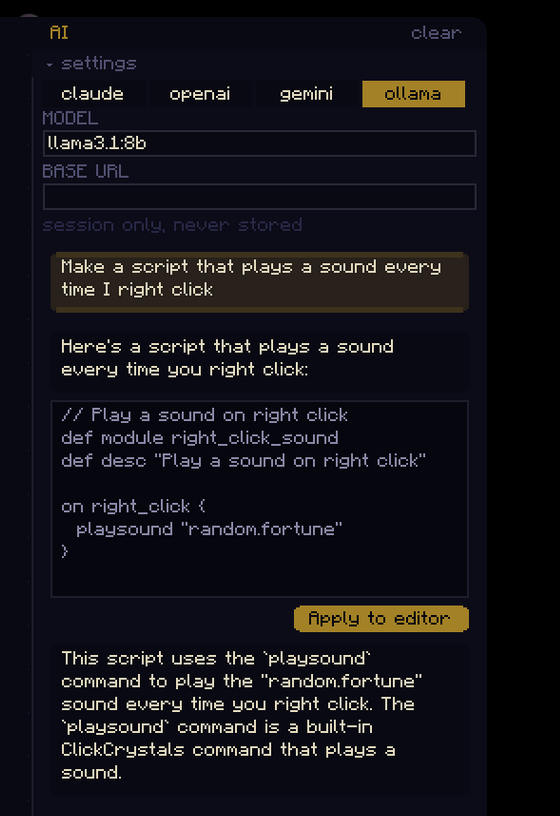
The AI tab lets you generate scripts by just describing it. To use it, go to the top right of your screen and click "AI" to open up the menu.
In the menu you will be presented with 4 options:
llama3.1:8b but you can definetly use a better model. Install ollama and make sure its serving (serve by running ollama serve in terminal). If your first response is taking too long, make sure llama3.1:8b or the model you want is already installed. Install it via ollama run llama3.1:8b.If you're not running it locally via ollama then put the API key in it's respective input in the AI panel within the editor.
While using AI keep in mind to:
gemini-2.5-flash will straight up reject your request if you don't be specific enough.It shows "play_Sound" is unknown. Please fix it by using the correct defintion. Specify if it doesn't exist. If AI can't resolve even after repeated prompting then try looking up the node yourself, afterall: Humans are superior (but Claude Opus can definitely get it done)Project description from Modrinth.
Pick your setup
Choose the version and loader you play, then open the matching release.
Check the dependencies, then try the file in a copied instance before changing a world you care about.
Recent files
tutlaccseditor-0.3.0.jar
3 Nov 2026
tutlaccseditor-0.2.0.jar
3 Nov 2026
tutlaccseditor-0.1.0.jar
12 Jul 2026
tutlaccseditor-0.1.0.jar
27 May 2026
tutlaccseditor-0.0.1.jar
16 May 2026
Looking for an older file? The official Modrinth project page is in Resources.
 mod
Singularity Iteration is a tech mod inspired by the Industrial Craft 2, bringing a relatively complete yet streamlined industrialization experience to Minecraft.
 mod
Prevent Boats from getting stuck on Lily Pads
 mod
A lightweight Tinkers' Construct addon featuring tools, new materials, and exclusive projectile traits.