Minecraft version
Back to mods 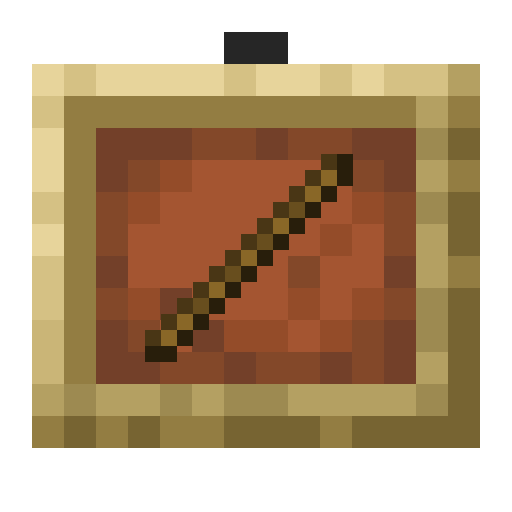
Modrinth · Minecraft mod
ItemFramer
[Datapack/mod] that allows you to make an itemframe invisible and lock itemframes
Choose a version Pick your version below, then grab the matching file.
Quick answer
Which ItemFramer release should I use?
Latest stable file v2.1.1+mod
Game version 26.2
Loader Fabric, Forge, NeoForge
ItemFramer v2.1.1+mod targets 26.2 with Fabric, Forge, NeoForge. Installation on the client is optional. Installation on the dedicated server is optional. No extra mods listed for this file.
Where it goes
Is ItemFramer required on the client, server, or both?
Installation on the client is optional. Installation on the dedicated server is optional.
Client Optional
Dedicated server Optional
Loader for this release Fabric, Forge, NeoForge
Required install it here Optional supported, not mandatory Not supported do not install here Source doesn’t say do not assume
The source marks this as usable on both the client and server.
What else does ItemFramer v2.1.1+mod need?
v2.1.1+mod. Change the file and its required mods may change too.
This file does not list any required mods. Do not add a library just because a different file uses it.
This file does not list any required or optional mods.
Before you install it
Add ItemFramer without breaking your instance.
Built for ItemFramer v2.1.1+mod. Pick another file and the loader, install side or required mods may change.
- 01
Stick to this file
Use v2.1.1+mod. It targets 26.2 with Fabric, Forge, NeoForge; another release may have different loader, side or dependency requirements.
- 02
Bring the mods it needs
This file does not list any required mods. Do not add a library just because a different file uses it.
- 03
Put it on the correct side
Installation on the client is optional. Installation on the dedicated server is optional.
- 04
Pick the file you checked
Use the “Get this file” button beside v2.1.1+mod. It opens that exact file at the source.
About this project
What does ItemFramer add?
ItemFramer
By: FerranV
Description:
This is a datapack that adds a custom item that makes it so you can make item frames invisible by simply right clicking on it.
- Obtaining the ItemFramer item:
Recipe:
- You can simply craft it like this:
* (item frames and glow item frames are interchangeable)
Trigger command (disabled by default): type
/trigger ItemFramerin chat to obtain the ItemFramer item, this command is disabled by default and can be enabled through typing/function itemframer:admin/toggle_triggeras an operator in chat or in console.- Usage:
- Shift+Right_click on an item frame while holding the ItemFramer item to reset the rotation of the item inside.
- Right_click on an item frame while holding the ItemFramer item to make the item frame invisible.
- Left_click on an item frame while holding the ItemFramer to lock the item frame meaning that you can no longer rotate or take the item out of the item frame until the item frame is unlocked again.
- Usage:
Changelog:
v2.1.1_26.3(+mod): Added support for the 26.3 version of Minecraft
v2.1.1:
- Bugs:
- Fixed a bug where the interaction entities wouldn't despawn in certain situations
- Bugs:
v2.1.0_26.2(+mod): Added support for the 26.2 version of Minecraft
v2.1.0_26.1-26.1.2(+mod): Added support for the 26.1-26.1.2 versions of Minecraft
v2.1.0_1.21.9-1.21.11(+mod): Added support for the 1.21.9-1.21.11 versions of Minecraft
v2.1.0:
- Bugs:
- Optimised code a bit to produce a little less lag.
- Fixed crafting recipe not working
- New Features:
- Added a command to toggle the
/trigger commandfrom being able to be used by players (see "Obtaining the ItemFramer item") - From now on I will be packaging the datapacks as mods for easier installation on modded instances.
- Added a command to toggle the
- Bugs:
v2.0.1_1.21.7: Added support for the 1.21.7 and 1.21.8 versions of Minecraft.
v2.0.1_1.21.6: Added support for the 1.21.6 version of Minecraft.
v2.0.1: Fixed a bug where the
/trigger ItemFramercommand wouldn't always be available to everyone.v2.0.0: Added support for Minecraft 1.21.4.
v1.2.0: You can now shift+right_click on an item frame using the ItemFramer item to reset the rotation of the item inside the item frame.
v1.1.0: You can now left_click on an item frame with the ItemFramer item to lock the item frame. This makes it so that you cannot rotate the item or take out the item out of the item frame until you unlock it again.
v1.0.0: First release, you can right_click on any item frame that has an item in it with the custom ItemFramer item to make the item frame invisible
Setting it up:
Step by step Guide:
Adding it to a new world:
Step 1:
PressCreate New Worldand thenMoreStep 2:
PressData Packs
Step 3:
PressOpen Pack Folderand drop the.zipin there
Step 4:
Now the datapack should appear in the list. Just simply press the arrow to insert it into your world and hitDoneto complete
- Adding it to an existing world:
Step 1:
Locate yoursavesfolderStep 2:
Open folder of the world you want the datapack to be inStep 3:
Locate thedatapacksfolder inside your world folderStep 4:
Drop the.zipdownload into the datapacks folder
Not working?
- Try typing
/reload(in singleplayer) and if on a server also try restarting the server - Try typing
/datapack enable "file/<folder name here>"In console or in chat as an operator (this means that the datapack wouldn't be enabled previously)
Project description from Modrinth.
Pick your setup
ItemFramer by Minecraft version and loader
Choose the version and loader you play, then open the matching release.
Minecraft version
26.2
5 loader buildsMinecraft version
26.1.2
5 loader buildsMinecraft version
26.1.1
5 loader buildsMinecraft version
26.1
5 loader buildsMinecraft version
1.21.11
5 loader buildsMinecraft version
1.21.10
5 loader buildsMinecraft version
1.21.9
5 loader buildsMinecraft version
1.21.8
5 loader buildsMinecraft version
1.21.7
5 loader buildsMinecraft version
1.21.6
5 loader buildsMinecraft version
1.21.5
5 loader buildsShowing the newest 12 of 15 game versions. Older files are in the list below.
Check the dependencies, then try the file in a copied instance before changing a world you care about.
Recent files
ItemFramer versions and loaders
v2.1.1+mod
itemframer-v2.1.1.jar
20 Sept 2026
Client Optional Server Optional Dependencies No extras listed Listed on Release listing
Check the 26.2 · Fabric setup 26.2FabricForgeNeoForge release
v2.1.1
v2.1.1_26.2_ItemFramer.zip
20 Sept 2026
Client Optional Server Optional Dependencies No extras listed Listed on Release listing
Check the 26.2 · datapack setup 26.2datapack release
v2.1.1+mod
itemframer-v2.1.1.jar
19 Sept 2026
Client Optional Server Optional Dependencies No extras listed Listed on Release listing
Check the 26.3 · Fabric setup 26.3FabricForgeNeoForge release
v2.1.1
v2.1.1_26.3_ItemFramer.zip
19 Sept 2026
Client Optional Server Optional Dependencies No extras listed Listed on Release listing
Check the 26.3 · datapack setup 26.3datapack release
v2.1.0+mod
itemframer-v2.1.0.jar
21 Jun 2026
Client Optional Server Optional Dependencies No extras listed Listed on Release listing
Check the 26.2 · Fabric setup 26.2FabricForgeNeoForge release
v2.1.0
v2.1.0_26.2_ItemFramer.zip
21 Jun 2026
Client Optional Server Optional Dependencies No extras listed Listed on Release listing
Check the 26.2 · datapack setup 26.2datapack release
v2.1.0+mod
itemframer-v2.1.0.jar
18 Apr 2026
Client Optional Server Optional Dependencies No extras listed Listed on Release listing
Check the 26.1.2 · Fabric setup 26.126.1.126.1.2Fabric release
v2.1.0
v2.1.0_26.1-26.1.2_ItemFramer.zip
18 Apr 2026
Client Optional Server Optional Dependencies No extras listed Listed on Release listing
Check the 26.1.2 · datapack setup 26.126.1.126.1.2datapack release
v2.1.0+mod
itemframer-v2.1.0.jar
25 Dec 2025
Client Optional Server Optional Dependencies No extras listed Listed on Release listing
Check the 1.21.11 · Fabric setup 1.21.101.21.111.21.9Fabric release
v2.1.0
v2.1.0_1.21.9-1.21.11_ItemFramer.zip
25 Dec 2025
Client Optional Server Optional Dependencies No extras listed Listed on Release listing
Check the 1.21.11 · datapack setup 1.21.101.21.111.21.9datapack release
v2.1.0+mod
itemframer-ItemFramer_v2.1.0.jar
15 Aug 2025
Client Optional Server Optional Dependencies No extras listed Listed on Release listing
Check the 1.21.8 · Fabric setup 1.21.51.21.61.21.71.21.8 release
v2.1.0
v2.1.0_1.21.5-1.21.8_ItemFramer.zip
15 Aug 2025
Client Optional Server Optional Dependencies No extras listed Listed on Release listing
Check the 1.21.8 · datapack setup 1.21.51.21.61.21.71.21.8 release
Looking for an older file? The official Modrinth project page is in Resources.
 mod
CurseForge + Modrinth · Minecraft
TheTitansNeo
This project is an unofficial remaster mod for TheTitans.
 mod
CurseForge + Modrinth · Minecraft
Modest Meals
A vanilla enhancing mod that aims to expand the food system with dynamic meals, while also adding stamina.
 mod
CurseForge + Modrinth · Minecraft
[VSE]Visual Set Edit
This mod lets you edit custom set effects through a visual GUI with intuitive operations.