Minecraft version
Back to mods 
Modrinth · Minecraft mod
Animated Chat Mod
Client-side NeoForge mod. Adds animated text to chat. Works on vanilla servers, no plugin required.
Choose a version Pick your version below, then grab the matching file.
Quick answer
Which Animated Chat Mod release matches 1.20.2?
Best match for your filters 1.2.0
Game version 1.20.1, 1.20.2, 1.20.3
Loader Forge
Animated Chat Mod 1.2.0 targets 1.20.1, 1.20.2, 1.20.3 with Forge. It must be installed on the client. Do not install it on the dedicated server. No extra mods listed for this file.
Where it goes
Is Animated Chat Mod required on the client, server, or both?
It must be installed on the client. Do not install it on the dedicated server.
Client Required
Dedicated server Not supported
Loader for this release Forge
Required install it here Optional supported, not mandatory Not supported do not install here Source doesn’t say do not assume
This file is marked client-only.
What else does Animated Chat Mod 1.2.0 need?
1.2.0 on 1.20.2. Every mod below is checked against that same setup.
This file does not list any required mods. Do not add a library just because a different file uses it.
This file does not list any required or optional mods.
Before you install it
Add Animated Chat Mod without breaking your instance.
Built for Animated Chat Mod 1.2.0 on 1.20.2. Pick another file and the loader, install side or required mods may change.
- 01
Stick to this file
Use 1.2.0. It targets 1.20.1, 1.20.2, 1.20.3 with Forge; another release may have different loader, side or dependency requirements.
- 02
Bring the mods it needs
This file does not list any required mods. Do not add a library just because a different file uses it.
- 03
Put it on the correct side
It must be installed on the client. Do not install it on the dedicated server.
- 04
Pick the file you checked
Use the “Get this file” button beside 1.2.0. It opens that exact file at the source.
About this project
What does Animated Chat Mod add?
Hello?... Do you hear me?... I'm still here... But... Alone?...
The development is frozen. Code available on GitHub.
You can write to me if you need an update... But I know you won't... Or will you?...
Discord: https://discord.gg/chx5mxVTR (updated link)
Привет?... Слышишь меня?... Я всё ещё здесь... Но... Один?...
Разработка заморожена. Код доступен на GitHub.
Можешь написать мне, если нужно обновление... Но я знаю, что ты не напишешь... Или нет?...
Дискорд: https://discord.gg/chx5mxVTR (обновлённая ссылка)
AnimatedChatMod





🎨 See your chat come alive with smooth, configurable animations!
EN
What is this
✨ Adds animated text effects to Minecraft chat (client-side).
⚙️ Works on vanilla servers — no plugins required.
If you find a bug or want a feature, please join our Discord and let us know there.
Animation format
<animation:interval:2><->Frame</-><-><red>Text</red></-></animation>
Interval
Interval is in ticks.
1 tick = 50 ms.
Config
File:
config/animatedchat-client.toml
Main options:
- enable-animations — enable animations
- history-size — chat history size
- max-chat-length — max input length
Notes
- Client-side only
- Animations depend on received chat text
- Some servers may modify messages
⭐ If you like this mod, consider following for updates and join our discord server!
RU
Что это
✨ Добавляет анимированный текст в чат майнкрафт (клиентский мод).
⚙️ Работает даже на ванильный серверах, плагинов не требуется.
Если вы нашли баг или хотите предложить фичу — пожалуйста, напишите об этом в нашем Discord.
Формат анимации
<animation:interval:2><->Кадр</-><-><red>Текст</red></-></animation>
Интервал
Интервал указывается в тиках.
1 тик = 50 мс.
Настройки
Файл:
config/animatedchat-client.toml
Основные параметры:
- enable-animations — включить анимации
- history-size — размер истории сообщений
- max-chat-length — максимальная длина ввода
⭐ Если мод понравился — подпишитесь, чтобы не пропустить обновления и вступайте в наш дискорд сервер, чтобы быть в курсе всех событий!
Project description from Modrinth.
Pick your setup
Animated Chat Mod by Minecraft version and loader
Choose the version and loader you play, then open the matching release.
Minecraft version
1.20.6
1 loader buildMinecraft version
1.20.5
1 loader buildMinecraft version
1.20.4
1 loader buildMinecraft version
1.20.3
1 loader buildMinecraft version
1.20.2
1 loader buildMinecraft version
1.20.1
1 loader buildCheck the dependencies, then try the file in a copied instance before changing a world you care about.
Recent files
Animated Chat Mod versions and loaders
1.2.0
AnimatedChatMod-1.2.0-forge-1.20.1.jar
8 Jan 2026
Client Required Server Not supported Dependencies No extras listed Listed on Release listing
Check the 1.20.2 · Forge setup 1.20.11.20.21.20.31.20.4 release
Looking for an older file? The official Modrinth project page is in Resources.
 mod
Modrinth · Minecraft
Custom Capes
This Mod adds the ability to add custom capes to your player including gifs and normal images with a resolution up to 2048x1024 you can also see other capes and vice versa and it also works with elytra models and wavey capes
 mod
CurseForge + Modrinth · Minecraft
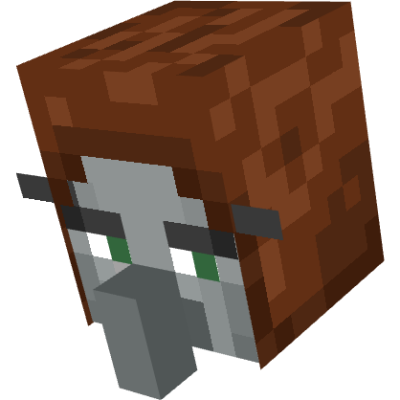
Hunter'sReturn
Add evil Hunter's mob! They hunt the animals while making a cheeky laugh...
 mod
CurseForge + Modrinth · Minecraft
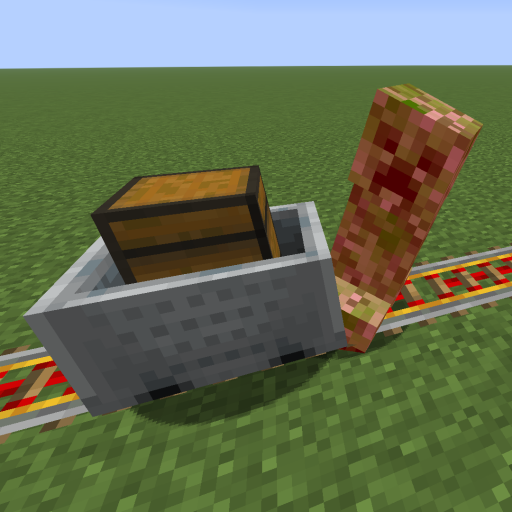
Kinetic Minecart
This mod increases damage to moving minecarts; the faster they move, the higher the damage, with virtually no damage limit!