Minecraft version
Back to mods 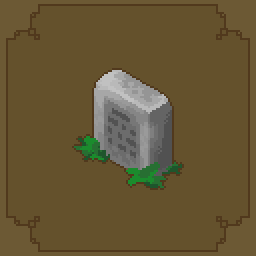
Modrinth · Minecraft mod
Keepsake
Decide what happens when you die.
Choose a version Pick your version below, then grab the matching file.
Quick answer
Which Keepsake release matches 26.2?
Best match for your filters 1.0.0
Game version 26.2
Loader Fabric
Keepsake 1.0.0 targets 26.2 with Fabric. Installation on the client is optional. Installation on the dedicated server is optional. No extra mods listed for this file.
Where it goes
Is Keepsake required on the client, server, or both?
Installation on the client is optional. Installation on the dedicated server is optional.
Client Optional
Dedicated server Optional
Loader for this release Fabric
Required install it here Optional supported, not mandatory Not supported do not install here Source doesn’t say do not assume
The source marks this as usable on both the client and server.
What else does Keepsake 1.0.0 need?
1.0.0 on 26.2. Every mod below is checked against that same setup.
This file does not list any required mods. Do not add a library just because a different file uses it.
This file does not list any required or optional mods.
Before you install it
Add Keepsake without breaking your instance.
Built for Keepsake 1.0.0 on 26.2. Pick another file and the loader, install side or required mods may change.
- 01
Stick to this file
Use 1.0.0. It targets 26.2 with Fabric; another release may have different loader, side or dependency requirements.
- 02
Bring the mods it needs
This file does not list any required mods. Do not add a library just because a different file uses it.
- 03
Put it on the correct side
Installation on the client is optional. Installation on the dedicated server is optional.
- 04
Pick the file you checked
Use the “Get this file” button beside 1.0.0. It opens that exact file at the source.
About this project
What does Keepsake add?

Keepsake allows a FULL customization option for Keep Inventory and death. Decide exactly what happens when you die.
Works in singleplayer and on servers. Everything below is changeable in game without a restart!
Getting Started
Run /keepsake config.
On a server, you need op to run this! In your own singleplayer world you don't need anything, but if you made the world without cheats you'll get a small prompt asking to switch them on first. That's a permanent change to that world, which is why it asks instead of just doing it!
Hit Save to apply.
Keeping What YOU Want
The Keep tab has a switch and a percentage for each part of your inventory. Do you like to gamble?
| Keep hotbar | Your bottom row. On by default. |
| Keep armor | What you're wearing. On by default. |
| Keep offhand | Your left hand. On by default. |
| Keep main inventory | The other 27 slots. Off by default. |
The percentage under each one keeps that share of the category and drops the rest, picked at random. Set inventory to 50% and on death, you lose half of your inventory at random.
Fine control
The Lists tab overrides the switches for specific things. All comma separated.
- Always keep these items e.g.
minecraft:elytra, minecraft:totem_of_undying - Always keep these item tags e.g.
minecraft:pickaxes - Always drop these items
- Always drop these item tags
- Always keep / drop these slots by number... slot numbers are
0-8hotbar,9-35inventory,36-39armor,40offhand.
Drop lists win over keep lists. So "keep all my tools, but always drop cobblestone" does exactly that.
Taxes!
Thats right, taxes have made their way to Minecraft! On the Items tab. Kept tools and armor lose that share of their max durability when you die. It's the middle ground between losing your gear and death costing you nothing. It'll never break an item, though!
XP
The XP tab, four modes:
- Keep all
- Keep percent a share of your total XP
- Keep levels caps you at N levels, you lose the rest
- Keep none vanilla
Percentages work on XP points, not the level number!
Graves
On the Items tab, set Lost items to Grave and everything you didn't keep gets sealed into a gravestone where you died instead of scattering on the floor.
- Look at it to see whose it is and what's inside.
- Right click to take everything back.
- Break it and the contents spill out, so a grave in a bad spot is never a dead end.
Graves are owner only by default, they hold your lost XP too, and creepers can't blow them up. You get one chat line on death telling you the coordinates.
Prefer Vanilla? Set Lost items to Scatter. Feeling EVIL? Void.
Respawn
The Respawn tab.
- Instant respawn skips the death screen entirely.
- Respawn delay makes you wait before you can respawn.
- Respawn at your bed as normal, world spawn, or right where you died.
- Invulnerability a few seconds of immunity on respawn.
- Respawn effects anything you like, as
minecraft:slowness:100:1.
Custom Death Messages
On the General tab you can leave the death message alone, hide it completely, or write your own. {player} and {cause} get filled in, so {player} bit the dust ({cause}) works.
Dimension & Death!
Give dimensions custom death rules! Every keep rule can be overridden per dimension and per damage type. These live in the config file rather than the menu, for more advanced users and modpack makers!
"dimensionOverrides": {
  "minecraft:the_nether": { "keepMainInventory": false, "durabilityTaxPercent": 25 }
},
"damageOverrides": {
  "minecraft:out_of_world": { "keepMainInventory": true },
  "#minecraft:is_fire": { "lostItems": "VOID" }
}
Only name the settings you want to change, the rest are inherited. Damage type beats dimension, so "keep everything if you fall in the void" still wins in the Nether.
Make Presets
Whole configs you can swap between, in config/keepsake/presets/. Three come with the mod:
- vanilla lose everything, same as no mod
- softcore keep your inventory, 10% durability tax, graves, instant respawn
- hardcore lose everything, graves, 5 second respawn delay, and lava voids your stuff
Load one from the Presets tab or with /keepsake preset load softcore. Save your own setup with /keepsake preset save mypack to save it with your modpack.
Commands
/keepsake config              open the settings
/keepsake reload              re-read the config file
/keepsake enabled <true|false>
/keepsake preset list|load <name>|save <name>
/keepsake show                print the active rules
/keepsake stats [player]      death count for funsies
Config file
config/keepsake.json writes on first launch. Everything in the menu is in there, plus the dimension and damage overrides. /keepsake reload picks up edits without a need to restart.
Future Plans
- Editing the dimension and damage overrides in the menu.
- Per death adjustments, so dying in different ways yields different results (in menu, not just config).
- Per player rules, so ops can be softer on new players.
- A grave map marker/compass.
Project description from Modrinth.
Pick your setup
Keepsake by Minecraft version and loader
Choose the version and loader you play, then open the matching release.
Minecraft version
1.21.11
2 loader buildsMinecraft version
1.21.10
2 loader buildsMinecraft version
1.21.9
2 loader buildsMinecraft version
1.21.8
2 loader buildsMinecraft version
1.21.7
2 loader buildsMinecraft version
1.21.6
2 loader buildsMinecraft version
1.21.5
2 loader buildsMinecraft version
1.21.4
2 loader buildsMinecraft version
1.21.3
2 loader buildsMinecraft version
1.21.2
2 loader buildsMinecraft version
1.21.1
2 loader buildsCheck the dependencies, then try the file in a copied instance before changing a world you care about.
Recent files
Keepsake versions and loaders
1.0.0
keepsake-fabric-26.2-1.0.0.jar
28 Jul 2026
Client Optional Server Optional Dependencies No extras listed Listed on Release listing
Check the 26.2 · Fabric setup 26.2Fabric release
1.0.0
keepsake-neoforge-26.2-1.0.0.jar
28 Jul 2026
Client Optional Server Optional Dependencies No extras listed Listed on Release listing
Check the 26.2 · NeoForge setup 26.2NeoForge release
Looking for an older file? The official Modrinth project page is in Resources.
 mod
mod CurseForge + Modrinth · Minecraft
LinearReader
Make Minecraft worlds take up less space.
 mod
mod CurseForge + Modrinth · Minecraft
Mining Speed Indicators
Shows mining speeds of tools with mining capabilities on their tooltips.
 mod
mod CurseForge · Minecraft
RPG Adventurer
Turns minecraft into an RPG with levels, stats, new weapons, useful items, blocks, mobs and a LOT of other features.