Minecraft version
Back to mods 
Modrinth · Minecraft mod
Portkey
Teleport between locations in a wizardly style.
Choose a version Pick your version below, then grab the matching file.
Quick answer
Which Portkey release matches 1.19 Forge?
Best match for your filters 1.12
Game version 1.19, 1.19.1, 1.19.2
Loader Forge
Portkey 1.12 targets 1.19, 1.19.1, 1.19.2 with Forge. Installation on the client is optional. Installation on the dedicated server is optional. No extra mods listed for this file.
Where it goes
Is Portkey required on the client, server, or both?
Installation on the client is optional. Installation on the dedicated server is optional.
Client Optional
Dedicated server Optional
Loader for this release Forge
Required install it here Optional supported, not mandatory Not supported do not install here Source doesn’t say do not assume
The source marks this as usable on both the client and server.
What else does Portkey 1.12 need?
1.12 on 1.19 Forge. Every mod below is checked against that same setup.
This file does not list any required mods. Do not add a library just because a different file uses it.
This file does not list any required or optional mods.
Before you install it
Add Portkey without breaking your instance.
Built for Portkey 1.12 on 1.19 Forge. Pick another file and the loader, install side or required mods may change.
- 01
Stick to this file
Use 1.12. It targets 1.19, 1.19.1, 1.19.2 with Forge; another release may have different loader, side or dependency requirements.
- 02
Bring the mods it needs
This file does not list any required mods. Do not add a library just because a different file uses it.
- 03
Put it on the correct side
Installation on the client is optional. Installation on the dedicated server is optional.
- 04
Pick the file you checked
Use the “Get this file” button beside 1.12. It opens that exact file at the source.
About this project
What does Portkey add?

This mod adds some blocks that if you enchant them they become into magical portkeys. These portkeys allows players to teleport between locations.

"Why are they all standing around that manky old boot?"
"That isn't just any old manky boot mate. It's a portkey."
How does it work?
1.- Craft one of our blocks and, on the enchanting table, enchant the block with the portkey-enchant

2.- Use the enchanted portkey on a block to set the destination (If you want to change the destination, use the portkey in your hand while pressing shift to delete the saved destination)
3.- Use it again on another block to place the portkey and set the origin location
4.- Right-click on the placed portkey to teleport yourself to the previous set destination. Enjoy!

But you must know this kind of magic CANT work between different dimensions.
Right of Use
- You can add this mod to a modpack (credits are appreciated). Note that the mod has not be fully tested on servers.
- Do NOT re-upload this mod on other websites. Always use a link to this page.
Project description from Modrinth.
Pick your setup
Portkey by Minecraft version and loader
Choose the version and loader you play, then open the matching release.
Minecraft version
1.19.1
1 loader buildMinecraft version
1.19
1 loader buildMinecraft version
1.18.2
1 loader buildMinecraft version
1.18.1
1 loader buildMinecraft version
1.18
1 loader buildCheck the dependencies, then try the file in a copied instance before changing a world you care about.
Recent files
Portkey versions and loaders
1.12
portkey-1.19.2-1.12.jar
25 Jul 2023
Client Optional Server Optional Dependencies No extras listed Listed on Release listing
Check the 1.19 · Forge setup 1.191.19.11.19.2Forge release
Looking for an older file? The official Modrinth project page is in Resources.
 mod
Modrinth · Minecraft
EvilCraft
An evil mod for Minecraft
 mod
Modrinth · Minecraft
Waystones
Teleport from waystone to waystone or craft magical scrolls to warp.
 mod
CurseForge · Minecraft
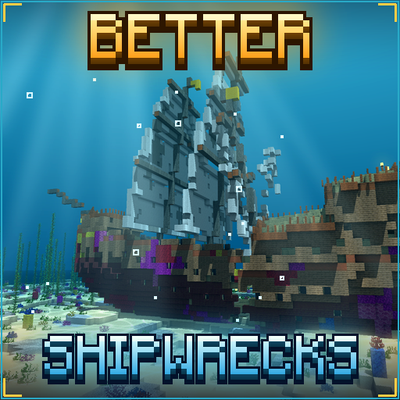
TONI's Better Shipwrecks: Sunken Ships & Pirate Wrecks (Forge/Fabric)
Every shipwreck rebuilt as a huge 3D ship: galleons, brigs, merchantmen, sloops and Viking longships, sunk or beached in many ways. Vanilla loot, server-side.