Minecraft version
Back to mods 
Modrinth · Minecraft mod
ForgematicaPrinter
Litematica Printer unofficial (Neo)Forge port. An extension for Forgematica that adds the missing printer functionality
Choose a version Pick your version below, then grab the matching file.
Quick answer
Which ForgematicaPrinter release should I use?
alpha file 0.1.0+mc1.20.4
Game version 1.20.4
Loader NeoForge
ForgematicaPrinter 0.1.0+mc1.20.4 targets 1.20.4 with NeoForge. It must be installed on the client. Do not install it on the dedicated server. No extra mods listed for this file.
Where it goes
Is ForgematicaPrinter required on the client, server, or both?
It must be installed on the client. Do not install it on the dedicated server.
Client Required
Dedicated server Not supported
Loader for this release NeoForge
Required install it here Optional supported, not mandatory Not supported do not install here Source doesn’t say do not assume
This file is marked client-only.
What else does ForgematicaPrinter 0.1.0+mc1.20.4 need?
0.1.0+mc1.20.4. Change the file and its required mods may change too.
This file does not list any required mods. Do not add a library just because a different file uses it.
This file does not list any required or optional mods.
Before you install it
Add ForgematicaPrinter without breaking your instance.
Built for ForgematicaPrinter 0.1.0+mc1.20.4. Pick another file and the loader, install side or required mods may change.
- 01
Stick to this file
Use 0.1.0+mc1.20.4. It targets 1.20.4 with NeoForge; another release may have different loader, side or dependency requirements.
- 02
Bring the mods it needs
This file does not list any required mods. Do not add a library just because a different file uses it.
- 03
Put it on the correct side
It must be installed on the client. Do not install it on the dedicated server.
- 04
Pick the file you checked
Use the “Get this file” button beside 0.1.0+mc1.20.4. It opens that exact file at the source.
About this project
What does ForgematicaPrinter add?
Forgematica Printer
Litematica Printer unofficial (Neo)Forge port.
This extension adds printing functionality for Forgematica. Printer
allows players to build big structures more quickly by automatically placing the correct blocks around you.
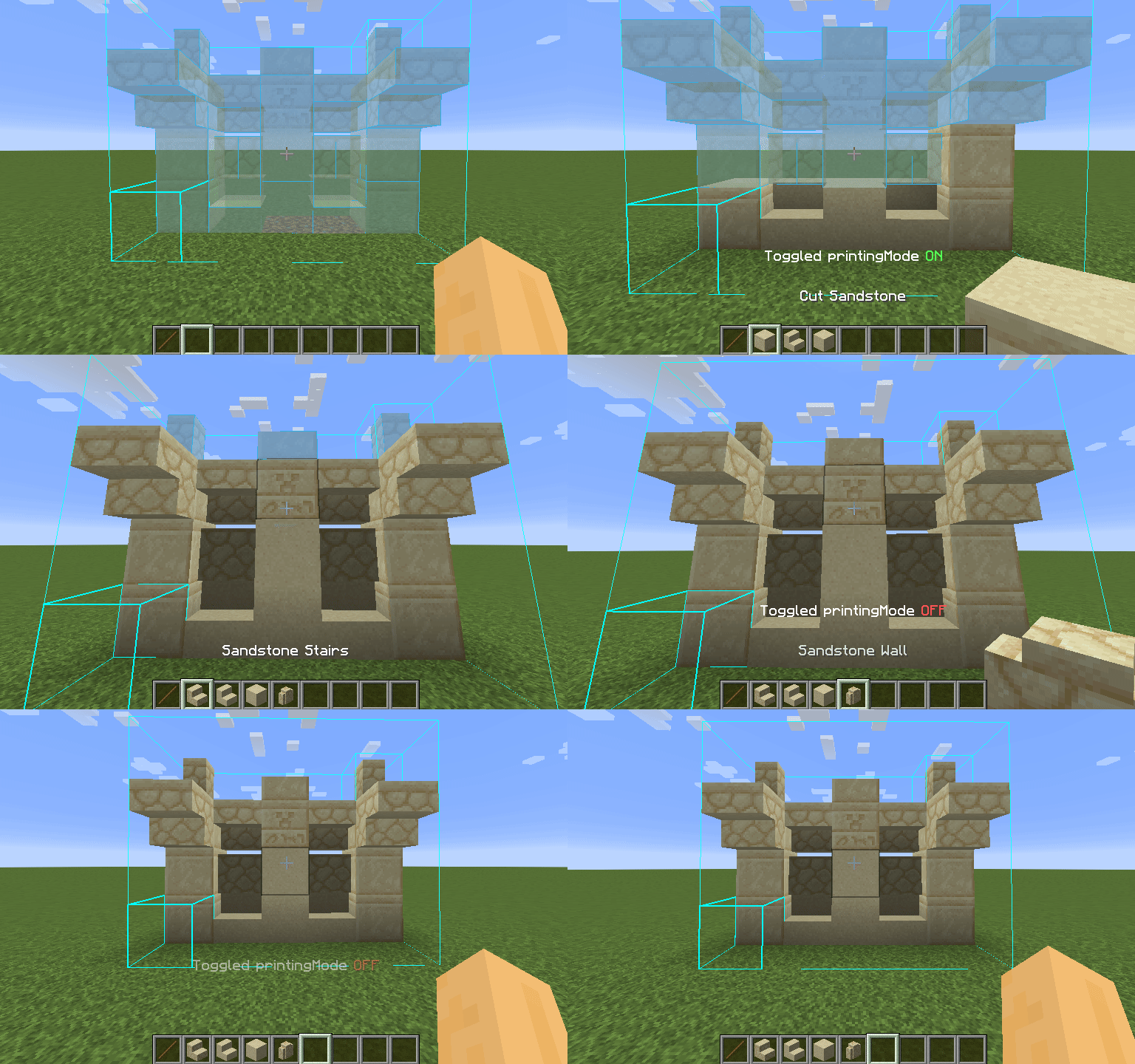
How To Use
Using the printer is straightforward: You can toggle the feature by pressing CAPS_LOCK by default. To configure
variables such as
printing speed and range, open Forgematica's settings by pressing M + C and navigate to "Generic" tab. Printer's
configuration can be
found at the bottom of the page. You can also rebind the printing toggle under "Hotkeys" tab. Holding down V by
default will also
print regardless if the printer is toggled on or off.
List of blacklisted blocks
These blocks have not been implemented yet for various reasons and the printer will skip them instead of placing them wrong. If any other blocks are placed incorrectly, try to lower the printing speed. If certain block is still placed incorrectly, you can create an issue.
- Grindstones
- Skulls placed on the ground
- Signs
- Glow lichen and vines
- Entities, including item frames and armor stands
SERVER USAGE NOTE:
Please be aware, using this mod on a server may be against the rules and could get you banned!
Project description from Modrinth.
Pick your setup
ForgematicaPrinter by Minecraft version and loader
Choose the version and loader you play, then open the matching release.
Minecraft version
1.20.6
1 loader buildMinecraft version
1.20.5
1 loader buildMinecraft version
1.20.4
1 loader buildMinecraft version
1.20.1
1 loader buildMinecraft version
1.20
1 loader buildCheck the dependencies, then try the file in a copied instance before changing a world you care about.
Recent files
ForgematicaPrinter versions and loaders
0.1.0+mc1.20.4
ForgematicaPrinter-0.1.0+mc1.20.4.jar
23 Mar 2025
Client Required Server Not supported Dependencies No extras listed Listed on Release listing
Check the 1.20.4 · NeoForge setup 1.20.4NeoForge alpha
0.1.0+mc1.20.1
ForgematicaPrinter-0.1.0+mc1.20.1.jar
23 Mar 2025
Client Required Server Not supported Dependencies No extras listed Listed on Release listing
Check the 1.20.1 · Forge setup 1.201.20.1Forge alpha
0.1.0+mc1.20.6
ForgematicaPrinter-0.1.0+mc1.20.6.jar
23 Mar 2025
Client Required Server Not supported Dependencies No extras listed Listed on Release listing
Check the 1.20.6 · NeoForge setup 1.20.51.20.6NeoForge alpha
0.1.0+mc1.21.4
ForgematicaPrinter-0.1.0+mc1.21.4.jar
21 Mar 2025
Client Required Server Not supported Dependencies No extras listed Listed on Release listing
Check the 1.21.4 · NeoForge setup 1.21.4NeoForge alpha
Looking for an older file? The official Modrinth project page is in Resources.