Minecraft version
Back to mods 
Modrinth · Minecraft mod
Render Keybind
[Backport]This mod adds keybind to increase or decrease your render & simulation distance without settings gui.
Choose a version Pick your version below, then grab the matching file.
Quick answer
Which Render Keybind release matches 26.2 Fabric?
Best match for your filters 1.0
Game version 26.2
Loader Fabric
Render Keybind 1.0 targets 26.2 with Fabric. It must be installed on the client. Do not install it on the dedicated server. No extra mods listed for this file.
Where it goes
Is Render Keybind required on the client, server, or both?
It must be installed on the client. Do not install it on the dedicated server.
Client Required
Dedicated server Not supported
Loader for this release Fabric
Required install it here Optional supported, not mandatory Not supported do not install here Source doesn’t say do not assume
This file is marked client-only.
What else does Render Keybind 1.0 need?
1.0 on 26.2 Fabric. Every mod below is checked against that same setup.
This file does not list any required mods. Do not add a library just because a different file uses it.
This file does not list any required or optional mods.
Before you install it
Add Render Keybind without breaking your instance.
Built for Render Keybind 1.0 on 26.2 Fabric. Pick another file and the loader, install side or required mods may change.
- 01
Stick to this file
Use 1.0. It targets 26.2 with Fabric; another release may have different loader, side or dependency requirements.
- 02
Bring the mods it needs
This file does not list any required mods. Do not add a library just because a different file uses it.
- 03
Put it on the correct side
It must be installed on the client. Do not install it on the dedicated server.
- 04
Pick the file you checked
Use the “Get this file” button beside 1.0. It opens that exact file at the source.
About this project
What does Render Keybind add?
EN
This mod adds a keybind to change your render distance without using options menu.
This feature was removed by minecraft developers in 1.19
You can change keybind in options -> debug -> Render Distance
To increase render distance use f3 (Debug -> Toggle overlay) + f (default)
To decrease render distance use Shift + f3 (Debug -> Toggle overlay) + f (default)
You can change keybind in options -> debug -> Simulation Distance
To increase simulation distance use f3 (Debug -> Toggle overlay) + Z (default)
To decrease simulation distance use Shift + f3 (Debug -> Toggle overlay) + Z (default)
RU
⚠️ Если возникли какие-то проблемы, то не бойтесь писать в моем дс сообществе⚠️
Этот мод добавляет сочетание клавиш для изменения дальности прорисовки без лишнего захода в настройки.
Клавишу для изменения дистанции прорисовки можно изменить в настройках настройки -> отладка -> Дальность Прорисовки
Для увеличения дальности прорисовки нажмите f3 + f (по умолчанию)
Для уменьшения дальности прорисовки нажмите shift + f3 + f (по умолчанию)
Клавишу для изменения дистанции прорисовки можно изменить в настройках настройки -> отладка -> Дальность Симуляции
Для увеличения дальности прорисовки нажмите f3 + Z (по умолчанию)
Для уменьшения дальности прорисовки нажмите shift + f3 + Z (по умолчанию)
Project description from Modrinth.
Pick your setup
Render Keybind by Minecraft version and loader
Choose the version and loader you play, then open the matching release.
Minecraft version
26.2
1 loader buildMinecraft version
26.1.2-rc-1
1 loader buildMinecraft version
26.1.2
1 loader buildMinecraft version
26.1.1-rc-1
1 loader buildMinecraft version
26.1.1
1 loader buildMinecraft version
26.1-snapshot-11
1 loader buildMinecraft version
26.1-snapshot-10
1 loader buildMinecraft version
26.1-snapshot-9
1 loader buildMinecraft version
26.1-snapshot-8
1 loader buildMinecraft version
26.1-snapshot-7
1 loader buildMinecraft version
26.1-snapshot-6
1 loader buildShowing the newest 12 of 23 game versions. Older files are in the list below.
Check the dependencies, then try the file in a copied instance before changing a world you care about.
Recent files
Render Keybind versions and loaders
1.0
render-keybind-1.0.jar
17 Aug 2026
Client Required Server Not supported Dependencies No extras listed Listed on Release listing
Check the 26.2 · Fabric setup 26.2Fabric release
Looking for an older file? The official Modrinth project page is in Resources.
 mod
CurseForge + Modrinth · Minecraft
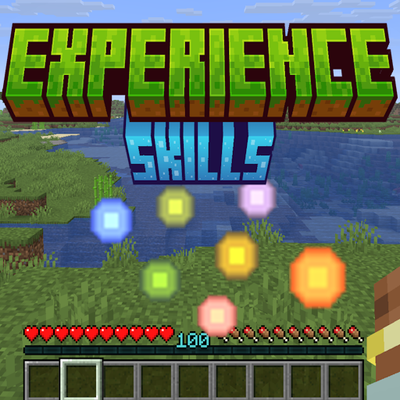
Experience Skills
Earn separate experience for each skill just by playing — walking, mining, fighting, swimming, fishing, etc. — and level them up for attribute bonuses that grow with every level.
 mod
CurseForge + Modrinth · Minecraft
Variants&Ventures
Adds multiple new mob variants seamlessly integrated into your Minecraft world.