Minecraft version
Back to mods 
Modrinth · Minecraft mod
Dynamic Brightness
Adds eye adaption feature: brightness adapts to the environment.
Choose a version Pick your version below, then grab the matching file.
Quick answer
Which Dynamic Brightness release should I use?
Latest stable file 1.3.1
Game version 1.21, 1.21.1, 1.21.2
Loader NeoForge
Dynamic Brightness 1.3.1 targets 1.21, 1.21.1, 1.21.2 with NeoForge. It must be installed on the client. Do not install it on the dedicated server. No extra mods listed for this file.
Where it goes
Is Dynamic Brightness required on the client, server, or both?
It must be installed on the client. Do not install it on the dedicated server.
Client Required
Dedicated server Not supported
Loader for this release NeoForge
Required install it here Optional supported, not mandatory Not supported do not install here Source doesn’t say do not assume
This file is marked client-only.
What else does Dynamic Brightness 1.3.1 need?
1.3.1. Change the file and its required mods may change too.
This file does not list any required mods. Do not add a library just because a different file uses it.
This file does not list any required or optional mods.
Before you install it
Add Dynamic Brightness without breaking your instance.
Built for Dynamic Brightness 1.3.1. Pick another file and the loader, install side or required mods may change.
- 01
Stick to this file
Use 1.3.1. It targets 1.21, 1.21.1, 1.21.2 with NeoForge; another release may have different loader, side or dependency requirements.
- 02
Bring the mods it needs
This file does not list any required mods. Do not add a library just because a different file uses it.
- 03
Put it on the correct side
It must be installed on the client. Do not install it on the dedicated server.
- 04
Pick the file you checked
Use the “Get this file” button beside 1.3.1. It opens that exact file at the source.
About this project
What does Dynamic Brightness add?
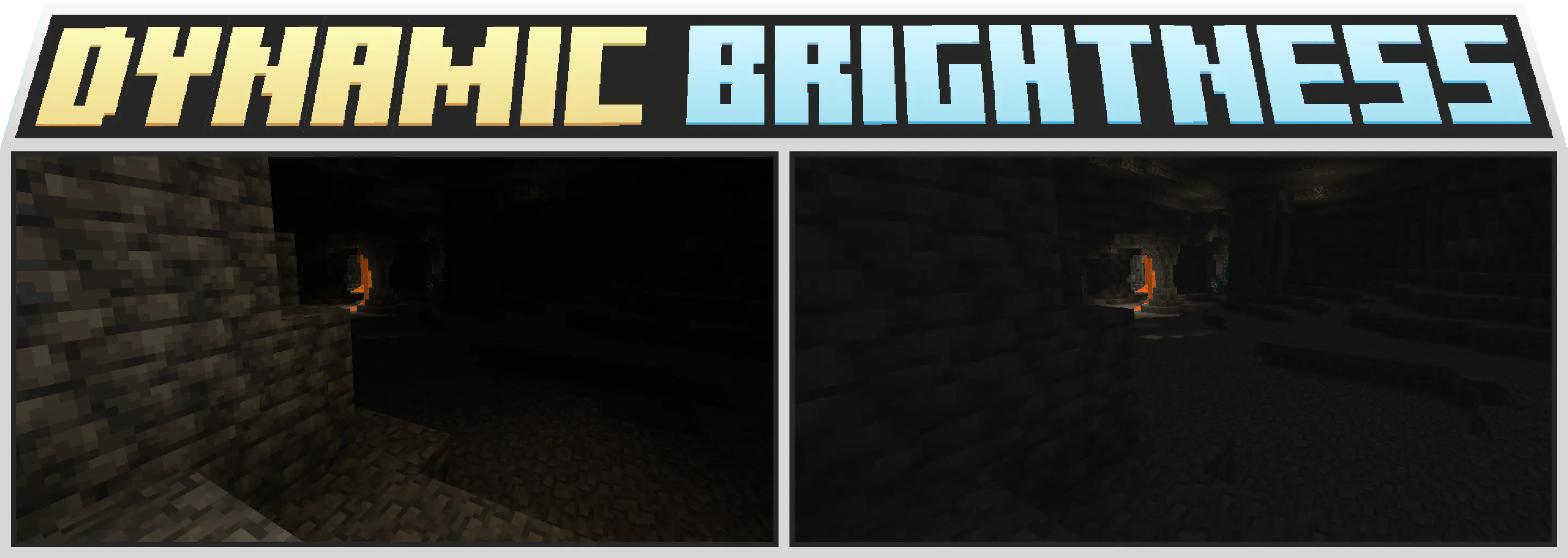
Idea
Do you set the brightness to maximum to see better in caves?
After that all shadows on the surface are almost completely lost?
This mod is designed to fix that!
Features
- Eye Adaption - brightness adapts to the environment.
Configuration
Customizable with Cloth Config:
- Eye Adaption Range - How much the brightness will change depending on the environment
- Eye Adaptation Speed - How quickly will the brightness adapt to the environment
- Dynamic Light Impact - How strongly will Dynamic Light mods affect dynamic brightness
Integration
Future plans
- More Dynamic Lights support
- Probe visible light sources
Frequently Asked Questions
Can I set the brightness to more than 100%?
No. There never will be an option for that. Main idea is to bring back ambient shadows where it will not impair visibility. And not to cheat. That allows you to use mod in multiplayer.Does it work with shaders?
Partially. It works with installed Iris, but may not work with enabled shaders due to custom light handling in shader packs.
Project description from Modrinth.
Pick your setup
Dynamic Brightness by Minecraft version and loader
Choose the version and loader you play, then open the matching release.
Minecraft version
1.21.7
2 loader buildsMinecraft version
1.21.6
2 loader buildsMinecraft version
1.21.5
2 loader buildsMinecraft version
1.21.4
2 loader buildsMinecraft version
1.21.3
2 loader buildsMinecraft version
1.21.2
2 loader buildsMinecraft version
1.21.1
2 loader buildsMinecraft version
1.21
2 loader buildsMinecraft version
1.20.4
1 loader buildMinecraft version
1.20.3
1 loader buildMinecraft version
1.20.2
1 loader buildShowing the newest 12 of 14 game versions. Older files are in the list below.
Check the dependencies, then try the file in a copied instance before changing a world you care about.
Recent files
Dynamic Brightness versions and loaders
1.3.1
DynamicBrightness-neoforge-1.3.1.jar
12 Nov 2024
Client Required Server Not supported Dependencies No extras listed Listed on Release listing
Check the 1.21.8 · NeoForge setup 1.211.21.11.21.21.21.3 release
1.3.0
DynamicBrightness-fabric-1.3.0.jar
3 Nov 2024
Client Required Server Not supported Dependencies No extras listed Listed on Release listing
Check the 1.21.8 · Fabric setup 1.211.21.11.21.21.21.3 release
1.3.0
DynamicBrightness-neoforge-1.3.0.jar
3 Nov 2024
Client Required Server Not supported Dependencies No extras listed Listed on Release listing
Check the 1.21.3 · NeoForge setup 1.21.21.21.3NeoForge release
1.2.1
DynamicBrightness-fabric-1.2.1.jar
30 Oct 2024
Client Required Server Not supported Dependencies No extras listed Listed on Release listing
Check the 1.21.3 · Fabric setup 1.211.21.11.21.21.21.3 release
1.2.1
DynamicBrightness-neoforge-1.2.1.jar
30 Oct 2024
Client Required Server Not supported Dependencies No extras listed Listed on Release listing
Check the 1.21.3 · NeoForge setup 1.211.21.11.21.21.21.3 release
1.2.0
DynamicBrightness-1.21-1.2.0.jar
24 Oct 2024
Client Required Server Not supported Dependencies No extras listed Listed on Release listing
Check the 1.21.3 · Fabric setup 1.211.21.11.21.21.21.3 release
1.0.0
DynamicBrightness-1.20-1.0.0.jar
24 Oct 2024
Client Required Server Not supported Dependencies No extras listed Listed on Release listing
Check the 1.20.4 · Fabric setup 1.201.20.11.20.21.20.3 release
Looking for an older file? The official Modrinth project page is in Resources.
 mod
GitHub · Minecraft
modpacks-ch-github-test
Disposable public fixture for testing the Modpacks.ch GitHub catalogue flow
 mod
Modrinth · Minecraft
Mcqueen's Heropack
A Palladium add-on packed with heroes and villains from The Incredibles, DC, and beyond — each with fully-realized powers, skill trees, and custom gear.
 mod
Modrinth · Minecraft
ContractBlade
Bind Touhou Little Maid companions to weapons, manifest them in combat, and grow together through Contract Resonance.