Buildify Needed by Caliber Mod 0.2.4
requiredMatching file found Matched file: 0.2.5-1.20.1

Modrinth · Minecraft mod
Caliber Mod aims to add thousands of block variations to Vanilla Minecraft by adding numerous new building block shapes. Caliber Mod is the Ultimate Vanilla+ builders mod.
Quick answer
Caliber Mod 0.2.4 targets 1.20.1 with Forge, NeoForge. Installation on the client is optional. Installation on the dedicated server is optional. All 2 required mods have matching files.
Where it goes
Installation on the client is optional. Installation on the dedicated server is optional.
The source marks this as usable on both the client and server.
0.2.4. Change the file and its required mods may change too.
Install Buildify, Caliber Lib first. We found matching files for this game-version and loader setup.
We only count dependency files that match this setup. A file for another loader does not fill the gap.
Before you install it
Built for Caliber Mod 0.2.4. Pick another file and the loader, install side or required mods may change.
Use 0.2.4. It targets 1.20.1 with Forge, NeoForge; another release may have different loader, side or dependency requirements.
Install Buildify, Caliber Lib first. We found matching files for this game-version and loader setup.
Installation on the client is optional. Installation on the dedicated server is optional.
Use the “Get this file” button beside 0.2.4. It opens that exact file at the source.
About this project

Caliber Mod aims to add thousands of block variations to Vanilla Minecraft by adding numerous new building block shapes. Caliber Mod is the Ultimate Vanilla+ builders mod. Create fantastically detailed castles and landscapes with all of the new blocks and invite your friends to your one of a kind world!
This mod is being developed as a survival/vanilla friendly alternative to Conquest Reforged.
However, I can assure you that it doesn't have the weird quirks that make Conquest so hard to use in survival. The mod is fully survival friendly with recipes and loot to boot! I intend to stay on the Forge or NeoForge Mod loader for now but may add a Fabric version in the future.
Caliber Mod 18.2 and 1.20.1 are not compatible. Please do not update from 1.18.2 as your builds will be broken Going forward, all versions will be forward compatible from 1.20.1. Sorry for any inconvenience this may cause.
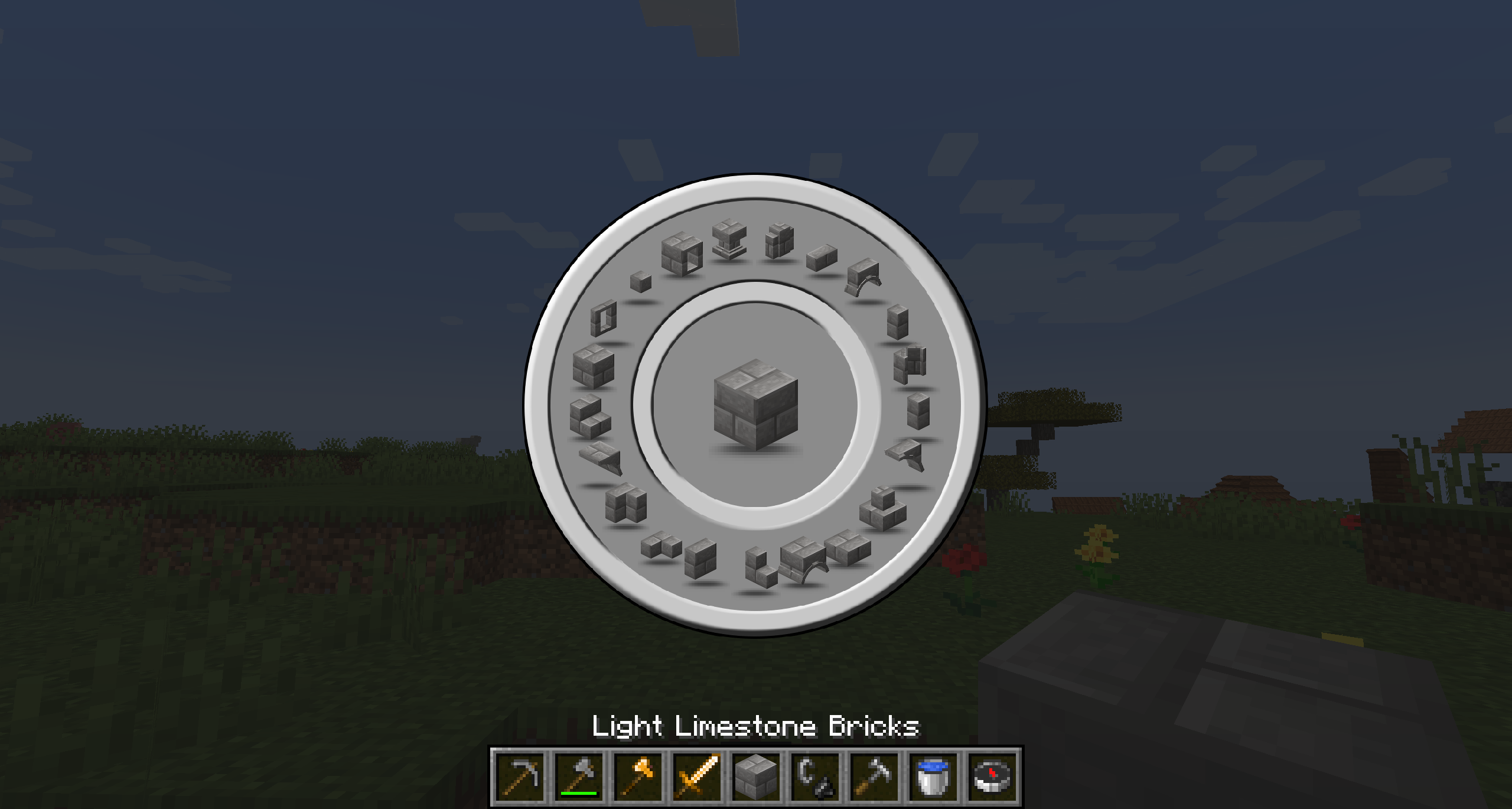
Over 30 new block shapes with many more to come
Everything from furniture to decor and more are still in production
Keep in mind, this is a Beta and not all features have been added to the mod. Upon release of new versions, additional features will be added and I will do my best not to break anyexisting ones. Now that the mod is out of Alpha, most features included in the mod will be here to stay. I look forward to providing a bug free and highly useable survival friendly mod for everyone to use. If you have any ideas or feature suggestions please let me know in the comments or on the issues/feature request page on github.
Keep this mod bookmarked because it will be in development for a long time to come.
If anyone is interested in contributing to this mod by coding or resource pack creation, please reach out to Charm8er on our discord.
Project description from Modrinth.
Pick your setup
Choose the version and loader you play, then open the matching release.
Check the dependencies, then try the file in a copied instance before changing a world you care about.
Recent files
caliber-0.2.4-1.20.1.jar
30 Apr 2024
caliber-0.2.3-1.20.1.jar
18 Apr 2024
caliber-0.2.2-1.20.1.jar
26 Mar 2024
caliber-0.2.1-1.20.1.jar
16 Mar 2024
caliber-0.2.0-1.20.1.jar
17 Feb 2024
caliber-0.1.4-1.18.2.jar
3 Feb 2024
caliber-0.1.3-1.18.2.jar
14 Jan 2024
caliber-0.1.2-1.18.2.jar
12 Jan 2024
caliber-0.1.1-1.18.2.jar
12 Jan 2024
caliber-0.1.0-1.18.2.jar
6 Jan 2024
caliber-0.0.31-1.18.2.jar
5 Jan 2024
caliber-0.0.30-1.18.2.jar
29 Dec 2023
Looking for an older file? The official Modrinth project page is in Resources.
 mod
A Minecraft mod that adds giant swords and shields to the game. A re-make of the original Asgard Shield, made popular by the 1.5 modpack Hexxit.
 mod
replaces the default weather with particle effects
 mod
Adventure time inspired dungeon crawler on a train. Procedurally generated carriages on a infinite sable physics train. Rich narrative, with custom made mods for a completely unique experience.