Fabric API Needed by LazyAI 1.7.0
requiredMatching file found Matched file: 0.161.0+26.3

Modrinth · Minecraft mod
Optimizes Minecraft mob AI by scaling calculations based on distance to players, improving performance with as minimal gameplay impact as possible
Quick answer
LazyAI 1.7.0 targets 26.3 with Fabric. Do not install it on the client. It must be installed on the dedicated server. All 1 required mods have matching files.
Where it goes
Do not install it on the client. It must be installed on the dedicated server.
This file is marked server-only.
1.7.0. Change the file and its required mods may change too.
Install Fabric API first. We found matching files for this game-version and loader setup.
We only count dependency files that match this setup. A file for another loader does not fill the gap.
Before you install it
Built for LazyAI 1.7.0. Pick another file and the loader, install side or required mods may change.
Use 1.7.0. It targets 26.3 with Fabric; another release may have different loader, side or dependency requirements.
Install Fabric API first. We found matching files for this game-version and loader setup.
Do not install it on the client. It must be installed on the dedicated server.
Use the “Get this file” button beside 1.7.0. It opens that exact file at the source.
About this project
Lazy AI dynamically reduces the frequency and precision of mob AI calculations based on their distance from players. Mobs close to players behave normally, while those farther away update their goals, pathfinding, and other goals less often. This ensures smoother performance, especially in mob-heavy worlds.
Lazy AI bases its distance calculations of the simulation distance * distance scaling of your game
Lower ms -> better (target: 50ms or lower per tick)

Using AI Optimization Type 'Dynamic' will dynamically switch between the three optimization modes based on TPS
| Minimal | Moderate | Agressive |
|---|---|---|
 |
 |
 |


Yes, this mod can improve your TPS.
No, this mod cannot improve your FPS.
Minecraft runs on a 50ms tick cycle (20 TPS). If the (local) server processing finishes in under 50ms, the game waits for the remaining time. Consequently, any optimization below 50ms yields no increase in normal tick speed. The mod focuses on keeping tick times from exceeding 50ms, as higher values cause entities to move in slow motion. The heavier the (local) server load, the more aggressively the dynamic mode intervenes to maintain 50ms. When the (local) server runs smoothly, the mod scales back its intervention.
Short awnser: Yes, but only a little bit.
Long awnser: Yes, LazyAI does affect mob farm efficiency, but the throughput impact is minimal. In testing with my iron golem farm, vanilla Minecraft yielded 1023 iron ingots, while with the LazyAI on the aggressive setting yielded 979 iron ingots. That's a difference of ~4.5%.
A few things worth noting:
In practice, you won't notice the mob farm efficiency decrease.
You need Fabric
The preview images are taken in a stress test situation. It can also be because your simulation distance or this mods distance scaling is set too high for your use case.
.minecraft/config/lazy-ai.json
Yes, you can use this mod on a server. The mod works on both the server and the client. Vanilla clients can join a server using LazyAI.
Yes, you can use this mod on a client. The mod works on both the server and the client. Clients with LazyAI can join servers without LazyAI.
See below ↓
This overview is a simplified explanation.
This mod makes use of additional smaller systems, but AI Optimization Type and Distance Scaling are the two main systems that dictate how the mod behaves.
The percentages and radiuses shown in this explanation are for visual reference and do not reflect the actual numbers.
The following image will be used as a base for the visual references:

This setting controls how aggressive mob AI ticks are reduced across each zone. The percentages represent how much of the original vanilla AI activity remains:


This setting controls where the range zone boundaries are positioned relative to your simulation distance and player location.


Project description from Modrinth.
Pick your setup
Choose the version and loader you play, then open the matching release.
Showing the newest 12 of 29 game versions. Older files are in the list below.
Check the dependencies, then try the file in a copied instance before changing a world you care about.
Recent files
lazy-ai-1.7.0.jar
15 Sept 2026
lazy-ai-1.7.0.jar
13 Sept 2026
lazy-ai-1.7.0.jar
13 Sept 2026
lazy-ai-1.6.2.jar
23 Aug 2026
lazy-ai-1.6.2.jar
21 Aug 2026
lazy-ai-1.6.1.jar
17 Jun 2026
lazy-ai-1.6.1.jar
25 Mar 2026
lazy-ai-1.6.1.jar
17 Mar 2026
lazy-ai-1.6.1.jar
17 Mar 2026
lazy-ai-1.6.1.jar
17 Mar 2026
lazy-ai-1.6.1.jar
17 Mar 2026
lazy-ai-1.6.1.jar
17 Mar 2026
Looking for an older file? The official Modrinth project page is in Resources.
 mod
mod🏠 Little yet powerful homes management mod for Fabric with GUI support
 mod
modSeven staged natural disasters, fourteen weapons with hand-built projectiles, a cosmic shapeshifter that wears the face of players it kills, its own dimension, and villagers smart enough to run before you swing.
 mod
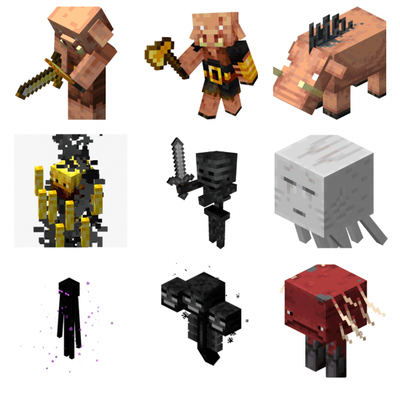
modThe nether mobs now have some extra things to them.