Fabric API Needed by QuickPOT / PVP Potion / PVP Potion Optimizer QickPOT_FABRIC-1.1
requiredMatching file found Matched file: [1.21.6] Fabric API 0.128.2+1.21.6

Modrinth · Minecraft mod
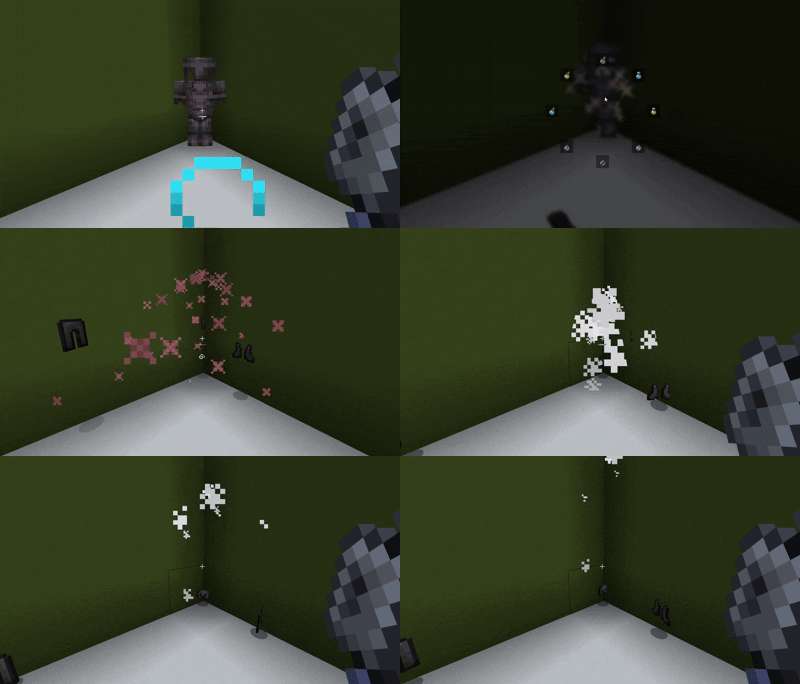
PvP/combat potion switching made easy with a fast radial menu, supporting drinkable, splash, and lingering potions with 8 customizable slots.
Quick answer
QuickPOT / PVP Potion / PVP Potion Optimizer QickPOT_FABRIC-1.1 targets 1.21.1, 1.21.10, 1.21.2 with Fabric. It must be installed on the client. Do not install it on the dedicated server. All 1 required mods have matching files.
Where it goes
It must be installed on the client. Do not install it on the dedicated server.
This file is marked client-only.
QickPOT_FABRIC-1.1 on 1.21.6 Fabric. Every mod below is checked against that same setup.
Install Fabric API first. We found matching files for this game-version and loader setup.
We only count dependency files that match this setup. A file for another loader does not fill the gap.
Before you install it
Built for QuickPOT / PVP Potion / PVP Potion Optimizer QickPOT_FABRIC-1.1 on 1.21.6 Fabric. Pick another file and the loader, install side or required mods may change.
Use QickPOT_FABRIC-1.1. It targets 1.21.1, 1.21.10, 1.21.2 with Fabric; another release may have different loader, side or dependency requirements.
Install Fabric API first. We found matching files for this game-version and loader setup.
It must be installed on the client. Do not install it on the dedicated server.
Use the “Get this file” button beside QickPOT_FABRIC-1.1. It opens that exact file at the source.
About this project
[QUICKPOT] is a PvP-focused potion management mod that lets you instantly
access and use your favorite potions during combat — no more digging
through your inventory mid-fight.
Some servers may consider this mod an unfair advantage or cheating.
Please ask server admins before using it in multiplayer.
Use at your own risk.
| Action | Key |
|---|---|
| Open radial menu | your configured keybind |
| Hide/show hovered potion | X |
| Lock/unlock hovered potion | L |
| Unhide all potions | U |
Project description from Modrinth.
Pick your setup
Choose the version and loader you play, then open the matching release.
Showing the newest 12 of 16 game versions. Older files are in the list below.
Check the dependencies, then try the file in a copied instance before changing a world you care about.
Recent files
QickPOT-FABRIC-1.0.0.jar
13 Jul 2026
QickPOT-1.0.0.jar
9 Jul 2026
Looking for an older file? The official Modrinth project page is in Resources.
 mod
Mining using hands is extremely unhealthy! This mod make resources growable!
 mod
Custom music disc plugin for Paper servers. Upload any audio file, get a playable disc.
 mod
This mod provides a command to view and modify any player's inventory, hotbar, ender chest, armor, and offhand slots (requires level 4 admin privileges).