Minecraft version
Back to mods 
Modrinth · Minecraft mod
MTSAntiCheat
This anti-cheat ensures fair gameplay by verifying client mods and textures, blocking hacked clients and unauthorized tools, and giving server owners full visibility and control to keep their SMP secure and competitive.
Choose a version Pick your version below, then grab the matching file.
Quick answer
Which MTSAntiCheat release should I use?
Latest stable file 0.1.0+1.18.1
Game version 1.18.1
Loader Fabric
MTSAntiCheat 0.1.0+1.18.1 targets 1.18.1 with Fabric. The project page does not say whether this file belongs on the client, dedicated server, or both. No extra mods listed for this file.
Where it goes
Is MTSAntiCheat required on the client, server, or both?
The project page does not say whether this file belongs on the client, dedicated server, or both.
Client Source doesn’t say
Dedicated server Source doesn’t say
Loader for this release Fabric
Required install it here Optional supported, not mandatory Not supported do not install here Source doesn’t say do not assume
The source does not explicitly classify this release as client-only or server-only.
What else does MTSAntiCheat 0.1.0+1.18.1 need?
0.1.0+1.18.1. Change the file and its required mods may change too.
This file does not list any required mods. Do not add a library just because a different file uses it.
This file does not list any required or optional mods.
Before you install it
Add MTSAntiCheat without breaking your instance.
Built for MTSAntiCheat 0.1.0+1.18.1. Pick another file and the loader, install side or required mods may change.
- 01
Stick to this file
Use 0.1.0+1.18.1. It targets 1.18.1 with Fabric; another release may have different loader, side or dependency requirements.
- 02
Bring the mods it needs
This file does not list any required mods. Do not add a library just because a different file uses it.
- 03
Put it on the correct side
The project page does not say whether this file belongs on the client, dedicated server, or both.
- 04
Pick the file you checked
Use the “Get this file” button beside 0.1.0+1.18.1. It opens that exact file at the source.
About this project
What does MTSAntiCheat add?
Warning! If not installed please install the newest version of the plugin!
Now Supports:
- Encryption
- Security
- F3-A Ban
- PieChart Ban
- Mod Logging, Banning, Whitelisting, and auto detect for Xray Texture Packs
What MTS AntiCheat Does
MTS AntiCheat (Mod-To-Server) is a server-side anti-cheat system that verifies client integrity by receiving mod and texture information directly from connected players. It gives server administrators complete visibility into what mods players are using and allows blocking unauthorized modifications such as hacked clients, minimap mods, world data exploits, and cheat tools.
Why You Should Download This
- Complete Client Visibility - See exactly what mods and textures each player has installed
- Block Unauthorized Mods - Prevent hacked clients, exploits, and unfair advantages
- SMP Focused - Designed specifically for survival multiplayer environments
- Maintain Fair Play - Keep your server cheat-free and competitive
Review and adjust all settings to match your server's security requirements.
Key Features
Client Mod Detection
Receive real-time information about every mod and texture pack players have installed.
Flexible Blocking System
Block specific mods, categories of mods, or require whitelisted mods only.
Detailed Logging
Track all mod usage, blocked attempts, and suspicious activity for server security.
Easy Administration
Simple commands to view player mods, manage blocklists, and enforce rules in real-time.
Installation
- Download the latest version for your Minecraft version
- Place the
.jarfile in your server'spluginsfolder - Have players install the client mod (required for functionality)
- Restart your server
- Configure settings in
plugins/AntiCheatMTS/config.yml - Set up your mod blocklist and whitelist as needed
Default: OP for admin commands
Supported Detection
The plugin can detect and block:
- Hacked clients (Wurst, LiquidBounce, etc.)
- Minimap mods with unfair advantages
- X-ray and world data exploits
- Auto-clickers and macro tools
- Exploit mods and cheating utilities
- Custom texture packs (optional)
Development Status
MTS AntiCheat is currently in active testing and development. Core functionality is stable, but new features, improvements, and optimizations are ongoing. Future updates will include additional detection systems, enhanced configuration options, and quality-of-life improvements.
Modded server support coming soon.
Support
If you encounter any issues, have feature requests, or want to report bugs, please use the Report button or visit our issue tracker. Your feedback is appreciated during this development phase.
Note: Make sure both the server plugin AND client mod are installed for MTS AntiCheat to function properly.
Project description from Modrinth.
Pick your setup
MTSAntiCheat by Minecraft version and loader
Choose the version and loader you play, then open the matching release.
Minecraft version
26.2
2 loader buildsMinecraft version
26.1.2
2 loader buildsMinecraft version
26.1.1
2 loader buildsMinecraft version
26.1
2 loader buildsMinecraft version
1.21.11
2 loader buildsMinecraft version
1.21.10
2 loader buildsMinecraft version
1.21.9
2 loader buildsMinecraft version
1.21.8
2 loader buildsMinecraft version
1.21.7
2 loader buildsMinecraft version
1.21.6
2 loader buildsMinecraft version
1.21.5
2 loader buildsShowing the newest 12 of 32 game versions. Older files are in the list below.
Check the dependencies, then try the file in a copied instance before changing a world you care about.
Recent files
MTSAntiCheat versions and loaders
0.1.0+1.18.1
mtsanticheat-mod-0.1.0+1.18.1.jar
26 Sept 2026
Client Source doesn’t say Server Source doesn’t say Dependencies No extras listed Listed on Release listing
Check the 1.18.1 · Fabric setup 1.18.1Fabric release
0.1.0+1.18.2
mtsanticheat-mod-0.1.0+1.18.2.jar
26 Sept 2026
Client Source doesn’t say Server Source doesn’t say Dependencies No extras listed Listed on Release listing
Check the 1.18.2 · Fabric setup 1.18.2Fabric release
0.1.0+1.18
mtsanticheat-mod-0.1.0+1.18.jar
26 Sept 2026
Client Source doesn’t say Server Source doesn’t say Dependencies No extras listed Listed on Release listing
Check the 1.18 · Fabric setup 1.18Fabric release
0.1.0+1.19.1
mtsanticheat-mod-0.1.0+1.19.1.jar
26 Sept 2026
Client Source doesn’t say Server Source doesn’t say Dependencies No extras listed Listed on Release listing
Check the 1.19.1 · Fabric setup 1.19.1Fabric release
0.1.0+1.19.2
mtsanticheat-mod-0.1.0+1.19.2.jar
26 Sept 2026
Client Source doesn’t say Server Source doesn’t say Dependencies No extras listed Listed on Release listing
Check the 1.19.2 · Fabric setup 1.19.2Fabric release
0.1.0+1.19.3
mtsanticheat-mod-0.1.0+1.19.3.jar
26 Sept 2026
Client Source doesn’t say Server Source doesn’t say Dependencies No extras listed Listed on Release listing
Check the 1.19.3 · Fabric setup 1.19.3Fabric release
0.1.0+1.19.4
mtsanticheat-mod-0.1.0+1.19.4.jar
26 Sept 2026
Client Source doesn’t say Server Source doesn’t say Dependencies No extras listed Listed on Release listing
Check the 1.19.4 · Fabric setup 1.19.4Fabric release
0.1.0+1.19
mtsanticheat-mod-0.1.0+1.19.jar
26 Sept 2026
Client Source doesn’t say Server Source doesn’t say Dependencies No extras listed Listed on Release listing
Check the 1.19 · Fabric setup 1.19Fabric release
0.1.0+1.20.1
mtsanticheat-mod-0.1.0+1.20.1.jar
26 Sept 2026
Client Source doesn’t say Server Source doesn’t say Dependencies No extras listed Listed on Release listing
Check the 1.20.1 · Fabric setup 1.20.1Fabric release
0.1.0+1.20.2
mtsanticheat-mod-0.1.0+1.20.2.jar
26 Sept 2026
Client Source doesn’t say Server Source doesn’t say Dependencies No extras listed Listed on Release listing
Check the 1.20.2 · Fabric setup 1.20.2Fabric release
0.1.0+1.20.3
mtsanticheat-mod-0.1.0+1.20.3.jar
26 Sept 2026
Client Source doesn’t say Server Source doesn’t say Dependencies No extras listed Listed on Release listing
Check the 1.20.3 · Fabric setup 1.20.3Fabric release
0.1.0+1.20.4
mtsanticheat-mod-0.1.0+1.20.4.jar
26 Sept 2026
Client Source doesn’t say Server Source doesn’t say Dependencies No extras listed Listed on Release listing
Check the 1.20.4 · Fabric setup 1.20.4Fabric release
Looking for an older file? The official Modrinth project page is in Resources.
 mod
mod CurseForge + Modrinth · Minecraft
EMI Structures
An EMI addon that shows which supported structures generate a block and what materials those structures can contain.
 mod
mod CurseForge · Minecraft
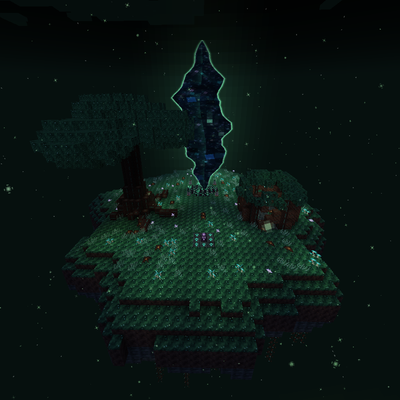
Riftbound - custom
RIFTBOUND is a custom progression mod featuring Rift expeditions, unique mobs, bosses, Stabilized Matter, Reality Stability, Warden gear, machines, automation, and tech that expands as you conquer increasingly dangerous worlds. THIS MOD IS MADE FOR MODPACK
 mod
mod CurseForge · Minecraft
Lantea: Stargates
Build and dial working Stargates, travel between worlds, and wake an Ancient outpost hidden under the ice, with its control chair, drones and ZPMs.