Minecraft version
Back to mods 
Modrinth · Minecraft mod
Coordinated Command Blocks
Adds a button to convert between Relative and Absolute coordinates in Command Blocks!
Choose a version Pick your version below, then grab the matching file.
Quick answer
Which Coordinated Command Blocks release matches 26.1.2?
Best match for your filters 1.0.1+26.1
Game version 26.1, 26.1.1, 26.1.2
Loader Fabric
Coordinated Command Blocks 1.0.1+26.1 targets 26.1, 26.1.1, 26.1.2 with Fabric. It must be installed on the client. Do not install it on the dedicated server. No extra mods listed for this file.
Where it goes
Is Coordinated Command Blocks required on the client, server, or both?
It must be installed on the client. Do not install it on the dedicated server.
Client Required
Dedicated server Not supported
Loader for this release Fabric
Required install it here Optional supported, not mandatory Not supported do not install here Source doesn’t say do not assume
This file is marked client-only.
What else does Coordinated Command Blocks 1.0.1+26.1 need?
1.0.1+26.1 on 26.1.2. Every mod below is checked against that same setup.
This file does not list any required mods. Do not add a library just because a different file uses it.
This file does not list any required or optional mods.
Before you install it
Add Coordinated Command Blocks without breaking your instance.
Built for Coordinated Command Blocks 1.0.1+26.1 on 26.1.2. Pick another file and the loader, install side or required mods may change.
- 01
Stick to this file
Use 1.0.1+26.1. It targets 26.1, 26.1.1, 26.1.2 with Fabric; another release may have different loader, side or dependency requirements.
- 02
Bring the mods it needs
This file does not list any required mods. Do not add a library just because a different file uses it.
- 03
Put it on the correct side
It must be installed on the client. Do not install it on the dedicated server.
- 04
Pick the file you checked
Use the “Get this file” button beside 1.0.1+26.1. It opens that exact file at the source.
About this project
What does Coordinated Command Blocks add?
Coordinated Command Blocks
Adds a button to convert between Relative and Absolute coordinates in Command Blocks
for instance a command block at 10, 10, 10 with setblock ~1 ~2 ~3 stone would convert into setblock 11 12 13 stone, then clicking it again would turn the coords back into ~1 ~2 ~3
coordinate conversions are always relative to the position of the command block, so it may have unintended consequences when doing execute positioned or execute at, likewise parameters for the particle command might be interpreted as coordinates (as well as anything else "coordinatey" like text in nbt data might be)
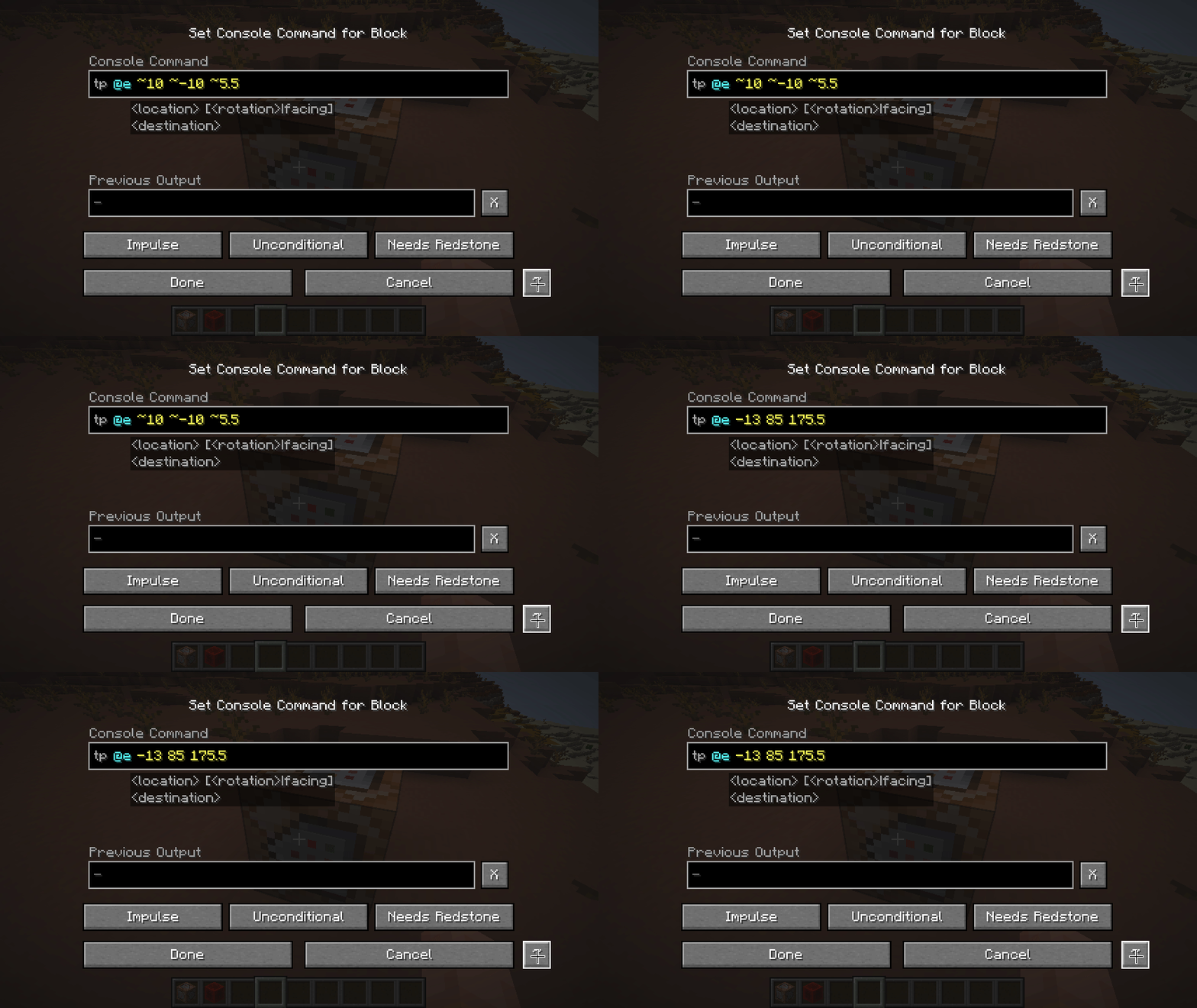
Project description from Modrinth.
Pick your setup
Coordinated Command Blocks by Minecraft version and loader
Choose the version and loader you play, then open the matching release.
Minecraft version
26.2
1 loader buildMinecraft version
26.1.2
1 loader buildMinecraft version
26.1.1
1 loader buildMinecraft version
26.1
1 loader buildMinecraft version
1.21.11
1 loader buildMinecraft version
1.21.8
1 loader buildMinecraft version
1.21.7
1 loader buildMinecraft version
1.21.6
1 loader buildMinecraft version
1.21.5
1 loader buildMinecraft version
1.21.4
1 loader buildMinecraft version
1.21.3
1 loader buildShowing the newest 12 of 20 game versions. Older files are in the list below.
Check the dependencies, then try the file in a copied instance before changing a world you care about.
Recent files
Coordinated Command Blocks versions and loaders
1.0.1+26.1
coordinated_commands-1.0.1+26.1.jar
6 Jul 2026
Client Required Server Not supported Dependencies No extras listed Listed on Release listing
Check the 26.1.2 · Fabric setup 26.126.1.126.1.226.2 release
Looking for an older file? The official Modrinth project page is in Resources.
 mod
CurseForge + Modrinth · Minecraft
Orbital Wolf Cannon
Summon 48 powerful wolves in a perfect circle around you and unleash chaos on your enemies.
 mod
Modrinth · Minecraft
Project MMO
Provides skills / stats / levels, that provide unique benefits!
 mod
CurseForge + Modrinth · Minecraft
HeavySpear
Add heavy spear for minecraft 1.21.1Neoforge.