Minecraft version
Back to mods 
Modrinth · Minecraft mod
Pocket Repose
Adds a bigger on the inside suitcase.
Choose a version Pick your version below, then grab the matching file.
Quick answer
Which Pocket Repose release should I use?
Latest stable file 1.3.2-1.21.1
Game version 1.21.1
Loader Fabric
Pocket Repose 1.3.2-1.21.1 targets 1.21.1 with Fabric. Installation on the client is optional. Installation on the dedicated server is optional. No extra mods listed for this file.
Where it goes
Is Pocket Repose required on the client, server, or both?
Installation on the client is optional. Installation on the dedicated server is optional.
Client Optional
Dedicated server Optional
Loader for this release Fabric
Required install it here Optional supported, not mandatory Not supported do not install here Source doesn’t say do not assume
The source marks this as usable on both the client and server.
What else does Pocket Repose 1.3.2-1.21.1 need?
1.3.2-1.21.1. Change the file and its required mods may change too.
This file does not list any required mods. Do not add a library just because a different file uses it.
This file does not list any required or optional mods.
Before you install it
Add Pocket Repose without breaking your instance.
Built for Pocket Repose 1.3.2-1.21.1. Pick another file and the loader, install side or required mods may change.
- 01
Stick to this file
Use 1.3.2-1.21.1. It targets 1.21.1 with Fabric; another release may have different loader, side or dependency requirements.
- 02
Bring the mods it needs
This file does not list any required mods. Do not add a library just because a different file uses it.
- 03
Put it on the correct side
Installation on the client is optional. Installation on the dedicated server is optional.
- 04
Pick the file you checked
Use the “Get this file” button beside 1.3.2-1.21.1. It opens that exact file at the source.
About this project
What does Pocket Repose add?

Adds the Traveler's Suitcase block to Minecraft.
Unlock and climb inside the "bigger on the inside" suitcase.
Provides a Pocket Dimension that players can utilize and share.

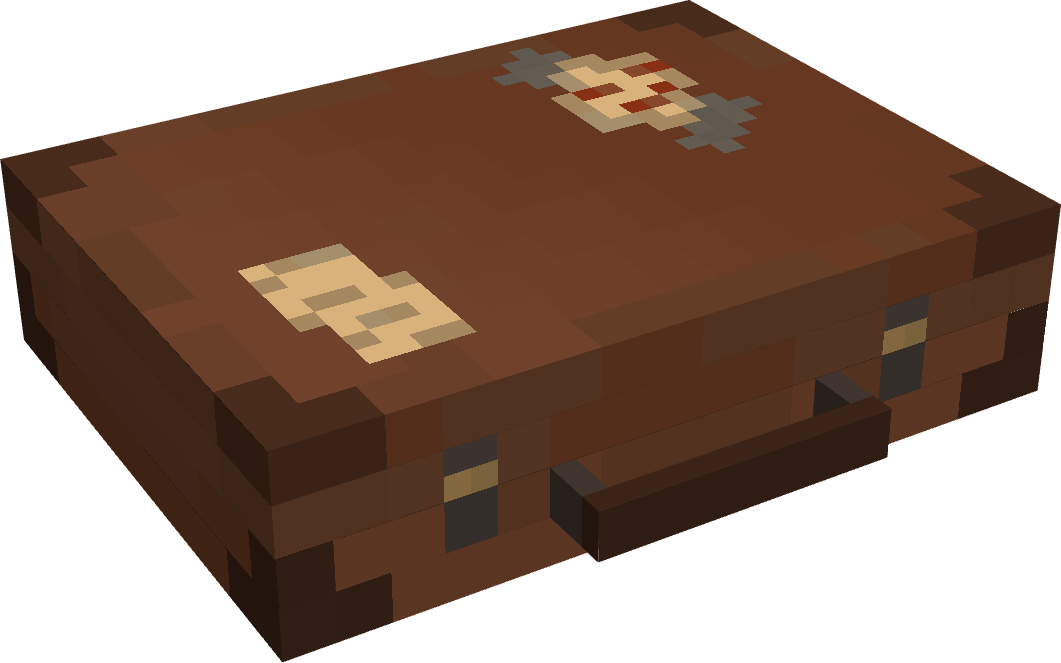
💼 The Traveler's Suitcase
Interact with a repaired Key to bind your dimension.
Sneak on an open suitcase to access your personal pocket dimension.
Build and utilize the area within however you see fit.
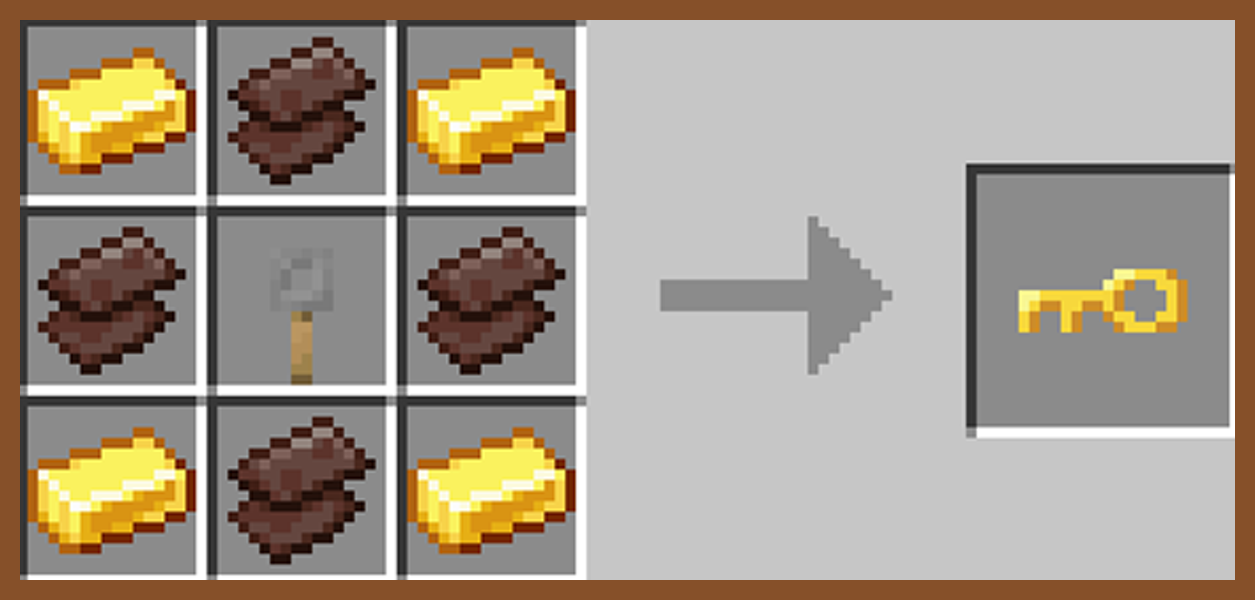
🗝️ The Keystone
Craft, repair, and rename a broken key in order to unlock a suitcase and spawn a new pocket dimension.
Share Keystone names to allow other players to enter your private dimension from their own suitcase.

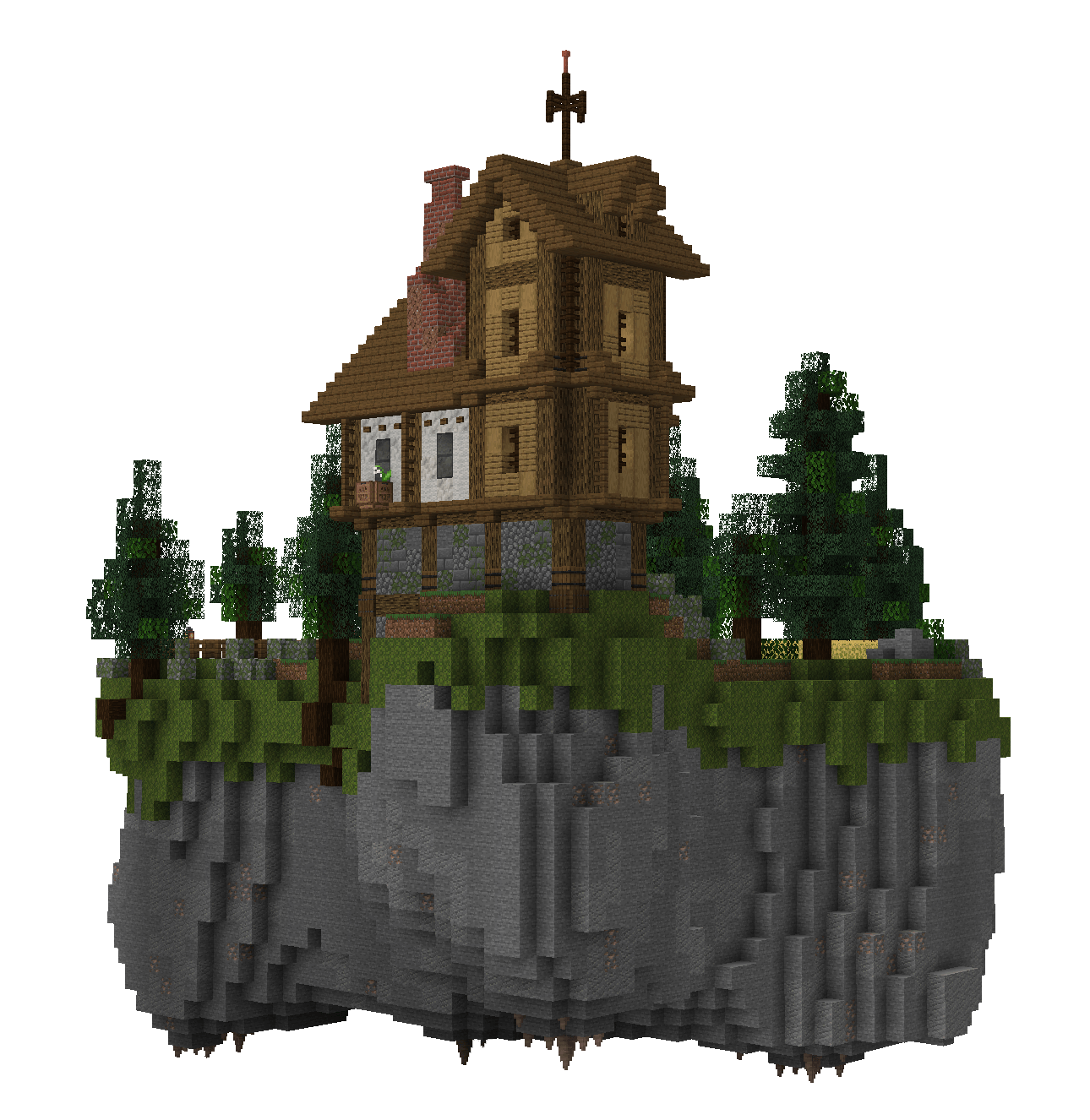
🕳️ The Pocket Dimension
The pocket island is a safe space where mobs do not spawn.
Entering the suitcase will bring you to your very own pocket island, individual to your key's name.
Right-click anywhere inside a pocket dimension with a bone to change the players entry location.
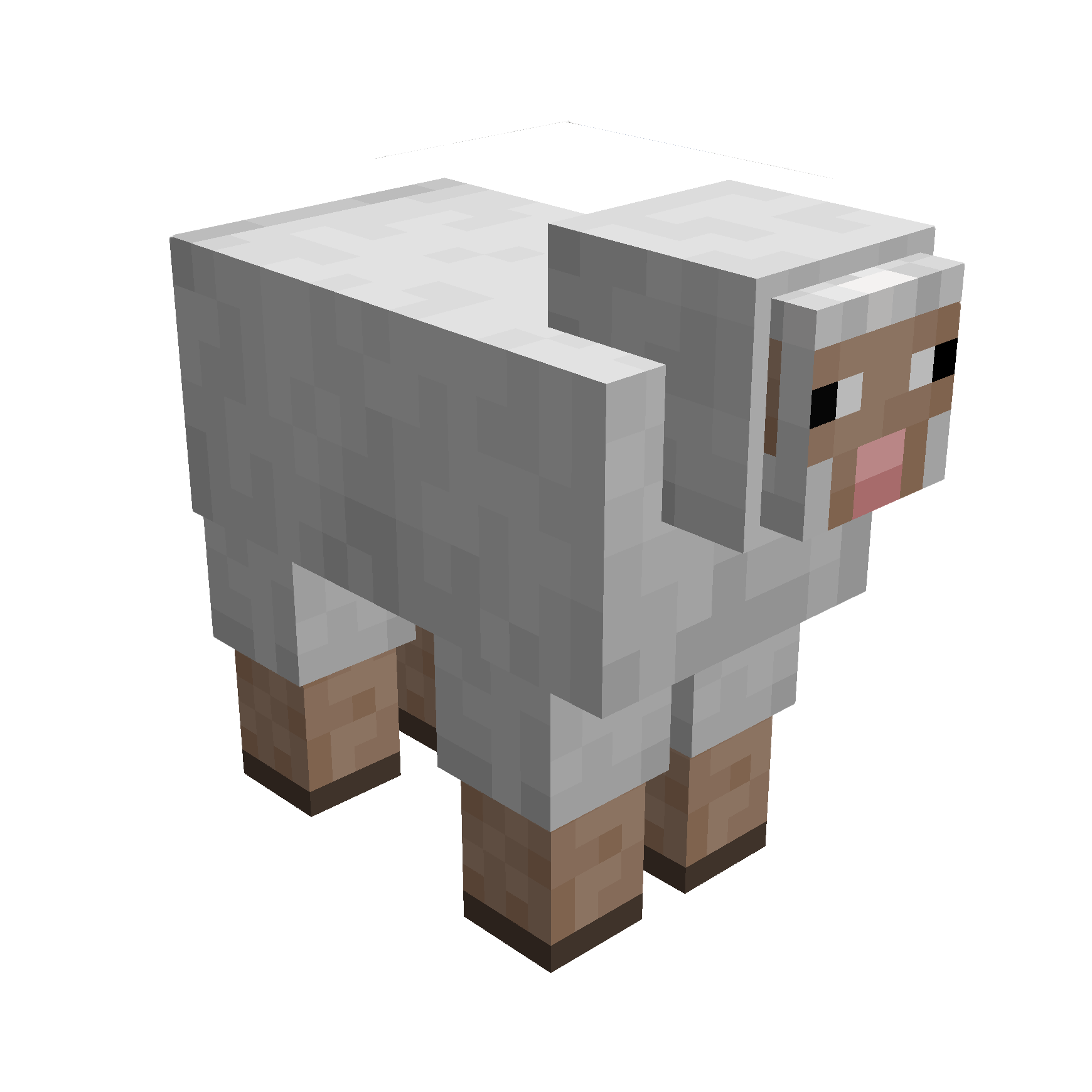
🪶 Capture Creatures
Simply right-click a mob with your suitcase to capture them.
While inside the pocket dimension you can change a mobs entry location with a lead.
Right-click a mob inside your pocket dimension with a key to release them.

Traveller's Key
Traveller's Suitcase
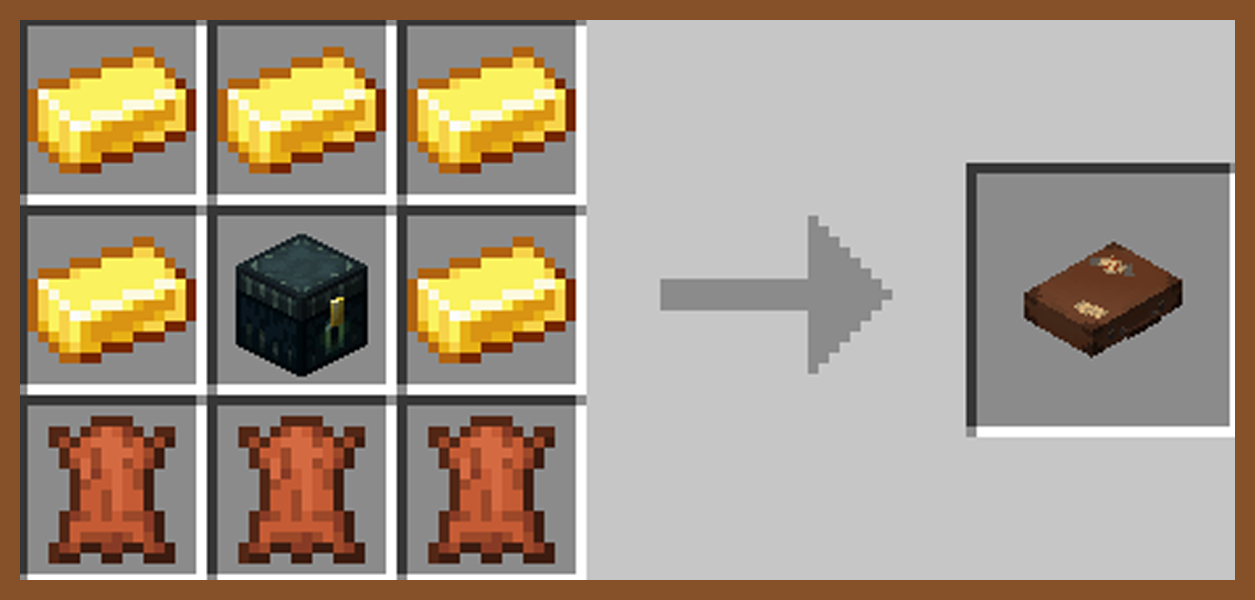
Secret Barrel
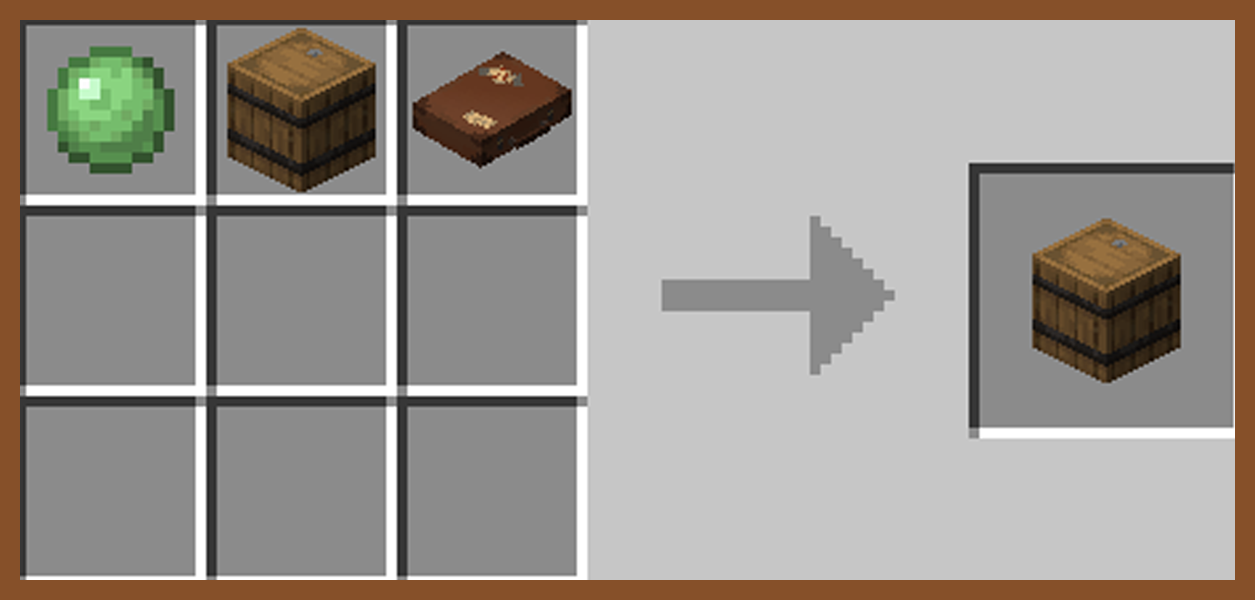

🧩 Compatibilities
This mod is singleplayer and multiplayer friendly.
Required on client and server if using on a server.
This is a Fabric mod, requiring Fabric API.
If using Sinytra Connector (Forge), reload your world after entring a pocket dimension for the first time to avoid bugs.
📟 Commands
Set Captured Mobs Entry Point: Must be in a pocket dimension
/pocketRepose setMobEntry
Set Player Entry Point: Must be in a pocket dimension
/pocketRepose setPlayerEntry
Reset Player Entry Point: Can be anywhere
/pocketRepose resetPlayerEntry
List Pocket Dimensions: Must be an OP
/pocketRepose listDimensions
Capture Mob Blacklist: Must be an OP
/pocketRepose MobBlacklist add/remove/list/clear
Can Capture Hostile Mobs: Must be an OP
/pocketRepose canCaptureHostile true/false (default false)
Spawn Pocket Island: Must be an OP
/pocketRepose spawnIsland true/false (default true)
If true, the pocket island will spawn when binding a new key.
If false, when binding a new key a grass block will spawn in place of the island.
Allow Recursion: Must be an OP
/pocketRepose allowRecursion true/false (default true)
Allows suitcases to work inside other suitcases.
Suitcases with the same will not work within a dimension of the same name.
❓ Q&A
Q: How do you enter a suitcase?
A: Craft a key and suitcase, rename the key in an anvil, right click the key, right click the suitcase with the key, then finaly sneak to enter.
Q: How are the pocket dimensions handled?
A: Pocket dimensions are linked to the keys, not the suitcases. Every time a key is renamed and bound, a new dimension is created under that specific name.
Names can be shared or kept secret.
Q: What if my suitcase and key are destroyed?
A: Make a new key and rename it with the original name. Pocket dimensions cannot be lost.
🚧 Known Issues
Occasional teleport errors when attempting to leave if a player is carrying multiple suitcases with the same name as the dimension you are in.
Project description from Modrinth.
Pick your setup
Pocket Repose by Minecraft version and loader
Choose the version and loader you play, then open the matching release.
Minecraft version
1.20.1
1 loader buildCheck the dependencies, then try the file in a copied instance before changing a world you care about.
Recent files
Pocket Repose versions and loaders
1.3.2-1.21.1
pocket-repose-1.3.2-1.21.1.jar
27 Dec 2025
Client Optional Server Optional Dependencies No extras listed Listed on Release listing
Check the 1.21.1 · Fabric setup 1.21.1Fabric release
1.3.1-1.21.1
pocket-repose-1.3.1-1.21.1.jar
26 Dec 2025
Client Optional Server Optional Dependencies 1 required · 1 unchecked Listed on Release listing
Check the 1.21.1 · Fabric setup 1.21.1Fabric release
1.3.0-1.21.1
pocket-repose-1.3.0-1.21.1.jar
20 Dec 2025
Client Optional Server Optional Dependencies No extras listed Listed on Release listing
Check the 1.21.1 · Fabric setup 1.21.1Fabric release
1.2.7-1.20.1
pocket-repose-1.2.7-1.20.1.jar
17 Jun 2025
Client Optional Server Optional Dependencies 1 required · 1 unchecked Listed on Release listing
Check the 1.20.1 · Fabric setup 1.20.1Fabric release
1.2.6
pocket-repose-1.2.6-1.20.1.jar
6 Jun 2025
Client Optional Server Optional Dependencies 1 required · 1 unchecked Listed on Release listing
Check the 1.20.1 · Fabric setup 1.20.1Fabric release
1.2.5
pocket-repose-1.2.5-1.20.1.jar
6 Jun 2025
Client Optional Server Optional Dependencies 1 required · 1 unchecked Listed on Release listing
Check the 1.20.1 · Fabric setup 1.20.1Fabric release
1.2.4
pocket-repose-1.2.4-1.20.1.jar
1 Jun 2025
Client Optional Server Optional Dependencies 1 required · 1 unchecked Listed on Release listing
Check the 1.20.1 · Fabric setup 1.20.1Fabric beta
1.2.3
pocket-repose-1.2.3-1.20.1.jar
31 May 2025
Client Optional Server Optional Dependencies No extras listed Listed on Release listing
Check the 1.20.1 · Fabric setup 1.20.1Fabric beta
1.2.2
pocket-repose-1.2.2-1.20.1.jar
31 May 2025
Client Optional Server Optional Dependencies No extras listed Listed on Release listing
Check the 1.20.1 · Fabric setup 1.20.1Fabric release
1.2.1
pocket-repose-1.2.1-1.20.1.jar
27 May 2025
Client Optional Server Optional Dependencies 1 required · 1 unchecked Listed on Release listing
Check the 1.20.1 · Fabric setup 1.20.1Fabric release
1.2.0
pocket-repose-1.2.0-1.20.1.jar
26 May 2025
Client Optional Server Optional Dependencies No extras listed Listed on Release listing
Check the 1.20.1 · Fabric setup 1.20.1Fabric release
1.1.1
pocket-repose-1.1.1-1.20.1.jar
9 May 2025
Client Optional Server Optional Dependencies No extras listed Listed on Release listing
Check the 1.20.1 · Fabric setup 1.20.1Fabric release
Looking for an older file? The official Modrinth project page is in Resources.