Minecraft version
Back to mods 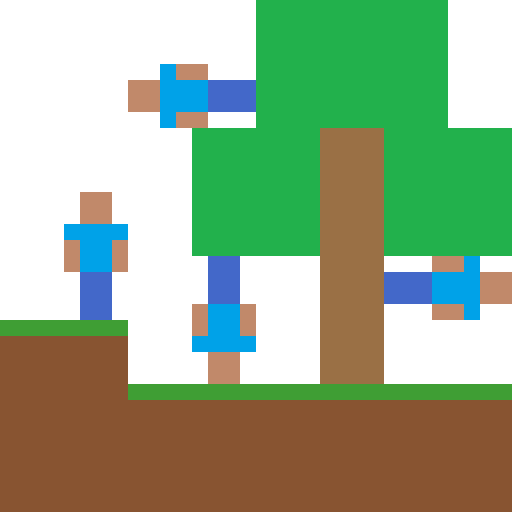
Modrinth · Minecraft mod
Gravity Changer
Lets you change player gravity direction
Choose a version Pick your version below, then grab the matching file.
Quick answer
Which Gravity Changer release matches 1.18.1?
Best match for your filters 0.3.0
Game version 1.18.1
Loader Fabric
Gravity Changer 0.3.0 targets 1.18.1 with Fabric. Installation on the client is optional. Installation on the dedicated server is optional. No extra mods listed for this file.
Where it goes
Is Gravity Changer required on the client, server, or both?
Installation on the client is optional. Installation on the dedicated server is optional.
Client Optional
Dedicated server Optional
Loader for this release Fabric
Required install it here Optional supported, not mandatory Not supported do not install here Source doesn’t say do not assume
The source marks this as usable on both the client and server.
What else does Gravity Changer 0.3.0 need?
0.3.0 on 1.18.1. Every mod below is checked against that same setup.
This file does not list any required mods. Do not add a library just because a different file uses it.
This file does not list any required or optional mods.
Before you install it
Add Gravity Changer without breaking your instance.
Built for Gravity Changer 0.3.0 on 1.18.1. Pick another file and the loader, install side or required mods may change.
- 01
Stick to this file
Use 0.3.0. It targets 1.18.1 with Fabric; another release may have different loader, side or dependency requirements.
- 02
Bring the mods it needs
This file does not list any required mods. Do not add a library just because a different file uses it.
- 03
Put it on the correct side
Installation on the client is optional. Installation on the dedicated server is optional.
- 04
Pick the file you checked
Use the “Get this file” button beside 0.3.0. It opens that exact file at the source.
About this project
What does Gravity Changer add?
About
This is a fabric mod and api that lets you change player gravity direction.
Features
This mod adds 6 items that let you change your gravity to any of the 6 axis directions.
These items are currently uncraftable and can be found in the tools tab of creative menu.
This mod can also be used as an api to let other mods change player gravity.
Required Dependencies
Optional Dependencies
Config
This mod has a config located in .minecraft/config/gravitychanger.json. You can edit it manually or in game using modmenu.
The config has 2 categories: Client and Server.Client category contains options that only take effect on the client and need to be set on the client.Server category contains options that only take effect on the server and need to be set in the server config. If you are playing in singleplayer your server uses the same config as your client and you can change it from modmenu. If you are playing on a server the server config is not updated when you change it on your client, it can only be edited using the server config file.
Commands
/gravity get <player> - gets player's gravity, returns direction index(0-5)/gravity set <direction> <players> - sets gravity for selected players/gravity rotate <direction> <players> - rotates gravity for selected players relative to their look direction/gravity randomise <players> - randomises gravity for selected players
Project description from Modrinth.
Pick your setup
Gravity Changer by Minecraft version and loader
Choose the version and loader you play, then open the matching release.
Minecraft version
1.17.1
1 loader buildCheck the dependencies, then try the file in a copied instance before changing a world you care about.
Recent files
Gravity Changer versions and loaders
0.3.0
GravityChanger-0.3.0-1.18.1.jar
19 Dec 2021
Client Optional Server Optional Dependencies No extras listed Listed on Release listing
Check the 1.18.1 · Fabric setup 1.18.1Fabric release
Looking for an older file? The official Modrinth project page is in Resources.
 mod
CurseForge + Modrinth · Minecraft
WTHIT
What the hell is that? A fork of Hwyla which is a fork of Waila.
 mod
Modrinth · Minecraft
Architectury API
An intermediary api aimed to ease developing multiplatform mods.
 mod
Modrinth · Minecraft
Reborn Core
Reborn Core is a library used for many of the Tech Reborn team's mods