Fabric API Needed by Worlds: Multiverse for Fabric Worlds 1.11.0+26.3
requiredMatching file found Matched file: [26.3] Fabric API 0.165.2+26.3

CurseForge · Minecraft mod
Run unlimited worlds on one Fabric server, like Multiverse on Paper, World Manager or Multiworld: create, list and teleport with commands. Every world keeps its own time, weather and game rules, and the End dragon, portals and maps work in all of them.
Quick answer
Worlds: Multiverse for Fabric Worlds 1.11.0+26.3 targets 26.3 with Fabric, Quilt. The project page does not say whether this file belongs on the client, dedicated server, or both. All 1 required mods have matching files.
Where it goes
The project page does not say whether this file belongs on the client, dedicated server, or both.
The source does not explicitly classify this release as client-only or server-only.
Worlds 1.11.0+26.3. Change the file and its required mods may change too.
Install Fabric API first. We found matching files for this game-version and loader setup.
We only count dependency files that match this setup. A file for another loader does not fill the gap.
Before you install it
Built for Worlds: Multiverse for Fabric Worlds 1.11.0+26.3. Pick another file and the loader, install side or required mods may change.
Use Worlds 1.11.0+26.3. It targets 26.3 with Fabric, Quilt; another release may have different loader, side or dependency requirements.
Install Fabric API first. We found matching files for this game-version and loader setup.
The project page does not say whether this file belongs on the client, dedicated server, or both.
Use the “Get this file” button beside Worlds 1.11.0+26.3. It opens that exact file at the source.
About this project
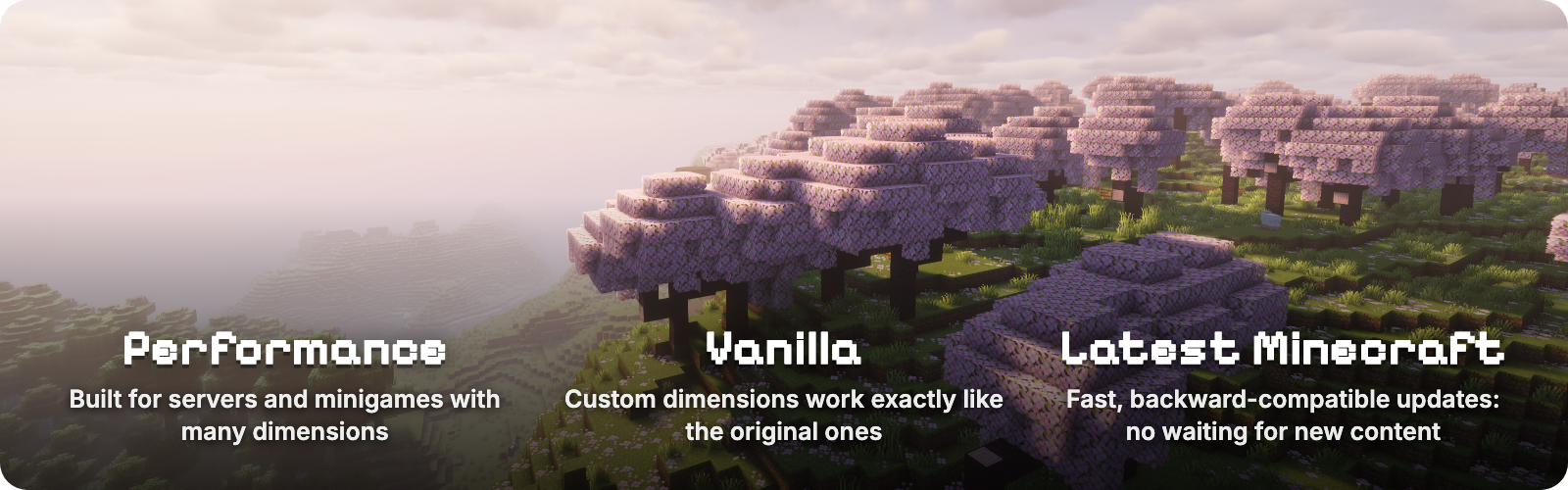



Worlds lets a Fabric server run as many worlds as it wants, the way Multiverse does on Paper. Create, list, delete and teleport between worlds with in-game commands, and give each one its own time, weather and game rules. Every world plays like real vanilla Minecraft, down to the End dragon, which also makes Worlds a base other mods build their dimensions on. Worlds from World Manager or Multiworld can be recreated with one command each.

/worlds create <id> makes an Overworld. Add from-preset for flat, amplified or any data pack preset, or from-dimension for a Nether, an End or any dimension type. /worlds tp takes you there.

/weather and /time run inside a world change only that world./gamerule inside the world. Rules you leave alone follow the server, and /gamerule <rule> inherit hands one back. With Worlds installed on the client, the Game Rules screen shows which rules the world changed.

| Command | What it does |
|---|---|
/worlds create <id> [seed] |
Creates an overworld |
/worlds create <id> from-preset <preset> [dimension] [seed] |
Creates a world from a world preset, for example minecraft:flat or minecraft:amplified |
/worlds create <id> from-dimension <type> [seed] |
Creates a world of a dimension type, for example minecraft:the_nether or minecraft:the_end |
/worlds import <id> <save> [<dimension>|all] |
Imports a singleplayer world, another server's worlds (Paper and Multiverse too), a zip, or a direct download link to a zip |
/worlds tp <id> [players] |
Teleports you or other players to a world's spawn |
/worlds list [loaded|unloaded] |
Lists worlds; hover for details, click to teleport |
/worlds delete <id> |
Deletes a world after moving everyone out of it |
/worlds settings spawn [here|<x> <y> <z>] |
Shows or sets the spawn of the world you are in |
/worlds settings loadOnStartup [true|false] |
Shows or sets whether the world you are in loads when the server starts |
/gamerule <rule> <value> |
In a created world, sets a rule for that world only |
/gamerule |
In a created world, lists the rules the world changed |
/gamerule <rule> inherit |
In a created world, makes a rule follow the server again |
A world id without a namespace gets minecraft:, so /worlds create mining creates minecraft:mining. Run any command for another world with /execute in <world> run .... /worlds commands need operator level 3; /gamerule needs level 2, as in vanilla.

A resource world you can reset
/worlds create mining
/worlds tp mining
/worlds delete mining
/worlds create mining
A creative build world with no mobs and endless daylight
/worlds create build from-preset minecraft:flat
/worlds tp build
/gamerule spawn_mobs false
/gamerule advance_time false
/gamerule advance_weather false
A safe lobby where new players spawn
/worlds create lobby
/worlds tp lobby
/setworldspawn
/gamerule pvp false
/gamerule spawn_monsters false
Keep inventory only in an arena
/execute in minecraft:arena run gamerule keep_inventory true
Bring in a singleplayer world, a map download or a Paper server's worlds
/worlds import old_survival "My Old World"
/worlds import adventure "https://example.com/maps/adventure.zip&quot;
/worlds import hub paperworld all
Put the save, or its zip, next to the server world. Older Minecraft versions are upgraded, and the world keeps its seed, spawn, maps and game rules.
Moving from World Manager or Multiworld: replace it with Worlds, then run /worlds create <id> from-dimension <type> <seed> with the id, type and seed each world had. Classic Overworld, Nether and End worlds are supported.
/worlds import brings in singleplayer worlds, other servers' worlds and Paper or Multiverse worlds, from a folder, a zip or a download link./gamerule, and a fix for a rare "Exception generating new chunk" crash when several worlds generate structures at once./worlds list with loaded and unloaded worlds, hover details and click-to-teleport.The full history is in the changelog.
You can support this project by hosting your server on Pixly Hosting.
Project description from CurseForge.
Pick your setup
Choose the version and loader you play, then open the matching release.
Showing the newest 12 of 31 game versions. Older files are in the list below.
Check the dependencies, then try the file in a copied instance before changing a world you care about.
Recent files
worlds-1.11.0-26.3.jar
28 Oct 2026
worlds-1.10.0+26.3.jar
7 Oct 2026
worlds-1.9.0+26.3.jar
6 Oct 2026
worlds-1.8.27+26.3.jar
6 Oct 2026
worlds-1.8.26+26.3.jar
6 Oct 2026
worlds-1.8.25+26.3.jar
6 Oct 2026
worlds-1.8.24+26.3.jar
6 Oct 2026
worlds-1.8.23+26.3.jar
4 Oct 2026
worlds-1.8.22+26.3.jar
16 Sept 2026
worlds-1.8.22+26.3.jar
15 Sept 2026
worlds-1.8.21+26.3-rc-3.jar
14 Sept 2026
worlds-1.8.20+26.3-rc-2.jar
11 Sept 2026
Looking for an older file? The official CurseForge project page is in Resources.
 mod
Adds a Kotlin language loader and provides some optional utilities.
 mod
Resource pack shaders that keep working under shader packs: brings a pack's armour and model effects back under Iris and OptiFine.
 mod
Makes TNT explode like the explosive shells from create big cannons mod. (made to work for 1.8.9 bedwars tnt and fireball clientside playable)