



Minecraft version
Back to mods 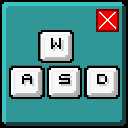
Modrinth · Minecraft mod
CloseOnMove
Close / Exit in-game GUI's using movement keys, so you can make a quick getaway!
Choose a version Pick your version below, then grab the matching file.
Quick answer
Which CloseOnMove release should I use?
Latest stable file 1.0.2+1.21.9-1.21.11
Game version 1.21.10, 1.21.11, 1.21.9
Loader Fabric
CloseOnMove 1.0.2+1.21.9-1.21.11 targets 1.21.10, 1.21.11, 1.21.9 with Fabric. It must be installed on the client. Do not install it on the dedicated server. No extra mods listed for this file.
Where it goes
Is CloseOnMove required on the client, server, or both?
It must be installed on the client. Do not install it on the dedicated server.
Client Required
Dedicated server Not supported
Loader for this release Fabric
Required install it here Optional supported, not mandatory Not supported do not install here Source doesn’t say do not assume
This file is marked client-only.
What else does CloseOnMove 1.0.2+1.21.9-1.21.11 need?
1.0.2+1.21.9-1.21.11. Change the file and its required mods may change too.
This file does not list any required mods. Do not add a library just because a different file uses it.
This file does not list any required or optional mods.
Before you install it
Add CloseOnMove without breaking your instance.
Built for CloseOnMove 1.0.2+1.21.9-1.21.11. Pick another file and the loader, install side or required mods may change.
- 01
Stick to this file
Use 1.0.2+1.21.9-1.21.11. It targets 1.21.10, 1.21.11, 1.21.9 with Fabric; another release may have different loader, side or dependency requirements.
- 02
Bring the mods it needs
This file does not list any required mods. Do not add a library just because a different file uses it.
- 03
Put it on the correct side
It must be installed on the client. Do not install it on the dedicated server.
- 04
Pick the file you checked
Use the “Get this file” button beside 1.0.2+1.21.9-1.21.11. It opens that exact file at the source.
About this project
What does CloseOnMove add?
CloseOnMove

Close / Exit in-game GUI's using movement keys, so you can make a quick getaway!
What does it do?
Are you like me? — Accidentally opening your inventory mid-battle, or panicking and forgetting how to close a chest when you hear the hissing of a Creeper?
Then this mod is great for you!
Use W, A, S, D or Space to quickly close in-game GUI's such as the inventory, creative menu, chests, advancements screen etc.
It's made so that if a text field is focused, the GUI is not closed so you can still type stuff in the recipe book or creative menu for example.
Do you use other keys to move, or just want to add more keys to exit GUI's? Use the closeonmove.json file in your config folder, or use Mod Menu in the mod versions of Minecraft 1.20.3 and above.
Dependencies
- Fabric API
- Mod Menu (Optional, for mod versions of Minecraft 1.20.3+)
Compatibility
I have not found any incompatibilities in terms of other mods, although Java 21 is required.
Project description from Modrinth.
Pick your setup
CloseOnMove by Minecraft version and loader
Choose the version and loader you play, then open the matching release.
Minecraft version
1.21.10
1 loader buildMinecraft version
1.21.9
1 loader buildMinecraft version
1.21.8
1 loader buildMinecraft version
1.21.7
1 loader buildMinecraft version
1.21.6
1 loader buildMinecraft version
1.21.5
1 loader buildMinecraft version
1.21.4
1 loader buildMinecraft version
1.21.3
1 loader buildMinecraft version
1.21.2
1 loader buildMinecraft version
1.21.1
1 loader buildMinecraft version
1.21
1 loader buildShowing the newest 12 of 29 game versions. Older files are in the list below.
Check the dependencies, then try the file in a copied instance before changing a world you care about.
Recent files
CloseOnMove versions and loaders
1.0.2+1.21.9-1.21.11
closeonmove-1.0.2+1.21.9-1.21.10.jar
13 Oct 2025
Client Required Server Not supported Dependencies No extras listed Listed on Release listing
Check the 1.21.11 · Fabric setup 1.21.101.21.111.21.9Fabric release
1.0.1+1.21.6-1.21.8
closeonmove-1.0.1+1.21.6-1.21.7.jar
5 Jul 2025
Client Required Server Not supported Dependencies No extras listed Listed on Release listing
Check the 1.21.8 · Fabric setup 1.21.61.21.71.21.8Fabric release
1.0.0+1.20.3-1.21.5
closeonmove-1.0.0+1.20.3-1.21.5.jar
15 Jun 2025
Client Required Server Not supported Dependencies No extras listed Listed on Release listing
Check the 1.21.5 · Fabric setup 1.20.31.20.41.20.51.20.6 release
1.0.0+1.17-1.20.2
closeonmove-1.0.0+1.17-1.20.2.jar
15 Jun 2025
Client Required Server Not supported Dependencies No extras listed Listed on Release listing
Check the 1.20.2 · Fabric setup 1.171.17.11.181.18.1 release
Looking for an older file? The official Modrinth project page is in Resources.
 mod
CurseForge + Modrinth · Minecraft
Numerical HUD
This mod replaces vanilla status bars with clean, animated numerical values and dynamic icons.
 mod
CurseForge + Modrinth · Minecraft
Gingerbread houses
The all-in-one Christmas mod: gingerbread houses and decorated trees in the snow, presents you wrap for friends, an advent calendar, reindeer (watch for the red-nosed one), gingerbread men, Krampus, festive food, lights and decorations.
 mod
Modrinth · Minecraft
Redstone Additions
Best redstone&tech datapack, Super optimized, 59+ blocks (Block breaker, block placer, filters, conveyors, item pipes, breeder, generators, gates, chunk loader, wireless redstone, multiblocks, jetpacks and so much more ! )