Fabric API Needed by Portals: Relinked 1.3.2
requiredMatching file found Matched file: 0.166.2+26.3

Modrinth · Minecraft mod
A vanilla-like Minecraft mod that lets you dye portals and create custom links within and between dimensions.
Quick answer
Portals: Relinked 1.3.2 targets 26.3 with Fabric. Installation on the client is optional. Installation on the dedicated server is optional. All 1 required mods have matching files.
Where it goes
Installation on the client is optional. Installation on the dedicated server is optional.
The source marks this as usable on both the client and server.
1.3.2. Change the file and its required mods may change too.
Install Fabric API first. We found matching files for this game-version and loader setup.
We only count dependency files that match this setup. A file for another loader does not fill the gap.
Before you install it
Built for Portals: Relinked 1.3.2. Pick another file and the loader, install side or required mods may change.
Use 1.3.2. It targets 26.3 with Fabric; another release may have different loader, side or dependency requirements.
Install Fabric API first. We found matching files for this game-version and loader setup.
Installation on the client is optional. Installation on the dedicated server is optional.
Use the “Get this file” button beside 1.3.2. It opens that exact file at the source.
About this project

Portals: Relinked is a vanilla-like mod that gives Nether portals a simple new purpose: creating reliable, color-coded connections.
Build and light Nether portals exactly as you normally would. Then use any Minecraft dye to color a portal. Two portals dyed the same color become a linked pair, allowing you to travel directly between them — whether they are in the same dimension or in different ones.

Custom portal links work both within one dimension and between dimensions, making them useful for bases, mines, villages, farms, and travel hubs.
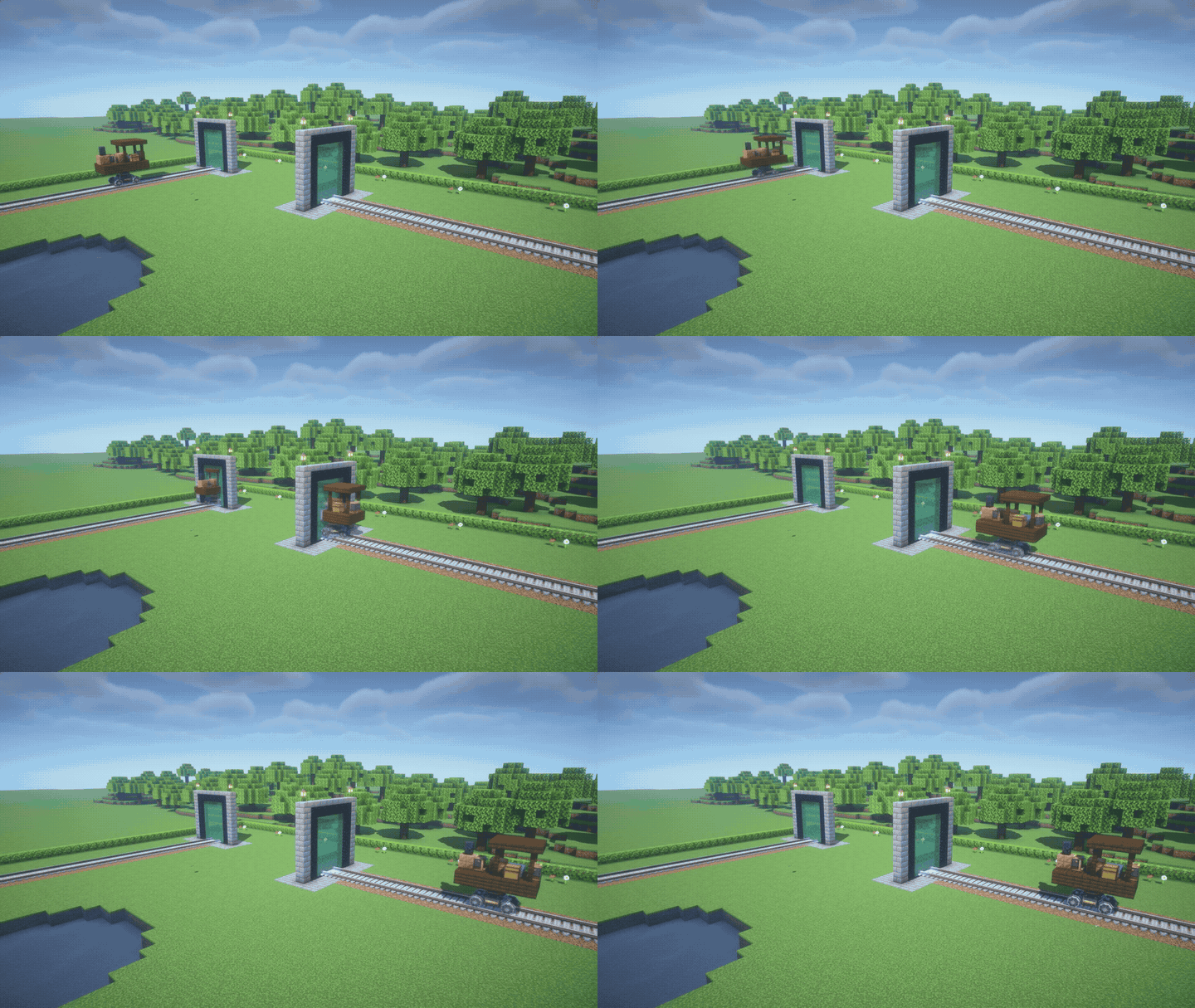
Connect your railways with colored portals! Run Create tracks into two portals of the same color to send trains between them, within one dimension or across dimensions. Rotated exits, passengers, cargo, and train schedules are supported.
Available with Create 6 on Minecraft 1.20.1 (Fabric/Forge) and 1.21.1 (NeoForge).
Add 16 more colors to your portal network with Dye Depot! Use its dyes just like vanilla dyes: two portals with the same color form a linked pair. Purple dye still resets a portal to its normal vanilla behavior.
Requires Dye Depot for your Minecraft version and mod loader.
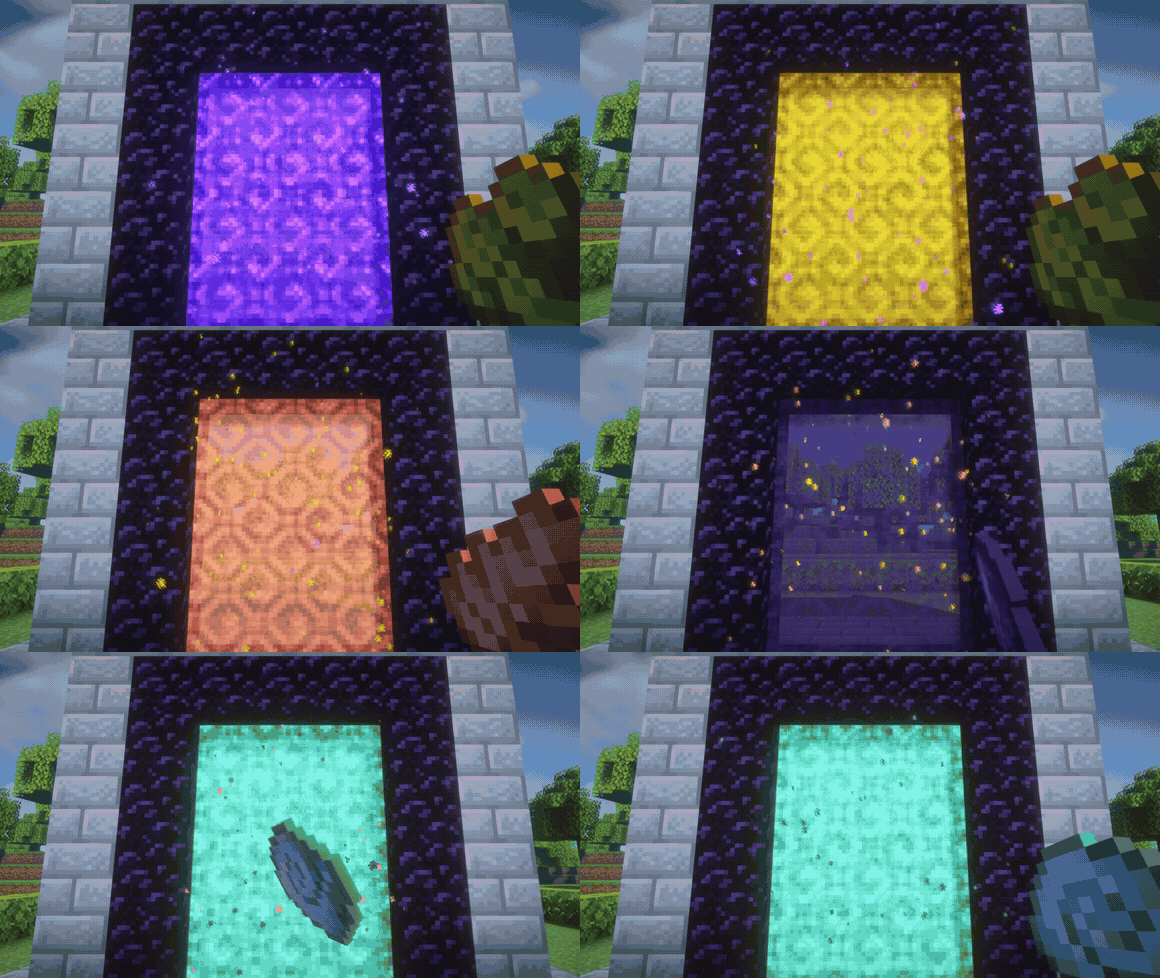
Version 1.3.2 fixes dyed portals appearing white with Complementary shaders. Portal surfaces and the portal screen overlay use matching colored textures. Existing portal colors and links are preserved.
Portals: Relinked keeps portal travel familiar while giving you more control over where every portal leads.
Project description from Modrinth.
Pick your setup
Choose the version and loader you play, then open the matching release.
Check the dependencies, then try the file in a copied instance before changing a world you care about.
Recent files
portals_relinked-1.3.2-fabric+26.3.jar
18 Nov 2026
portals_relinked-1.3.2-fabric+26.2.jar
18 Nov 2026
portals_relinked-1.3.2-fabric+1.21.1.jar
18 Nov 2026
portals_relinked-1.3.2-forge+26.3.jar
18 Nov 2026
portals_relinked-1.3.2-forge+26.2.jar
18 Nov 2026
portals_relinked-1.3.2-forge+1.21.1.jar
18 Nov 2026
portals_relinked-1.3.2-neoforge+26.3.jar
18 Nov 2026
portals_relinked-1.3.2-neoforge+26.2.jar
18 Nov 2026
portals_relinked-1.3.2-neoforge+1.21.1.jar
18 Nov 2026
portals_relinked-1.3.2-fabric+1.20.1.jar
18 Nov 2026
portals_relinked-1.3.2-forge+1.20.1.jar
18 Nov 2026
portals_relinked-1.0.0-neoforge+1.21.1.jar
26 Aug 2026
Looking for an older file? The official Modrinth project page is in Resources.
 mod
SuperMartijn642's Core Lib adds lots of basic implementations that allow for similar code between different Minecraft versions!
 mod
Realistic flowing river currents with Streams-style rivers and natural water behavior
 mod
Lock your items up! Safe from griefers! Also adds new chest, new keys/locks for dungeon chest and loot!