Minecraft version
Back to mods 
Modrinth · Minecraft mod
3D Maps
Makes Minecrafts maps three-dimensional and customizable inside item frames.
Choose a version Pick your version below, then grab the matching file.
Quick answer
Which 3D Maps release should I use?
Latest stable file 0.8.2
Game version 26.3
Loader Fabric
3D Maps 0.8.2 targets 26.3 with Fabric. Installation on the client is optional. Installation on the dedicated server is optional. No extra mods listed for this file.
Where it goes
Is 3D Maps required on the client, server, or both?
Installation on the client is optional. Installation on the dedicated server is optional.
Client Optional
Dedicated server Optional
Loader for this release Fabric
Required install it here Optional supported, not mandatory Not supported do not install here Source doesn’t say do not assume
The source marks this as usable on both the client and server.
What else does 3D Maps 0.8.2 need?
0.8.2. Change the file and its required mods may change too.
This file does not list any required mods. Do not add a library just because a different file uses it.
This file does not list any required or optional mods.
Before you install it
Add 3D Maps without breaking your instance.
Built for 3D Maps 0.8.2. Pick another file and the loader, install side or required mods may change.
- 01
Stick to this file
Use 0.8.2. It targets 26.3 with Fabric; another release may have different loader, side or dependency requirements.
- 02
Bring the mods it needs
This file does not list any required mods. Do not add a library just because a different file uses it.
- 03
Put it on the correct side
Installation on the client is optional. Installation on the dedicated server is optional.
- 04
Pick the file you checked
Use the “Get this file” button beside 0.8.2. It opens that exact file at the source.
About this project
What does 3D Maps add?
A whole world, framed.
3D Maps transforms ordinary maps placed in item frames into miniature slices of your Minecraft world. Forests grow above the surface, mountains rise from the page, coastlines gain real depth, and the underground becomes part of the display.
And it's all customizable.
From flat picture to miniature world
Keep exploring and filling maps exactly as you normally would. Maps in your hands remain familiar, but place one in an item frame and the landscape comes to life in 3D. There are no new map items to craft and no special recipes to remember.
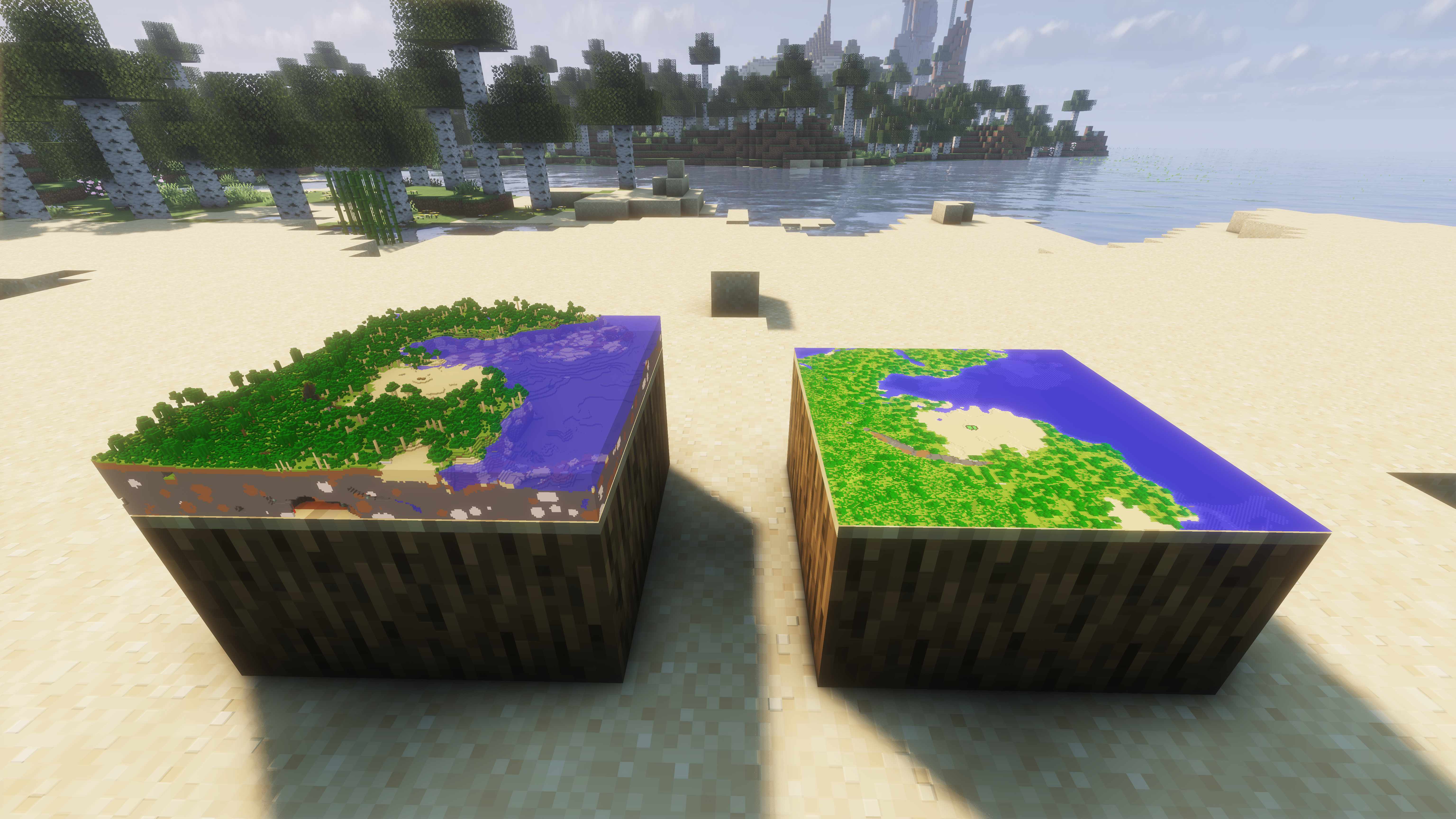
Same map, different settings
Right-click a framed map to open its own settings. Switch that placement between 2D and 3D, rotate it, or choose the Y level where the model begins. Keep only the landscape above ground, or lower the cutaway to reveal caves, ores, and everything hidden below.
Every item frame remembers its own choices, so the same map can be displayed in different ways around your base.
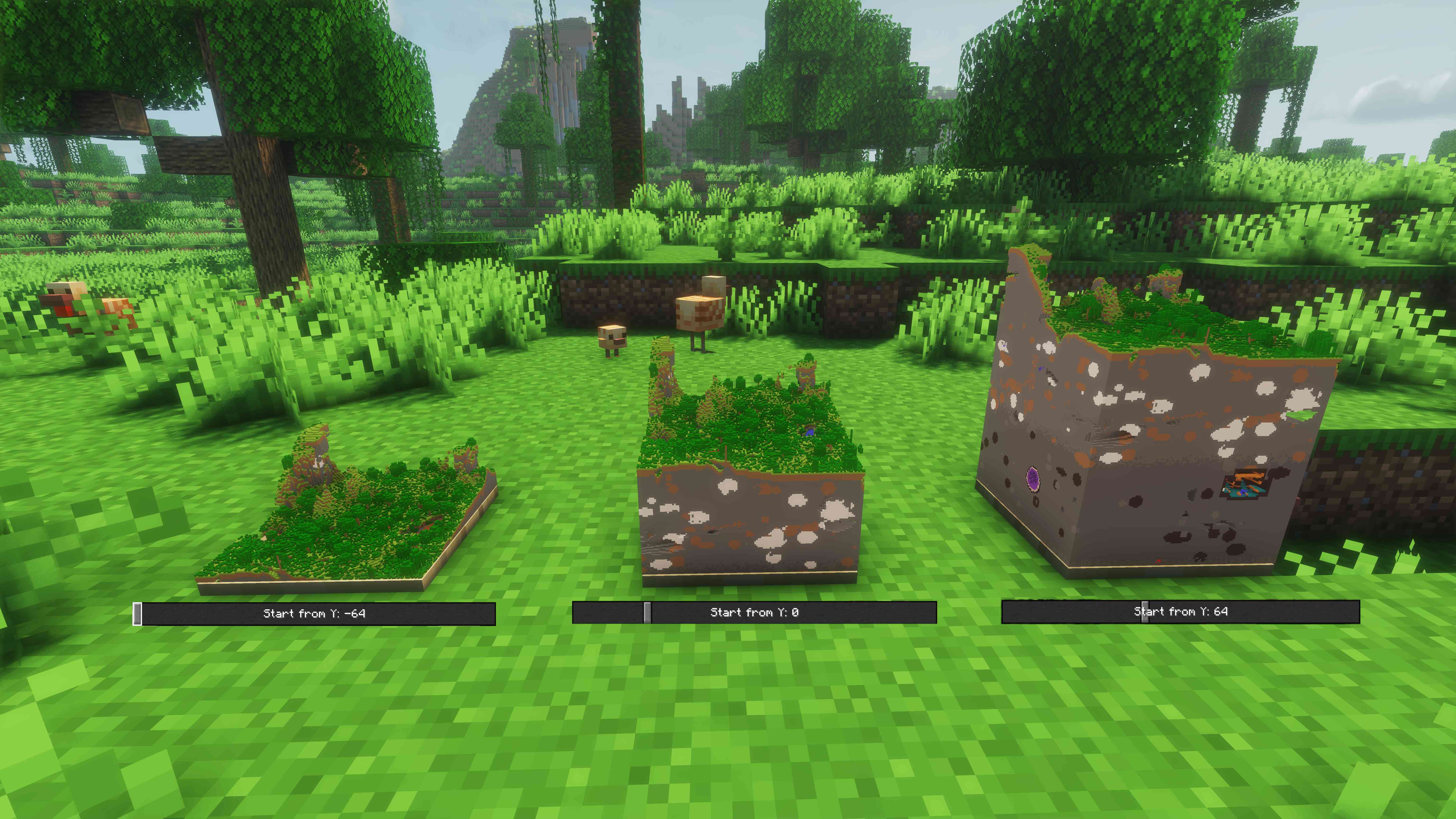
Turn builds into display pieces
Landscapes are only the beginning. Detailed builds and map art can become tiny 3D showpieces, giving trophy rooms, galleries, planning tables, and adventure hubs a completely new centerpiece.
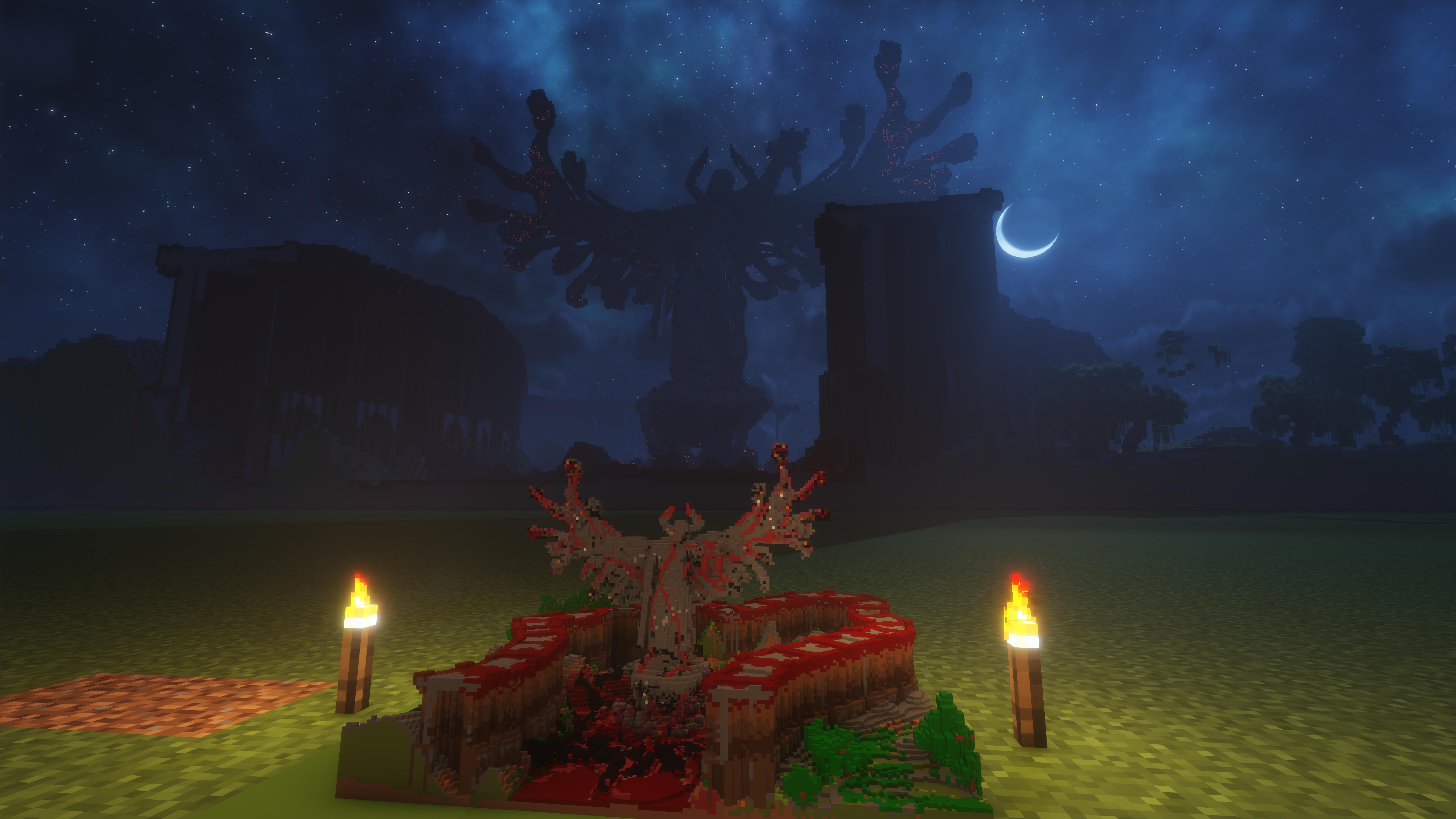
Make it look—and run—the way you want
Choose from clear quality and performance presets depending on whether you want every nearby detail or smoother rendering around large map displays. You can also turn 3D map rendering off globally at any time while keeping each frame's setup ready for later.
Built-in Iris compatibility helps 3D maps feel at home in shader-enhanced worlds, too.
Existing world support
This mod does not add new map items or blocks, it just adds optional new functionality to vanilla maps.
Because of this, it is compatible with existing worlds and servers.
You can always install and uninstall this mod into existing worlds without corrupting anything.
Shader support
Supports most Iris shaders, breaks nothing but may look weird with some.
Tested and working on Solas and Complementary Reimagined.
Highlights
- Turns vanilla maps into detailed 3D terrain when placed in item frames
- Preserves the familiar vanilla map experience while held
- Captures the landscape above and below ground as you explore
- Offers independent 2D/3D mode, cutaway height, and rotation for every framed map
- Includes quality presets for anything from a single showcase to a wall of maps
- Supports most Iris shaders
- Adds no new items or recipes
Multiplayer
Bring your miniature worlds to a shared server and let everyone see the same terrain displays. Must be installed on both the server and the players who join it.
Project description from Modrinth.
Pick your setup
3D Maps by Minecraft version and loader
Choose the version and loader you play, then open the matching release.
Minecraft version
26.2
1 loader buildMinecraft version
26.1.2
1 loader buildCheck the dependencies, then try the file in a copied instance before changing a world you care about.
Recent files
3D Maps versions and loaders
0.8.2
3d-maps-0.8.2.jar
23 Sept 2026
Client Optional Server Optional Dependencies No extras listed Listed on Release listing
Check the 26.3 · Fabric setup 26.3Fabric release
0.8.2
3d-maps-0.8.2.jar
13 Aug 2026
Client Optional Server Optional Dependencies 1 required · 1 unchecked Listed on Release listing
Check the 26.2 · Fabric setup 26.2Fabric beta
0.8.2
3d-maps-0.8.2.jar
18 Jul 2026
Client Optional Server Optional Dependencies 1 required · 1 unchecked Listed on Release listing
Check the 26.1.2 · Fabric setup 26.1.2Fabric beta
Looking for an older file? The official Modrinth project page is in Resources.
 mod
mod CurseForge + Modrinth · Minecraft
I See My Armored Hand
Render your armor in first-person view for a more immersive Minecraft experience! Supports trims, colors, and enchantments.
 mod
mod CurseForge + Modrinth · Minecraft
NovoAtlas
A data-driven image based world generator for Minecraft.
 mod
mod Modrinth · Minecraft
RealisticCruelty
A realistic gore mod for Minecraft.