Fabric API Needed by Elevator 1.1.5
requiredMatching file found Matched file: 0.155.3+26.1.2

Modrinth · Minecraft mod
A simple Elevator Mod for Fabric Minecraft
Quick answer
Elevator 1.1.5 targets 26.1.2 with Fabric. Do not install it on the client. It must be installed on the dedicated server. All 1 required mods have matching files.
Where it goes
Do not install it on the client. It must be installed on the dedicated server.
This file is marked server-only.
1.1.5 on 26.1.2. Every mod below is checked against that same setup.
Install Fabric API first. We found matching files for this game-version and loader setup.
We only count dependency files that match this setup. A file for another loader does not fill the gap.
Before you install it
Built for Elevator 1.1.5 on 26.1.2. Pick another file and the loader, install side or required mods may change.
Use 1.1.5. It targets 26.1.2 with Fabric; another release may have different loader, side or dependency requirements.
Install Fabric API first. We found matching files for this game-version and loader setup.
Do not install it on the client. It must be installed on the dedicated server.
Use the “Get this file” button beside 1.1.5. It opens that exact file at the source.
About this project
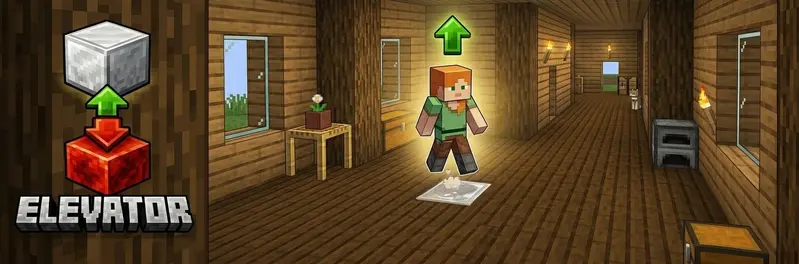
A simple elevator mod for Fabric.
Jump → go up. Sneak → go down
| Feature | Description |
|---|---|
| Elevator up | Stand on the elevator block and jump → teleport to the block above |
| Elevator down | Stand on the elevator block and sneak → teleport to the block below |
| Redstone base | The elevator block must be placed on top of a redstone block |
| Multiple block types | Configure multiple elevator blocks while keeping travel within the same block type |
| Carpet hiding | Place a carpet on top of the elevator block — it still works! |
| Particles | Configurable visual particle effect on teleport |
| Sound | Configurable entity sound on teleport |
| Cooldown | Configurable cooldown between teleports |
| Safety check | Only teleport if the destination has enough headroom |
| Mod Menu support | Optional client config screen when Mod Menu is installed |
Tip: hide the elevator block by placing a carpet on top of it!
The config file is created automatically on first Minecraft start:config/elevator.json
{
  "elevatorBlocks": ["minecraft:iron_block", "minecraft:gold_block", "minecraft:sea_lantern"],
  "maxElevatorHeight": 50,
  "particlesEnabled": true,
  "particleType": "minecraft:portal",
  "soundEnabled": true,
  "soundEvent": "minecraft:entity.enderman.teleport",
  "cooldownTicks": 20,
  "safetyEnabled": true
}
With Mod Menu + Cloth Config installed on the client, you get a full in-game config screen.
| Option | Description |
|---|---|
elevatorBlocks |
List of allowed elevator block IDs |
maxElevatorHeight |
Maximum distance (in blocks) to search for the next elevator block |
particlesEnabled |
Show particles on teleport |
particleType |
Minecraft particle ID used when particles are enabled |
soundEnabled |
Play sound on teleport |
soundEvent |
Minecraft sound event ID used when sound is enabled |
cooldownTicks |
Ticks between teleports (20 = 1 second) |
safetyEnabled |
Skip destination if headroom is blocked |
| Command | Description | Permission |
|---|---|---|
/elevator info |
Shows the configured elevator blocks and reminds that travel only works between matching block types | Everyone |
/elevator reload |
Reload the config file | OP |
Feel free to join my Minecraft server to test my mods: play.swordfishbe.eu
Project description from Modrinth.
Pick your setup
Choose the version and loader you play, then open the matching release.
Check the dependencies, then try the file in a copied instance before changing a world you care about.
Recent files
elevator-1.1.5.jar
16 Apr 2026
elevator-1.1.4.jar
6 Apr 2026
Looking for an older file? The official Modrinth project page is in Resources.
 mod
An all-in-one performance mod that makes Minecraft run smoother and faster by optimizing everything from chunk rendering to world simulation.
 mod
Allows owners to pick up their pets into an item form. Works on Fabric and Forge.
 mod
This mod gives you the ability to pick up Villagers, keep them as Items and place them back where you want.