Cobblemon Needed by CobbleDollars [Cobblemon Addon] 2.0.0+Beta-6.1
requiredMatching file found Matched file: 1.7.3
![CobbleDollars [Cobblemon Addon] project artwork](https://cdn.modrinth.com/data/s7N7AsqL/684040a264fc1d7f9b856ec5d2da39767398c7ad.png)
Modrinth · Minecraft mod
CobbleDollars adds Money and Merchants to Cobblemon
Quick answer
CobbleDollars [Cobblemon Addon] 2.0.0+Beta-6.1 targets 1.21.1 with NeoForge. Installation on the client is optional. Installation on the dedicated server is optional. All 2 required mods have matching files.
Where it goes
Installation on the client is optional. Installation on the dedicated server is optional.
The source marks this as usable on both the client and server.
2.0.0+Beta-6.1 on 1.21.1 NeoForge. Every mod below is checked against that same setup.
Install Cobblemon, Kotlin for Forge first. We found matching files for this game-version and loader setup.
We only count dependency files that match this setup. A file for another loader does not fill the gap.
Before you install it
Built for CobbleDollars [Cobblemon Addon] 2.0.0+Beta-6.1 on 1.21.1 NeoForge. Pick another file and the loader, install side or required mods may change.
Use 2.0.0+Beta-6.1. It targets 1.21.1 with NeoForge; another release may have different loader, side or dependency requirements.
Install Cobblemon, Kotlin for Forge first. We found matching files for this game-version and loader setup.
Installation on the client is optional. Installation on the dedicated server is optional.
Use the “Get this file” button beside 2.0.0+Beta-6.1. It opens that exact file at the source.
About this project
This mod adds money and Merchants for Cobblemon.
Dependencies:
If you'd like to support me, I have a Patreon <3.
Feel free to add my mods to your modpacks!
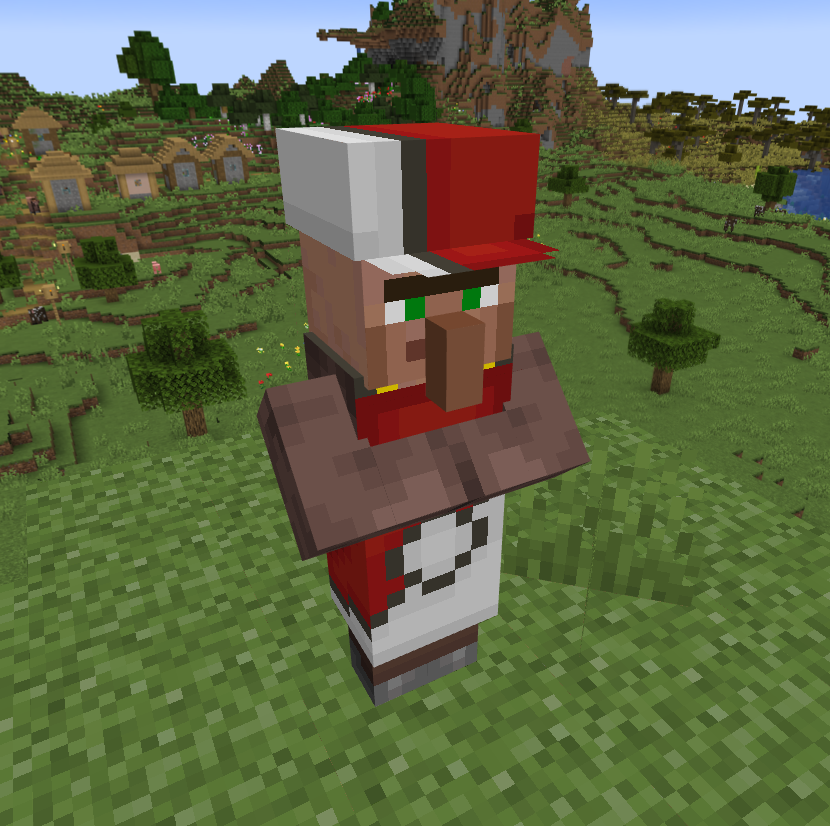
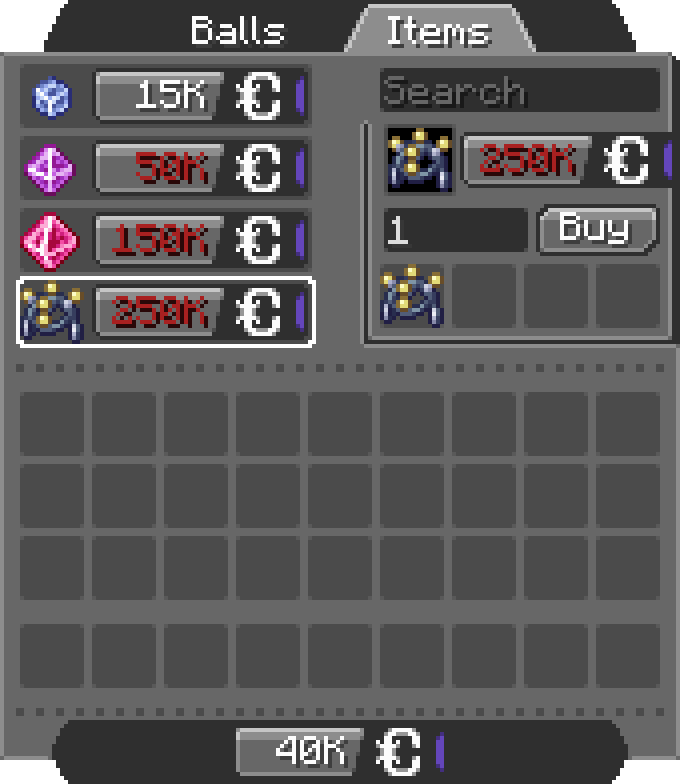
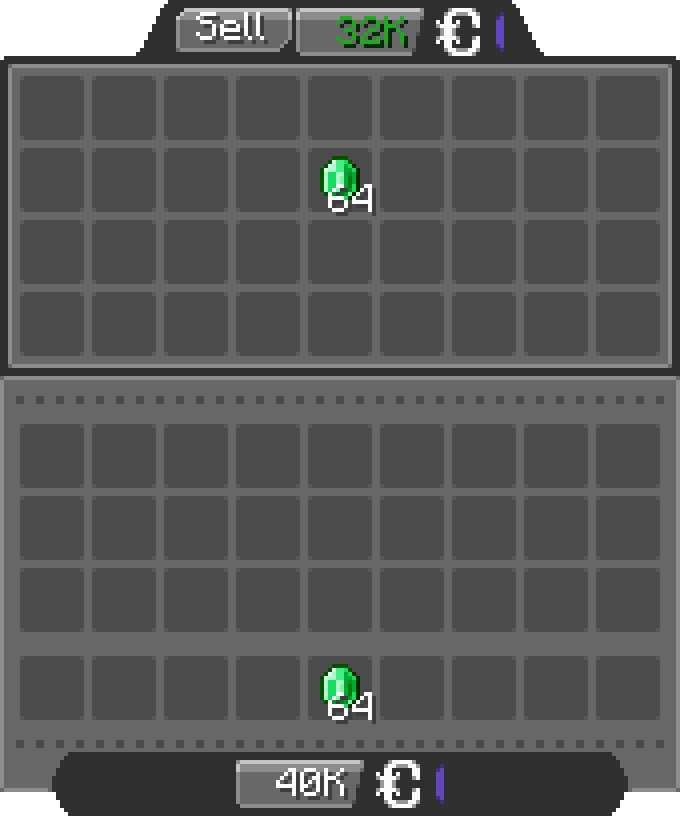
The configuration files are located under "[Minecraft files or Server location]\config\cobbledollars"
You can choose the position of the money overlay:
You can configure which items the merchant sells, for example:
2.X.X:
{
  "defaultShop": [
    {
      "Poké Balls": [
        {
          "item": "cobblemon:poke_ball",
          "price": 2000
        }
      ]
    },
    {
      "Items": [
        {
          "item": "minecraft:stick",
          "price": 250000
        },
        {
          "item": "create:cogwheel",
          "price": 100
        }
      ]
    }
  ]
}
1.5.X:
{
  "merchantShop": {
    "balls": {
      "cobblemon:poke_ball": 2000
    },
    "items": {
      "minecraft:stick": 250000,
      "create:cogwheel": 100
    }
  }
}
Before 1.5:
{
  "merchantBalls": {
    "cobblemon:poke_ball": 2000
  },
  "merchantItems": {
    "minecraft:stick": 250000,
    "create:cogwheel": 100
  }
}
Here they will sell
You can configure the items accepted in the bank and for what price:
2.X.X:
{
  "bank": [
    {
      "item": "minecraft:emerald",
      "price": 500
    },
    {
      "item": "cobblemon:red_apricorn",
      "price": 2500
    }
  ]
}
1.5.X:
{
  "bankItems": {
    "minecraft:emerald": 500,
    "cobblemon:red_apricorn": 2500
  }
}
Here the bank accept
You can even put items from other mods.
Project description from Modrinth.
Pick your setup
Choose the version and loader you play, then open the matching release.
Check the dependencies, then try the file in a copied instance before changing a world you care about.
Recent files
CobbleDollars-neoforge-2.0.0+Beta-6.1+1.21.1.jar
22 Jul 2026
CobbleDollars-neoforge-2.0.0+Beta-6+1.21.1.jar
21 Jul 2026
CobbleDollars-neoforge-2.0.0+Beta-5.1+1.21.1.jar
1 Jun 2025
CobbleDollars-neoforge-2.0.0+Beta-5+1.21.1.jar
30 May 2025
CobbleDollars-neoforge-2.0.0+Beta-4+1.21.1.jar
12 May 2025
CobbleDollars-neoforge-2.0.0+Beta-3+1.21.1.jar
1 Mar 2025
CobbleDollars-neoforge-2.0.0+Beta-2+1.21.1.jar
25 Feb 2025
cobbledollars-neoforge-2.0.0-BETA1+1.21.1.jar
27 Dec 2024
Looking for an older file? The official Modrinth project page is in Resources.
 mod
modA modern port of the classic fabric Origins mod. Backwards compatible with most of your favorite origins expansions.
 mod
modMiddle-click (JEI/EMI/REI) bookmarks in the AE2 terminal to instantly pick up items or auto-craft.