


Minecraft version
Back to mods 
Modrinth · Minecraft mod
Toast Remover
Hide any toast, selectively disable toast sounds, and take full control over Minecraft's notifications with an extensive and highly configurable client-side mod.
Choose a version Pick your version below, then grab the matching file.
Quick answer
Which Toast Remover release should I use?
beta file 1.0-26.2
Game version 26.2, 26.3
Loader NeoForge
Toast Remover 1.0-26.2 targets 26.2, 26.3 with NeoForge. It must be installed on the client. Do not install it on the dedicated server. No extra mods listed for this file.
Where it goes
Is Toast Remover required on the client, server, or both?
It must be installed on the client. Do not install it on the dedicated server.
Client Required
Dedicated server Not supported
Loader for this release NeoForge
Required install it here Optional supported, not mandatory Not supported do not install here Source doesn’t say do not assume
This file is marked client-only.
What else does Toast Remover 1.0-26.2 need?
1.0-26.2. Change the file and its required mods may change too.
This file does not list any required mods. Do not add a library just because a different file uses it.
This file does not list any required or optional mods.
Before you install it
Add Toast Remover without breaking your instance.
Built for Toast Remover 1.0-26.2. Pick another file and the loader, install side or required mods may change.
- 01
Stick to this file
Use 1.0-26.2. It targets 26.2, 26.3 with NeoForge; another release may have different loader, side or dependency requirements.
- 02
Bring the mods it needs
This file does not list any required mods. Do not add a library just because a different file uses it.
- 03
Put it on the correct side
It must be installed on the client. Do not install it on the dedicated server.
- 04
Pick the file you checked
Use the “Get this file” button beside 1.0-26.2. It opens that exact file at the source.
About this project
What does Toast Remover add?
Toast Remover
Hide any toast, selectively disable toast sounds, and take full control over Minecraft's notifications with an extensive
and highly configurable client-side mod.
Features
- Disable every toast with a single option.
- Disable individual vanilla toast categories
- Disable toast sound
Configuration
The config file is located at .minecraft/config/toast_remover.json and is created automatically on first launch.
General
| Option | Description |
|---|---|
enabled |
Enables or disables the mod. |
disableEveryToasts |
Hides every toast regardless of its type. |
disableNonVanilla |
Hides toasts added by other mods. |
Toast types
| Option | Description |
|---|---|
disableAdvancement |
Hides advancement toasts. |
disableTutorial |
Hides tutorial toasts. |
disableRecipe |
Hides recipe unlock toasts. |
disableFriend |
Hides friend notification toasts. |
disableNowPlaying |
Hides music "Now Playing" toasts. |
disableSystem |
Hides every system toast. |
System Toasts
| Option | Description |
|---|---|
disableNarratorToggle |
Hides the narrator toggle notification. |
disableWorldBackup |
Hides the world backup notification. |
disablePackLoadFailure |
Hides resource pack load failure notifications. |
disableWorldAccessFailure |
Hides world access failure notifications. |
disablePackCopyFailure |
Hides resource pack copy failure notifications. |
disableFileDropFailure |
Hides file drag-and-drop failure notifications. |
disablePeriodicNotification |
Hides periodic system notifications. |
disableLowDiskSpace |
Hides low disk space warnings. |
disableChunkLoadFailure |
Hides chunk loading failure notifications. |
disableChunkSaveFailure |
Hides chunk saving failure notifications. |
disableUnsecureServerWarning |
Hides insecure server warning notifications. |
disableFriendSystemNotification |
Hides friend system notifications. |
Sound
| Option | Description |
|---|---|
disableEveryToastWhooshSound |
Disables the default toast show/hide sound. |
disableHiddenToastWhooshSound |
Disables the whoosh sound only for toasts hidden by the mod. |
disableChallengeAdvancementSound |
Disables the special sound played for challenge advancements. |
disableNonVanillaToastSounds |
Disables custom sounds played by non-vanilla toasts while keeping vanilla sounds intact. |
Project description from Modrinth.
Pick your setup
Toast Remover by Minecraft version and loader
Choose the version and loader you play, then open the matching release.
Minecraft version
26.2
2 loader buildsMinecraft version
26.1.2
2 loader buildsMinecraft version
26.1.1
2 loader buildsMinecraft version
26.1
2 loader buildsCheck the dependencies, then try the file in a copied instance before changing a world you care about.
Recent files
Toast Remover versions and loaders
1.0-26.2
toast_remover-1.0-26.2-neoforge.jar
15 Sept 2026
Client Required Server Not supported Dependencies No extras listed Listed on Release listing
Check the 26.3 · NeoForge setup 26.226.3NeoForge beta
1.0-26.2
toast_remover-1.0-26.2-fabric.jar
15 Sept 2026
Client Required Server Not supported Dependencies No extras listed Listed on Release listing
Check the 26.3 · Fabric setup 26.226.3Fabric beta
1.0-26.2
toast_remover-neoforge-1.0-26.2.jar
11 Jul 2026
Client Required Server Not supported Dependencies No extras listed Listed on Release listing
Check the 26.2 · NeoForge setup 26.2NeoForge beta
1.0-26.2
toast_remover-fabric-1.0-26.2.jar
11 Jul 2026
Client Required Server Not supported Dependencies No extras listed Listed on Release listing
Check the 26.2 · Fabric setup 26.2Fabric beta
1.0-26.1
toast_remover-neoforge-1.0-26.1.jar
11 Jul 2026
Client Required Server Not supported Dependencies No extras listed Listed on Release listing
Check the 26.1.2 · NeoForge setup 26.126.1.126.1.2NeoForge beta
1.0-26.1
toast_remover-fabric-1.0-26.1.jar
11 Jul 2026
Client Required Server Not supported Dependencies No extras listed Listed on Release listing
Check the 26.1.2 · Fabric setup 26.126.1.126.1.2Fabric beta
Looking for an older file? The official Modrinth project page is in Resources.
 mod
mod CurseForge + Modrinth · Minecraft
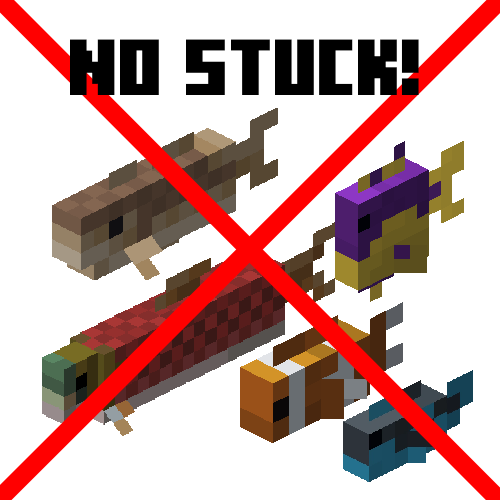
Fish No Stuck
A small mod that fixes fish stop moving entirely (MC-182763)
 mod
mod CurseForge + Modrinth · Minecraft
Thirst Was Reclaimed
Brand-new take on thirst, reformation from Thirst Was Taken
 mod
mod CurseForge + Modrinth · Minecraft
Room For Two
Lets you share a bed with a villager or another player.