Cloth Config API Needed by Rainbow Trims 1.8-1
requiredMatching file found Matched file: 19.0.147+fabric

Modrinth · Minecraft mod
Modify each ArmorTrim as you like it
Quick answer
Rainbow Trims 1.8-1 targets 1.21.8 with Fabric. It must be installed on the client. Do not install it on the dedicated server. All 4 required mods have matching files.
Where it goes
It must be installed on the client. Do not install it on the dedicated server.
This file is marked client-only.
1.8-1. Change the file and its required mods may change too.
Install Cloth Config API, Mod Menu, Text Placeholder API, Fabric API first. We found matching files for this game-version and loader setup. 2 come through another mod in the chain.
2 extra mods were pulled in by other dependencies. Indented rows show who needs each one. We only count dependency files that match this setup. A file for another loader does not fill the gap.
Before you install it
Built for Rainbow Trims 1.8-1. Pick another file and the loader, install side or required mods may change.
Use 1.8-1. It targets 1.21.8 with Fabric; another release may have different loader, side or dependency requirements.
Install Cloth Config API, Mod Menu, Text Placeholder API, Fabric API first. We found matching files for this game-version and loader setup. 2 come through another mod in the chain.
It must be installed on the client. Do not install it on the dedicated server.
Use the “Get this file” button beside 1.8-1. It opens that exact file at the source.
About this project
If you like RGB or find the normal Armor Trims too boring this mod is perfect for you!
It adds a cool RGB effect to the vanilla Armor Trims, which you can activate or deactivate in the settings. You can also deactivate the trims completely
You can use this mod in a single player world or on a server without any problems.
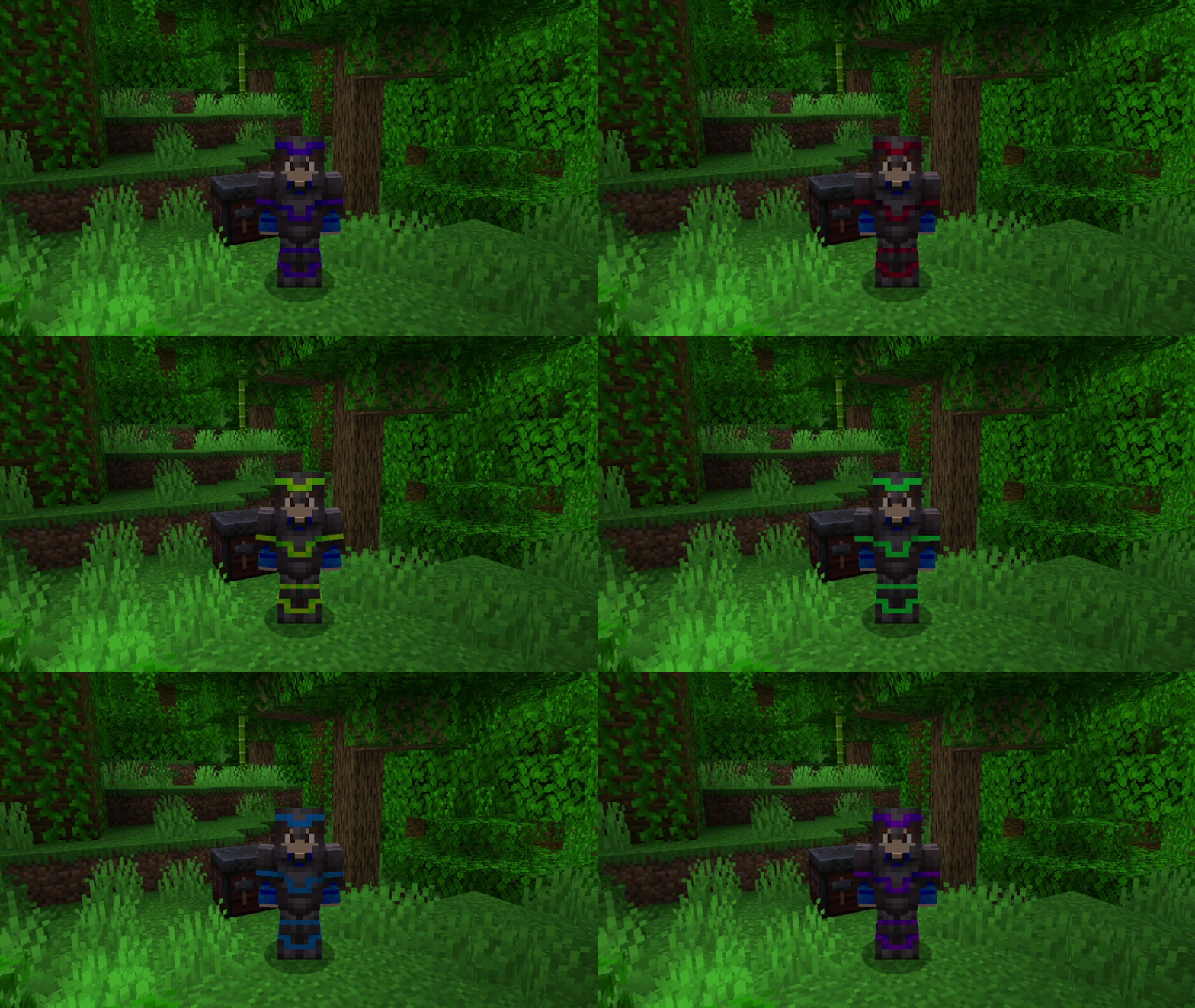
You need the ModMenu and the Cloth Config mod for all configurations.
Changes to the settings take effect immediately. No restart is necessary
Possible settings:
Project description from Modrinth.
Pick your setup
Choose the version and loader you play, then open the matching release.
Showing the newest 12 of 15 game versions. Older files are in the list below.
Check the dependencies, then try the file in a copied instance before changing a world you care about.
Recent files
RainbowTrims-1.8-1.jar
19 Jul 2025
RainbowTrims-1.8-0.jar
5 Jul 2025
RainbowTrims-1.7-0.jar
12 Apr 2025
RainbowTrims-1.6-0.jar
10 Dec 2024
RainbowTrims-1.5-1.jar
25 Oct 2024
RainbowTrims-1.5-0.jar
25 Oct 2024
RainbowTrims-1.4-1.jar
13 Aug 2024
RainbowTrims-1.4-0.jar
19 Jun 2024
RainbowTrims-1.3-0.jar
5 May 2024
RainbowTrims-1.2-1.jar
29 Apr 2024
RainbowTrims-1.2-0.jar
28 Apr 2024
RainbowTrims-1.1-0.jar
27 Mar 2024
Looking for an older file? The official Modrinth project page is in Resources.
 mod
Adds pokemon cities, gyms and structures!
 mod
Anyone is free to use this content to create and distribute videos. どなたでも自由に動画化・配信にご利用いただけます本MODは、実況者であるなぎすたんす様の敵味方クラフトシリーズにインスパイアされて制作いたしました※なぎすたんす様ご本人より、お名前の掲載およびインスパイア表記の許可をいただいております
 mod
Vanilla Friendly recipes to make the poisonous potato useful.