Minecraft version
Back to mods 
Modrinth · Minecraft mod
Corpse: Refined
Your death leaves behind a corpse wearing your own skin, holding everything you had on you — recover it and your armor equips itself automatically. Left too long, it slowly decays down to bone.
Choose a version Pick your version below, then grab the matching file.
Quick answer
Which Corpse: Refined release should I use?
Latest stable file 2.0.3
Game version 1.21.1
Loader NeoForge
Corpse: Refined 2.0.3 targets 1.21.1 with NeoForge. Installation on the client is optional. Installation on the dedicated server is optional. No extra mods listed for this file.
Where it goes
Is Corpse: Refined required on the client, server, or both?
Installation on the client is optional. Installation on the dedicated server is optional.
Client Optional
Dedicated server Optional
Loader for this release NeoForge
Required install it here Optional supported, not mandatory Not supported do not install here Source doesn’t say do not assume
The source marks this as usable on both the client and server.
What else does Corpse: Refined 2.0.3 need?
2.0.3. Change the file and its required mods may change too.
This file does not list any required mods. Do not add a library just because a different file uses it.
This file does not list any required or optional mods.
Before you install it
Add Corpse: Refined without breaking your instance.
Built for Corpse: Refined 2.0.3. Pick another file and the loader, install side or required mods may change.
- 01
Stick to this file
Use 2.0.3. It targets 1.21.1 with NeoForge; another release may have different loader, side or dependency requirements.
- 02
Bring the mods it needs
This file does not list any required mods. Do not add a library just because a different file uses it.
- 03
Put it on the correct side
Installation on the client is optional. Installation on the dedicated server is optional.
- 04
Pick the file you checked
Use the “Get this file” button beside 2.0.3. It opens that exact file at the source.
About this project
What does Corpse: Refined add?
Corpse: Refined
A quieter place to keep what you leave behind.
When you die, a corpse appears wearing your own skin and holding everything
you had on you. Recover it, and your gear finds its way back to you — no
digging through menus required.
Features
The corpse appears at your death location with your real player skin applied.
It holds everything you had — general items, armor, and your offhand item —
with no capacity limit.
Right-click the corpse to open it.
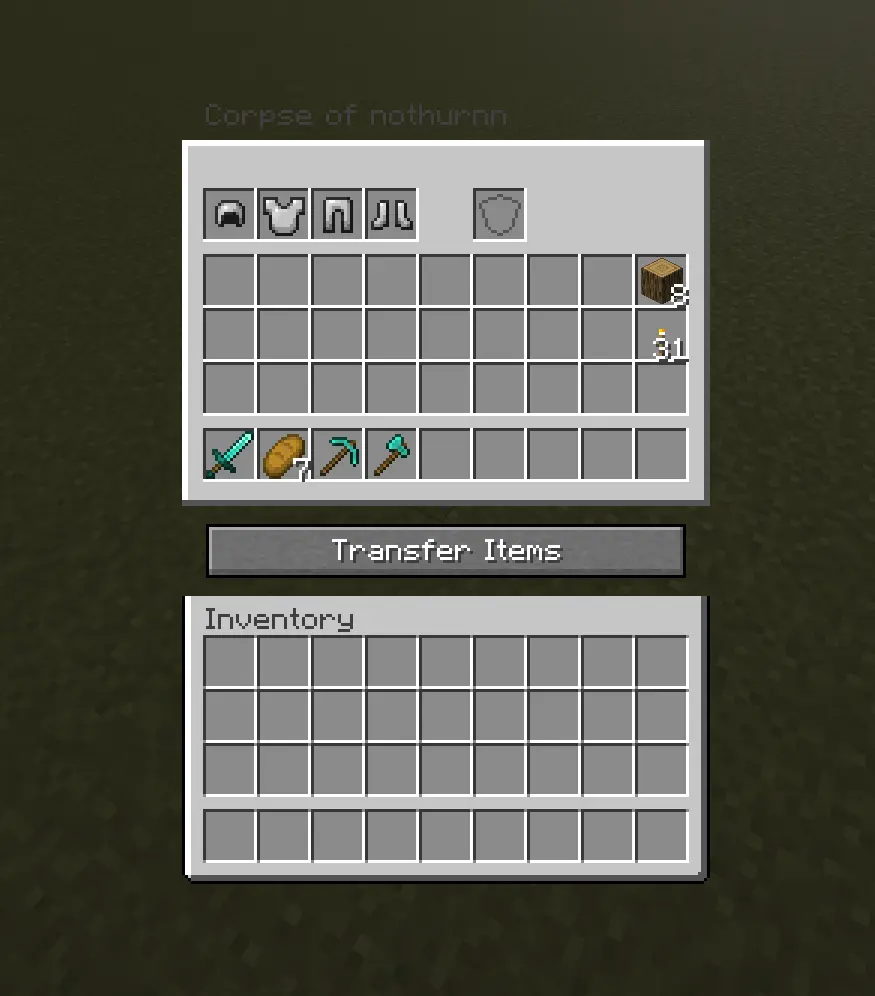
When you recover your items, armor and your offhand piece re-equip themselves
automatically — but only into slots that are currently empty, so nothing
you're already wearing gets overwritten.
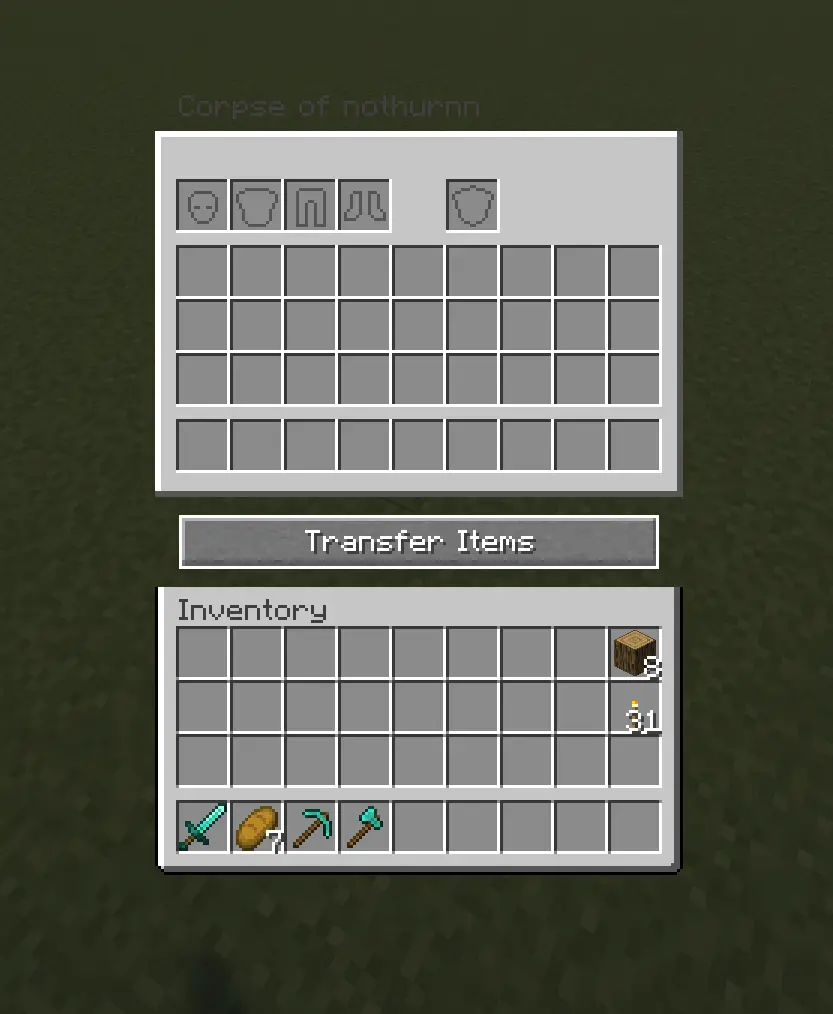
Corpses don't just disappear once emptied. A shroud slowly forms over the
body, holds, then gradually wears away to reveal a skeleton underneath — your
death site stays marked instead of vanishing.

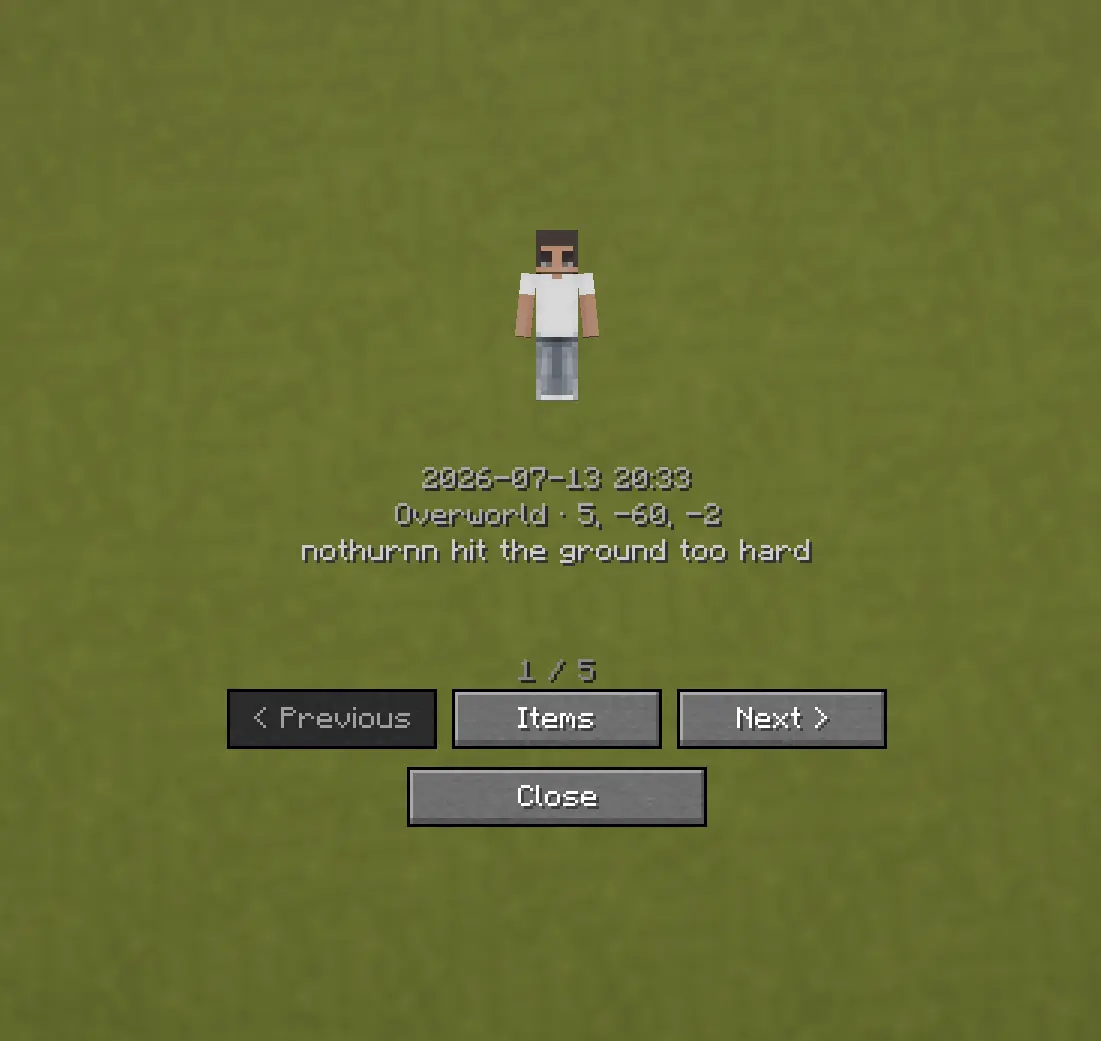
Death History
Press C to view your past deaths — where, when, and what killed you.
Optional Features (Config Options)
- How long the shroud takes to form (
decay_ticks) - How long the shroud takes to wear away and reveal the skeleton
(shroud_erosion_ticks) - Whether a forced hard despawn ever kicks in for very old corpses, and after
how long (force_despawn_enabled,force_despawn_ticks) — disabled by
default - [check PlayerCorpseConfig.java for anything else — e.g. owner-only access,
lava/fire damage toggle — and add here if present]
Project description from Modrinth.
Pick your setup
Corpse: Refined by Minecraft version and loader
Choose the version and loader you play, then open the matching release.
Minecraft version
1.20.1
1 loader buildMinecraft version
1.19.2
1 loader buildCheck the dependencies, then try the file in a copied instance before changing a world you care about.
Recent files
Corpse: Refined versions and loaders
2.0.3
playercorpse-2.0.3.jar
7 Sept 2026
Client Optional Server Optional Dependencies No extras listed Listed on Release listing
Check the 1.21.1 · NeoForge setup 1.21.1NeoForge release
2.0.3
playercorpse-2.0.3.jar
7 Sept 2026
Client Optional Server Optional Dependencies No extras listed Listed on Release listing
Check the 1.20.1 · Forge setup 1.20.1Forge release
2.0.3
playercorpse-2.0.3.jar
7 Sept 2026
Client Optional Server Optional Dependencies No extras listed Listed on Release listing
Check the 1.19.2 · Forge setup 1.19.2Forge release
2.0.2
playercorpse-2.0.2.jar
5 Sept 2026
Client Optional Server Optional Dependencies No extras listed Listed on Release listing
Check the 1.21.1 · NeoForge setup 1.21.1NeoForge release
2.0.2
playercorpse-2.0.2.jar
5 Sept 2026
Client Optional Server Optional Dependencies No extras listed Listed on Release listing
Check the 1.20.1 · Forge setup 1.20.1Forge release
2.0.2
playercorpse-2.0.2.jar
5 Sept 2026
Client Optional Server Optional Dependencies No extras listed Listed on Release listing
Check the 1.19.2 · Forge setup 1.19.2Forge release
2.0.1
playercorpse-2.0.1.jar
29 Aug 2026
Client Optional Server Optional Dependencies No extras listed Listed on Release listing
Check the 1.21.1 · NeoForge setup 1.21.1NeoForge release
2.0.0
playercorpse-1.0.0.jar
24 Jul 2026
Client Optional Server Optional Dependencies No extras listed Listed on Release listing
Check the 1.21.1 · NeoForge setup 1.21.1NeoForge release
1.0.0
playercorpse-1.0.0.jar
14 Jul 2026
Client Optional Server Optional Dependencies No extras listed Listed on Release listing
Check the 1.21.1 · NeoForge setup 1.21.1NeoForge release
Looking for an older file? The official Modrinth project page is in Resources.
 mod
CurseForge · Minecraft
Pipster
Readable item, fluid, gas and energy pipes for Minecraft, with filters right at the port and channel-based tesseracts. For Fabric and NeoForge.
 mod
Modrinth · Minecraft
Oxidized FPS counter
This is my first client side mod that adds a fps counter
 mod
Modrinth · Minecraft
SimplesorterR
A lightweight client-side mod for effortless inventory management in Minecraft.