Goety - The Dark Arts Needed by Goety DarGui 1.0.3
requiredMatching file found Matched file: 2.5.60.6

Modrinth · Minecraft mod
ADD a visual GUI for the Dark Altar, with JEI one-click recipe fill and RS/BD storage network auto-extraction support
Quick answer
Goety DarGui 1.0.3 targets 1.20.1 with Forge. Installation on the client is optional. Installation on the dedicated server is optional. All 3 required mods have matching files.
Where it goes
Installation on the client is optional. Installation on the dedicated server is optional.
The source marks this as usable on both the client and server.
1.0.3. Change the file and its required mods may change too.
Install Goety - The Dark Arts, Patchouli, Curios API first. We found matching files for this game-version and loader setup. 2 come through another mod in the chain.
2 extra mods were pulled in by other dependencies. Indented rows show who needs each one. We only count dependency files that match this setup. A file for another loader does not fill the gap.
Before you install it
Built for Goety DarGui 1.0.3. Pick another file and the loader, install side or required mods may change.
Use 1.0.3. It targets 1.20.1 with Forge; another release may have different loader, side or dependency requirements.
Install Goety - The Dark Arts, Patchouli, Curios API first. We found matching files for this game-version and loader setup. 2 come through another mod in the chain.
Installation on the client is optional. Installation on the dedicated server is optional.
Use the “Get this file” button beside 1.0.3. It opens that exact file at the source.
About this project
Add an intuitive visual graphical user interface (GUI) for the Dark Altar. The GUI clearly displays the altar’s internal item storage slots, allowing players to see at a glance which materials have already been placed. With deep integration with JEI (Just Enough Items), players can click a single fill button while viewing any recipe to automatically distribute the required items into the corresponding slots of the altar, completely eliminating the tedious manual searching and placement.
In addition, this feature fully supports mainstream storage network systems, including Refined Storage (RS) and the Beyond Dimension (BD) storage network, enabling automatic retrieval of all required crafting materials from the network. Once a recipe is selected, the system scans the network inventory in real time, extracts the exact quantities of each item, and transfers them directly to the altar—without any manual preparation from the player. The GUI also provides clear operational feedback, such as warning messages when materials are insufficient, success notifications upon recipe completion, and real‑time network status indicators, ensuring that players can complete every altar crafting session efficiently and error‑free, greatly enhancing the overall user experience.
为黑暗祭坛添加可视化GUI界面,支持JEI一键配方填入,兼容RS/BD存储网络自动提取物品
Project description from Modrinth.
Pick your setup
Choose the version and loader you play, then open the matching release.
Check the dependencies, then try the file in a copied instance before changing a world you care about.
Recent files
goetydargui-1.0.3.jar
6 Aug 2026
goetydargui-1.0.2.jar
19 Jul 2026
goetydargui-1.0.1.jar
27 Jun 2026
goetydargui-1.0.0.jar
21 Jun 2026
Looking for an older file? The official Modrinth project page is in Resources.
 mod
Adapted from Mitsuki and Caerula Arbor from Arknights, which adds varieties of water mobs invading the Land.
 mod
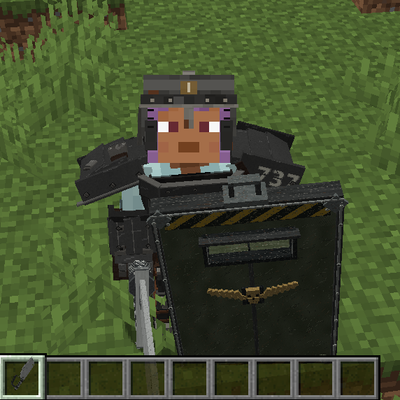
Adds Darktide-inspired Ogryn gear to Minecraft: detailed 3D armor, heavy melee weapons, a powerful Slab Shield, unique combat abilities, Plasteel ore, and matching building blocks.
 mod
Uncomplicated FPV expands Superb Warfare with controllable combat drones, reconnaissance UAVs, electronic warfare systems, and the Shahed-136 loitering munition.