Minecraft version
Back to mods ![[Reforged] Accurate Block Placement project artwork](https://cdn.modrinth.com/data/tOVrxqLR/a0b2994f59740edeefea794c16c03279c59a7698_96.webp)
Modrinth · Minecraft mod
[Reforged] Accurate Block Placement
makes placing blocks a smooth and reliable process when holding right click.
Choose a version Pick your version below, then grab the matching file.
Quick answer
Which [Reforged] Accurate Block Placement release should I use?
Latest stable file 1.0.1
Game version 1.21.6, 1.21.7, 1.21.8
Loader Forge
[Reforged] Accurate Block Placement 1.0.1 targets 1.21.6, 1.21.7, 1.21.8 with Forge. It must be installed on the client. Do not install it on the dedicated server. No extra mods listed for this file.
Where it goes
Is [Reforged] Accurate Block Placement required on the client, server, or both?
It must be installed on the client. Do not install it on the dedicated server.
Client Required
Dedicated server Not supported
Loader for this release Forge
Required install it here Optional supported, not mandatory Not supported do not install here Source doesn’t say do not assume
This file is marked client-only.
What else does [Reforged] Accurate Block Placement 1.0.1 need?
1.0.1. Change the file and its required mods may change too.
This file does not list any required mods. Do not add a library just because a different file uses it.
This file does not list any required or optional mods.
Before you install it
Add [Reforged] Accurate Block Placement without breaking your instance.
Built for [Reforged] Accurate Block Placement 1.0.1. Pick another file and the loader, install side or required mods may change.
- 01
Stick to this file
Use 1.0.1. It targets 1.21.6, 1.21.7, 1.21.8 with Forge; another release may have different loader, side or dependency requirements.
- 02
Bring the mods it needs
This file does not list any required mods. Do not add a library just because a different file uses it.
- 03
Put it on the correct side
It must be installed on the client. Do not install it on the dedicated server.
- 04
Pick the file you checked
Use the “Get this file” button beside 1.0.1. It opens that exact file at the source.
About this project
What does [Reforged] Accurate Block Placement add?
[Reforged] Accurate Block Placement: Reborn
Original mod for fabric here
Although many experienced minecraft players know exactly how to time their clicks in order to rapidly place blocks with no mistakes, why should it be that difficult? In this mod, if you hold your 'use key' (usually RMB) and look at a new block it will automatically place it no matter how fast you move. No more need to time when you click or look in order to accurately place blocks quickly!
Features
WARNING: This mod may be considered a "cheat" on some servers (and detected as such)! Please check the server's rules before using this mod. Use this at your own risk.
Accurate Block Placement
Accurate Block Placement makes placing blocks a smooth and reliable process when holding right click. The best way to explain it is the following GIF:
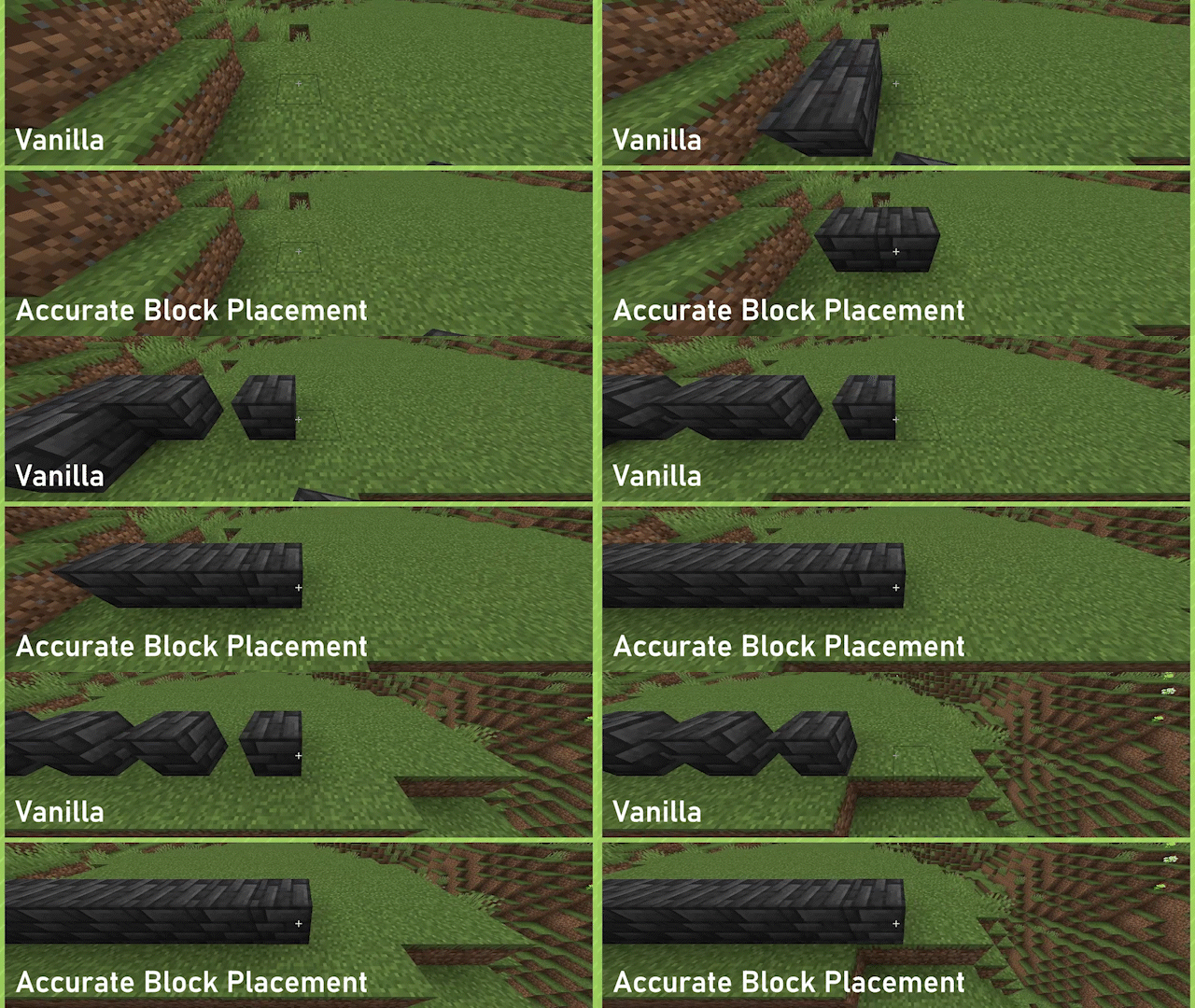
Enabled by default, can be toggled on or off through the config or by way of a configurable keybind (default: Not Bound).
Fast Block Breaking
Fast Block Breaking makes breaking blocks much easier and more consistent, by removing the Mining Cooldown when breaking blocks.
No GIF for this one yet :(, essentially haste insta-mining but for creative mode
Disabled by default, can be toggled on or off through the config or by way of a configurable keybind (default: Not Bound).
Project description from Modrinth.
Pick your setup
[Reforged] Accurate Block Placement by Minecraft version and loader
Choose the version and loader you play, then open the matching release.
Minecraft version
1.21.7
2 loader buildsMinecraft version
1.21.6
2 loader buildsMinecraft version
1.21.5
2 loader buildsMinecraft version
1.21.4
2 loader buildsMinecraft version
1.21.3
2 loader buildsMinecraft version
1.21.2
2 loader buildsMinecraft version
1.21.1
2 loader buildsCheck the dependencies, then try the file in a copied instance before changing a world you care about.
Recent files
[Reforged] Accurate Block Placement versions and loaders
1.0.1
[Forge 1.21.6-1.21.8] Accurate BlockPlacement-forge 1.0.1.jar
18 Aug 2025
Client Required Server Not supported Dependencies No extras listed Listed on Release listing
Check the 1.21.8 · Forge setup 1.21.61.21.71.21.8Forge release
1.0.1
[Forge1.21.5] AccurateBlockPlacement 1.0.1.jar
18 Aug 2025
Client Required Server Not supported Dependencies No extras listed Listed on Release listing
Check the 1.21.5 · Forge setup 1.21.5Forge release
1.0.1
[Neoforge 1.21.5-1.21.8] Accurateblockplacement 1.0.1.jar
18 Aug 2025
Client Required Server Not supported Dependencies No extras listed Listed on Release listing
Check the 1.21.8 · NeoForge setup 1.21.51.21.61.21.71.21.8 release
1.0.0
[Neoforge-1.21.1]Accurateblockplacement 1.0.0.jar
1 Jul 2025
Client Required Server Not supported Dependencies No extras listed Listed on Release listing
Check the 1.21.4 · NeoForge setup 1.21.11.21.21.21.31.21.4 release
1.0.0
[Forge-1.21.1-] Accurate BlockPlacement 1.0.0.jar
17 Jun 2025
Client Required Server Not supported Dependencies No extras listed Listed on Release listing
Check the 1.21.4 · Forge setup 1.21.11.21.21.21.31.21.4 release
Looking for an older file? The official Modrinth project page is in Resources.
 mod
mod CurseForge + Modrinth · Minecraft
Nemo's Enchantments
Add more enchantments to Minecraft!
 mod
mod CurseForge + Modrinth · Minecraft
Energized Power - Biomes O' Plenty
Compatibility between Energized Power and Biomes O' Plenty
 mod
mod CurseForge + Modrinth · Minecraft
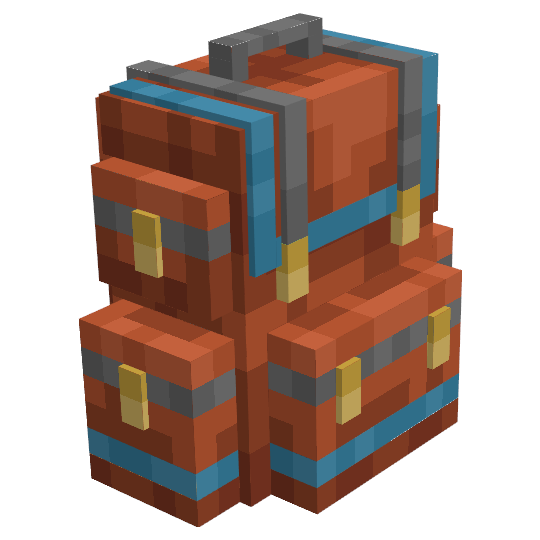
Sophisticated Backpacks
Yet another backpack mod this time with backpack you can place in world, color in different color combinations, upgrade with more inventory and enhance with many functional upgrades