Cloth Config API Needed by NetGraph 1.0.0+1.20.6
requiredMatching file found Matched file: 14.0.139+fabric

Modrinth · Minecraft mod
Clean, configurable HUD graphs of your connection quality - ping, jitter and bandwidth on any server, plus real TPS, MSPT and server load with the optional server companion
Quick answer
NetGraph 1.0.0+1.20.6 targets 1.20.6 with Fabric. Installation on the client is optional. Installation on the dedicated server is optional. All 1 required mods have matching files.
Where it goes
Installation on the client is optional. Installation on the dedicated server is optional.
The source marks this as usable on both the client and server.
1.0.0+1.20.6 on 1.20.6. Every mod below is checked against that same setup.
Install Cloth Config API first. We found matching files for this game-version and loader setup. 2 come through another mod in the chain.
2 extra mods were pulled in by other dependencies. Indented rows show who needs each one. We only count dependency files that match this setup. A file for another loader does not fill the gap.
Before you install it
Built for NetGraph 1.0.0+1.20.6 on 1.20.6. Pick another file and the loader, install side or required mods may change.
Use 1.0.0+1.20.6. It targets 1.20.6 with Fabric; another release may have different loader, side or dependency requirements.
Install Cloth Config API first. We found matching files for this game-version and loader setup. 2 come through another mod in the chain.
Installation on the client is optional. Installation on the dedicated server is optional.
Use the “Get this file” button beside 1.0.0+1.20.6. It opens that exact file at the source.
About this project
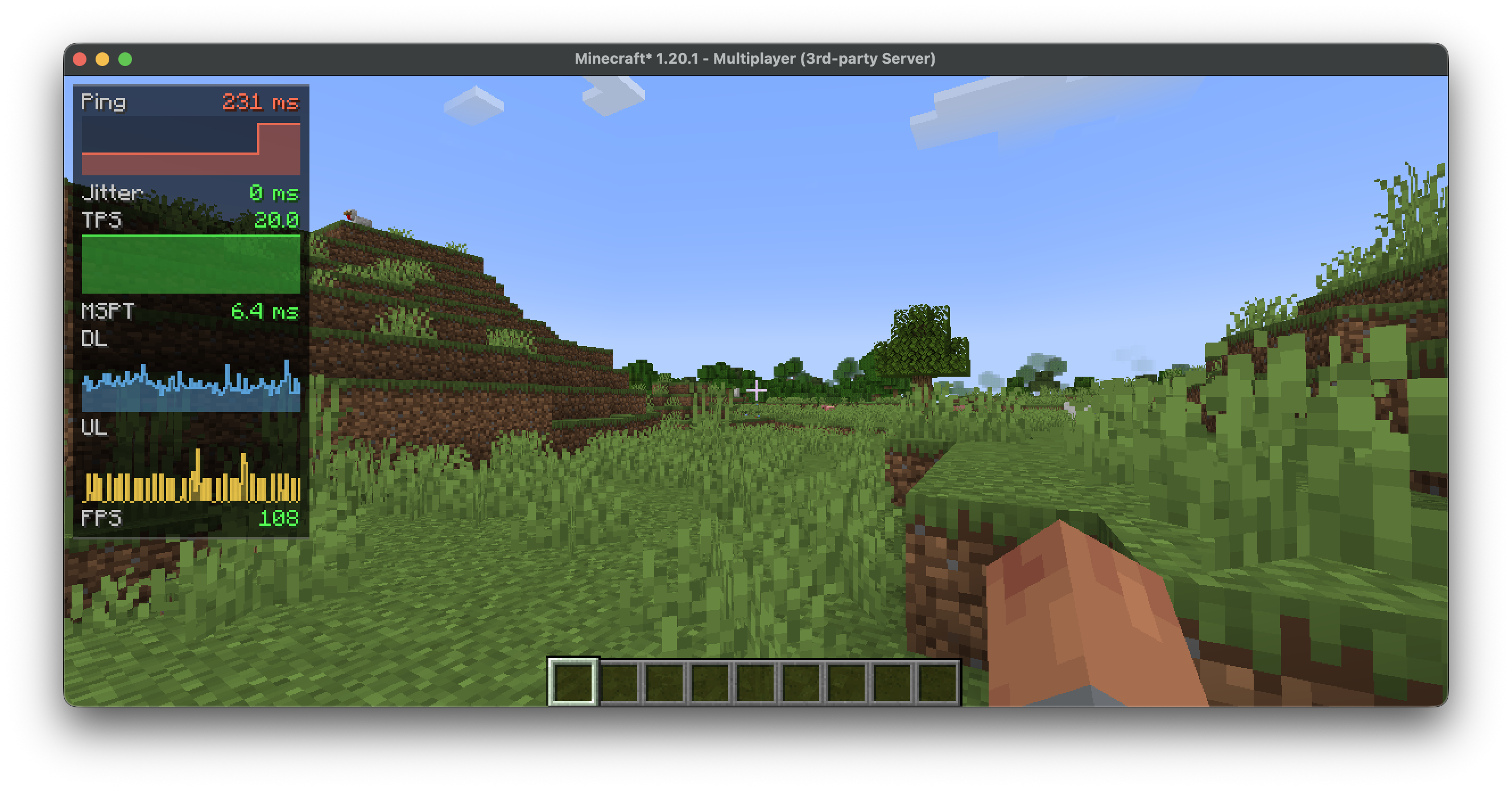


A network monitor for the corner of your screen. It turns ping, bandwidth and the
server's tick rate into small, readable graphs, so you can tell at a glance whether
the lag is on your end or the server's.
Runs on the client and works on any server. Add the optional companion and the
graphs gain real server-side numbers.
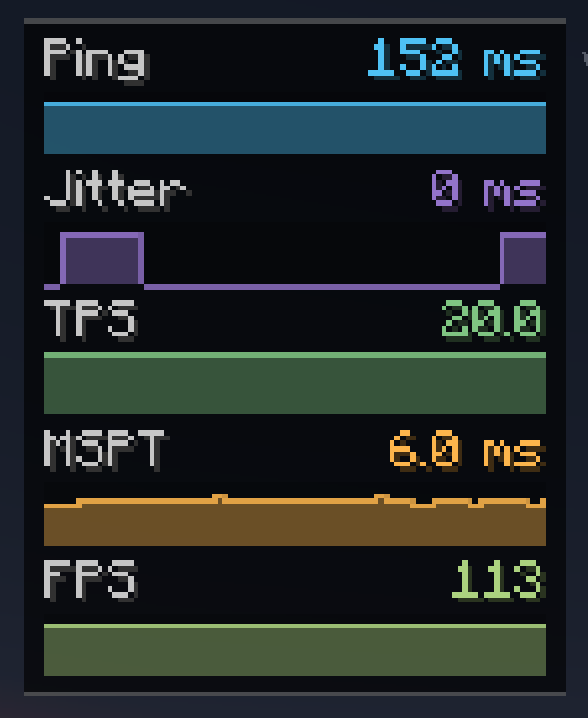
Ping, jitter, download/upload (KB/s), packets per second, FPS, and a TPS estimate.
No server mod required.
Real server TPS and MSPT, loaded chunks, entity count, players online, and the
server's own ping reading. When the server stops answering — a freeze or a lag spike —
the affected graph turns red and reads TIMEOUT instead of vanishing.
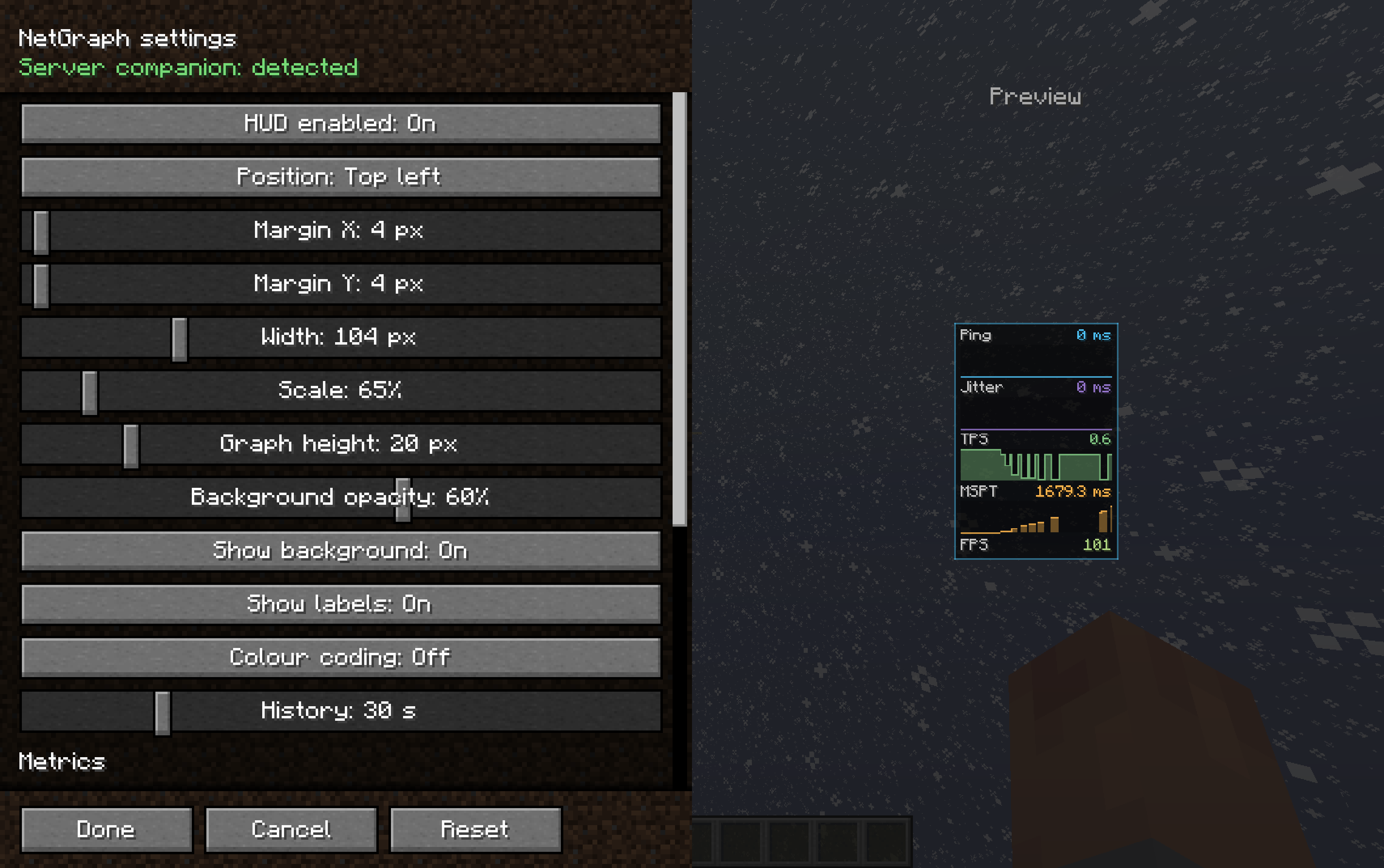
N shows or hides the HUD (rebindable). Open settings from Mod Menu, or bind a key.
Operators can switch fields off:/netgraph <tps|mspt|ping|chunks|entities|players|all> <true|false> — and/netgraph status to check the current state.
Client — put NetGraph in mods. Requires Cloth Config API; Mod Menu recommended.
Server (optional) — put NetGraph Server in the server's mods for real TPS/MSPT.
Singleplayer? Add it to your own mods folder too.
Project description from Modrinth.
Pick your setup
Choose the version and loader you play, then open the matching release.
Check the dependencies, then try the file in a copied instance before changing a world you care about.
Recent files
netgraph-1.0.0+1.20.6.jar
1 Jul 2026
Looking for an older file? The official Modrinth project page is in Resources.
 mod
modDon’t mess with the server Play Minecraft with your friends in 2 clicks
 mod
modStylish ways of losing health.
 mod
modIf you have a very specific nitpick about the handswing duration being slightly too slow, this mod (and datapack equivalent) changes the duration from 6 to 5 to make it faster.