Minecraft version
Back to mods 
Modrinth · Minecraft mod
Windowed Fullscreen
Enables windowed fullscreen mode, allowing for a cleaner experience while retaining access to the taskbar and panel or other apps.
Choose a version Pick your version below, then grab the matching file.
Quick answer
Which Windowed Fullscreen release should I use?
Latest stable file 1.4.2
Game version 26.2
Loader Fabric
Windowed Fullscreen 1.4.2 targets 26.2 with Fabric. It must be installed on the client. Do not install it on the dedicated server. No extra mods listed for this file.
Where it goes
Is Windowed Fullscreen required on the client, server, or both?
It must be installed on the client. Do not install it on the dedicated server.
Client Required
Dedicated server Not supported
Loader for this release Fabric
Required install it here Optional supported, not mandatory Not supported do not install here Source doesn’t say do not assume
This file is marked client-only.
What else does Windowed Fullscreen 1.4.2 need?
1.4.2. Change the file and its required mods may change too.
This file does not list any required mods. Do not add a library just because a different file uses it.
This file does not list any required or optional mods.
Before you install it
Add Windowed Fullscreen without breaking your instance.
Built for Windowed Fullscreen 1.4.2. Pick another file and the loader, install side or required mods may change.
- 01
Stick to this file
Use 1.4.2. It targets 26.2 with Fabric; another release may have different loader, side or dependency requirements.
- 02
Bring the mods it needs
This file does not list any required mods. Do not add a library just because a different file uses it.
- 03
Put it on the correct side
It must be installed on the client. Do not install it on the dedicated server.
- 04
Pick the file you checked
Use the “Get this file” button beside 1.4.2. It opens that exact file at the source.
About this project
What does Windowed Fullscreen add?



📗 DESCRIPTION
Windowed Fullscreen is a mod that allows you to hide the window title bar and access your taskbar/panel while in fullscreen mode. It’s perfect for players who want a cleaner fullscreen experience without losing the convenience of interacting with other system elements. This feature also known as Borderless Windowed or Borderless Fullscreen.
✨ KEY FEATURES
Windowed Fullscreen; Maximizes the window to the monitor and hides the system taskbar when the window is focused (even if the taskbar is set to be always visible).
Borderless Windowed; Maximizes the window to the available screen space. Similar to standard window maximization, but with a borderless appearance.
| Windowed Fullscreen | Borderless Windowed |
|---|---|
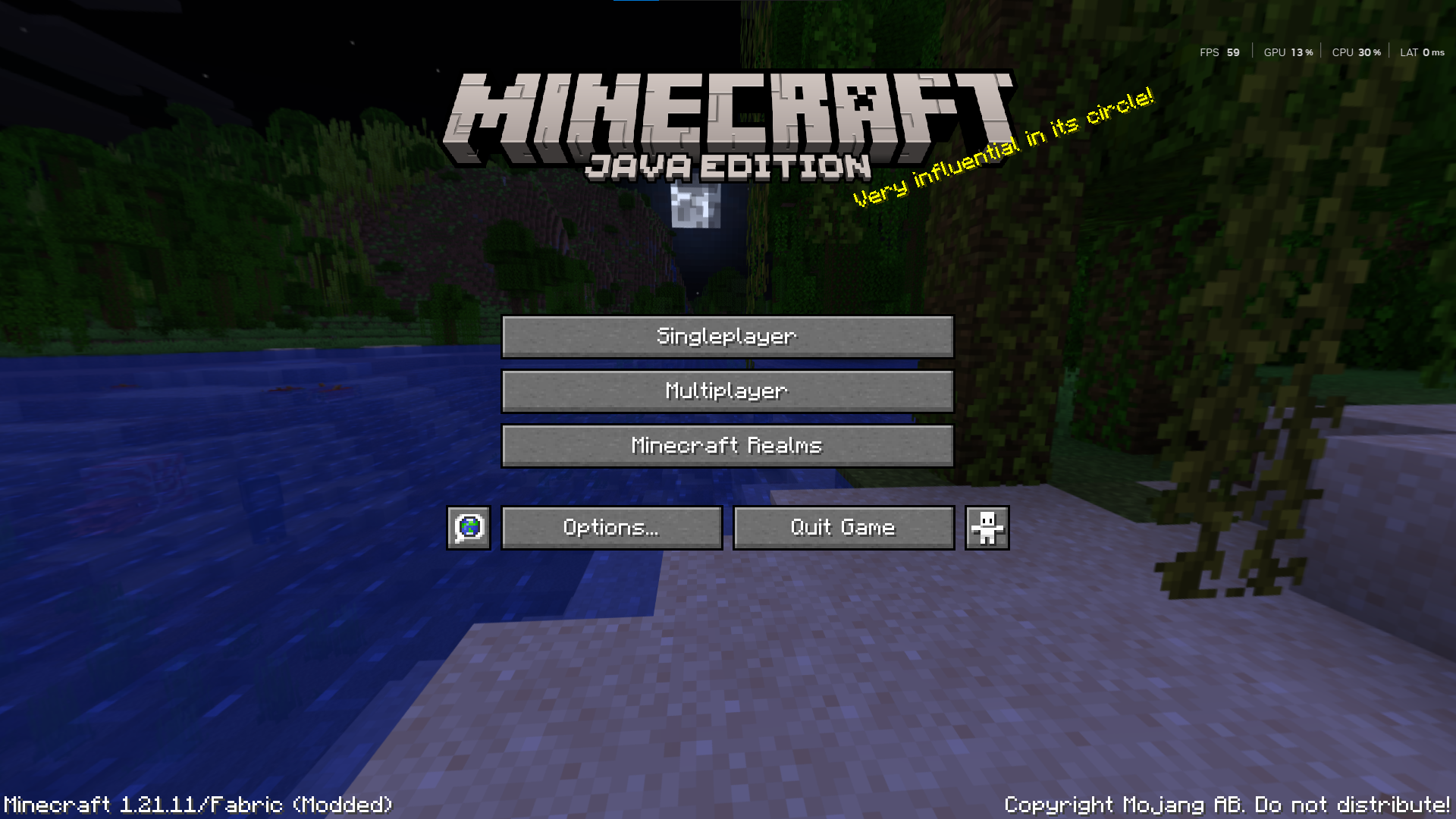 |
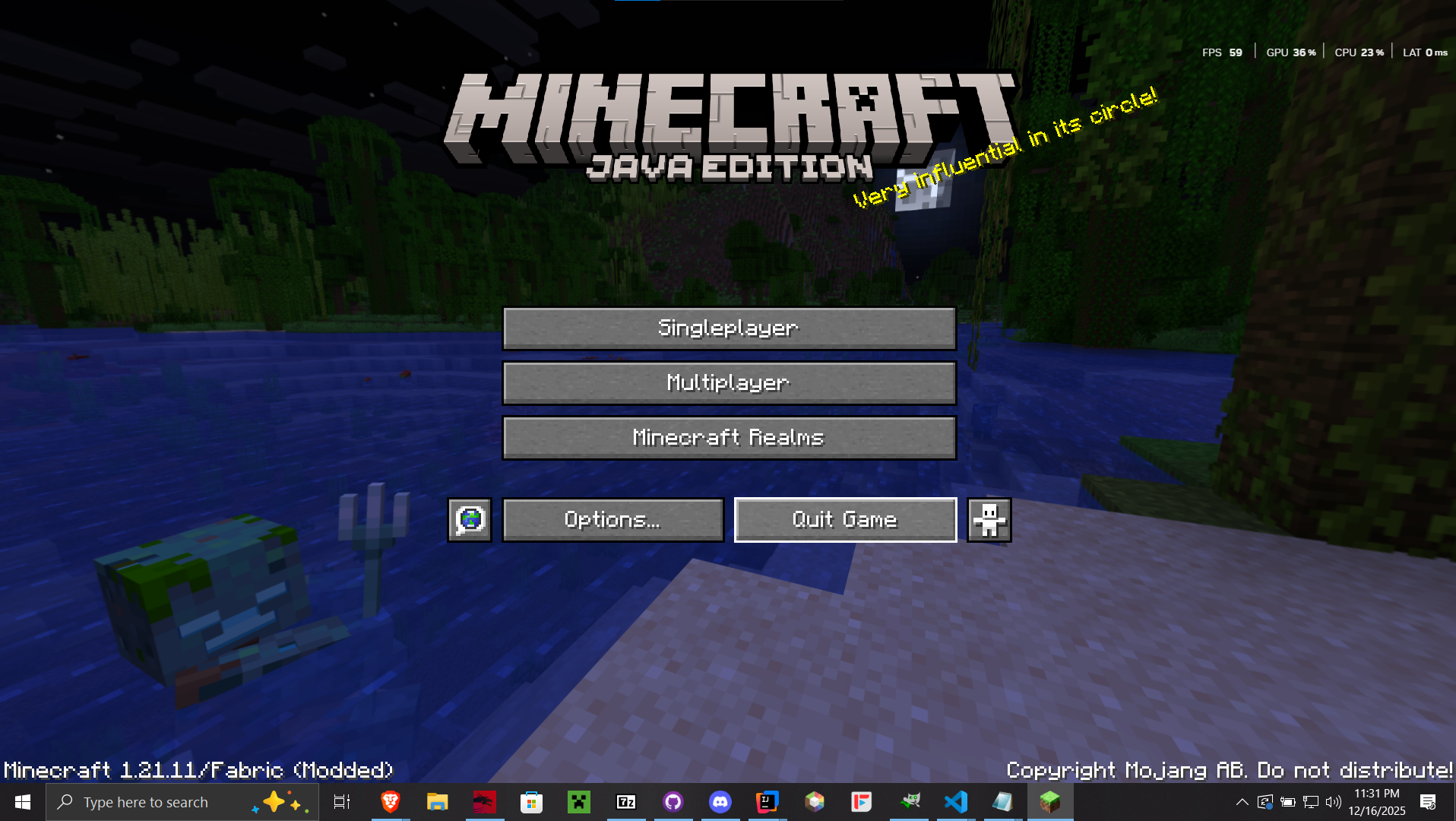 |
🧩 USAGE
- Press
F12to toggle the Windowed Fullscreen mode. - Press
F10to toggle the Borderless Windowed mode.
Project description from Modrinth.
Pick your setup
Windowed Fullscreen by Minecraft version and loader
Choose the version and loader you play, then open the matching release.
Minecraft version
26.1.2
1 loader buildMinecraft version
26.1.1
1 loader buildMinecraft version
26.1
1 loader buildMinecraft version
1.21.11
1 loader buildMinecraft version
1.21.10
1 loader buildMinecraft version
1.21.9
1 loader buildMinecraft version
1.21.8
1 loader buildMinecraft version
1.21.7
1 loader buildMinecraft version
1.21.6
1 loader buildMinecraft version
1.21.5
1 loader buildMinecraft version
1.21.4
1 loader buildShowing the newest 12 of 16 game versions. Older files are in the list below.
Check the dependencies, then try the file in a copied instance before changing a world you care about.
Recent files
Windowed Fullscreen versions and loaders
1.4.2
windowed-fullscreen-1.4.2+26.2-fabric.jar
2 Jul 2026
Client Required Server Not supported Dependencies No extras listed Listed on Release listing
Check the 26.2 · Fabric setup 26.2Fabric release
1.4.2
windowed-fullscreen-1.4.2+26.2-neoforge.jar
2 Jul 2026
Client Required Server Not supported Dependencies No extras listed Listed on Release listing
Check the 26.2 · NeoForge setup 26.2NeoForge release
1.4.1
windowed-fullscreen-1.4.1+26.1.x.jar
14 Apr 2026
Client Required Server Not supported Dependencies No extras listed Listed on Release listing
Check the 26.1.2 · Fabric setup 26.126.1.126.1.2Fabric release
1.4.0
windowed-fullscreen-1.4.0+26.1.jar
29 Mar 2026
Client Required Server Not supported Dependencies No extras listed Listed on Release listing
Check the 26.1 · Fabric setup 26.1Fabric release
1.3.0
windowed-fullscreen-1.3.0+(1.21.9-1.21.11).jar
17 Dec 2025
Client Required Server Not supported Dependencies No extras listed Listed on Release listing
Check the 1.21.11 · Fabric setup 1.21.91.21.101.21.11Fabric release
1.3.0
windowed-fullscreen-1.3.0+(1.21-1.21.8).jar
17 Dec 2025
Client Required Server Not supported Dependencies No extras listed Listed on Release listing
Check the 1.21.8 · Fabric setup 1.211.21.11.21.21.21.3 release
1.2.0
windowed-fullscreen-1.2.0+1.21.10.jar
16 Dec 2025
Client Required Server Not supported Dependencies No extras listed Listed on Release listing
Check the 1.21.11 · Fabric setup 1.21.101.21.11Fabric release
1.1.0
windowed-fullscreen-1.1.0+1.21.X.jar
5 Apr 2025
Client Required Server Not supported Dependencies No extras listed Listed on Release listing
Check the 1.21.5 · Fabric setup 1.211.21.11.21.21.21.3 release
1.0.3
windowed-fullscreen-1.0.3+1.21.X.jar
20 Mar 2025
Client Required Server Not supported Dependencies No extras listed Listed on Release listing
Check the 1.21.4 · Fabric setup 1.211.21.11.21.21.21.3 release
1.0.2
windowed-fullscreen-1.0.2+1.21.X.jar
10 Mar 2025
Client Required Server Not supported Dependencies No extras listed Listed on Release listing
Check the 1.21.4 · Fabric setup 1.211.21.11.21.21.21.3 release
1.0.1
windowed-fullscreen-1.0.1+1.21.X.jar
4 Mar 2025
Client Required Server Not supported Dependencies No extras listed Listed on Release listing
Check the 1.21.4 · Fabric setup 1.211.21.11.21.21.21.3 release
1.0.0
windowed-fullscreen-1.0.0+1.21.X.jar
26 Feb 2025
Client Required Server Not supported Dependencies No extras listed Listed on Release listing
Check the 1.21.4 · Fabric setup 1.211.21.11.21.21.21.3 release
Looking for an older file? The official Modrinth project page is in Resources.
 mod
mod CurseForge + Modrinth · Minecraft
History Stages
Guide your players through the ages. History Stages lets modpack creators lock items, recipes, dimensions, mobs, loot, and more behind custom research-based eras with full in-game tooling.
 mod
mod Modrinth · Minecraft
Knot
Tie Fabric and NeoForge together. Knot a problem.
 mod
mod Modrinth · Minecraft
Carpet PRY Addition
A Carpet Mod (fabric-carpet) extension that contains some useful functions for Improve the experience