YetAnotherConfigLib (YACL) Needed by Biome notifier 3.5+neoforge
requiredMatching file found Matched file: 3.8.2+1.21.1-neoforge

Modrinth · Minecraft mod
mod that shows a clean biome notification whenever you enter a new biome
Quick answer
Biome notifier 3.5+neoforge targets 1.21.1 with NeoForge. It must be installed on the client. Do not install it on the dedicated server. All 1 required mods have matching files.
Where it goes
It must be installed on the client. Do not install it on the dedicated server.
This file is marked client-only.
3.5+neoforge. Change the file and its required mods may change too.
Install YetAnotherConfigLib (YACL) first. We found matching files for this game-version and loader setup.
We only count dependency files that match this setup. A file for another loader does not fill the gap.
Before you install it
Built for Biome notifier 3.5+neoforge. Pick another file and the loader, install side or required mods may change.
Use 3.5+neoforge. It targets 1.21.1 with NeoForge; another release may have different loader, side or dependency requirements.
Install YetAnotherConfigLib (YACL) first. We found matching files for this game-version and loader setup.
It must be installed on the client. Do not install it on the dedicated server.
Use the “Get this file” button beside 3.5+neoforge. It opens that exact file at the source.
About this project
Biome Notifier informs you of new biomes, without having to keep the F3 debug screen up. For the first time you encounter a biome, there will be a larger notification with its own sound effect. Thereafter, you will see a smaller notification in the corner of your choosing.
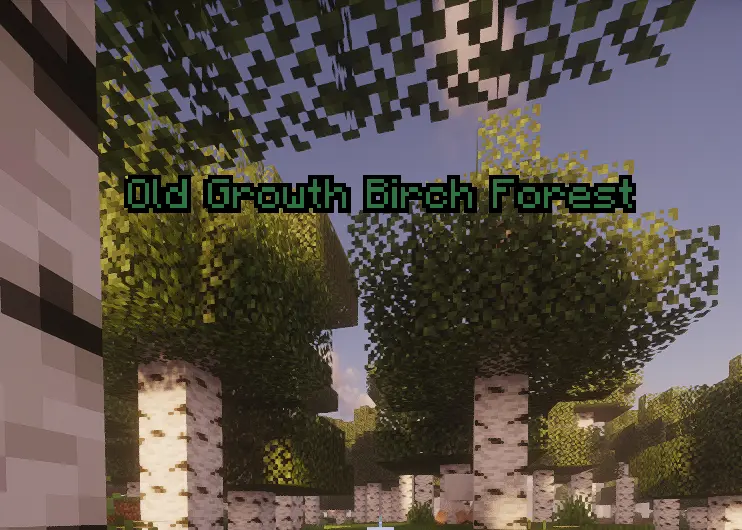
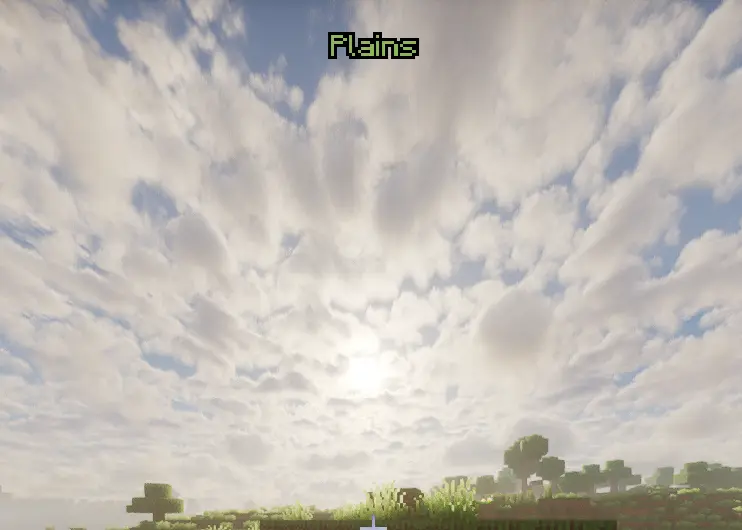
Entering a biome which you have not yet explored in that world will cause a big discovery message to appear at the top of the screen accompanied by a specific sound. Entering the same biome again at a later time will cause you to receive a smaller, quieter discovery message which can appear anywhere that you choose to configure it in the settings menu (top left, center, or top right). There is an internal journal screen to record all discovered biomes with search capability.
Project description from Modrinth.
Pick your setup
Choose the version and loader you play, then open the matching release.
Check the dependencies, then try the file in a copied instance before changing a world you care about.
Recent files
biomnotifier-neoforge-1.21.1-3.5.jar
3 Jul 2026
biomnotifier-fabric-3.5.0.jar
3 Jul 2026
biomnotifier-fabric-3.0.0.jar
24 Jun 2026
biomnotifier-neoforge-1.21.1-3.0.jar
21 Jun 2026
biom-notifier-mod-3.0.jar
21 Jun 2026
biom-notifier-mod-2.7.jar
17 Mar 2026
biom-notifier-mod-2.6.jar
30 Dec 2025
biom-notifier-mod-2.5.jar
25 Dec 2025
biom-notifier-mod-2.0.jar
31 Aug 2025
biom-notifier-mod-1.2.0.jar
30 Aug 2025
biom-notifier-mod-1.1.0.jar
25 Jun 2025
biom-notifier-mod-1.0.0.jar
24 Jun 2025
Looking for an older file? The official Modrinth project page is in Resources.
 mod
A configurable visual representation of your reach and hit distances
 mod
Disposable public fixture for testing the Modpacks.ch GitHub catalogue flow
 mod
Allow users to link their Minecraft accounts to various services and automatically whitelist them based on specified conditions