Fabric Language Kotlin Needed by Sleep Timelapse 1.0.0
requiredMatching file found Matched file: 1.14.2+kotlin.2.4.21

Modrinth · Minecraft mod
Smooth timelapse when players sleep!
Quick answer
Sleep Timelapse 1.0.0 targets 1.21, 1.21.1, 1.21.2 with Fabric, Quilt. Do not install it on the client. It must be installed on the dedicated server. All 1 required mods have matching files.
Where it goes
Do not install it on the client. It must be installed on the dedicated server.
This file is marked server-only.
1.0.0. Change the file and its required mods may change too.
Install Fabric Language Kotlin first. We found matching files for this game-version and loader setup.
We only count dependency files that match this setup. A file for another loader does not fill the gap.
Before you install it
Built for Sleep Timelapse 1.0.0. Pick another file and the loader, install side or required mods may change.
Use 1.0.0. It targets 1.21, 1.21.1, 1.21.2 with Fabric, Quilt; another release may have different loader, side or dependency requirements.
Install Fabric Language Kotlin first. We found matching files for this game-version and loader setup.
Do not install it on the client. It must be installed on the dedicated server.
Use the “Get this file” button beside 1.0.0. It opens that exact file at the source.
About this project
Sleep Timelapse is designed to create a smoother and faster night experience while keeping the vanilla feel intact. It leverages the integrated tick rate command to ensure compatibility and performance across various hardware configurations. With this mod, when time speeds up, every aspect of the game—including movement, mining, and swimming—accelerates in tandem, offering a truly immersive time-lapse experience.
Customizable Settings: Adjust variables such as the acceleration curve, maximum speed, and mid-point directly in the "Sleep_Timelapse.yaml" configuration file available for both client and server.
Player-Centric Flexibility: Optionally skip the night entirely when every player is sleeping, making it ideal for servers with heavy usage or lower-end machines.
Dynamic Gameplay Acceleration: Unlike other timelapse mods, Sleep Timelapse synchronizes all gameplay elements. When the night speeds up, so do your actions—ensuring movement, mining, and swimming keep pace with the accelerated environment.
Compatibility: Sleep Timelapse works on client, LAN and Server.
KOTLIN REQUEIRED
This is a screenshot of the sleeping UI: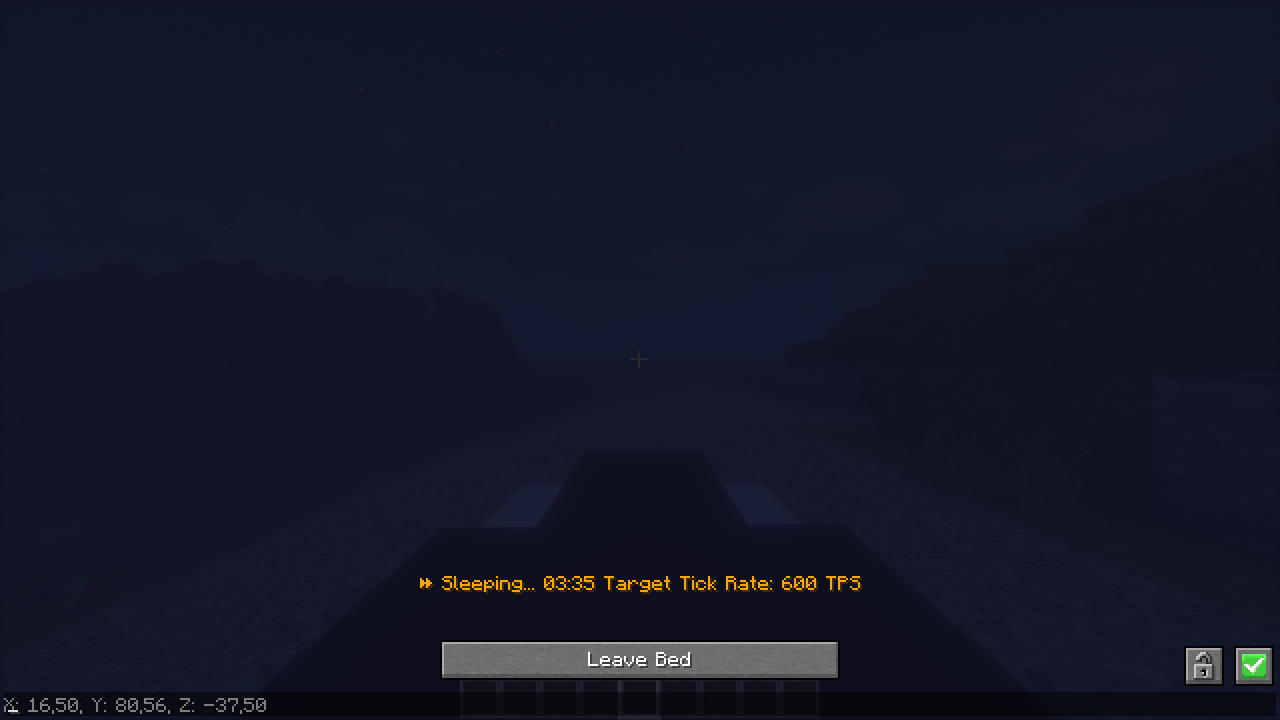
Project description from Modrinth.
Pick your setup
Choose the version and loader you play, then open the matching release.
Check the dependencies, then try the file in a copied instance before changing a world you care about.
Recent files
Sleep Timelapse 1.21.x-1.0.0.jar
24 Mar 2025
Sleep Timelapse 1.20.1.-1.20.3-1.0.0.jar
24 Mar 2025
Looking for an older file? The official Modrinth project page is in Resources.
 mod
Cooking expansion focus on Thai's Food. An addon mod for Farmer's Delight.
 mod
Well-rounded client-side optimization mod. Extremely compatible Vulkan backend for 1.21.11-26.1.2. By Polyfrost, best with OneClient.
 mod
Create custom crafting recipes and custom crafts in-game with a Fabric recipe editor. Manage vanilla/modded recipes, worlds, recipe books, and servers. Now supports custom items (NBTs).