Fabric API Needed by Potion Particle Pack 1.0.2
requiredNo matching file
Modrinth · Minecraft mod
Better Potion Particles, showing more information and allowing custom colors.
Quick answer
Potion Particle Pack 1.0.2 targets 1.19.2 with Fabric, Quilt. It must be installed on the client. Do not install it on the dedicated server. 1 required mod needs a matching file.
Where it goes
It must be installed on the client. Do not install it on the dedicated server.
This file is marked client-only.
1.0.2. Change the file and its required mods may change too.
Install Fabric API first, but 1 required mod has no matching file for this setup. Do not mix loader builds to force a match.
We only count dependency files that match this setup. A file for another loader does not fill the gap.
Before you install it
Built for Potion Particle Pack 1.0.2. Pick another file and the loader, install side or required mods may change.
Use 1.0.2. It targets 1.19.2 with Fabric, Quilt; another release may have different loader, side or dependency requirements.
Install Fabric API first, but 1 required mod has no matching file for this setup. Do not mix loader builds to force a match.
It must be installed on the client. Do not install it on the dedicated server.
Use the “Get this file” button beside 1.0.2. It opens that exact file at the source.
About this project
Want to host a server with Potion Particle Pack? |
|---|
 |
| Rent your own Minecraft server here! |
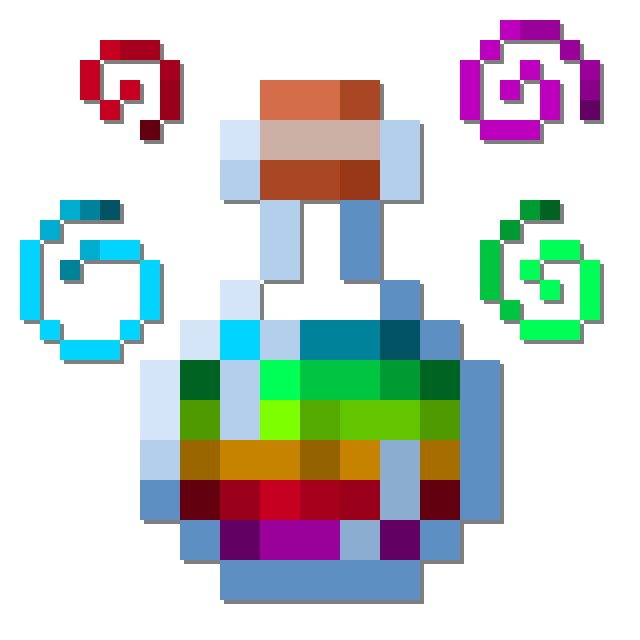
Potion Particle Pack is a small mod that enhances a few aspects of how Minecraft Status Effects are displayed on entities.
Dislike the new potion colours in 1.19.4? Or maybe want to have them in 1.19.2? Or you'd just really like for Jump Boost to be purple?
All potion colours can now be changed by resource packs, with a default one included to swap to the old/new colours.

It's really annoying when you have multiple status effects, and they blend into one awful colour.
Now each potion you have active will show its own colours separately, with higher levels spawning extra particles.

It can be easy to mix up all your potions, especially when you have multiple of the same effect.
Now when you hold shift, all potions and arrows will show you what effect they have with the icon, so you don't need to check them individually.

When you have a status effect you won't see all those particles in your face anymore.
Helps keep your vision clear, especially helps with permanent effects like those from a beacon.

Project description from Modrinth.
Pick your setup
Choose the version and loader you play, then open the matching release.
Check the dependencies, then try the file in a copied instance before changing a world you care about.
Recent files
potionparticlepack-1.0.2.jar
29 Sept 2023
potionparticlepack-1.0.1.jar
27 Jul 2023
potionparticlepack-1.0.0.jar
27 Jul 2023
potionparticlepack-1.0.0.jar
27 Jul 2023
potionparticlepack-1.0.0.jar
27 Jul 2023
Looking for an older file? The official Modrinth project page is in Resources.
 mod
modA Jojo's Bizarre Adventure mod that interprets the world and power system of the anime into the world of Minecraft. ( JJBA )
 mod
modA currency library that adds coins and optionally adds them to loot tables, mob drops, and replaces emeralds in merchant trades. Coins can be converted through the crafting table. Addons available for receipts, ledgers, banks, and stacks.
 mod
modAdds a variety of lucky Copper, Iron, Gold, Emerald, and Netherite coins to Villager Coin that apply beneficial status effects when in a player's inventory.