YetAnotherConfigLib (YACL) Optional for Imagict Hud mc1.21.4-1.7.2-fabric
optionalMatching file found Matched file: 3.8.2+1.21.4-fabric

Modrinth · Minecraft mod
Displays the player's head, nickname, coordinates, indicators, etc. on the in-game HUD.
Quick answer
Imagict Hud mc1.21.4-1.7.2-fabric targets 1.21.4 with Fabric, Quilt. It must be installed on the client. Do not install it on the dedicated server. No extra mods listed for this file.
Where it goes
It must be installed on the client. Do not install it on the dedicated server.
This file is marked client-only.
mc1.21.4-1.7.2-fabric. Change the file and its required mods may change too.
This file does not list any required mods. Do not add a library just because a different file uses it.
2 extra mods were pulled in by other dependencies. Indented rows show who needs each one. We only count dependency files that match this setup. A file for another loader does not fill the gap.
Before you install it
Built for Imagict Hud mc1.21.4-1.7.2-fabric. Pick another file and the loader, install side or required mods may change.
Use mc1.21.4-1.7.2-fabric. It targets 1.21.4 with Fabric, Quilt; another release may have different loader, side or dependency requirements.
This file does not list any required mods. Do not add a library just because a different file uses it.
It must be installed on the client. Do not install it on the dedicated server.
Use the “Get this file” button beside mc1.21.4-1.7.2-fabric. It opens that exact file at the source.
About this project
v1.5.0: The hud scale logic has changed since v1.5.0. The default is 4(or 0), so change hud_scale to 1 -> 0(Auto) or 1 -> 4.
Client-side mod that displays the player's head, nickname, coordinates, indicators, etc. on the in-game HUD.
Please submit issues, improvements, and suggestions here.
The developer is Korean and not proficient in English. We would appreciate it if you could contribute to the translation (PR).
Note:
| Type | Dependencies |
|---|---|
| Optional | Sodium |
| Optional | YetAnotherConfigLib |
| Optional | ModMenu (Fabric) |
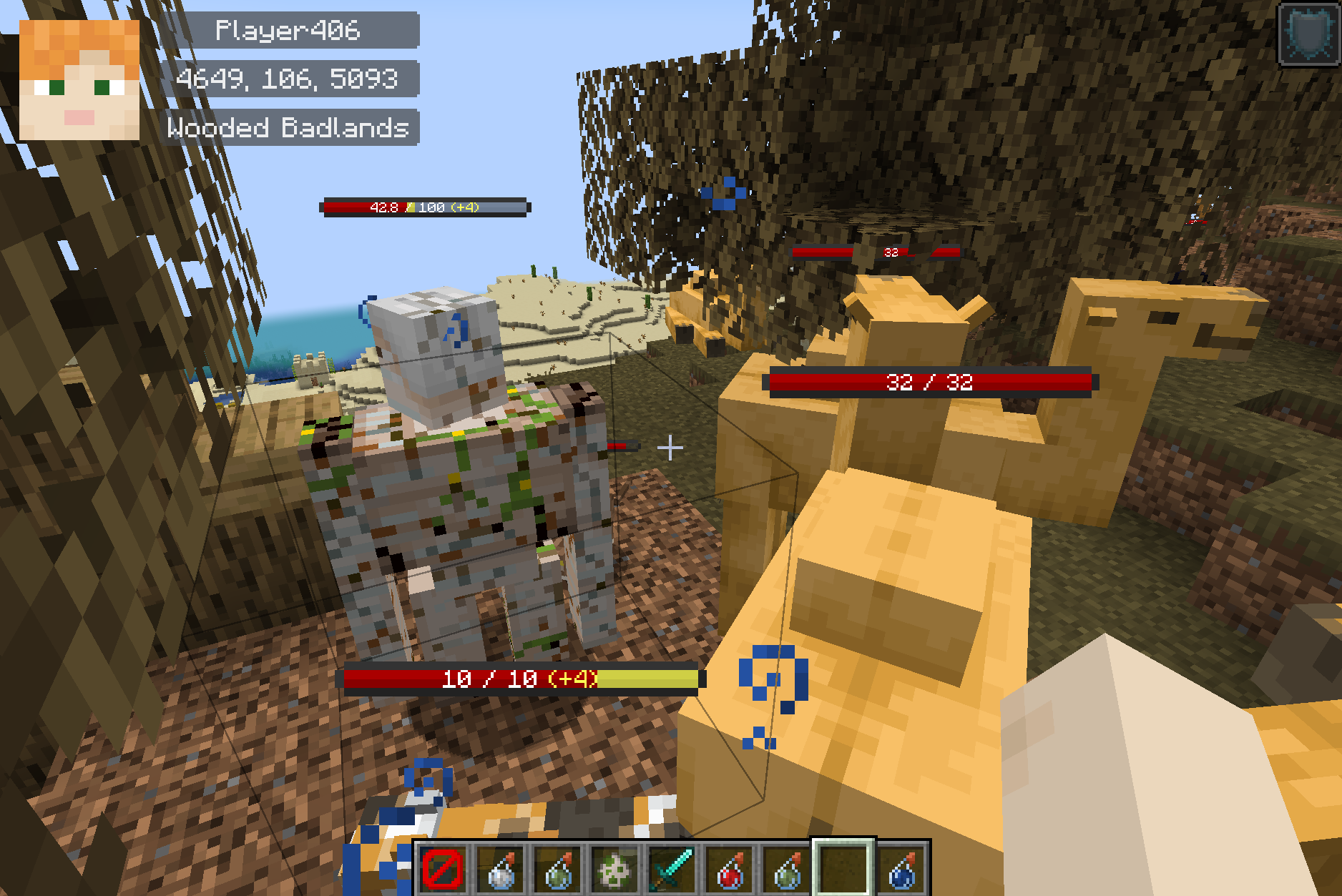
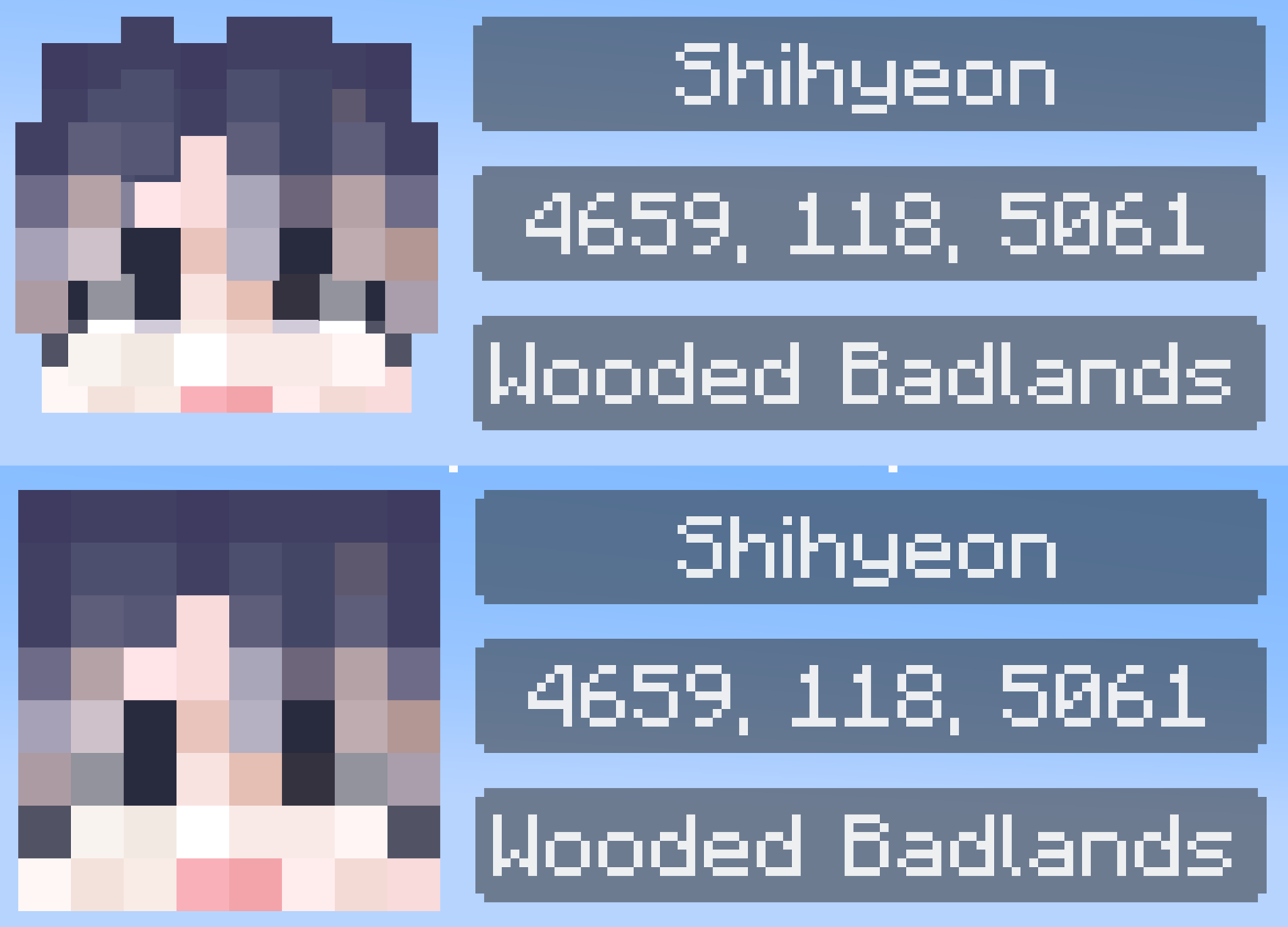
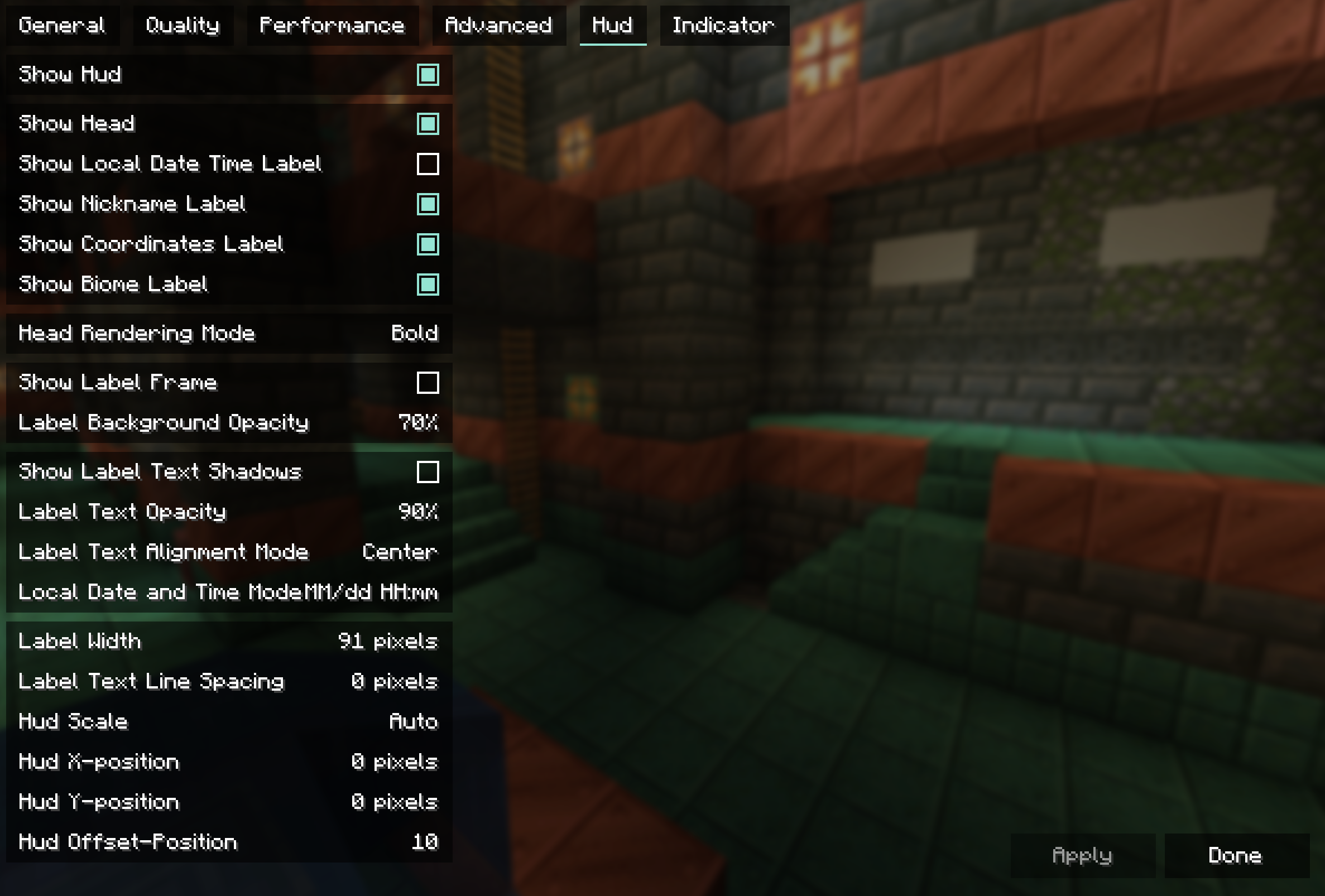
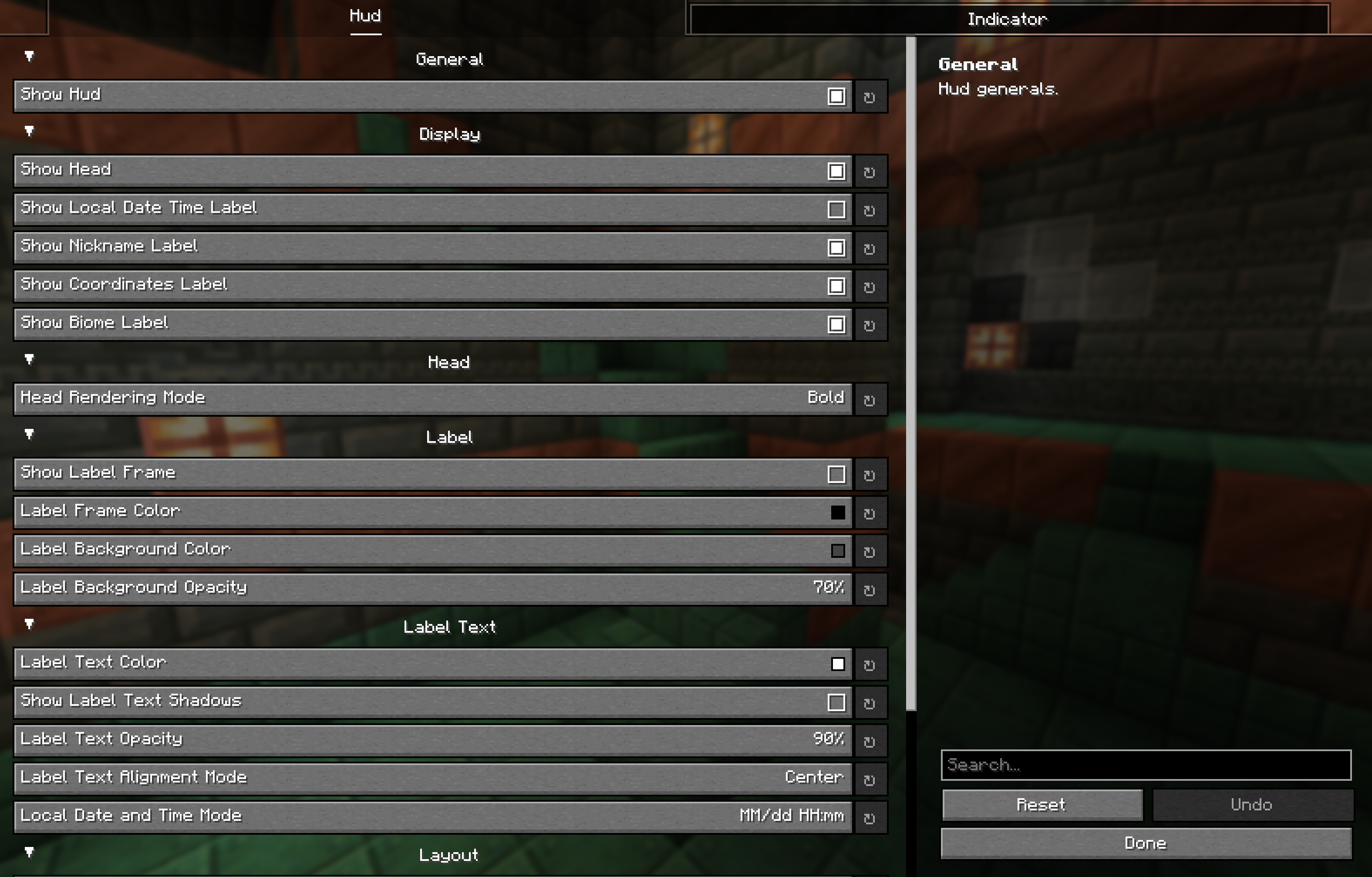
Installing ModMenu and YetAnotherConfigLib, Sodium allows you to manipulate settings from the GUI screen.
If you want to change the label color without editing the json directly, you will need YetAnotherConfigLib.
{
  "hud": {
    "general": {
      "enable_hud": true
    },
    "display": {
      "enable_head": true,
      "enable_local_date_time_label": false,
      "enable_nickname_label": true,
      "enable_coordinates_label": true,
      "enable_biome_label": true
    },
    "head": {
      "head_render_mode": "BOLD" // ["BOLD", "FLAT"]
    },
    "label": {
      "enable_label_frame": false,
      "label_frame_color": -16777216,
      "label_background_color": -12303292,
      "label_backgound_opacity": 70
    },
    "text": {
      "text_color": -1,
      "enable_text_shadows": false,
      "text_opacity": 90,
      "text_align_mode": "CENTER", // ["LEFT", "CENTER"]
      "local_date_time_mode": "DATE_AND_TIME" // ["DATE_AND_TIME", "DATE", "TIME"]
    },
    "layout": {
      "label_width": 91,
      "label_line_spacing": 0,
      "hud_scale": 0,
      "position_x": 0,
      "position_y": 0,
      "offset": 10
    }
  },
  "indicator": {
    "general": {
      "enable_indicator": true
    },
    "display": {
      "attacking_at": false,
      "looking_at": true,
      "damaged_only": false,
      "duration": 10,
      "reach": 20
    },
    "entities": {
      "player_entities": true,
      "self_player_entity": false,
      "passive_entities": true,
      "hostile_entities": true
    }
  }
}
Project description from Modrinth.
Pick your setup
Choose the version and loader you play, then open the matching release.
Check the dependencies, then try the file in a copied instance before changing a world you care about.
Recent files
imagicthud-fabric-1.7.2+mc1.21.4.jar
22 Apr 2025
imagicthud-neoforge-1.7.2+mc1.21.4.jar
22 Apr 2025
imagicthud-fabric-1.7.1+mc1.21.4.jar
4 Dec 2024
imagicthud-neoforge-1.7.1+mc1.21.4.jar
4 Dec 2024
imagicthud-fabric-1.7.0+mc1.21.3.jar
20 Nov 2024
imagicthud-neoforge-1.7.0+mc1.21.3.jar
20 Nov 2024
imagicthud-fabric-1.6.0+mc1.21.1.jar
3 Oct 2024
imagicthud-neoforge-1.6.0+mc1.21.1.jar
3 Oct 2024
imagicthud-fabric-1.6.0-beta.3.jar
25 Sept 2024
imagicthud-neoforge-1.6.0-beta.3.jar
25 Sept 2024
imagicthud-fabric-1.6.0-beta.2.jar
24 Sept 2024
imagicthud-neoforge-1.6.0-beta.2.jar
24 Sept 2024
Looking for an older file? The official Modrinth project page is in Resources.
 mod
Automatic snapshots of your config folder with a line-by-line diff and one-click restore. Undo any config change, on the client or on a server.
 mod
Right-click mature crops to harvest and automatically replant them.
 mod
Some quality of life features for tooltips