Minecraft version
Back to mods 
CurseForge · Minecraft mod
Custom FoV
Allows disabling or customizing field of view changes from sprinting, potions, archery, or underwater.
Choose a version Pick your version below, then grab the matching file.
Quick answer
Which Custom FoV release should I use?
Latest stable file customfov-neoforge-14.0.0+26.2.jar
Game version 26.2
Loader NeoForge
Custom FoV customfov-neoforge-14.0.0+26.2.jar targets 26.2 with NeoForge. The project page does not say whether this file belongs on the client, dedicated server, or both. No extra mods listed for this file.
Where it goes
Is Custom FoV required on the client, server, or both?
The project page does not say whether this file belongs on the client, dedicated server, or both.
Client Source doesn’t say
Dedicated server Source doesn’t say
Loader for this release NeoForge
Required install it here Optional supported, not mandatory Not supported do not install here Source doesn’t say do not assume
The source does not explicitly classify this release as client-only or server-only.
What else does Custom FoV customfov-neoforge-14.0.0+26.2.jar need?
customfov-neoforge-14.0.0+26.2.jar. Change the file and its required mods may change too.
This file does not list any required mods. Do not add a library just because a different file uses it.
This file does not list any required or optional mods.
Before you install it
Add Custom FoV without breaking your instance.
Built for Custom FoV customfov-neoforge-14.0.0+26.2.jar. Pick another file and the loader, install side or required mods may change.
- 01
Stick to this file
Use customfov-neoforge-14.0.0+26.2.jar. It targets 26.2 with NeoForge; another release may have different loader, side or dependency requirements.
- 02
Bring the mods it needs
This file does not list any required mods. Do not add a library just because a different file uses it.
- 03
Put it on the correct side
The project page does not say whether this file belongs on the client, dedicated server, or both.
- 04
Pick the file you checked
Use the “Get this file” button beside customfov-neoforge-14.0.0+26.2.jar. It opens that exact file at the source.
About this project
What does Custom FoV add?
Custom FoV is a mod that allows players to customize various field of view settings through the Video Settings and Accessibility Settings in the Options menu. The current settings allow configuration for flying, aiming, underwater and speed-related field of view changes. The speed-related field of view changes can further be broken down into sprinting and potion effect-related changes.
On 1.18.2 and below, these settings do not exist. Instead, configuration is done through the customfov-client.toml configuration file located in the config folder.
This mod is client-side only.
This mod is incompatible with Optifine. Optifine removes a field from vanilla Minecraft that this mod uses. Please consider Optifine alternatives.
Downloads
Features


FoV Effect Mode
Allows either all field of view changes, only vanilla field of view changes, only modded field of view changes, or no field of view changes at all.
FoV Effect Scaling
Allows scaling different field of view changes (speed, sprinting, aiming, flying, submerged) from 0% to 100%. These settings stack with the vanilla "FOV Effects" setting, which controls the scaling for all changes.
Support
Please report all bugs, issues, and feature requests to the issue tracker.
For non-technical support and questions, join the developer's Discord.
License
All source code and assets are licensed under LGPL-3.0-or-later.
Donations
Donations to the developer can be sent through Ko-fi.
Affiliates
Project description from CurseForge.
Pick your setup
Custom FoV by Minecraft version and loader
Choose the version and loader you play, then open the matching release.
Minecraft version
26.1.2
3 loader buildsMinecraft version
26.1.1
3 loader buildsMinecraft version
26.1
3 loader buildsMinecraft version
1.21.11
3 loader buildsMinecraft version
1.21.10
3 loader buildsMinecraft version
1.21.9
3 loader buildsMinecraft version
1.21.8
3 loader buildsMinecraft version
1.21.7
3 loader buildsMinecraft version
1.21.6
3 loader buildsMinecraft version
1.21.5
3 loader buildsMinecraft version
1.21.4
3 loader buildsShowing the newest 12 of 39 game versions. Older files are in the list below.
Check the dependencies, then try the file in a copied instance before changing a world you care about.
Recent files
Custom FoV versions and loaders
customfov-neoforge-14.0.0+26.2.jar
20 Jul 2026
Client Source doesn’t say Server Source doesn’t say Dependencies No extras listed Listed on Release listing
Check the 26.2 · NeoForge setup NeoForge26.2 release
customfov-fabric-14.0.0+26.2.jar
20 Jul 2026
Client Source doesn’t say Server Source doesn’t say Dependencies 2 required · 2 unchecked Listed on Release listing
Check the 26.2 · Fabric setup Fabric26.2 release
customfov-forge-14.0.0+26.2.jar
20 Jul 2026
Client Source doesn’t say Server Source doesn’t say Dependencies No extras listed Listed on Release listing
Check the 26.2 · Forge setup Forge26.2 release
customfov-neoforge-13.0.0+26.1.jar
26 Mar 2026
Client Source doesn’t say Server Source doesn’t say Dependencies No extras listed Listed on Release listing
Check the 26.1.2 · NeoForge setup NeoForge26.126.1.126.1.2 release
customfov-fabric-13.0.0+26.1.jar
26 Mar 2026
Client Source doesn’t say Server Source doesn’t say Dependencies 2 required · 2 unchecked Listed on Release listing
Check the 26.1.2 · Fabric setup Fabric26.126.1.126.1.2 release
customfov-forge-13.0.0+26.1.jar
26 Mar 2026
Client Source doesn’t say Server Source doesn’t say Dependencies No extras listed Listed on Release listing
Check the 26.1.2 · Forge setup Forge26.126.1.126.1.2 release
customfov-neoforge-12.0.0+1.21.11.jar
16 Jan 2026
Client Source doesn’t say Server Source doesn’t say Dependencies No extras listed Listed on Release listing
Check the 1.21.11 · NeoForge setup NeoForge1.21.11 release
customfov-fabric-12.0.0+1.21.11.jar
16 Jan 2026
Client Source doesn’t say Server Source doesn’t say Dependencies 2 required · 2 unchecked Listed on Release listing
Check the 1.21.11 · Fabric setup Fabric1.21.11 release
customfov-forge-12.0.0+1.21.11.jar
16 Jan 2026
Client Source doesn’t say Server Source doesn’t say Dependencies No extras listed Listed on Release listing
Check the 1.21.11 · Forge setup Forge1.21.11 release
customfov-neoforge-11.0.0+1.21.10.jar
10 Oct 2025
Client Source doesn’t say Server Source doesn’t say Dependencies No extras listed Listed on Release listing
Check the 1.21.10 · NeoForge setup 1.21.91.21.10NeoForge release
customfov-fabric-11.0.0+1.21.10.jar
10 Oct 2025
Client Source doesn’t say Server Source doesn’t say Dependencies 2 required · 2 unchecked Listed on Release listing
Check the 1.21.10 · Fabric setup Fabric1.21.91.21.10 release
customfov-forge-11.0.0+1.21.10.jar
10 Oct 2025
Client Source doesn’t say Server Source doesn’t say Dependencies No extras listed Listed on Release listing
Check the 1.21.10 · Forge setup 1.21.91.21.10Forge release
Looking for an older file? The official CurseForge project page is in Resources.
 mod
mod CurseForge · Minecraft
Malum Buddycards
Reap childish spirits to create Malum Set Buddycards and other trinkets!
 mod
mod CurseForge · Minecraft
Camel Nostrils
Absurdity of the highest order, sourced from random suggestions by our non-Minecraft-playing spouses, our kids, and others.
 mod
mod CurseForge + Modrinth · Minecraft
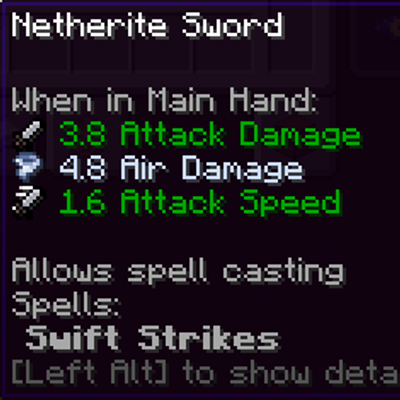
Spell Powered Weapons
Makes weapons found & crafted to have a chance to get an elemental damage instance!