oωo (owo-lib) Needed by Gravity Pads 1.1.2+1.19.2
requiredMatching file found Matched file: 0.8.5+1.19
Modrinth · Minecraft mod
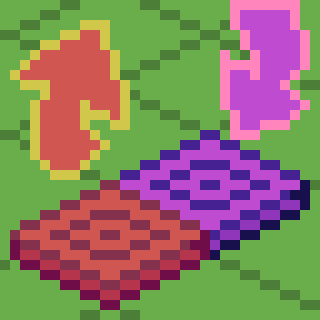
A mod that adds Gravity Pads.
Quick answer
Gravity Pads 1.1.2+1.19.2 targets 1.19.2 with Quilt. Installation on the client is optional. Installation on the dedicated server is optional. All 3 required mods have matching files.
Where it goes
Installation on the client is optional. Installation on the dedicated server is optional.
The source marks this as usable on both the client and server.
1.1.2+1.19.2 on 1.19.2. Every mod below is checked against that same setup.
Install oωo (owo-lib), Quilted Fabric API (QFAPI) / Quilt Standard Libraries (QSL), Gravity API first. We found matching files for this game-version and loader setup.
We only count dependency files that match this setup. A file for another loader does not fill the gap.
Before you install it
Built for Gravity Pads 1.1.2+1.19.2 on 1.19.2. Pick another file and the loader, install side or required mods may change.
Use 1.1.2+1.19.2. It targets 1.19.2 with Quilt; another release may have different loader, side or dependency requirements.
Install oωo (owo-lib), Quilted Fabric API (QFAPI) / Quilt Standard Libraries (QSL), Gravity API first. We found matching files for this game-version and loader setup.
Installation on the client is optional. Installation on the dedicated server is optional.
Use the “Get this file” button beside 1.1.2+1.19.2. It opens that exact file at the source.
About this project
Just a simple Gravity Pad mod.
Pushing Gravity Pads (Orange) sets your gravity to the direction it's facing, while Pulling Gravity Pads (Purple) sets your gravity to the direction its facing away from (Think of it as pulling).
Directional Gravity Pad/Block allow you to choose the direction that the gravity will go by targeting the edge of a block when placing. Targeting center of the block will place a "towards" directional pad/block (signified by the + sign, the gravity direction is towards to player). Sneak placing will invert the direction you are placing. Placing targeting the center of the block while sneaking will result in an "away" directional pad/block (signified by a ◼ square, the gravity direction is away from the player). You can also rotate it using a wrench (configurable) using the side you right click as rotation axis.
The mod also comes with anti-softlock. It triggers when you are 64 blocks above the block height limit (configurable) and will reverse your gravity back to normal (configurable).
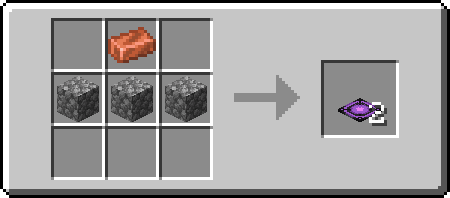
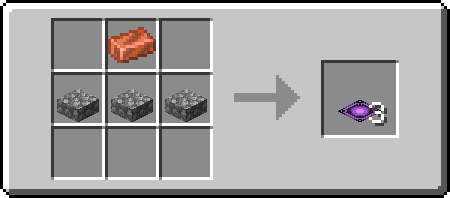
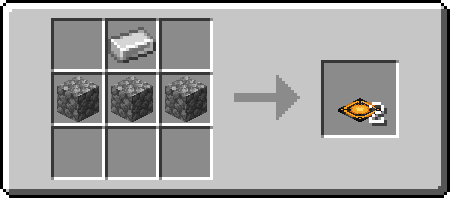
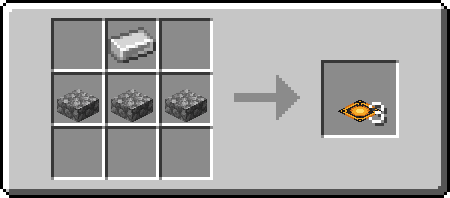
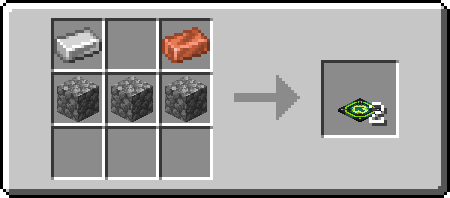
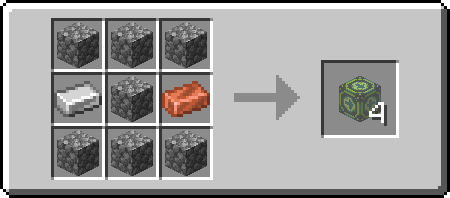
Project description from Modrinth.
Pick your setup
Choose the version and loader you play, then open the matching release.
Check the dependencies, then try the file in a copied instance before changing a world you care about.
Recent files
gravity_pads-1.1.2+1.19.2.jar
27 Jun 2023
gravity_pads-1.1.1+1.19.2.jar
26 Jun 2023
gravity_pads-1.1.0+1.19.2.jar
26 Jun 2023
gravity_pads-1.0.0+1.19.2.jar
24 Jun 2023
Looking for an older file? The official Modrinth project page is in Resources.
 mod
A modern mod about Meteors and meteorites falling from the sky! With extreme configurability!
 mod
Skins for offline nicknames, loaded from disk. No capes or cosmetics. !Only if you have TClauncher!
 mod
Roost + Chickens + MoreChickens