Minecraft version
Back to mods 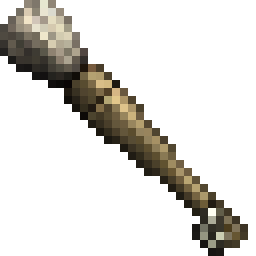
Modrinth · Minecraft mod
Conquest Reforged Paintbrush
Conquest Reforged Paintbrush adds a creative paintbrush that allows the user to "copy" and "paste" the material of a block onto another block while maintaining it's variant and properties.
Choose a version Pick your version below, then grab the matching file.
Quick answer
Which Conquest Reforged Paintbrush release should I use?
Latest stable file 1.3.2
Game version 1.20.1, 1.20.2, 1.20.3
Loader Fabric
Conquest Reforged Paintbrush 1.3.2 targets 1.20.1, 1.20.2, 1.20.3 with Fabric. Installation on the client is optional. Installation on the dedicated server is optional. No extra mods listed for this file.
Where it goes
Is Conquest Reforged Paintbrush required on the client, server, or both?
Installation on the client is optional. Installation on the dedicated server is optional.
Client Optional
Dedicated server Optional
Loader for this release Fabric
Required install it here Optional supported, not mandatory Not supported do not install here Source doesn’t say do not assume
The source marks this as usable on both the client and server.
What else does Conquest Reforged Paintbrush 1.3.2 need?
1.3.2. Change the file and its required mods may change too.
This file does not list any required mods. Do not add a library just because a different file uses it.
This file does not list any required or optional mods.
Before you install it
Add Conquest Reforged Paintbrush without breaking your instance.
Built for Conquest Reforged Paintbrush 1.3.2. Pick another file and the loader, install side or required mods may change.
- 01
Stick to this file
Use 1.3.2. It targets 1.20.1, 1.20.2, 1.20.3 with Fabric; another release may have different loader, side or dependency requirements.
- 02
Bring the mods it needs
This file does not list any required mods. Do not add a library just because a different file uses it.
- 03
Put it on the correct side
Installation on the client is optional. Installation on the dedicated server is optional.
- 04
Pick the file you checked
Use the “Get this file” button beside 1.3.2. It opens that exact file at the source.
About this project
What does Conquest Reforged Paintbrush add?
Conquest Reforged Paintbrush
Conquest Reforged Paintbrush adds a creative paintbrush that allows the user to "copy" and "paste" the material of a block onto another block while maintaining it's variant and properties. It also adds a Paintknife which allows the user to change the layer properties of a targeted block.
Usage
Primary click:
- With a paintbrush to copy the targeted block's material to the paintbrush.
- With a paintknife will decrease the layer of a targeted block if it has layer properties.
Secondary click:
- With a paintbrush to paint the selected material onto the targeted block. This attempts to find the same block variant in a material's conquest family.
- With a paintknife will increase the layer of a targeted block if it has layer properties.
Hold "Left Ctrl":
- With a paintbrush while selecting a material to select in strict mode. All painted blocks will be an exact copy.
- With a paintknife will change layers for a block adjacent to the blockface targeted.
Crouching will show the material that is currently selected on a paintbrush.
Credits
Credit to Monsterfish_ for the paintbrush and paint knife textures.
Project description from Modrinth.
Pick your setup
Conquest Reforged Paintbrush by Minecraft version and loader
Choose the version and loader you play, then open the matching release.
Minecraft version
1.20.5
1 loader buildMinecraft version
1.20.4
1 loader buildMinecraft version
1.20.3
1 loader buildMinecraft version
1.20.2
1 loader buildMinecraft version
1.20.1
1 loader buildMinecraft version
1.19.2
1 loader buildCheck the dependencies, then try the file in a copied instance before changing a world you care about.
Recent files
Conquest Reforged Paintbrush versions and loaders
1.3.2
paintbrush-1.3.2.jar
26 Aug 2026
Client Optional Server Optional Dependencies No extras listed Listed on Release listing
Check the 1.20.6 · Fabric setup 1.20.11.20.21.20.31.20.4 release
1.3.1
paintbrush-1.3.1.jar
25 Aug 2026
Client Optional Server Optional Dependencies No extras listed Listed on Release listing
Check the 1.20.1 · Fabric setup 1.20.1Fabric release
1.3.0
paintbrush-1.3.0.jar
18 Aug 2026
Client Optional Server Optional Dependencies No extras listed Listed on Release listing
Check the 1.20.6 · Fabric setup 1.20.11.20.21.20.31.20.4 release
1.2.5
paintbrush-1.2.5.jar
26 Nov 2025
Client Optional Server Optional Dependencies No extras listed Listed on Release listing
Check the 1.20.1 · Fabric setup 1.20.1Fabric release
1.2.4
paintbrush-1.2.4.jar
27 Dec 2024
Client Optional Server Optional Dependencies 3 required · 3 unchecked Listed on Release listing
Check the 1.20.1 · Fabric setup 1.20.1Fabric release
1.2.3
paintbrush-1.2.3.jar
10 Nov 2024
Client Optional Server Optional Dependencies 3 required · 3 unchecked Listed on Release listing
Check the 1.20.1 · Fabric setup 1.20.1Fabric release
1.2.2
paintbrush-1.2.2.jar
11 Oct 2024
Client Optional Server Optional Dependencies 3 required · 3 unchecked Listed on Release listing
Check the 1.20.1 · Fabric setup 1.20.1Fabric release
1.2.1
paintbrush-1.2.1.jar
9 Aug 2024
Client Optional Server Optional Dependencies 3 required · 3 unchecked Listed on Release listing
Check the 1.20.1 · Fabric setup 1.20.1Fabric release
1.2.0
paintbrush-1.2.0.jar
14 Jul 2024
Client Optional Server Optional Dependencies 3 required · 3 unchecked Listed on Release listing
Check the 1.20.1 · Fabric setup 1.20.1Fabric release
1.1.1
paintbrush-1.1.1.jar
3 Mar 2024
Client Optional Server Optional Dependencies 3 required · 3 unchecked Listed on Release listing
Check the 1.19.2 · Fabric setup 1.19.2Fabric release
1.1.0
paintbrush-1.1.0.jar
2 Jan 2024
Client Optional Server Optional Dependencies 3 required · 3 unchecked Listed on Release listing
Check the 1.19.2 · Fabric setup 1.19.2Fabric release
1.1.0-beta
paintbrush-1.1.0-beta.jar
28 Dec 2023
Client Optional Server Optional Dependencies 3 required · 3 unchecked Listed on Release listing
Check the 1.19.2 · Fabric setup 1.19.2Fabric beta
Looking for an older file? The official Modrinth project page is in Resources.
 mod
mod CurseForge + Modrinth · Minecraft
Tool Switcher
Automatically switches to the correct tool when breaking blocks.
 mod
mod Modrinth · Minecraft
isles+
Isles+ is a Skyblock Isles quality-of-life mod by chrrisk & Scrolls that improves the QOL of Skyblock Isles players - with ongoing updates and new tools planned.
 mod
mod Modrinth · Minecraft
Private Vault
this a private vault mod for fabric