Create Optional for Netherracked 1.0.4
optionalMatching file found Matched file: 6.0.10+mc1.21.1

Modrinth · Minecraft mod
a Mod/Datapack that Adds Recipe for Netherrack in Minecraft (+ Create Mod)
Quick answer
Netherracked 1.0.4 targets 1.18, 1.18.1, 1.18.2 with Fabric, Forge, NeoForge. Installation on the client is optional. Installation on the dedicated server is optional. No extra mods listed for this file.
Where it goes
Installation on the client is optional. Installation on the dedicated server is optional.
The source marks this as usable on both the client and server.
1.0.4. Change the file and its required mods may change too.
This file does not list any required mods. Do not add a library just because a different file uses it.
We only count dependency files that match this setup. A file for another loader does not fill the gap.
Before you install it
Built for Netherracked 1.0.4. Pick another file and the loader, install side or required mods may change.
Use 1.0.4. It targets 1.18, 1.18.1, 1.18.2 with Fabric, Forge, NeoForge; another release may have different loader, side or dependency requirements.
This file does not list any required mods. Do not add a library just because a different file uses it.
Installation on the client is optional. Installation on the dedicated server is optional.
Use the “Get this file” button beside 1.0.4. It opens that exact file at the source.
About this project


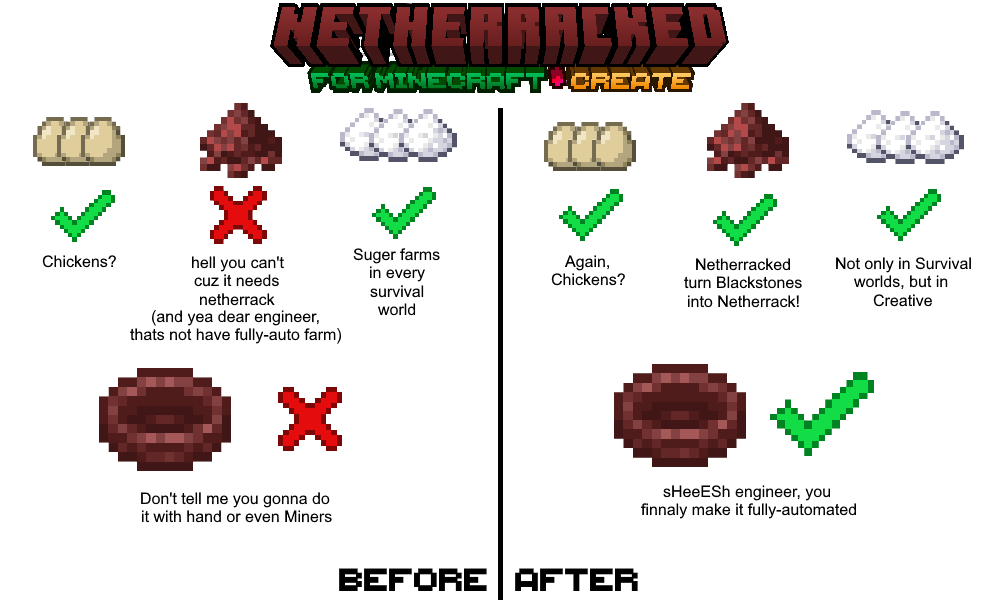
Netherracked: A Datapack that Adds Recipe for Netherrack Which needs
Minecraft Furnace or Fan Blasting from Create Mod.
So, no more you upset because of "Can't Farm Netherrack". especially if you want to make Create Mod Blaze Burners have a fully-automatic source of Blaze Cakes.
1. Minecraft Furnaces (Vanilla): Simply add Blackstone to input and wait for it smelt and finally you get Netherrack! (Hardly, it's difficult to farm Blackstone, sorry but I didn't find any respective Block for that.)
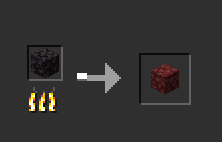
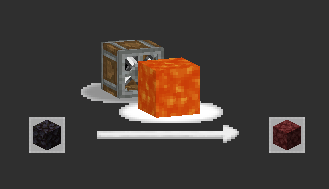
2. Create Mod Fan-Blasting: throw Blackstone in front of fan and lava so after a time it turns into Netherrack!
.minecraft/saves/(YOUR_WORLD)/datapacks/datapack enable "file/Netherracked.zip"/reload so datapack gets loaded into the world.doing this process once for every world is enough. so once you load it, it's done.
but for adding to the other worlds, you should repeat this process.
.minecraft/mods folder and you're done!"Netherracked" by IranMine123
Please Credit our Modrinth Page
Website: Arman Studios
Project description from Modrinth.
Pick your setup
Choose the version and loader you play, then open the matching release.
Showing the newest 12 of 24 game versions. Older files are in the list below.
Check the dependencies, then try the file in a copied instance before changing a world you care about.
Recent files
netherracked-1.0.4.jar
19 Aug 2025
netherracked-1.0.3.jar
1 Jan 2025
netherracked-1.0.2.jar
31 Jan 2024
netherracked-1.0.0.jar
25 Jun 2023
netherracked-1.0.0.jar
11 May 2023
Netherracked.zip
8 May 2023
Looking for an older file? The official Modrinth project page is in Resources.
 mod
modSpill blood for power. Altars that consume life, sigils that bend the world, custom demons in an endless dungeon, sentient armor that drinks souls, a shield that pays your damage in essentia. Datapack-driven from the ground up.
 mod
modBroadcast audio to everyone
 mod
modHighly customizable performance HUD for Minecraft.