MonoLib Needed by AutoMessage 2.2.0
requiredMatching file found Matched file: 2.0.0

Modrinth · Minecraft mod
Basically, AutoMessage is responsible for adding an option to create and send messages automatically in a fast and effective way.
Quick answer
AutoMessage 2.2.0 targets 1.20.2 with Fabric, Forge. Installation on the client is optional. Installation on the dedicated server is optional. All 1 required mods have matching files.
Where it goes
Installation on the client is optional. Installation on the dedicated server is optional.
The source marks this as usable on both the client and server.
2.2.0 on 1.20.2 Forge. Every mod below is checked against that same setup.
Install MonoLib first. We found matching files for this game-version and loader setup.
We only count dependency files that match this setup. A file for another loader does not fill the gap.
Before you install it
Built for AutoMessage 2.2.0 on 1.20.2 Forge. Pick another file and the loader, install side or required mods may change.
Use 2.2.0. It targets 1.20.2 with Fabric, Forge; another release may have different loader, side or dependency requirements.
Install MonoLib first. We found matching files for this game-version and loader setup.
Installation on the client is optional. Installation on the dedicated server is optional.
Use the “Get this file” button beside 2.2.0. It opens that exact file at the source.
About this project

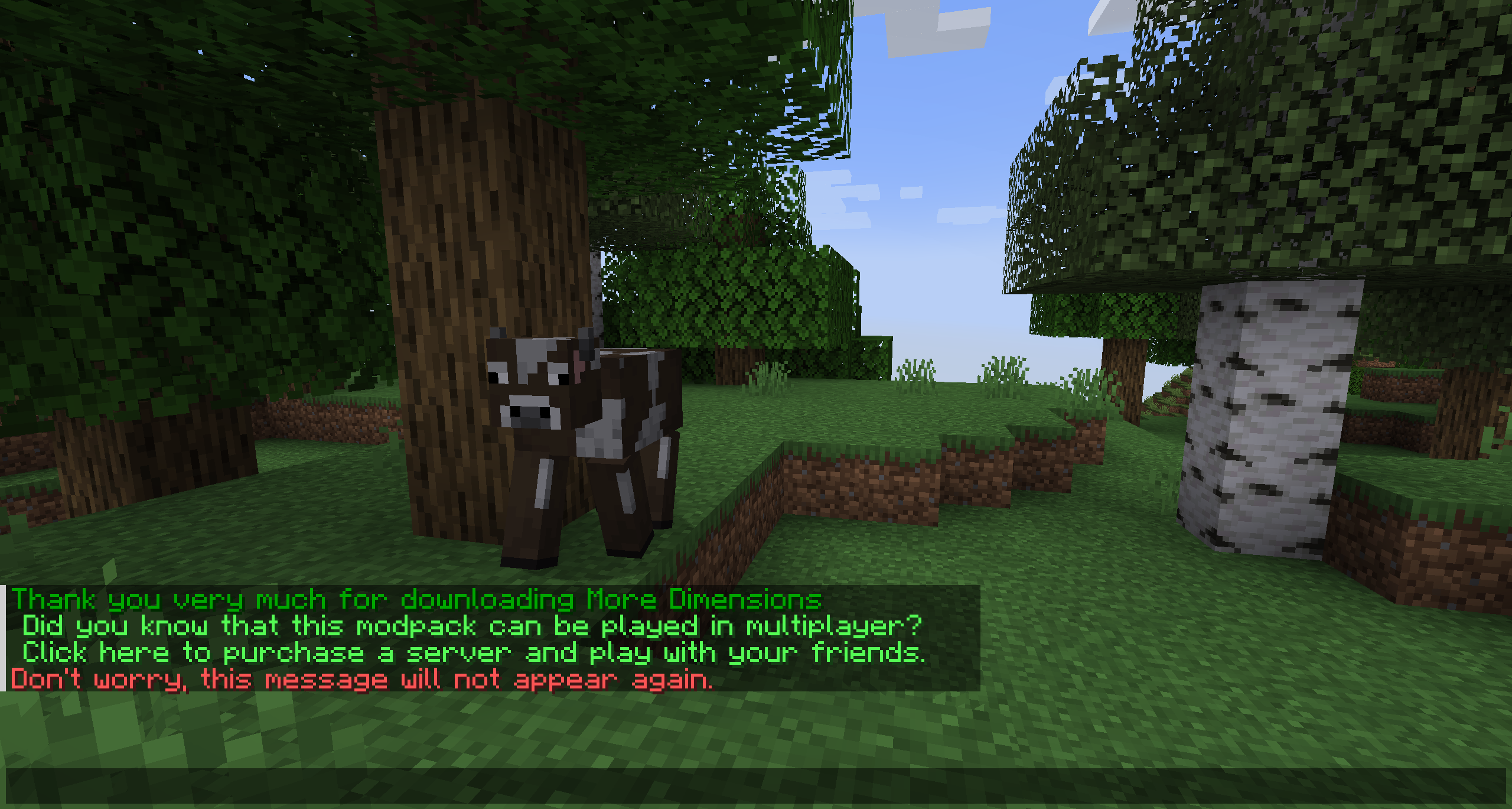
Basically, AutoMessage is responsible for adding an option to create and send messages automatically in a fast and effective way. To do this, it adds a configuration file that can be modified from start to finish by the player, and that, for example, will allow them to promote their social networks when starting a game, or simply thank them for downloading.
For exceptional server hosting services, look no further than BisectHosting. Of course, you can install all the mods or modpacks you want, and their support team is always available to help you.
With the code "Lupin" you will get a 25% discount! Click here!

This mod is intended for two types of people, either the creators of mod packs, or on the other hand, the creators of multiplayer servers, since it is in charge of facilitating the sending of automatic messages.
These messages are easily customizable, through the new file that will be generated when running the mod for the first time. Among other things, you can choose the text, the color or even the links.

An example would be the following:
["AutoMessage Configuration"]
The values you place in your Soft Limit and Hard Limit configuration are tracked individually for separate worlds. For Modpack Developers, this means your message will be repeated if the player creates a new world. For Server Owners, this means that resetting your world will cause the messages to be repeated as well.
Sure! Remember that the best way to play with mods and friends is with BisectHosting, and by clicking on this link you can get a 25% discount.
Of course! As long as it is published only on Modrinth or CurseForge. Uploading it to any other platform would be violating our rights and is not allowed at all.
However, we are really grateful if you consider adding it to your Modrinth or CurseForge modpack. If you need any small changes or have any questions, contact us!

.
Project description from Modrinth.
Pick your setup
Choose the version and loader you play, then open the matching release.
Showing the newest 12 of 17 game versions. Older files are in the list below.
Check the dependencies, then try the file in a copied instance before changing a world you care about.
Recent files
automessage-merged-1.20.2-2.2.0(1).jar
17 Mar 2024
automessage-2.0.3-1.20.2_forge.jar
22 Sept 2023
Looking for an older file? The official Modrinth project page is in Resources.