Minecraft version
Back to mods 
Modrinth · Minecraft mod
Panorama ScreenMake
Seamless high-res panoramas in a single click
Choose a version Pick your version below, then grab the matching file.
Quick answer
Which Panorama ScreenMake release should I use?
Latest stable file 1.0.0
Game version 1.21.5
Loader Fabric, Quilt
Panorama ScreenMake 1.0.0 targets 1.21.5 with Fabric, Quilt. It must be installed on the client. Do not install it on the dedicated server. No extra mods listed for this file.
Where it goes
Is Panorama ScreenMake required on the client, server, or both?
It must be installed on the client. Do not install it on the dedicated server.
Client Required
Dedicated server Not supported
Loader for this release Fabric, Quilt
Required install it here Optional supported, not mandatory Not supported do not install here Source doesn’t say do not assume
This file is marked client-only.
What else does Panorama ScreenMake 1.0.0 need?
1.0.0. Change the file and its required mods may change too.
This file does not list any required mods. Do not add a library just because a different file uses it.
This file does not list any required or optional mods.
Before you install it
Add Panorama ScreenMake without breaking your instance.
Built for Panorama ScreenMake 1.0.0. Pick another file and the loader, install side or required mods may change.
- 01
Stick to this file
Use 1.0.0. It targets 1.21.5 with Fabric, Quilt; another release may have different loader, side or dependency requirements.
- 02
Bring the mods it needs
This file does not list any required mods. Do not add a library just because a different file uses it.
- 03
Put it on the correct side
It must be installed on the client. Do not install it on the dedicated server.
- 04
Pick the file you checked
Use the “Get this file” button beside 1.0.0. It opens that exact file at the source.
About this project
What does Panorama ScreenMake add?
Panorama ScreenMake - Unlock Vanilla Panoramas!
Ever wanted to create your own panoramas? This mod unlocks a hidden, unused feature in the vanilla game to do just that! It uses the exact same code Mojang uses, ensuring perfect, high-quality results with minimal overhead.
Features
- True Vanilla Experience: Uses Mojang's own hidden panorama code.
- Feather-Light: Incredibly lightweight with zero performance impact during normal gameplay.
- One-Press Simple: Just press a single key (
F4by default) to start the process. - Fully Automated: No need to mess with your FOV or resize your window. The mod handles everything.
- Configurable: Easily change the keybinding in the standard Controls menu.
- Organized Output: Saves your six panorama images neatly into the
.minecraft/panoramas/folder.


How to Use
- Find your scene: Go to the location where you want to capture the panorama.
- Press the key: Press F4 (or whatever you've configured).
- Done! The game will automatically turn, capture six images, and notify you in chat when finished.
Enjoy creating your own beautiful Minecraft panoramas!
Project description from Modrinth.
Pick your setup
Panorama ScreenMake by Minecraft version and loader
Choose the version and loader you play, then open the matching release.
Minecraft version
26.1.2
2 loader buildsMinecraft version
26.1.1
2 loader buildsMinecraft version
26.1
2 loader buildsMinecraft version
1.21.11
2 loader buildsMinecraft version
1.21.10
2 loader buildsMinecraft version
1.21.9
2 loader buildsMinecraft version
1.21.8
2 loader buildsMinecraft version
1.21.7
2 loader buildsMinecraft version
1.21.6
2 loader buildsMinecraft version
1.21.5
2 loader buildsCheck the dependencies, then try the file in a copied instance before changing a world you care about.
Recent files
Panorama ScreenMake versions and loaders
1.0.0-PORT
PanoramaScreenMake-1.0.0-PORT.jar
19 Jun 2026
Client Required Server Not supported Dependencies No extras listed Listed on Release listing
Check the 26.2 · Fabric setup 26.2Fabric beta
1.0.0-FIX
PanoramaScreenMake-1.0.0-fix.jar
17 Jun 2026
Client Required Server Not supported Dependencies No extras listed Listed on Release listing
Check the 26.1.2 · Fabric setup 26.126.1.126.1.2Fabric beta
1.0.0-PORT
PanoramaScreenMake-1.0.0-PORT.jar
11 Apr 2026
Client Required Server Not supported Dependencies 1 required · 1 unchecked Listed on Release listing
Check the 26.1.2 · Fabric setup 26.126.1.126.1.2Fabric beta
1.0.0-PORT
PanoramaScreenMake-1.0.1-SNAPSHOT.jar
14 Dec 2025
Client Required Server Not supported Dependencies 1 required · 1 unchecked Listed on Release listing
Check the 1.21.11 · Fabric setup 1.21.11FabricQuilt beta
1.0.0
PanoramaScreenMaker-1.0.0+1.21.5.jar
26 Oct 2025
Client Required Server Not supported Dependencies No extras listed Listed on Release listing
Check the 1.21.5 · Fabric setup 1.21.5FabricQuilt release
1.0.0
PanoramaScreenMaker-1.0.0+1.21.9.jar
26 Oct 2025
Client Required Server Not supported Dependencies No extras listed Listed on Release listing
Check the 1.21.10 · Fabric setup 1.21.91.21.10FabricQuilt release
1.0.0
PanoramaScreenMake-1.0.0+1.21.8.jar
26 Oct 2025
Client Required Server Not supported Dependencies No extras listed Listed on Release listing
Check the 1.21.8 · Fabric setup 1.21.61.21.71.21.8Fabric release
Looking for an older file? The official Modrinth project page is in Resources.
 mod
mod CurseForge + Modrinth · Minecraft
Locator Colors
This mod grabs the colors from player waypoints on the locator bar and applies them everywhere, so you can always tell who is who at a glance.
 mod
mod CurseForge + Modrinth · Minecraft
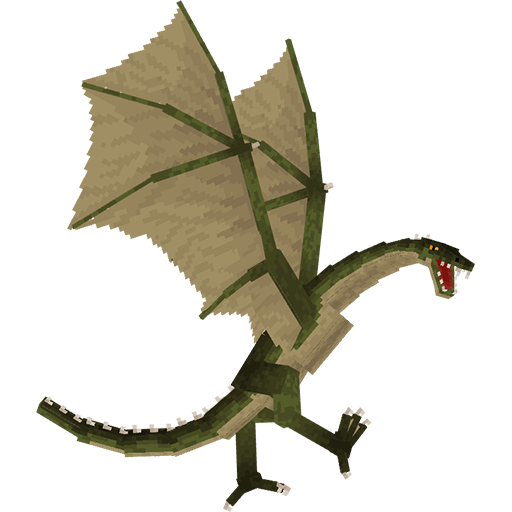
Useless Reptile
Adds a dragons that you can tame (and sometimes ride)
 mod
mod CurseForge + Modrinth · Minecraft
MinersAdvantage
MinersAdvantage - Making mining easier...