Minecraft version
Back to mods 
Modrinth · Minecraft mod
Geyser
A bridge/proxy allowing you to connect to Minecraft: Java Edition servers with Minecraft: Bedrock Edition.
Choose a version Pick your version below, then grab the matching file.
Quick answer
Which Geyser release should I use?
beta file 2.12.1-b1281
Game version 26.3
Loader velocity
Geyser 2.12.1-b1281 targets 26.3 with velocity. Do not install it on the client. It must be installed on the dedicated server. No extra mods listed for this file.
Where it goes
Is Geyser required on the client, server, or both?
Do not install it on the client. It must be installed on the dedicated server.
Client Not supported
Dedicated server Required
Loader for this release velocity
Required install it here Optional supported, not mandatory Not supported do not install here Source doesn’t say do not assume
This file is marked server-only.
What else does Geyser 2.12.1-b1281 need?
2.12.1-b1281. Change the file and its required mods may change too.
This file does not list any required mods. Do not add a library just because a different file uses it.
This file does not list any required or optional mods.
Before you install it
Add Geyser without breaking your instance.
Built for Geyser 2.12.1-b1281. Pick another file and the loader, install side or required mods may change.
- 01
Stick to this file
Use 2.12.1-b1281. It targets 26.3 with velocity; another release may have different loader, side or dependency requirements.
- 02
Bring the mods it needs
This file does not list any required mods. Do not add a library just because a different file uses it.
- 03
Put it on the correct side
Do not install it on the client. It must be installed on the dedicated server.
- 04
Pick the file you checked
Use the “Get this file” button beside 2.12.1-b1281. It opens that exact file at the source.
About this project
What does Geyser add?




Geyser is a bridge between Minecraft: Bedrock Edition and Minecraft: Java Edition, closing the gap from those wanting to play true cross-platform.
Geyser is an Open Collaboration project.
What is Geyser?
Geyser is a proxy, bridging the gap between Minecraft: Bedrock Edition and Minecraft: Java Edition servers.
The ultimate goal of this project is to allow Minecraft: Bedrock Edition users to join Minecraft: Java Edition servers as seamlessly as possible. However, due to the nature of Geyser translating packets over the network of two different games, do not expect everything to work perfectly!
Special thanks to the DragonProxy project for being a trailblazer in protocol translation and for all the team members who have joined us here!
Supported Versions
| Edition | Supported Versions |
|---|---|
| Bedrock | 26.40, 26.41, 26.42, 26.43, 26.44, 26.45, 26.50, 26.51, 26.52, 26.60 |
| Java | 26.3 (For older versions, see this guide) |
Setting Up
Take a look here for how to set up Geyser.
Links:
- Website: https://geysermc.org
- Docs: https://geysermc.org/wiki/geyser/
- Download: https://geysermc.org/download
- Discord: https://discord.gg/geysermc
- Donate: https://opencollective.com/geysermc
- Test Server:
test.geysermc.orgport25565for Java and19132for Bedrock
What's Left to be Added/Fixed
- Near-perfect movement (to the point where anticheat on large servers is unlikely to ban you)
- Some Entity Flags
What can't be fixed
There are a few things Geyser is unable to support due to various differences between Minecraft Bedrock and Java. For a list of these limitations, see the Current Limitations page.
Compiling
- Clone the repo to your computer
- Navigate to the Geyser root directory and run
git submodule update --init --recursive. This command downloads all the needed submodules for Geyser and is a crucial step in this process. - Run
gradlew buildand locate tobootstrap/buildfolder.
Contributing
Any contributions are appreciated. Please feel free to reach out to us on Discord if
you're interested in helping out with Geyser.
Libraries Used:
Project description from Modrinth.
Pick your setup
Geyser by Minecraft version and loader
Choose the version and loader you play, then open the matching release.
Minecraft version
26.1.2
1 loader buildMinecraft version
26.1.1
1 loader buildMinecraft version
26.1
1 loader buildMinecraft version
1.21.11
1 loader buildMinecraft version
1.21.10
1 loader buildMinecraft version
1.21.9
1 loader buildMinecraft version
1.21.8
1 loader buildMinecraft version
1.21.7
1 loader buildMinecraft version
1.21.6
1 loader buildMinecraft version
1.21.5
1 loader buildMinecraft version
1.21.4
1 loader buildShowing the newest 12 of 18 game versions. Older files are in the list below.
Check the dependencies, then try the file in a copied instance before changing a world you care about.
Recent files
Geyser versions and loaders
2.12.1-b1281
Geyser-Velocity.jar
2 Nov 2026
Client Not supported Server Required Dependencies No extras listed Listed on Release listing
Check the 26.3 · velocity setup 26.3velocity beta
2.12.1-b1281
Geyser-Spigot.jar
2 Nov 2026
Client Not supported Server Required Dependencies No extras listed Listed on Release listing
Check the 26.3 · paper setup 1.20.51.20.61.211.21.1 beta
2.12.1-b1281
Geyser-BungeeCord.jar
2 Nov 2026
Client Not supported Server Required Dependencies No extras listed Listed on Release listing
Check the 26.3 · bungeecord setup 26.3bungeecord beta
2.12.1-b1281
Geyser-Neoforge-2.12.1-b1281.jar
2 Nov 2026
Client Not supported Server Required Dependencies No extras listed Listed on Release listing
Check the 26.3 · NeoForge setup 26.3NeoForge beta
2.12.1-b1281
Geyser-Fabric-2.12.1-b1281.jar
2 Nov 2026
Client Not supported Server Required Dependencies 1 required · 1 unchecked Listed on Release listing
Check the 26.3 · Fabric setup 26.3Fabric beta
2.12.1-b1280
Geyser-Velocity.jar
1 Nov 2026
Client Not supported Server Required Dependencies No extras listed Listed on Release listing
Check the 26.3 · velocity setup 26.3velocity beta
2.12.1-b1280
Geyser-Spigot.jar
1 Nov 2026
Client Not supported Server Required Dependencies No extras listed Listed on Release listing
Check the 26.3 · paper setup 1.20.51.20.61.211.21.1 beta
2.12.1-b1280
Geyser-BungeeCord.jar
1 Nov 2026
Client Not supported Server Required Dependencies No extras listed Listed on Release listing
Check the 26.3 · bungeecord setup 26.3bungeecord beta
2.12.1-b1280
Geyser-Neoforge-2.12.1-b1280.jar
1 Nov 2026
Client Not supported Server Required Dependencies No extras listed Listed on Release listing
Check the 26.3 · NeoForge setup 26.3NeoForge beta
2.12.1-b1280
Geyser-Fabric-2.12.1-b1280.jar
1 Nov 2026
Client Not supported Server Required Dependencies 1 required · 1 unchecked Listed on Release listing
Check the 26.3 · Fabric setup 26.3Fabric beta
2.12.1-b1279
Geyser-Velocity.jar
30 Oct 2026
Client Not supported Server Required Dependencies No extras listed Listed on Release listing
Check the 26.3 · velocity setup 26.3velocity beta
2.12.1-b1279
Geyser-Spigot.jar
30 Oct 2026
Client Not supported Server Required Dependencies No extras listed Listed on Release listing
Check the 26.3 · paper setup 1.20.51.20.61.211.21.1 beta
Looking for an older file? The official Modrinth project page is in Resources.
 mod
mod CurseForge + Modrinth · Minecraft
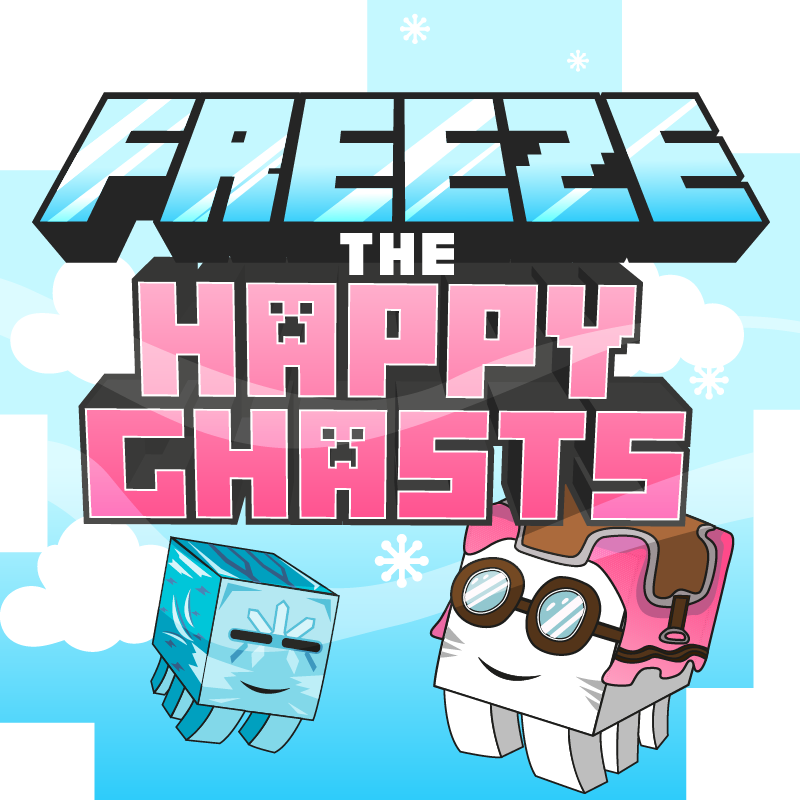
Freeze the Happy Ghasts
Freeze the Happy Ghasts so that they stay where you want them to be!
 mod
mod Modrinth · Minecraft
J4mc (play with your friends) - by jade
j4mc lets you open your singleplayer world to friends without port forwarding. Open your world to LAN, wait a moment, and the mod gives you a public address that your friends can join through. Now you can invite your friends through the game in one click!
 mod
mod Modrinth · Minecraft
Speedometer
a simple mod to display your speed