Minecraft version
Back to mods 
Modrinth · Minecraft mod
Draftout
Competitive Ranked Bingo with drafted boards.
Choose a version Pick your version below, then grab the matching file.
Quick answer
Which Draftout release should I use?
beta file 1.17.2
Game version 26.3
Loader Fabric
Draftout 1.17.2 targets 26.3 with Fabric. It must be installed on the client. Do not install it on the dedicated server. No extra mods listed for this file.
Where it goes
Is Draftout required on the client, server, or both?
It must be installed on the client. Do not install it on the dedicated server.
Client Required
Dedicated server Not supported
Loader for this release Fabric
Required install it here Optional supported, not mandatory Not supported do not install here Source doesn’t say do not assume
This file is marked client-only.
What else does Draftout 1.17.2 need?
1.17.2. Change the file and its required mods may change too.
This file does not list any required mods. Do not add a library just because a different file uses it.
This file does not list any required or optional mods.
Before you install it
Add Draftout without breaking your instance.
Built for Draftout 1.17.2. Pick another file and the loader, install side or required mods may change.
- 01
Stick to this file
Use 1.17.2. It targets 26.3 with Fabric; another release may have different loader, side or dependency requirements.
- 02
Bring the mods it needs
This file does not list any required mods. Do not add a library just because a different file uses it.
- 03
Put it on the correct side
It must be installed on the client. Do not install it on the dedicated server.
- 04
Pick the file you checked
Use the “Get this file” button beside 1.17.2. It opens that exact file at the source.
About this project
What does Draftout add?
Draftout
Draftout is a new gamemode based on the existing Lockout mode. Draft a board, and race your opponent to complete 13 goals faster!
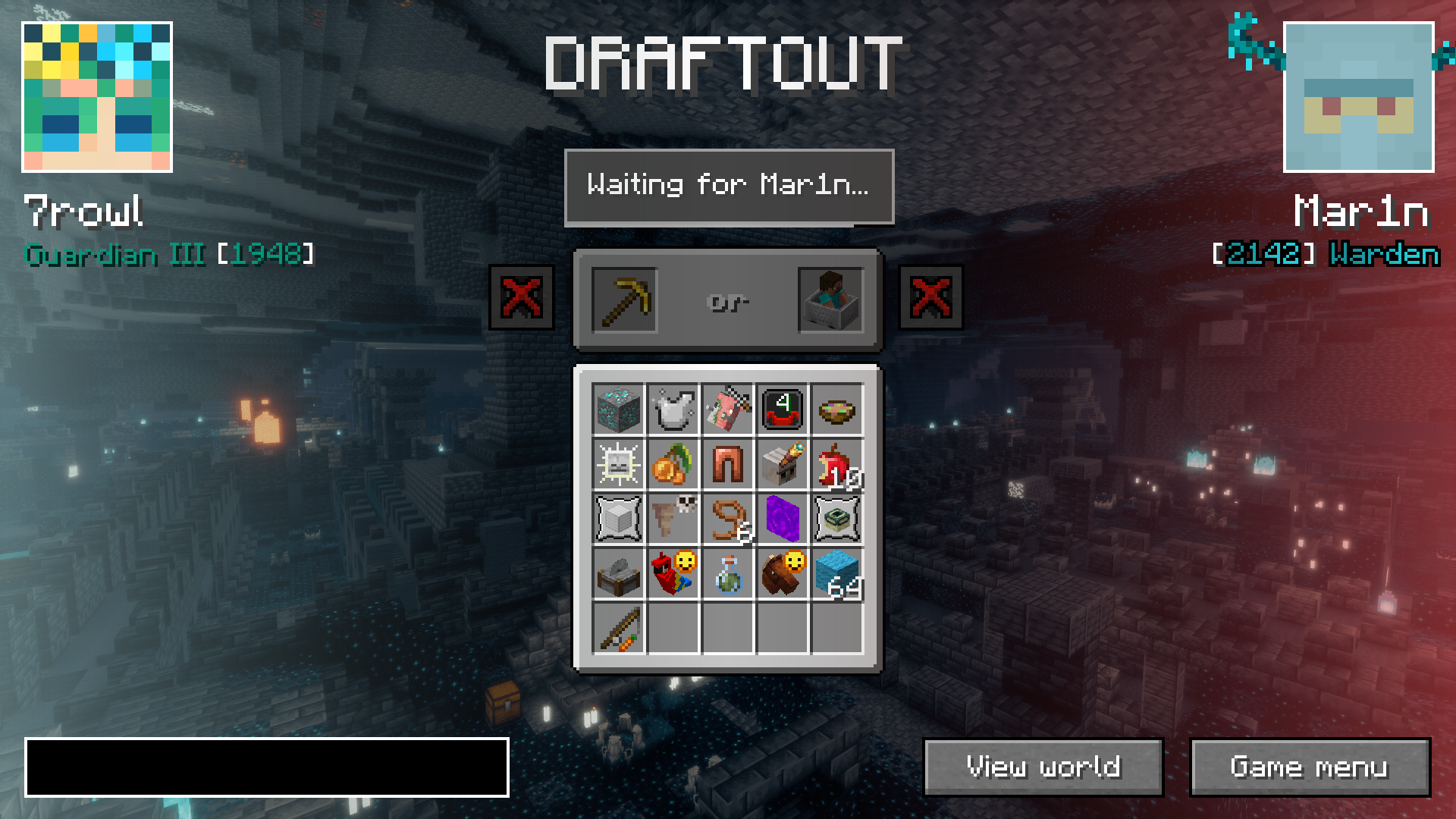
Draftout is played in singleplayer worlds, with a lot of RNG elements standardized and a light seed filter with a few guaranteed structures in the world.
All players in a match connect to an external server - meaning you can see opponent's progress (chat, advancements, current dimension etc.).
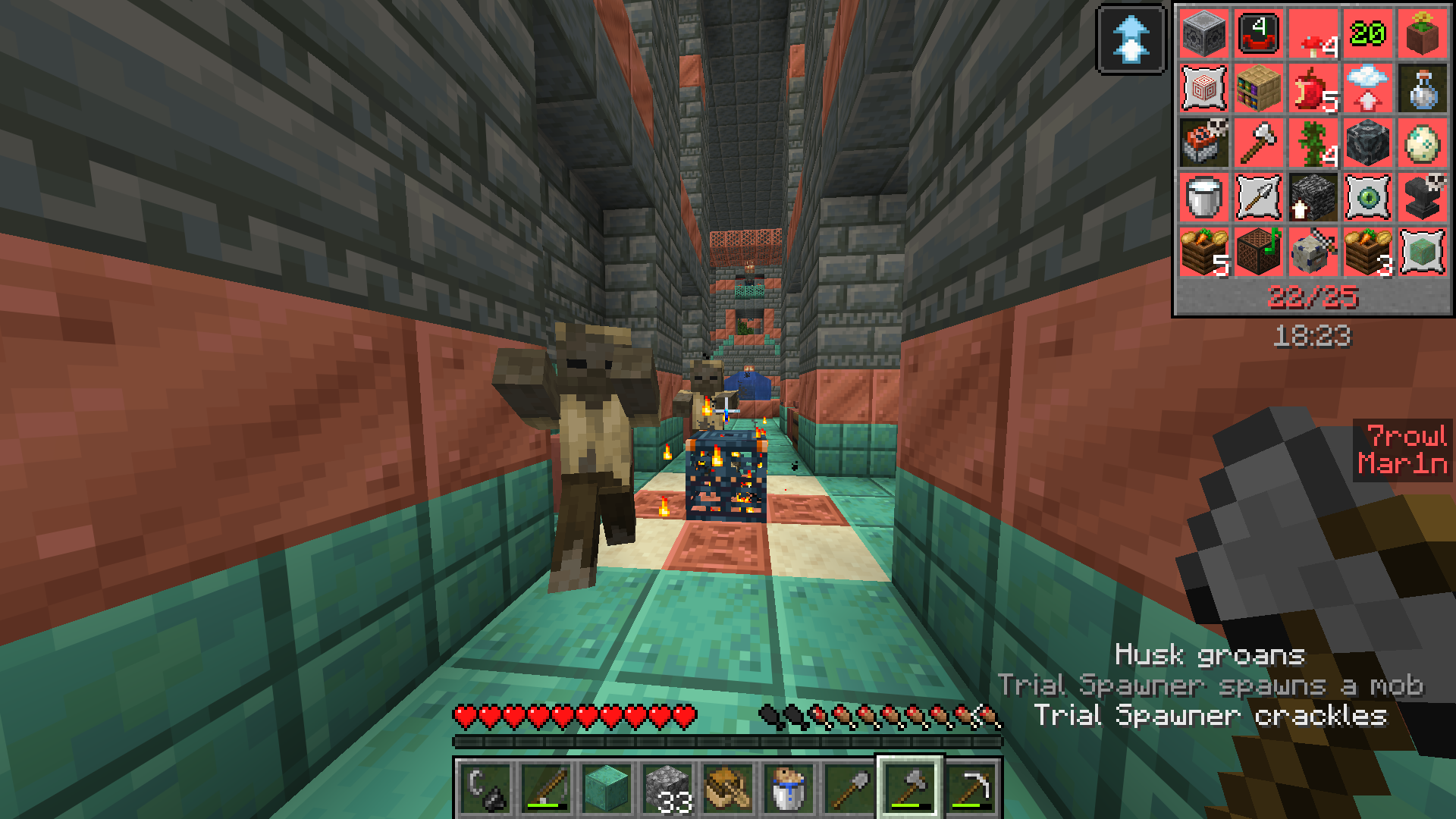
Instead of a random board, you first "build" a Lockout board by choosing between 2 goals, alternating between you and the opponent (also called drafting phase).
There's two main gamemodes: Quick Play and Competitive.
Quick Play
In Quick Play, the board is smaller (4x4) overall gameplay is slightly more relaxed. The goals are easier and faster on average.
There is a 30 minute time limit in this mode.
There is no ranks or rewards in this mode.
Competitive
In Competitive, the board is 5x5 and you can goals of any difficulty.
There is 1 hour 15 minute time limit in this mode, with 15 minutes of overtime if score is tied (first to get next goal wins) in case of draws.
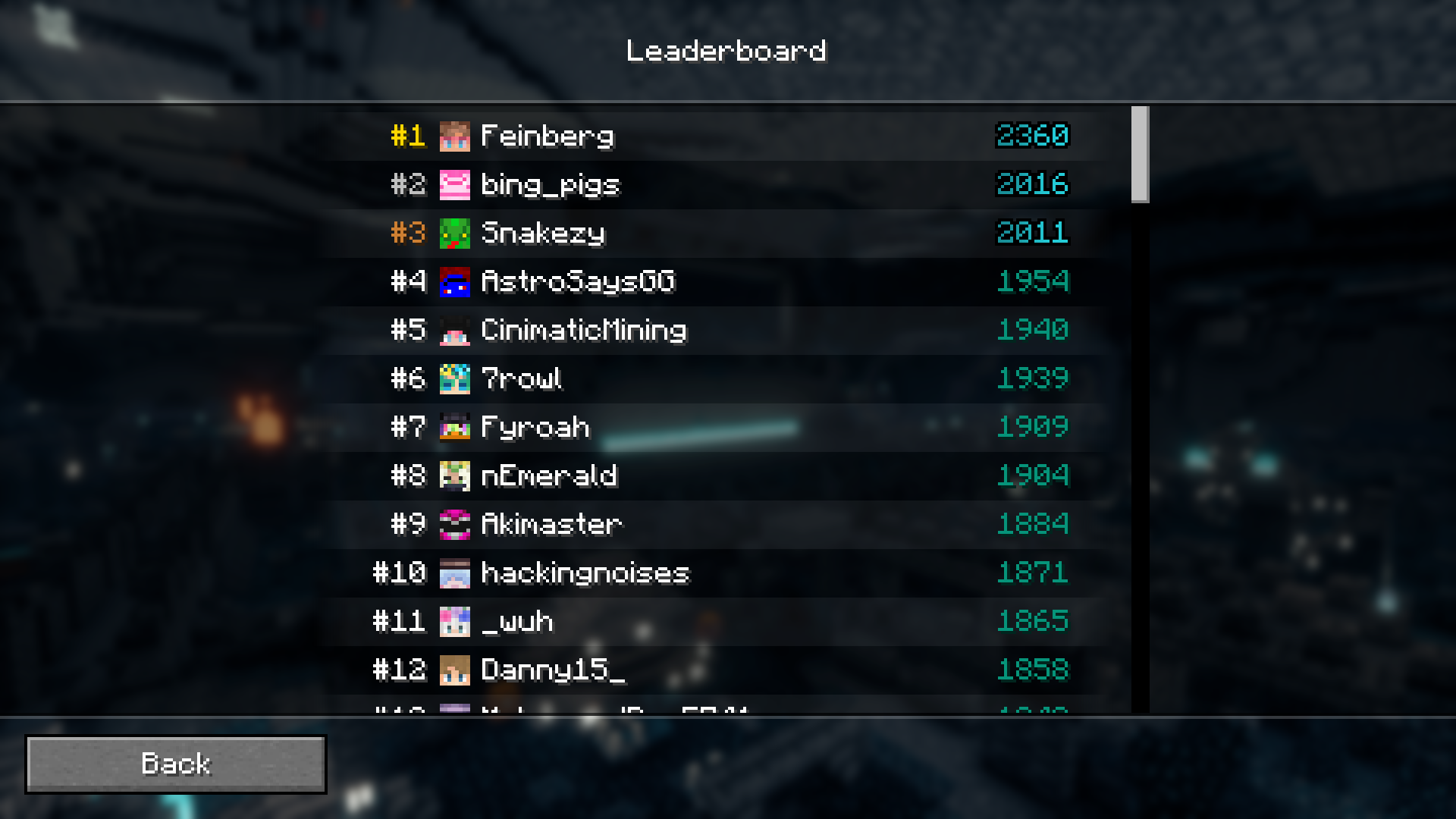
There is a Leaderboard in this mode. Player's rank is decided by their elo.
Lobbies
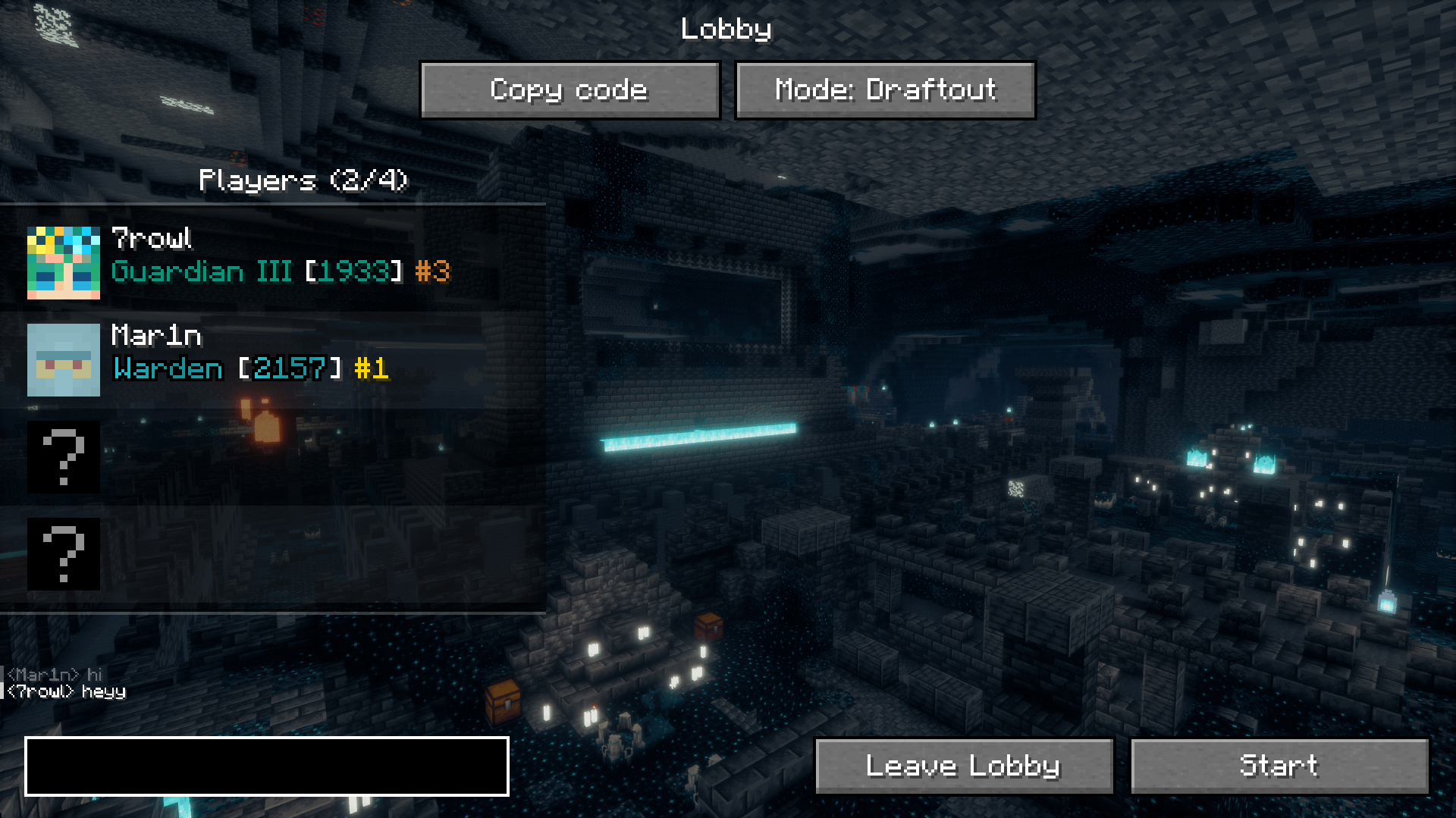
Join a private Lobby with up to 3 friends and play any mode, however you want!
Updating the mod
There is an auto-updating feature in the Draftout mod, which makes the updating process smoother. The server will prompt you to update the mod, and if you click "Update", the mod will be downloaded from Modrinth.
In the rare case when Draftout updates to a newer Minecraft version, you will have to make a new Minecraft instance and update manually.
Note
Draftout is in beta, meaning things might break and change.
Project description from Modrinth.
Pick your setup
Draftout by Minecraft version and loader
Choose the version and loader you play, then open the matching release.
Minecraft version
26.1.1
1 loader buildCheck the dependencies, then try the file in a copied instance before changing a world you care about.
Recent files
Draftout versions and loaders
1.17.2
draftout-1.17.2.jar
4 Oct 2026
Client Required Server Not supported Dependencies No extras listed Listed on Release listing
Check the 26.3 · Fabric setup 26.3Fabric beta
1.17.1
draftout-1.17.1.jar
3 Oct 2026
Client Required Server Not supported Dependencies No extras listed Listed on Release listing
Check the 26.3 · Fabric setup 26.3Fabric beta
1.17.0
draftout-1.17.0.jar
3 Oct 2026
Client Required Server Not supported Dependencies No extras listed Listed on Release listing
Check the 26.3 · Fabric setup 26.3Fabric beta
1.16.1
draftout-1.16.1.jar
16 Sept 2026
Client Required Server Not supported Dependencies No extras listed Listed on Release listing
Check the 26.1.1 · Fabric setup 26.1.1Fabric beta
1.16.0
draftout-1.16.0.jar
14 Sept 2026
Client Required Server Not supported Dependencies No extras listed Listed on Release listing
Check the 26.1.1 · Fabric setup 26.1.1Fabric beta
1.15.1
draftout-1.15.1.jar
14 Aug 2026
Client Required Server Not supported Dependencies No extras listed Listed on Release listing
Check the 26.1.1 · Fabric setup 26.1.1Fabric beta
1.15.0
draftout-1.15.0.jar
13 Aug 2026
Client Required Server Not supported Dependencies No extras listed Listed on Release listing
Check the 26.1.1 · Fabric setup 26.1.1Fabric beta
1.14.0
draftout-1.14.0.jar
26 Jul 2026
Client Required Server Not supported Dependencies No extras listed Listed on Release listing
Check the 26.1.1 · Fabric setup 26.1.1Fabric beta
1.13.1
draftout-1.13.1.jar
19 Jul 2026
Client Required Server Not supported Dependencies No extras listed Listed on Release listing
Check the 26.1.1 · Fabric setup 26.1.1Fabric beta
1.13.0
draftout-1.13.0.jar
18 Jul 2026
Client Required Server Not supported Dependencies No extras listed Listed on Release listing
Check the 26.1.1 · Fabric setup 26.1.1Fabric beta
1.12.1
draftout-1.12.1.jar
8 Jul 2026
Client Required Server Not supported Dependencies No extras listed Listed on Release listing
Check the 26.1.1 · Fabric setup 26.1.1Fabric beta
1.12.0
draftout-1.12.0.jar
7 Jul 2026
Client Required Server Not supported Dependencies No extras listed Listed on Release listing
Check the 26.1.1 · Fabric setup 26.1.1Fabric beta
Looking for an older file? The official Modrinth project page is in Resources.