Minecraft version
Back to mods 
Modrinth · Minecraft mod
MicroTimingReplay
Record sub-tick events and replay them in game!
Choose a version Pick your version below, then grab the matching file.
Quick answer
Which MicroTimingReplay release matches 26.3?
alpha file 1.0.0-26.3
Game version 26.3
Loader Fabric
MicroTimingReplay 1.0.0-26.3 targets 26.3 with Fabric. Installation on the client is optional. Installation on the dedicated server is optional. No extra mods listed for this file.
Where it goes
Is MicroTimingReplay required on the client, server, or both?
Installation on the client is optional. Installation on the dedicated server is optional.
Client Optional
Dedicated server Optional
Loader for this release Fabric
Required install it here Optional supported, not mandatory Not supported do not install here Source doesn’t say do not assume
The source marks this as usable on both the client and server.
What else does MicroTimingReplay 1.0.0-26.3 need?
1.0.0-26.3 on 26.3. Every mod below is checked against that same setup.
This file does not list any required mods. Do not add a library just because a different file uses it.
This file does not list any required or optional mods.
Before you install it
Add MicroTimingReplay without breaking your instance.
Built for MicroTimingReplay 1.0.0-26.3 on 26.3. Pick another file and the loader, install side or required mods may change.
- 01
Stick to this file
Use 1.0.0-26.3. It targets 26.3 with Fabric; another release may have different loader, side or dependency requirements.
- 02
Bring the mods it needs
This file does not list any required mods. Do not add a library just because a different file uses it.
- 03
Put it on the correct side
Installation on the client is optional. Installation on the dedicated server is optional.
- 04
Pick the file you checked
Use the “Get this file” button beside 1.0.0-26.3. It opens that exact file at the source.
About this project
What does MicroTimingReplay add?
MicroTimingReplay (MTIR)
Read more in README.md
A Fabric mod for recording micro-timing events on the server over a period of time (block updates, shape updates, scheduled ticks, block events, piston movements, entity movement/spawning, etc.) and later step-by-step replaying them — you can go forward, backward, jump to any step, and inspect the Java call stack at the moment each event was produced.
Core Concepts
Profile
A container for one recording session. Each profile has its own name, one or more Areas, all recorded tick frames, plus associated world backups and call-stack files.
Area
An axis-aligned bounding box + the dimension it belongs to. Only events that fall inside an area are recorded. A profile can have multiple areas and can span dimensions.
If a profile has no areas at all, no spatial filtering is applied (every event in the entire world is recorded) — the data volume becomes enormous; this is not recommended.
Frame / Event / Step
Recording is sliced into frames by game tick (TickFrame). Inside each frame is an event tree:
Phase → Queue → Update → Leaf events (add scheduled tick / entity move / ...)
Quick Start
/tick freeze
/mtr profile create test
/mtr profile area add test 100 60 100 120 80 120
/mtr record test 20
Recording stops automatically after 20 gt (or you can stop it manually with /mtr record stop).
/mtr replay start test
/mtr replay forward steps 1
/mtr replay screen
/mtr replay stop
Notes
- Run
/tick freezebefore recording. The mod never freezes or unfreezes time by itself. Replay is unaffected; stepping works correctly even without freezing. - Replay truly modifies the world.
replay startrestores the areas to the recording start state;replay stoprestores your live world. If the server crashes or is force-killed during replay, the_replaybackup is not restored automatically and your world stays at the recording-start state — in that case simply run/mtr replay startagain and then a normalstopto recover. - Non-player entities inside the areas are backed up and restored. On restore the entities inside the areas are first cleared, then rebuilt from the backup.
- No areas = no filtering. A profile without any areas records every event in the whole world; use with caution.
subscribe,unsubscribe,screenanddumpmust be executed by a player (they either open a UI for the player or bind to a player). All other commands can be run from the console or command blocks.- The “currently viewed” state of
/mtr profile infois a single server-wide variable; simultaneous operations by multiple players will interfere with each other.
Project description from Modrinth.
Pick your setup
MicroTimingReplay by Minecraft version and loader
Choose the version and loader you play, then open the matching release.
Minecraft version
26.1.2
1 loader buildMinecraft version
1.21.1
1 loader buildCheck the dependencies, then try the file in a copied instance before changing a world you care about.
Recent files
MicroTimingReplay versions and loaders
1.0.0-26.3
microtimingreplay-1.0.0-26.3.jar
3 Nov 2026
Client Optional Server Optional Dependencies No extras listed Listed on Release listing
Check the 26.3 · Fabric setup 26.3Fabric alpha
Looking for an older file? The official Modrinth project page is in Resources.
 mod
CurseForge + Modrinth · Minecraft
Modest Meals
A vanilla enhancing mod that aims to expand the food system with dynamic meals, while also adding stamina.
 mod
CurseForge + Modrinth · Minecraft
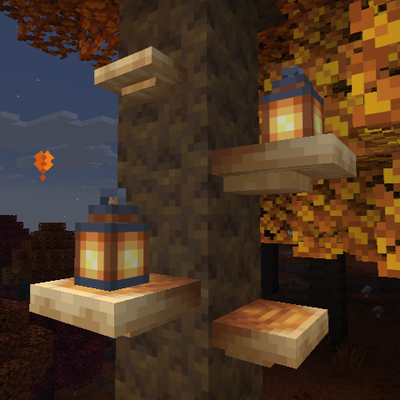
Actual Shelf Mushrooms
Makes the shelf mushroom an actual shelf!
 mod
CurseForge + Modrinth · Minecraft
Peaceful Aura
Adds an effect (edible and potion) that temporarily prevents mobs from targeting and attacking.