Fabric API Needed by XPlus ContingameIME v1.2.1-xplus-1.21.x
requiredMatching file found Matched file: 0.116.18+1.21.1

Modrinth · Minecraft mod
An unofficial continuation of an unofficial continuation of IngameIME. Use input method in full screen Minecraft.
Quick answer
XPlus ContingameIME v1.2.1-xplus-1.21.x targets 1.21, 1.21.1, 1.21.2 with Fabric. It must be installed on the client. Do not install it on the dedicated server. All 4 required mods have matching files.
Where it goes
It must be installed on the client. Do not install it on the dedicated server.
This file is marked client-only.
v1.2.1-xplus-1.21.x. Change the file and its required mods may change too.
Install Fabric API, Cloth Config API, Fabric Language Kotlin, Architectury API first. We found matching files for this game-version and loader setup.
We only count dependency files that match this setup. A file for another loader does not fill the gap.
Before you install it
Built for XPlus ContingameIME v1.2.1-xplus-1.21.x. Pick another file and the loader, install side or required mods may change.
Use v1.2.1-xplus-1.21.x. It targets 1.21, 1.21.1, 1.21.2 with Fabric; another release may have different loader, side or dependency requirements.
Install Fabric API, Cloth Config API, Fabric Language Kotlin, Architectury API first. We found matching files for this game-version and loader setup.
It must be installed on the client. Do not install it on the dedicated server.
Use the “Get this file” button beside v1.2.1-xplus-1.21.x. It opens that exact file at the source.
About this project
An unofficial continuation of an unofficial continuation of IngameIME. An unofficial update of ContingameIME.
Use input method in full screen Minecraft.
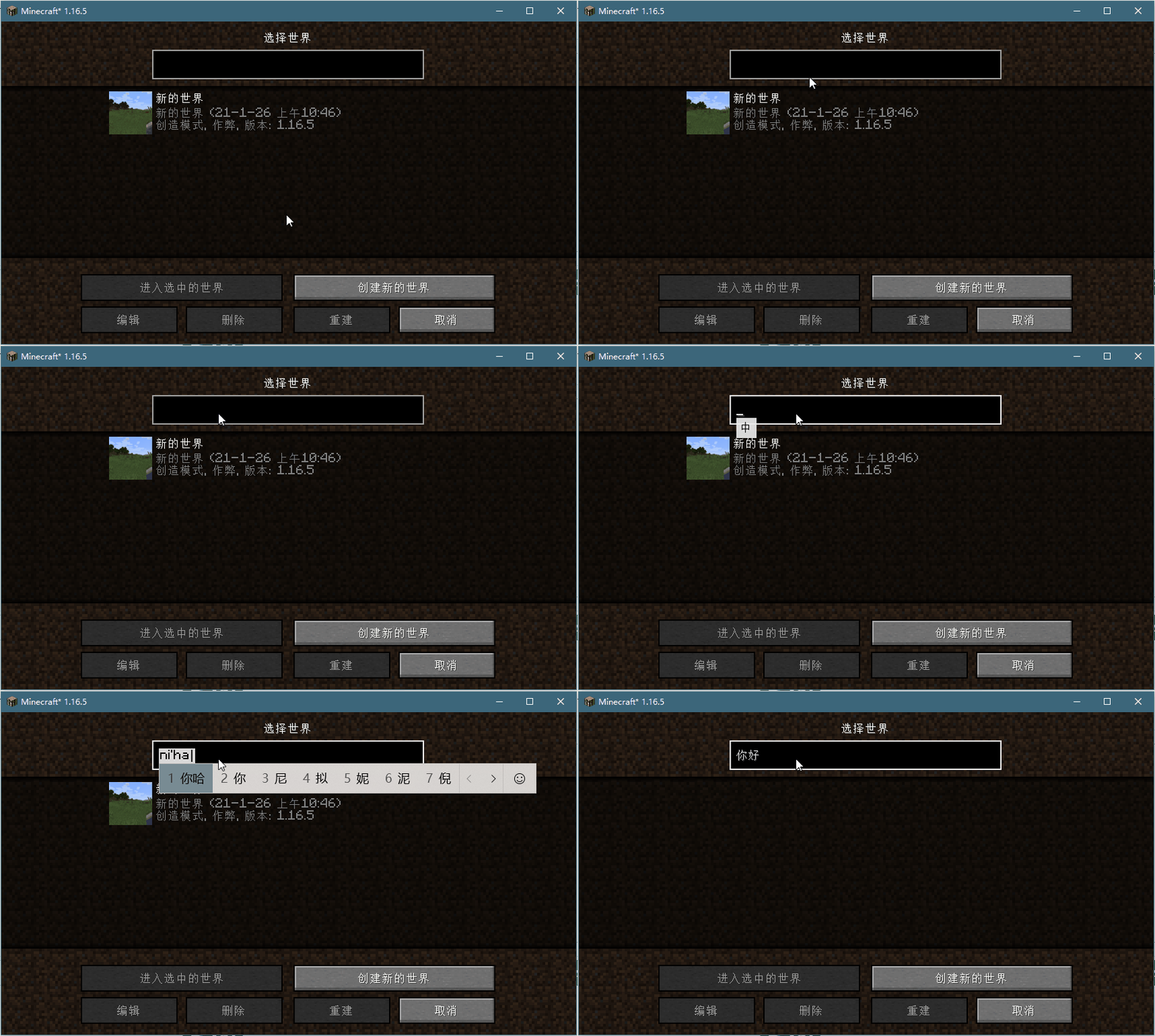
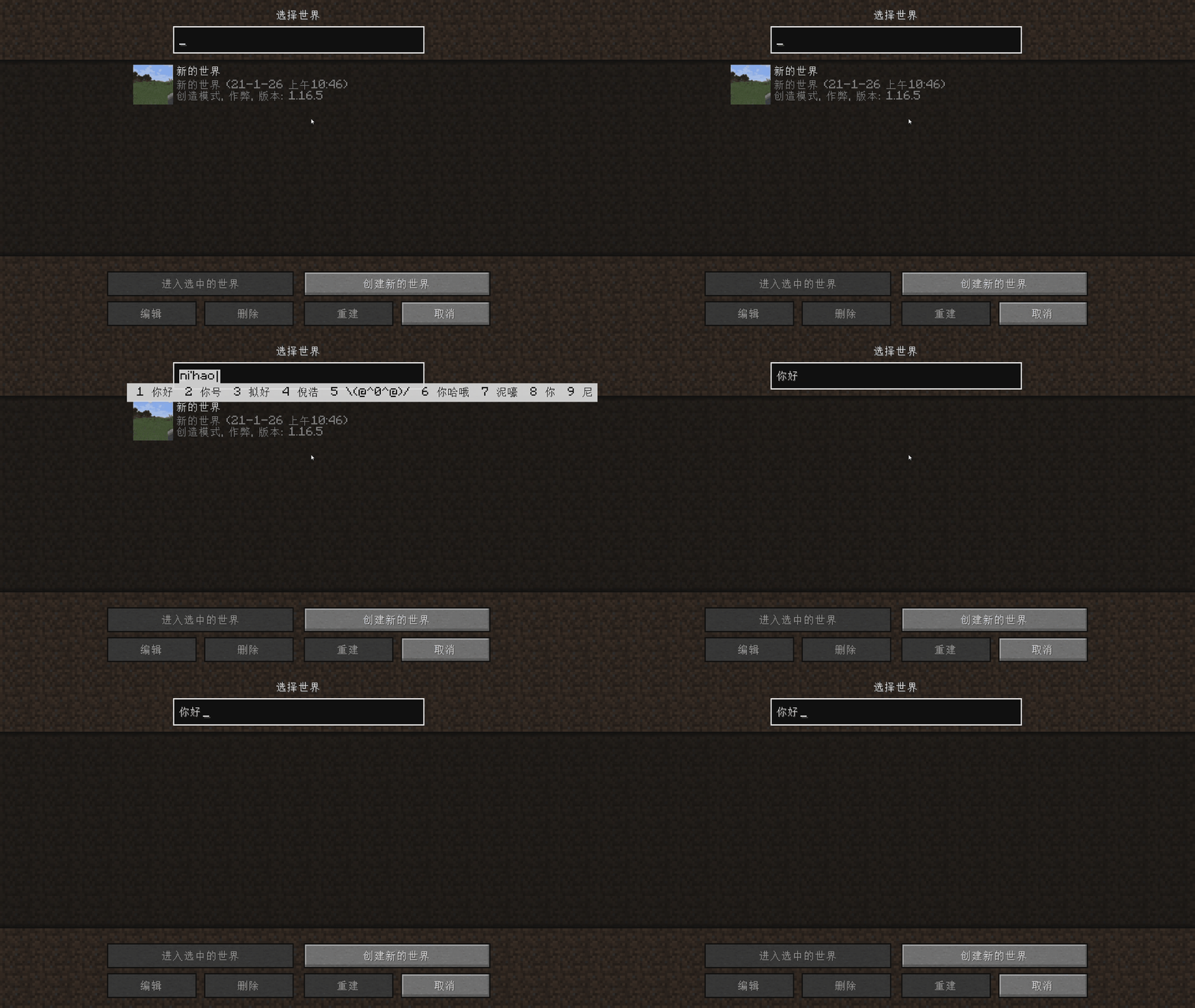
Forge (Not Supported ATM)
Fabric
Project description from Modrinth.
Pick your setup
Choose the version and loader you play, then open the matching release.
Check the dependencies, then try the file in a copied instance before changing a world you care about.
Recent files
XPlusContingameIME-1.2.1-xplus-1.21.x-fabric.jar
20 Jan 2025
XPlusContingameIME-1.2.0-xplus-1.21.x-fabric.jar
16 Jan 2025
XPlusContingameIME-1.1.0-xplus-1.21-fabric.jar
24 Jun 2024
Looking for an older file? The official Modrinth project page is in Resources.
 mod
High performance JavaScript runtime, tweaked for Minecraft usage
 mod
A BelugaLab audio mod built on Manta, playing your own MP3, WAV, and OGG files in-game over a 3D range you define, with playlists and redstone triggers.
 mod
Best redstone&tech datapack, Super optimized, 59+ blocks (Block breaker, block placer, filters, conveyors, item pipes, breeder, generators, gates, chunk loader, wireless redstone, multiblocks, jetpacks and so much more ! )