Create Needed by Create: Toolbox Utils 0.0.2
requiredMatching file found Matched file: mc1.20.1-6.0.8
Modrinth · Minecraft mod
Enchant toolboxes with loyalty to make them follow you around
Quick answer
Create: Toolbox Utils 0.0.2 targets 1.20.1, 1.20.2, 1.20.3 with Forge. Installation on the client is optional. Installation on the dedicated server is optional. All 1 required mods have matching files.
Where it goes
Installation on the client is optional. Installation on the dedicated server is optional.
The source marks this as usable on both the client and server.
0.0.2 on 1.20.1 Forge. Every mod below is checked against that same setup.
Install Create first. We found matching files for this game-version and loader setup.
We only count dependency files that match this setup. A file for another loader does not fill the gap.
Before you install it
Built for Create: Toolbox Utils 0.0.2 on 1.20.1 Forge. Pick another file and the loader, install side or required mods may change.
Use 0.0.2. It targets 1.20.1, 1.20.2, 1.20.3 with Forge; another release may have different loader, side or dependency requirements.
Install Create first. We found matching files for this game-version and loader setup.
Installation on the client is optional. Installation on the dedicated server is optional.
Use the “Get this file” button beside 0.0.2. It opens that exact file at the source.
About this project
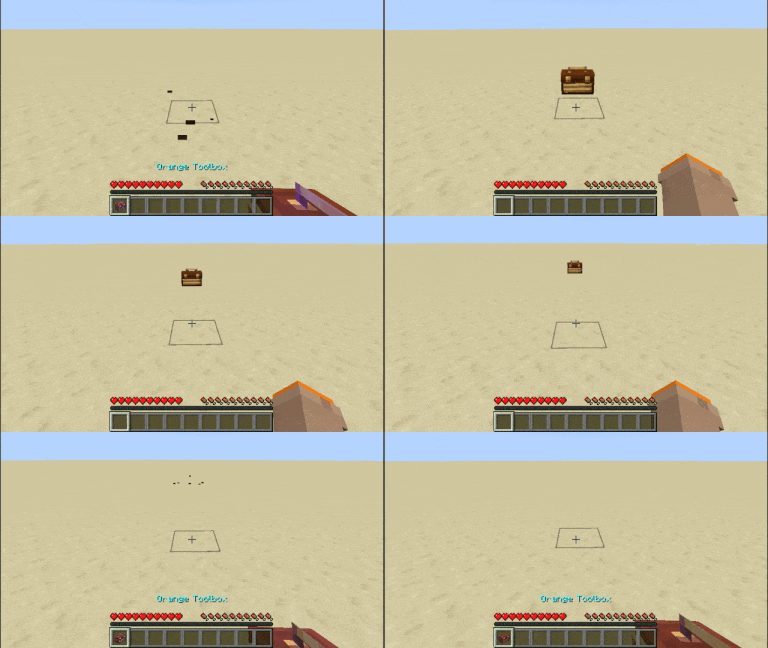
Have you ever wanted a silent companion? An inanimate object to spend your time with?
Well, now you can! With this simple addon to the well known Create mod, it is possible to enchant your toolbox with loyalty, making it more loyal to you than the friends that already left you years ago when Create was first released.
Besides automatically returning to your inventory when leaving it behind, it will not be possible for others to access them using the hotkey, making it impossible to confuse your little friends and accidentally stealing the equipment of other players.
This doesn't prevent others from picking up your toolbox and claiming it for their own of course!
Do not fret if JEI doesn't show that loyalty is compatible with toolboxes, believe me, it is.
The owner of a toolbox is always determined by who placed it in the world. If someone picks it up and places it again, the owner will change!
Project description from Modrinth.
Pick your setup
Choose the version and loader you play, then open the matching release.
Check the dependencies, then try the file in a copied instance before changing a world you care about.
Recent files
toolboxutils-0.0.2.jar
20 Mar 2025
toolboxutils-0.0.1.jar
20 Mar 2025
Looking for an older file? The official Modrinth project page is in Resources.
 mod
View Items and Recipes
 mod
Anyone is free to use this content to create and distribute videos. どなたでも自由に動画化・配信にご利用いただけます本MODは、実況者であるなぎすたんす様の敵味方クラフトシリーズにインスパイアされて制作いたしました※なぎすたんす様ご本人より、お名前の掲載およびインスパイア表記の許可をいただいております
 mod
EMF is an, OptiFine format, Custom Entity Model replacement mod available for Fabric and Forge.

