Project KjXB45Zu Needed by Blueprints 26.2.12
requiredStill checking

Modrinth · Minecraft mod
A Minecraft client side mod to project, scale and rotate real blueprint schematics and images into your world as in-place references for creating accurate builds.
Quick answer
Blueprints 26.2.12 targets 26.2 with Fabric. It must be installed on the client. Do not install it on the dedicated server. 1 required mod needs checking.
Where it goes
It must be installed on the client. Do not install it on the dedicated server.
This file is marked client-only.
26.2.12. Change the file and its required mods may change too.
Install project KjXB45Zu, Fabric API first. 1 required mod still needs checking for this exact setup.
We only count dependency files that match this setup. A file for another loader does not fill the gap.
Before you install it
Built for Blueprints 26.2.12. Pick another file and the loader, install side or required mods may change.
Use 26.2.12. It targets 26.2 with Fabric; another release may have different loader, side or dependency requirements.
Install project KjXB45Zu, Fabric API first. 1 required mod still needs checking for this exact setup.
It must be installed on the client. Do not install it on the dedicated server.
Use the “Get this file” button beside 26.2.12. It opens that exact file at the source.
About this project
A client side mod I created to project reference images and schematics into the minecraft world.
You need to be holding an ItemFrame in either your hand or your offhand to see the images.
The default key "O" will launch the config which will create folders for you to upload images in your filesystem:
{Minecraft}/config/blueprints/{world name}/{dimension name}
![Main config screen]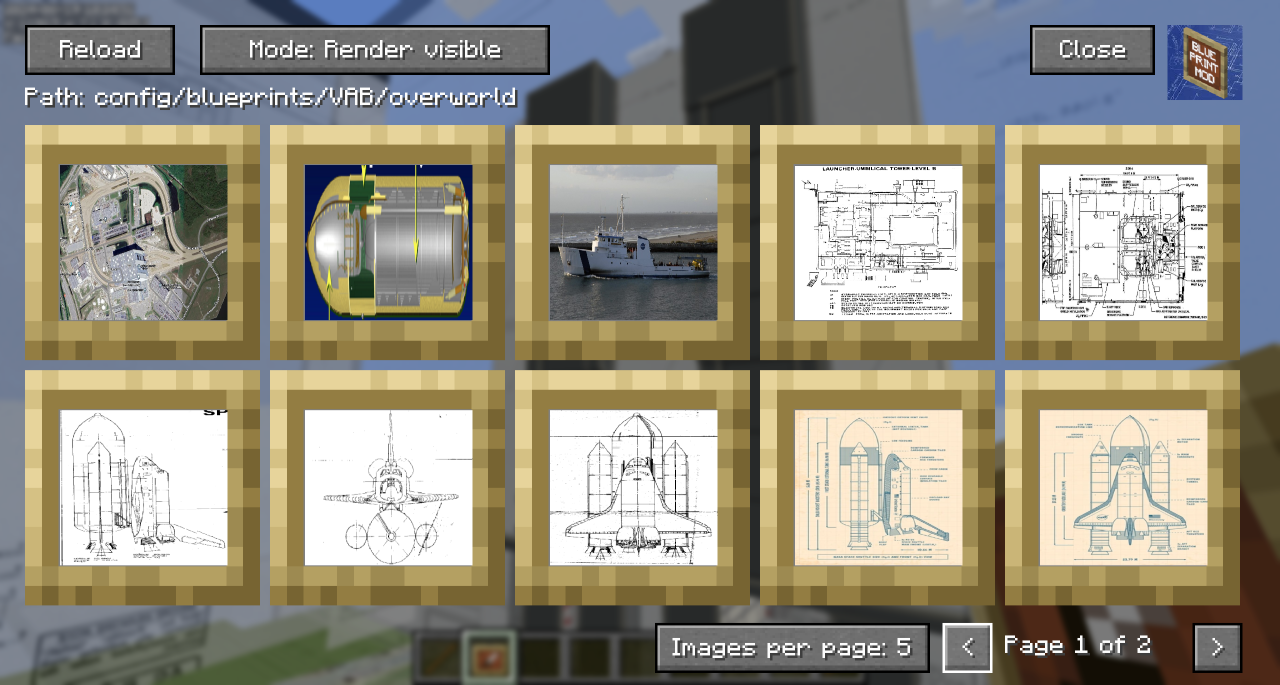
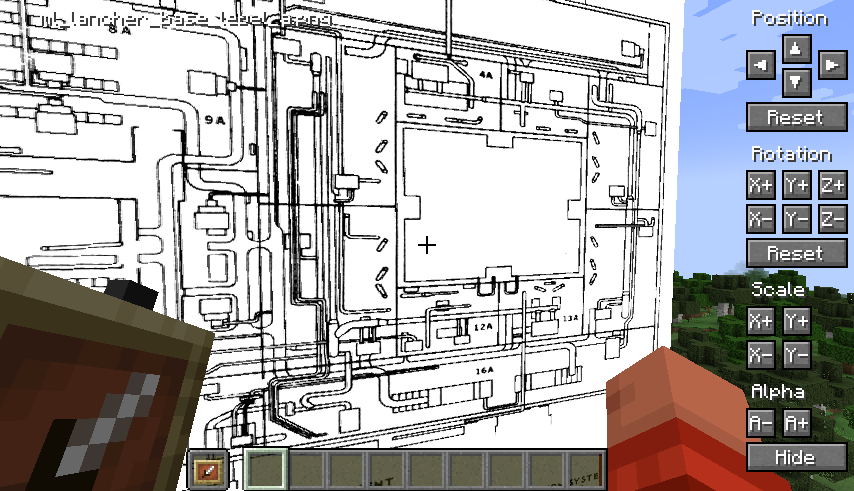
Position tweaking is player-facing aware: e.g. left is always left
You can hold down Shift to increase the amount of change each button applies for bigger tweaks.
You can hold down Ctrl to reduce the amount of change each button applies for small tweaks.
You can hold down both Shift and Ctrl to make big changes to settings on each click.
A quick overview can be seen in this video which was the reason I created the mod:
Project description from Modrinth.
Pick your setup
Choose the version and loader you play, then open the matching release.
Showing the newest 12 of 16 game versions. Older files are in the list below.
Check the dependencies, then try the file in a copied instance before changing a world you care about.
Recent files
blueprints.2024-26.2.12.jar
4 Jul 2026
blueprints.2024-26.1.2.11.jar
24 Apr 2026
blueprints-1.21.11.10.jar
26 Feb 2026
blueprints-1.21.11.9.jar
12 Dec 2025
blueprints-1.21.10.9.jar
12 Oct 2025
blueprints-1.21.10.8.jar
12 Oct 2025
blueprints-1.21.10.7.jar
11 Oct 2025
blueprints-1.21.9.7.jar
11 Oct 2025
blueprints-1.21.8.7.jar
16 Aug 2025
blueprints-1.21.7.7.jar
16 Aug 2025
blueprints-1.21.6.7.jar
22 Jun 2025
blueprints-1.21.5.7.jar
1 Jun 2025
Looking for an older file? The official Modrinth project page is in Resources.