Immibis Core Needed by InfiniTubes 57.0.5
requiredMatching file found Matched file: 57.2.0

Modrinth · Minecraft mod
Unlimited distance item transport mod
Quick answer
InfiniTubes 57.0.5 targets 1.6.4 with Forge. Installation on the client is optional. Installation on the dedicated server is optional. All 1 required mods have matching files.
Where it goes
Installation on the client is optional. Installation on the dedicated server is optional.
The source marks this as usable on both the client and server.
57.0.5 on 1.6.4. Every mod below is checked against that same setup.
Install Immibis Core first. We found matching files for this game-version and loader setup.
We only count dependency files that match this setup. A file for another loader does not fill the gap.
Before you install it
Built for InfiniTubes 57.0.5 on 1.6.4. Pick another file and the loader, install side or required mods may change.
Use 57.0.5. It targets 1.6.4 with Forge; another release may have different loader, side or dependency requirements.
Install Immibis Core first. We found matching files for this game-version and loader setup.
Installation on the client is optional. Installation on the dedicated server is optional.
Use the “Get this file” button beside 57.0.5. It opens that exact file at the source.
About this project
This mod provides a way to move items from A to B, by labeling them.

This is a teleposer. It has an input side and an output side (both of which can be set in the GUI), and moves items from the input side to the output side. The input side has a black centre, and the output side has a white centre.
Notice each side of the block has different coloured lights on it. Each direction corresponds to a colour, to allow you to select them in the GUI.
It also has a GUI that looks like this: (don't panic)

The two coloured squares show the current input and output sides. Left or right click to cycle through the possible sides. Note that you can set them both to the same side.
In the picture above, the input is on the purple side and the output is on the green side - this is the default setup.
If any items are in the top 9 slots, only those items will be allowed through, like in an RP filter or BC diamond pipe. These are holo-slots, like the diamond pipe (If you don't know what that means, try it and see).
Ignore the textboxes and priority for now.

This is the simplest useful setup with a teleposer. There is a chest next to the input, and another chest next to the output. Items will be moved from the input chest to the output chest. The chests could be replaced with machines or other inventories.

These are transport conduits. They can be used to move items instantly between different teleposers. They can be covered in microblocks, but the microblocks currently will not affect connections between conduits - they will be purely aesthetic.
It doesn't matter how your conduits are connected. These two conduits are exactly equivalent, except for the materials used to make them:

Item stacks travelling through transport conduits have a label, which can be any text string. They will go to the highest-priority connected teleposer with a matching item filter (or no item filter) and a matching label.
Remember those textboxes in the GUI? They're for labels.
|-separated list of labels to accept, which can include * as a wildcard. The "out" text is a ,-separated list of labels to try sending the item to.For example, with this configuration:

the teleposer will accept diamonds which are labelled either "asdf", or anything that starts with "sorting". It will then send them to any teleposer labelled "valuables". If no teleposer can accept the item (perhaps the valuables chest is full) it will send them to "recycler" instead.

Teleposer networks require power to run, and the transpressurizer converts electricity into a form the network can use. Connect a transport conduit to the top, and an IC2 cable to any other side, and power will be converted until the network is full. It will accept any voltage.
It can also be powered from BC conductive pipes.
1 MJ provides the same amount of power as 2.5 EU.
If you don't have IC2 or BC or just don't want to supply power, there is a config option you can use to disable the power requirement of teleposers.
Note that power is used every time a teleposer tries to push an item stack onto a network, even if none of the items could find a destination.
A network can store quite a bit of power, and there is currently no way to measure stored power on a network.
Exact behaviour: (optional reading)
A teleposer uses 3 charge units whenever it attempts to push an item stack, plus one charge unit per item in the stack. If there is not enough stored energy to push the entire stack, it will not do anything, even if there is enough to push part of the stack.
0.8 MJ or 2 EU are required for 1 charge unit.
The maximum stored energy in a network is 128 charge units for every connected machine side.

This is a dislocator. It acts somewhat like a retriever in RedPower, but it can send items to other places as well.
Its GUI looks like this:

The direction is pretty straightforward - it sets the side of the block that connects to a tube network.
Each time the dislocator receives a redstone signal, it does the following:
As an example:
You have a cobblestone chest with an input label of "cobblestone", and a furnace with an input label of "furnace". You want to move 8 cobblestone at a time from the chest to the furnace. You would set the search label to "cobblestone" and the eject label to "furnace", and put 8 cobblestone in the item slot.
Notes:
The dislocator is also usable as a ComputerCraft peripheral. It has one function:
-- (where 'dislocator' is the wrapped peripheral)
dislocator.pull(stackSize, searchLabel, ejectLabel)

-- Moves some items, as if you applied a redstone signal.
-- This function does not use the search label, eject label, or stack size from
-- the GUI but instead uses the ones passed as parameters.
-- Returns a unique request ID.

-- Sends a dislocator_done event no more than one tick later.
-- The event's first parameter is the request ID, and the second
-- parameter is true if the request succeeded, or false if it failed.

-- I can't directly return whether the request succeeded or not due to technical
-- limitations.
(Original mod by immibis. Original description from the Minecraft Forums.)
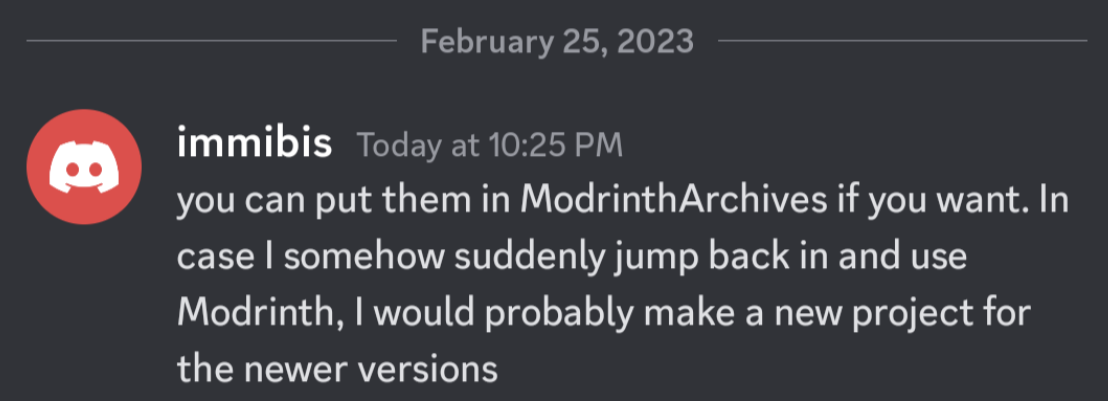
This mod is abandoned and has been uploaded for archival purposes. It was originally created by immibis. It has been uploaded to Modrinth under the ModrinthArchives account with permission from the original author.
Project description from Modrinth.
Pick your setup
Choose the version and loader you play, then open the matching release.
Check the dependencies, then try the file in a copied instance before changing a world you care about.
Recent files
infinitubes-57.0.5.jar
15 Jun 2023
infinitubes-57.0.4.jar
15 Jun 2023
infinitubes-57.0.3.jar
15 Jun 2023
infinitubes-57.0.2.jar
15 Jun 2023
infinitubes-57.0.1.jar
15 Jun 2023
infinitubes-57.0.0.jar
15 Jun 2023
Looking for an older file? The official Modrinth project page is in Resources.