Fabric API Needed by Gamma Shifter - FullBright & Auto Night 1.0.4
requiredMatching file found Matched file: 0.92.11+1.20.1

Modrinth · Minecraft mod
Customizable fullbright (brightness/gamma) utilities with auto night-sight for 1.19+
Quick answer
Gamma Shifter - FullBright & Auto Night 1.0.4 targets 1.20, 1.20.1, 1.20.2 with Fabric, Quilt. It must be installed on the client. Do not install it on the dedicated server. All 1 required mods have matching files.
Where it goes
It must be installed on the client. Do not install it on the dedicated server.
This file is marked client-only.
1.0.4. Change the file and its required mods may change too.
Install Fabric API first. We found matching files for this game-version and loader setup. 1 comes through another mod in the chain.
1 extra mod was pulled in by another dependency. Indented rows show who needs each one. We only count dependency files that match this setup. A file for another loader does not fill the gap.
Before you install it
Built for Gamma Shifter - FullBright & Auto Night 1.0.4. Pick another file and the loader, install side or required mods may change.
Use 1.0.4. It targets 1.20, 1.20.1, 1.20.2 with Fabric, Quilt; another release may have different loader, side or dependency requirements.
Install Fabric API first. We found matching files for this game-version and loader setup. 1 comes through another mod in the chain.
It must be installed on the client. Do not install it on the dedicated server.
Use the “Get this file” button beside 1.0.4. It opens that exact file at the source.
About this project
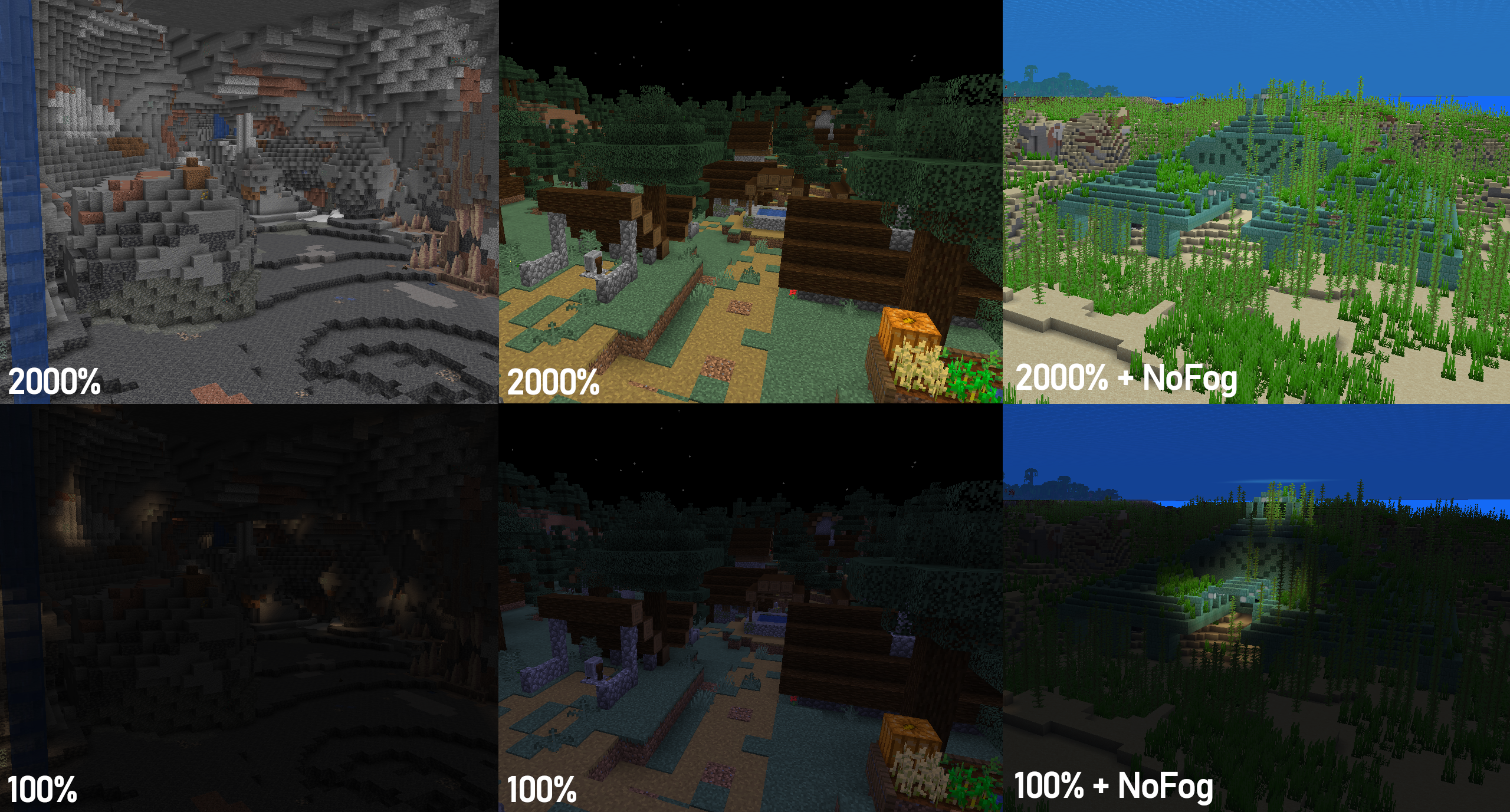
Gamma Shifter is a fully customizable fullbright utility mod for 1.19+ that allows you to raise the brightness well above the maximum default level so you'll never struggle to see again! Auto Night Mode automatically raises and lowers the gamma at dawn and dusk, and hotkeys and HUD lets you change your settings without needing to use the menu. With Mod Menu support, almost all mod behaviour can be customized to your liking!
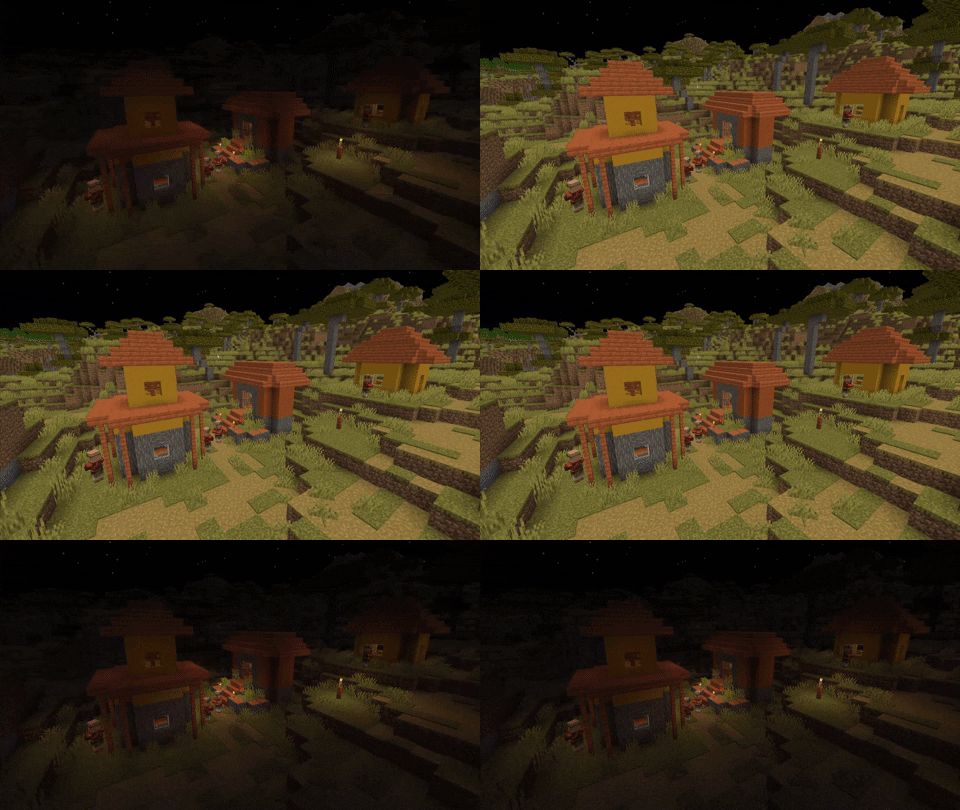
The following section describes the latest stable release version. Older versions or betas may not support all features or keybinds. Click the 'View' buttons to view a section.
Toggle gamma effects
Keybind: G
Set max gamma (2000%)
Keybind: ]
Set vanilla max gamma (100%)
Keybind: [
Decrease gamma (25% by default)
Keybind: -
Increase gamma (25% by default)
Keybind: =
Preset 1 (500% by default)
Keybind: ;
Preset 2 (1000% by default)
Keybind: '
Show current gamma
Keybind: m
Menu settings are available through ModMenu (see Dependencies below).
Enable mod effects
Toggles mod effects on/off. The custom gamma cannot be changed when the mod is toggled off.
Custom gamma (%)
Sets the current gamma
Gamma change per input (%)
Sets the amount that the gamma value changes by when the increase/decrease gamma key is pressed
Always start enabled
Whether the mod will always start enabled or if it starts in the state the game previously closed in
Snap to change per input
Whether gamma changes will snap to the nearest multiple of the current change-per-input
Always save custom gamma
Whether the custom gamma (>=100%) will always be saved to options.txt, regardless of if the mod is enabled
Enforce maximum/minimum gamma
Whether gamma values are clamped to Gamma Shifter's max/min values (0% - 2000%)
Disable during Darkness effect
Temporarily disables gamma effects when the Darkness effect is applied to reduce visual anomalies
Enable Silent Mode
Disables all HUD elements
Show hotbar message
Enables/disables hotbar message when the gamma is changed by a keypress.
Display current gamma overlay
Shows the gamma at all times in the corner of the screen
HUD text colour
Sets a custom colour for the text in HUD elements
HUD location
Sets the corner of the screen that the persistent overlay is in
Enable Auto Night Mode
Automatically increases and decreases gamma at dusk and dawn
Night Mode Gamma
The gamma will be set when Night Mode turns on
Preset 1 (%)
A preset to immediately set a specific gamma value
Preset 2 (%)
A preset to immediately set a specific gamma value
Required:
Fabric
Fabric API
or
QuiltMC
Quilted Fabric API + Quilt Standard Library
Optional (for ModMenu support):
ModMenu
Cloth Config API
ModMenu and Cloth Config API are optional, but all menu features will be unavailable without them. However, in this case the configuration file (.minecraft\config\gamma_shifter.properties) can still be edited manually.
To get the underwater visibility shown in the above image, I suggest using this mod alongside NoFog.
Project description from Modrinth.
Pick your setup
Choose the version and loader you play, then open the matching release.
Check the dependencies, then try the file in a copied instance before changing a world you care about.
Recent files
gamma_shifter-1.0.4+mc1.20.4.jar
28 Dec 2023
gamma_shifter-1.0.3+mc1.20.2.jar
24 Sept 2023
gamma_shifter-1.0.2+mc1.20.1.jar
13 Jun 2023
gamma_shifter-1.0.2-beta.1+mc1.20.1-rc1.jar
10 Jun 2023
gamma_shifter-1.0.1+mc1.20.jar
10 Jun 2023
gamma_shifter-1.0.1+mc1.19.4.jar
9 Jun 2023
gamma_shifter-1.0.1+mc1.19.3.jar
9 Jun 2023
gamma_shifter-1.0.1+mc1.19.2.jar
9 Jun 2023
gamma_shifter-1.0.1+mc1.19.1.jar
9 Jun 2023
gamma_shifter-1.0.1+mc1.19.jar
9 Jun 2023
gamma_shifter-1.0.0+mc1.19.4.jar
29 May 2023
gamma_shifter-1.0.0+mc1.19.3.jar
29 May 2023
Looking for an older file? The official Modrinth project page is in Resources.
 mod
modA vanilla style storage mod based around using books as storage.
 mod
modRestores access to game chat for all accounts
 mod
modTheoglyphs is a simple magic mod that adds glyphs and spells to Minecraft ranging from combat abilities to day-to-day utilities.