Minecraft version
Back to mods 
Modrinth · Minecraft mod
MC Calamity
A datapack that attempts to recreate the Terraria: Calamity Mod
Choose a version Pick your version below, then grab the matching file.
Quick answer
Which MC Calamity release should I use?
Latest stable file 0.2.5+mod
Game version 1.21.4
Loader Fabric, Forge, NeoForge
MC Calamity 0.2.5+mod targets 1.21.4 with Fabric, Forge, NeoForge. Installation on the client is optional. Installation on the dedicated server is optional. No extra mods listed for this file.
Where it goes
Is MC Calamity required on the client, server, or both?
Installation on the client is optional. Installation on the dedicated server is optional.
Client Optional
Dedicated server Optional
Loader for this release Fabric, Forge, NeoForge
Required install it here Optional supported, not mandatory Not supported do not install here Source doesn’t say do not assume
The source marks this as usable on both the client and server.
What else does MC Calamity 0.2.5+mod need?
0.2.5+mod. Change the file and its required mods may change too.
This file does not list any required mods. Do not add a library just because a different file uses it.
This file does not list any required or optional mods.
Before you install it
Add MC Calamity without breaking your instance.
Built for MC Calamity 0.2.5+mod. Pick another file and the loader, install side or required mods may change.
- 01
Stick to this file
Use 0.2.5+mod. It targets 1.21.4 with Fabric, Forge, NeoForge; another release may have different loader, side or dependency requirements.
- 02
Bring the mods it needs
This file does not list any required mods. Do not add a library just because a different file uses it.
- 03
Put it on the correct side
Installation on the client is optional. Installation on the dedicated server is optional.
- 04
Pick the file you checked
Use the “Get this file” button beside 0.2.5+mod. It opens that exact file at the source.
About this project
What does MC Calamity add?
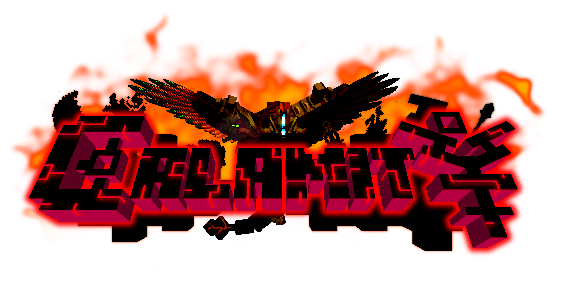
This ambitious datapack attempts to recreate the entire Terraria: Calamity Mod in Minecraft.
Currently adds:
- 4 New Bosses
- 600+ Items
- 40+ New Mobs
- 5 New Structures
- 8 New Armor Sets
- New Weapon Classes! (Magic, Ranger, Rogue, Summoner)
- 70 New Weapons
- Custom Accessory System!
- New Potion Effects
- New Music Discs
- New Paintings
- Reworked Fishing System
Installation FAQ
Installation
Q: How do I install the datapack?
Method 1: On world creation go to the third tab "more" and than click "data packs" then "open folder". put datapack in there.
Method 2: If your world is already created, go to the .minecraft/save/YOUR WORLD/datapacks and put folder in here
Installing the mod.jar (mod packaged version of the datapack): put in mods folder in forge/fabric/quilt. Then when you open minecraft, go to "Resource Packs" and move the "mod_resources" pack above the "default" pack otherwise Minecraft won't render the new textures.
You can check if the datapack was installed correctly by checking if you have new advancements relating to the datapack.
Q: All the items and mobs are potions/prismarine_crystals/warped_fungus_on_a_stick/clocks. How do i fix?
If Datapack: install the required Resource Pack (RP)
If Mod: go to "Resource Packs" and move the "mod_resources" pack above the "default" pack otherwise Minecraft won't render the new textures.
Q: Why are the Music and Biome Resources separate pages?
Its both for modpack developers and for ease of searching. It was argueably more confusing when it was in the main downloads.
Q: Is the datapack compatable with Optifine or Sodium?
No. The datapack occassionally uses a shader called OBJMC to render models which gets broken by Optifine & Sodium because of how they change rendering.
Q: Does this work on X version?
1.21.6 -- No, ... we are probably working on it
1.21.5 -- No, ... may be skipped for 1.21.6
1.21.4 -- Yes, for version 0.2.3
1.21.2 -- 1.21.3 - Yes, for version 0.2.2 - 0.2.3
1.21 -- 1.21.1 - Yes, for versions 0.2.0 & 0.2.1
1.20.5 -- 1.20.6 - No (Skipped)
1.20.2 -- 1.20.4 - For version 0.1.0 (DEMO)
1.20.1 and below - No, Nope. Can't back port either. the datapack heavily uses the "macro" feature of functions which was introduced in 1.20.2.
Q: Why is this a datapack and not a mod?
Roger_Swifer_Cleaner: [image: shrek, covered in mud, says "Good question."]
NotGleam: "we like working around limitations"
Gameplay FAQ
Gameplay
Q: I don't want to play, I just want to mess around in creative. Any tools?
Yes! If you load up a world in creative (or do /reload when in creative) you'll see in chat "Veiw development debug menu? [click]". Press [click] and the datapack will give you some debug options including commands, some testing items, and a fully fuctional creative menu!
As of the new update, the chat menu appears every time you enter creative because people don't read this.
Q: How do I make a workbench?
Throw a stripped log onto a crafting table
Q: How do I use the custom crafting stations?
Use the right arrow to scroll right, left arrow to scroll left.
Shift Use to craft.
Shift Punch to break.
Scroll the crafting menu by looking left and right.
DEMO Version: Right click to scroll recipes, Shift Right click to craft
Q: How do I find put accessories on items?
First you need a tinkerer's workshop obtainable from a tinkerer villager. (can be found in villages or created through a profession_certificate obtained from wandering traders)
To use it, Right click with your desired armor, then Right click with your desired accessory.
Q: Items from the previous version arn't working!
Due to the jump from 1.20.2 to 1.21, most of the items had their code broken, so we dropped support for items from the DEMO all together.
Items may break between future updates due to similar reasons.
Extra Addons
| Custom Music | Custom Biomes |
|---|---|
 |
 |
Project description from Modrinth.
Pick your setup
MC Calamity by Minecraft version and loader
Choose the version and loader you play, then open the matching release.
Minecraft version
1.21.3
5 loader buildsMinecraft version
1.21.2
5 loader buildsMinecraft version
1.21.1
5 loader buildsMinecraft version
1.21
5 loader buildsMinecraft version
1.20.4
4 loader buildsMinecraft version
1.20.3
4 loader buildsMinecraft version
1.20.2
4 loader buildsCheck the dependencies, then try the file in a copied instance before changing a world you care about.
Recent files
MC Calamity versions and loaders
0.2.5+mod
mc-calamity-0.2.5.jar
23 Jul 2025
Client Optional Server Optional Dependencies No extras listed Listed on Release listing
Check the 1.21.4 · Fabric setup 1.21.4FabricForgeNeoForge release
0.2.4+mod
mc-calamity-0.2.4.jar
8 Jul 2025
Client Optional Server Optional Dependencies No extras listed Listed on Release listing
Check the 1.21.4 · Fabric setup 1.21.4FabricForgeNeoForge release
0.2.4+mod
mc-calamity-0.2.4.jar
8 Jul 2025
Client Optional Server Optional Dependencies No extras listed Listed on Release listing
Check the 1.21.3 · Fabric setup 1.21.3FabricForgeNeoForge release
0.2.5
Calamity_DP_0.2.4.zip
8 Jul 2025
Client Optional Server Optional Dependencies No extras listed Listed on Release listing
Check the 1.21.4 · datapack setup 1.21.4datapack release
0.2.4
Calamity_DP_0.2.4_1213.zip
8 Jul 2025
Client Optional Server Optional Dependencies No extras listed Listed on Release listing
Check the 1.21.3 · datapack setup 1.21.3datapack release
0.2.3+mod
mc-calamity-0.2.3_hotfix.jar
18 May 2025
Client Optional Server Optional Dependencies No extras listed Listed on Release listing
Check the 1.21.3 · Fabric setup 1.21.3FabricForgeNeoForge release
0.2.3+mod
mc-calamity-0.2.3_main.jar
18 May 2025
Client Optional Server Optional Dependencies No extras listed Listed on Release listing
Check the 1.21.4 · Fabric setup 1.21.4FabricForgeNeoForge release
0.2.3
Calamity_DP_0.2.3_1213.zip
17 May 2025
Client Optional Server Optional Dependencies No extras listed Listed on Release listing
Check the 1.21.3 · datapack setup 1.21.3datapack release
0.2.3
Calamity_DP_0.2.3.zip
16 May 2025
Client Optional Server Optional Dependencies No extras listed Listed on Release listing
Check the 1.21.4 · datapack setup 1.21.4datapack release
0.2.1+mod
mc-calamity-0.2.1.jar
18 Mar 2025
Client Optional Server Optional Dependencies No extras listed Listed on Release listing
Check the 1.21.1 · Fabric setup 1.211.21.1FabricForge release
0.2.2+mod
mc-calamity-0.2.2.jar
18 Mar 2025
Client Optional Server Optional Dependencies No extras listed Listed on Release listing
Check the 1.21.3 · Fabric setup 1.21.21.21.3FabricForge release
0.2.2
Calamity_DP_0.2.2.zip
17 Mar 2025
Client Optional Server Optional Dependencies No extras listed Listed on Release listing
Check the 1.21.3 · datapack setup 1.21.21.21.3datapack release
Looking for an older file? The official Modrinth project page is in Resources.
 mod
mod CurseForge · Minecraft
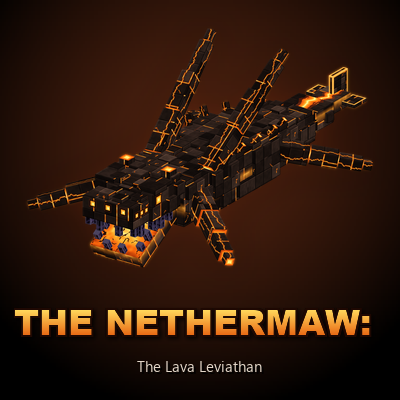
The Nethermaw
The Nether has oceans of fire that few things dare cross. Yet something more ancient than the fortresses tears through the lava: a colossal basalt leviathan. Ride its back from shore to shore, but when its spines start to smoke, get off before it dives.
 mod
mod CurseForge · Minecraft
Shadow Spellbooks : Shadowy Spells
Adds a brand-new SHADOW magic school to Iron’s Spells ‘n Spellbooks, featuring destructive shadow spells, custom scrolls, unique particles, custom sounds, new items, End loot, and high-impact dark magic effects.
 mod
mod CurseForge · Minecraft
Tre's Tack Shop - A SWEM Add on
An add-on mod to SWEM that increases the tack and award items for resource pack creators and servers to use for custom tack and awards.