Minecraft version
Back to mods 
Modrinth · Minecraft mod
Command Pouch
A simple client-side command menu for Minecraft.
Choose a version Pick your version below, then grab the matching file.
Quick answer
Which Command Pouch release matches 26.2?
Best match for your filters 1.0.0
Game version 26.2
Loader Fabric
Command Pouch 1.0.0 targets 26.2 with Fabric. It must be installed on the client. Do not install it on the dedicated server. No extra mods listed for this file.
Where it goes
Is Command Pouch required on the client, server, or both?
It must be installed on the client. Do not install it on the dedicated server.
Client Required
Dedicated server Not supported
Loader for this release Fabric
Required install it here Optional supported, not mandatory Not supported do not install here Source doesn’t say do not assume
This file is marked client-only.
What else does Command Pouch 1.0.0 need?
1.0.0 on 26.2. Every mod below is checked against that same setup.
This file does not list any required mods. Do not add a library just because a different file uses it.
This file does not list any required or optional mods.
Before you install it
Add Command Pouch without breaking your instance.
Built for Command Pouch 1.0.0 on 26.2. Pick another file and the loader, install side or required mods may change.
- 01
Stick to this file
Use 1.0.0. It targets 26.2 with Fabric; another release may have different loader, side or dependency requirements.
- 02
Bring the mods it needs
This file does not list any required mods. Do not add a library just because a different file uses it.
- 03
Put it on the correct side
It must be installed on the client. Do not install it on the dedicated server.
- 04
Pick the file you checked
Use the “Get this file” button beside 1.0.0. It opens that exact file at the source.
About this project
What does Command Pouch add?
Command Pouch
Command Pouch is a simple client-side mod that lets you open a command menu with a keybind and run saved commands with one click.
It is made for players who often use repeated commands, such as teleport commands, weather commands, gamemode commands, companion commands, server commands, or custom shortcuts.
Features
- Open a command menu with a keybind
- Add custom commands in-game
- Organize commands into categories
- Delete individual commands
- Delete entire categories
- Client-side only
How To Use
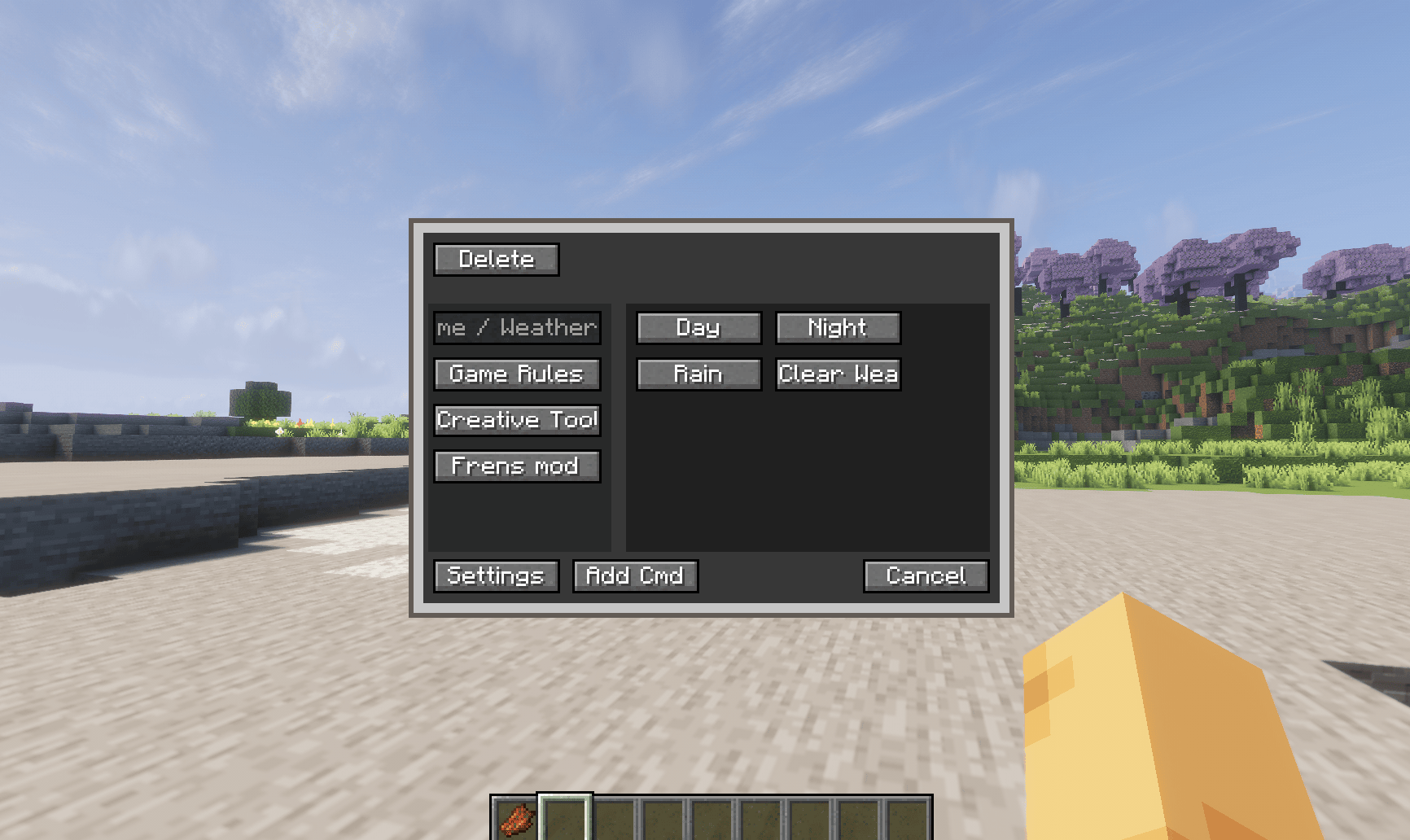
The defult keybinds for this Mod menu is "R" (its editable)
The left side is the categories and the right side is the /command preset that we put and can be edited too in "add cmd"
Setting change the size of the menu itself.
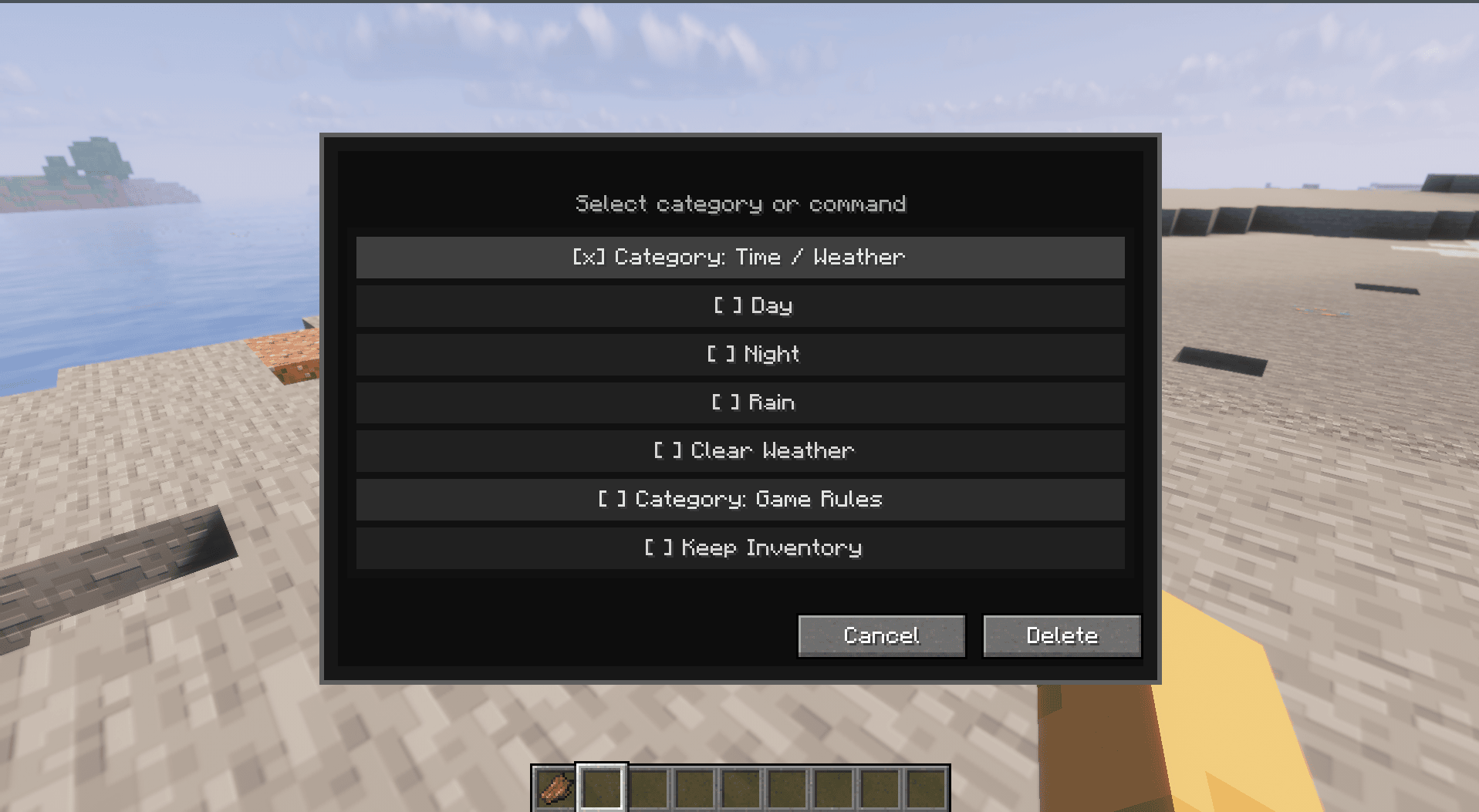
To delete a Category= deleting the whole command preset in them
Delete a command= delete just one command preset that you want to delete
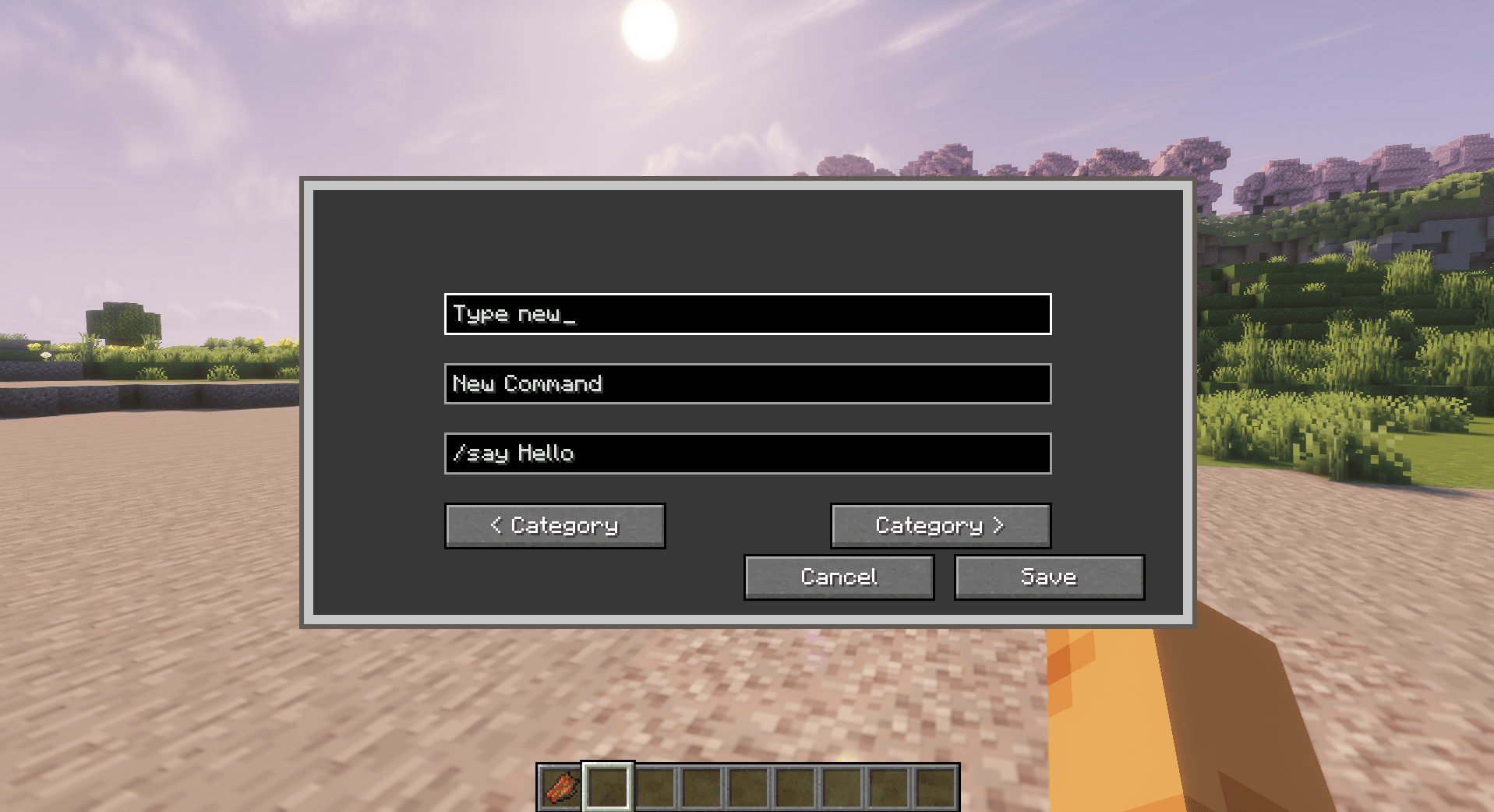
To Add new Category
To create a new category, type the category name you want in the first box.
You can also use the left and right category buttons to switch between existing categories.
The second box is for the command name. This is the label that will appear on the button in the menu.
The third box is for the command itself. Write the full command you want to save, including the / symbol.
After saving it, you can use the command from the menu next time instead of typing it manually in chat.
✨ New in 2.0.0 Alpha
Command Pouch is currently undergoing its biggest update yet, introducing a completely redesigned radial interface while keeping the familiar workflow that existing users know.
This alpha release focuses on modernizing the user experience and improving accessibility without changing the core purpose of the mod.
Highlights
- 🎯 Brand-new radial command menu
- ⭐ Faster access to your favorite commands
- 📂 Improved command organization
- 🖱️ Cleaner and more intuitive interface
- ⚙️ Better menu scaling and customization
- 🚧 Ongoing UI polish and feature improvements
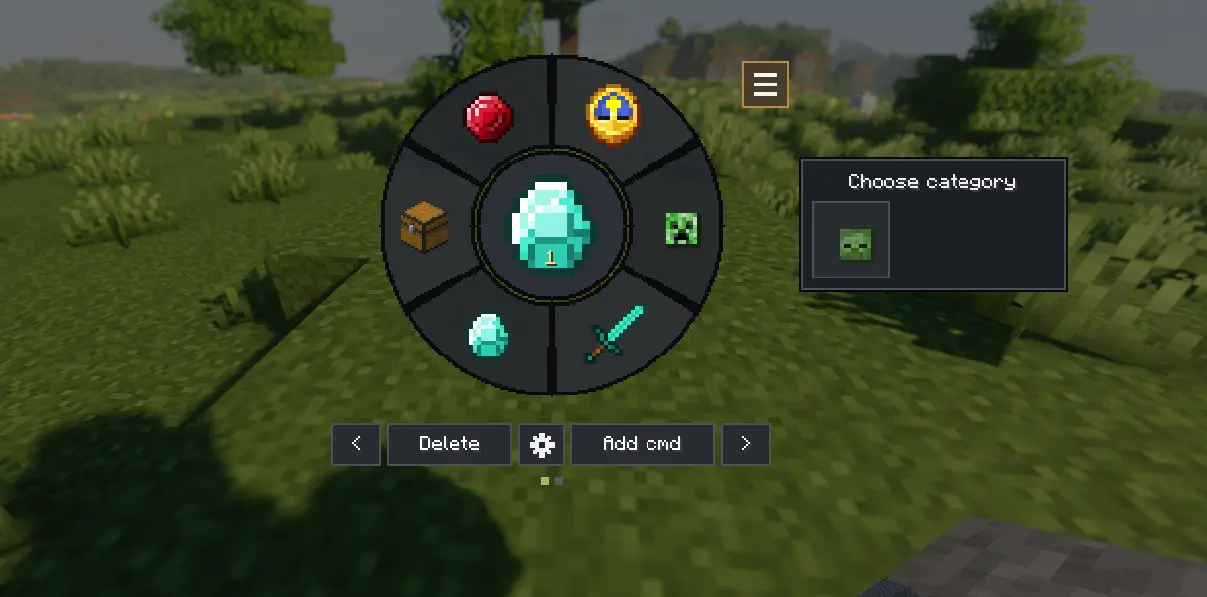
This is an Alpha release.
The classic Command Pouch functionality remains the same, but the new interface is still being refined. Some features and visuals may change before the full release.
Important note
Command Pouch does not add new server commands. It only sends commands as if the player typed them in chat.
This means commands will only work if the player has permission to use them in that world or server.
Tested in Multiplayer mode
Commands execute with your existing permissions—if a server doesn't allow a command, Command Pouch cannot bypass those restrictions.
Dependencies
Required:
- Fabric API
Optional:
- Mod Menu
Download
Download the latest release from:
- GitHub Releases: https://github.com/Alin-J178/Command-Pouch/releases
If you encounter any bugs, have suggestions, or would like to request a new feature, please open an issue on GitHub:
GitHub Issues:
https://github.com/Alin-J178/Command-Pouch/issues
Every report helps improve Command Pouch. Thanks for your support! ❤️
Project description from Modrinth.
Pick your setup
Command Pouch by Minecraft version and loader
Choose the version and loader you play, then open the matching release.
Minecraft version
1.21.11
1 loader buildMinecraft version
1.21.1
1 loader buildCheck the dependencies, then try the file in a copied instance before changing a world you care about.
Recent files
Command Pouch versions and loaders
2.1.0-alpha.2
command-pouch-fabric-26.2-2.1.0.jar
6 Aug 2026
Client Required Server Not supported Dependencies 1 required · 1 unchecked Listed on Release listing
Check the 26.2 · Fabric setup 26.2Fabric alpha
2.0.0-alpha.1
command-pouch-fabric-26.2-2.0.0-alpha.1.jar
22 Jul 2026
Client Required Server Not supported Dependencies 1 required · 1 unchecked Listed on Release listing
Check the 26.2 · Fabric setup 26.2Fabric alpha
1.0.0
command-pouch-1.0.0.jar
17 Jul 2026
Client Required Server Not supported Dependencies No extras listed Listed on Release listing
Check the 26.2 · Fabric setup 26.2Fabric release
Looking for an older file? The official Modrinth project page is in Resources.
 mod
mod CurseForge + Modrinth · Minecraft
LazyKeys
Automated key-pressing for enhanced afk farming efficiency
 mod
mod CurseForge + Modrinth · Minecraft
Carpet-FGA-Addition
An AI-powered Carpet extension mod packed with practical utilities, including longer player name support and fake-player area mining.
 mod
mod CurseForge + Modrinth · Minecraft
Simple Fog Control
Allows simple control over water, nether and terrain fog.